
README file from
GithubOctavo
Read EPUB and PDF books in Obsidian, with highlights that live in your vault as linked Markdown.
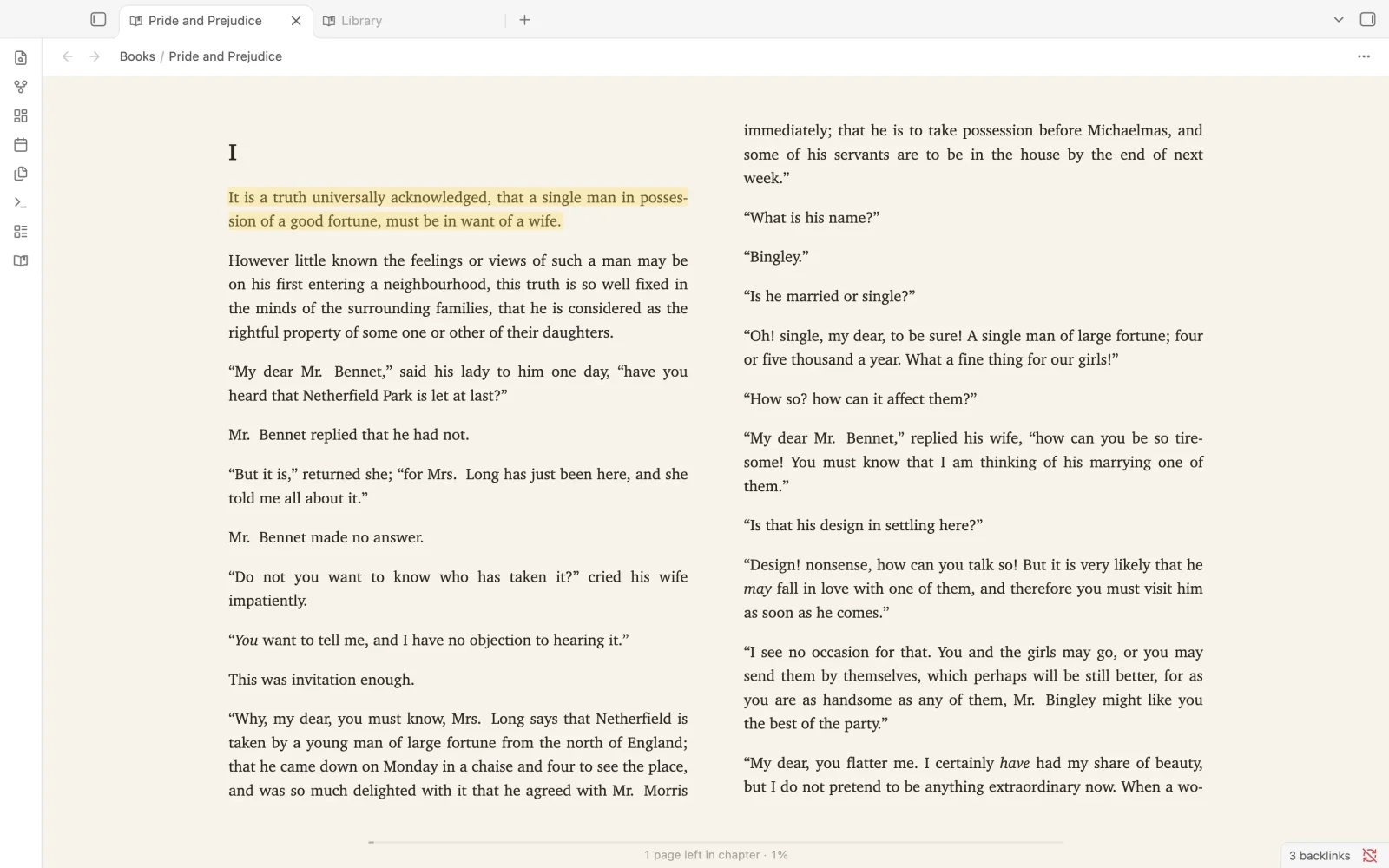
Octavo is a calm, full-featured book reader for Obsidian on desktop, iPhone, iPad and Android. Every reader feature is free.
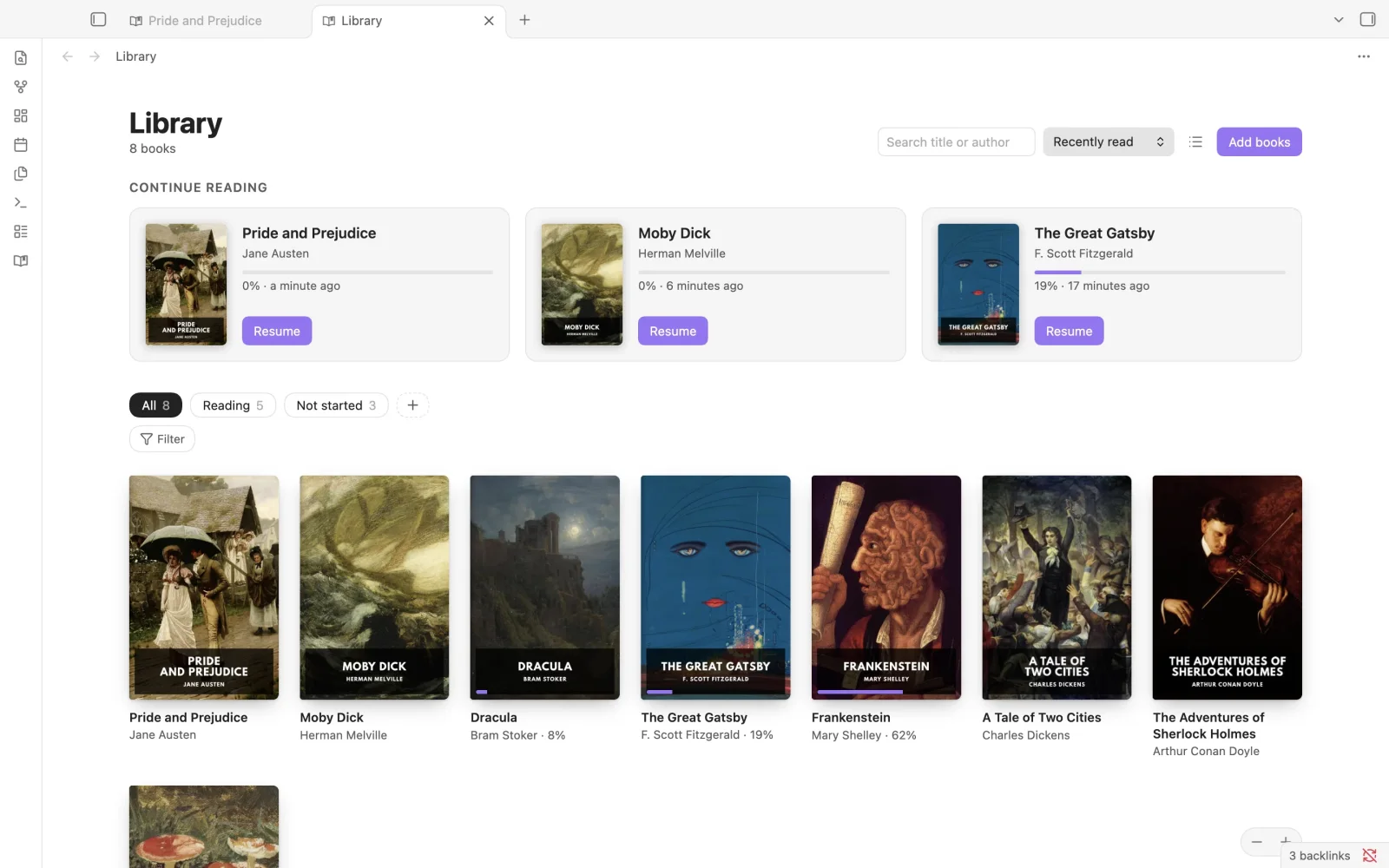
Your library, built on your notes
Covers, Continue Reading, shelves and collections. Each book is a Markdown note, so it works with Bases and search.
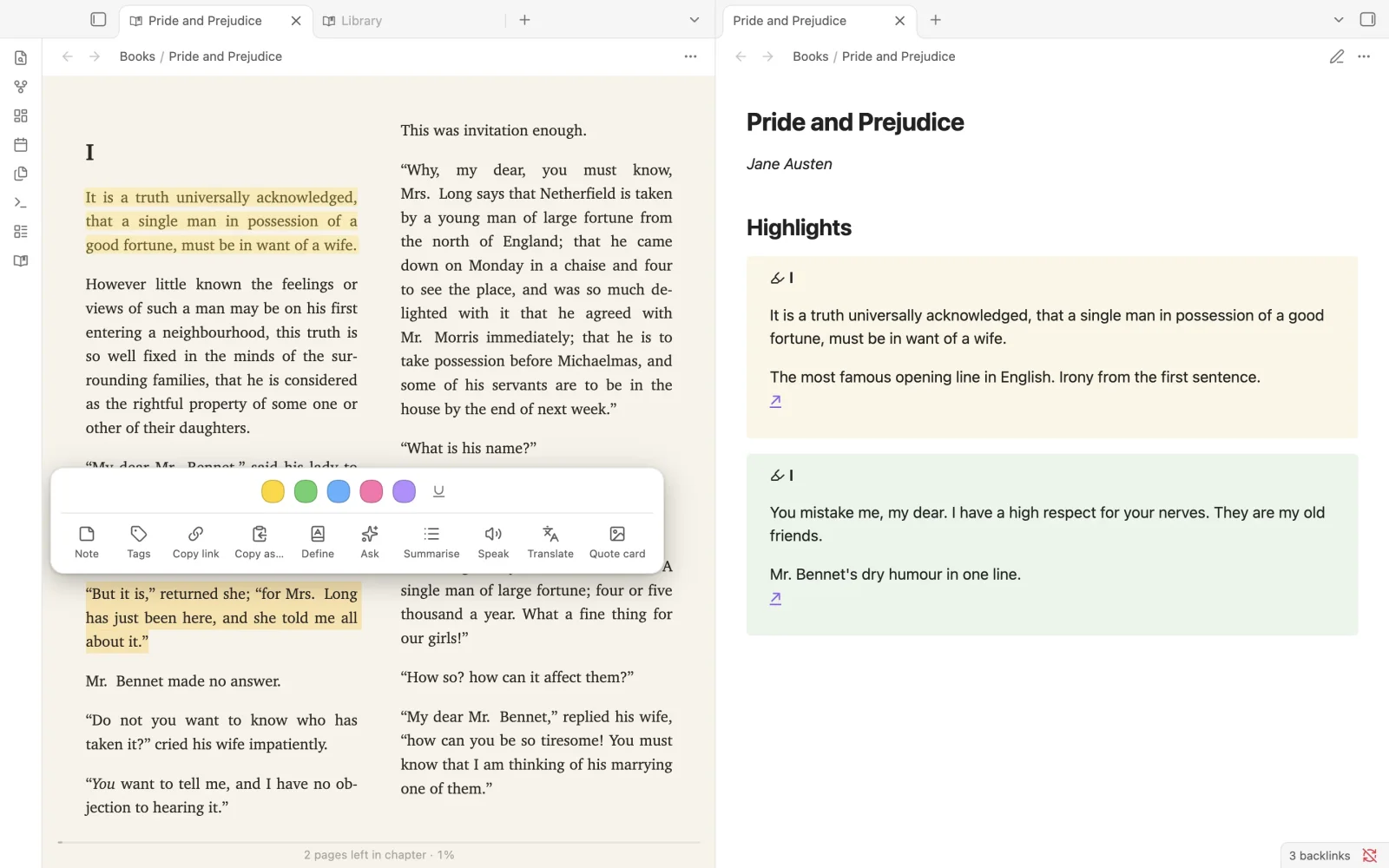
Highlights become notes
Select text, pick a colour, add a note. It lands in the book's note as Markdown, with a link back to the exact passage. Define, translate, read aloud or make a quote card from the same menu.
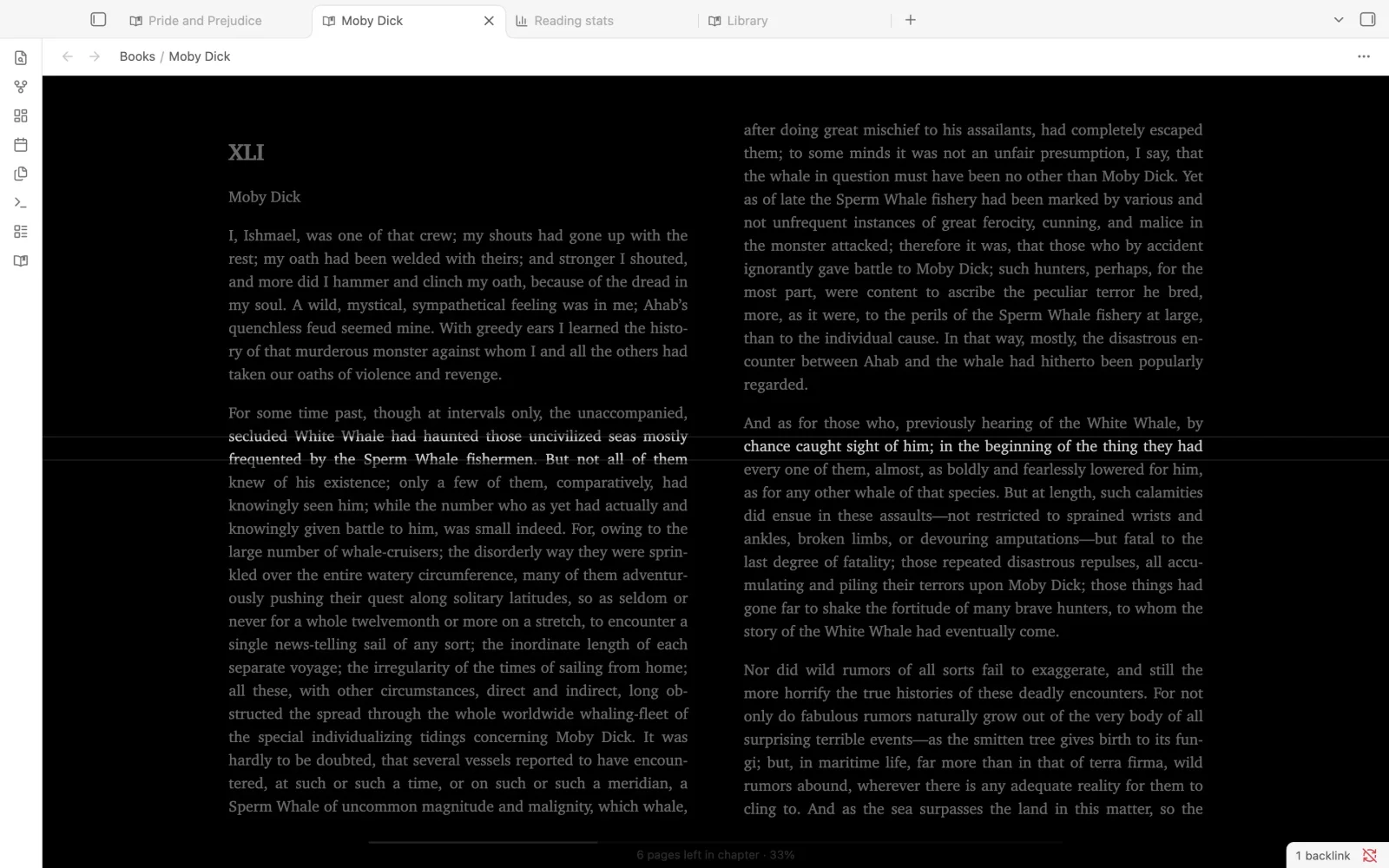
Made for long reading
A reading ruler that follows your eye (four styles from a 2023 study with readers with dyslexia), True Black and six other themes, a dimmer, footnote pop ups and a screen that stays awake.
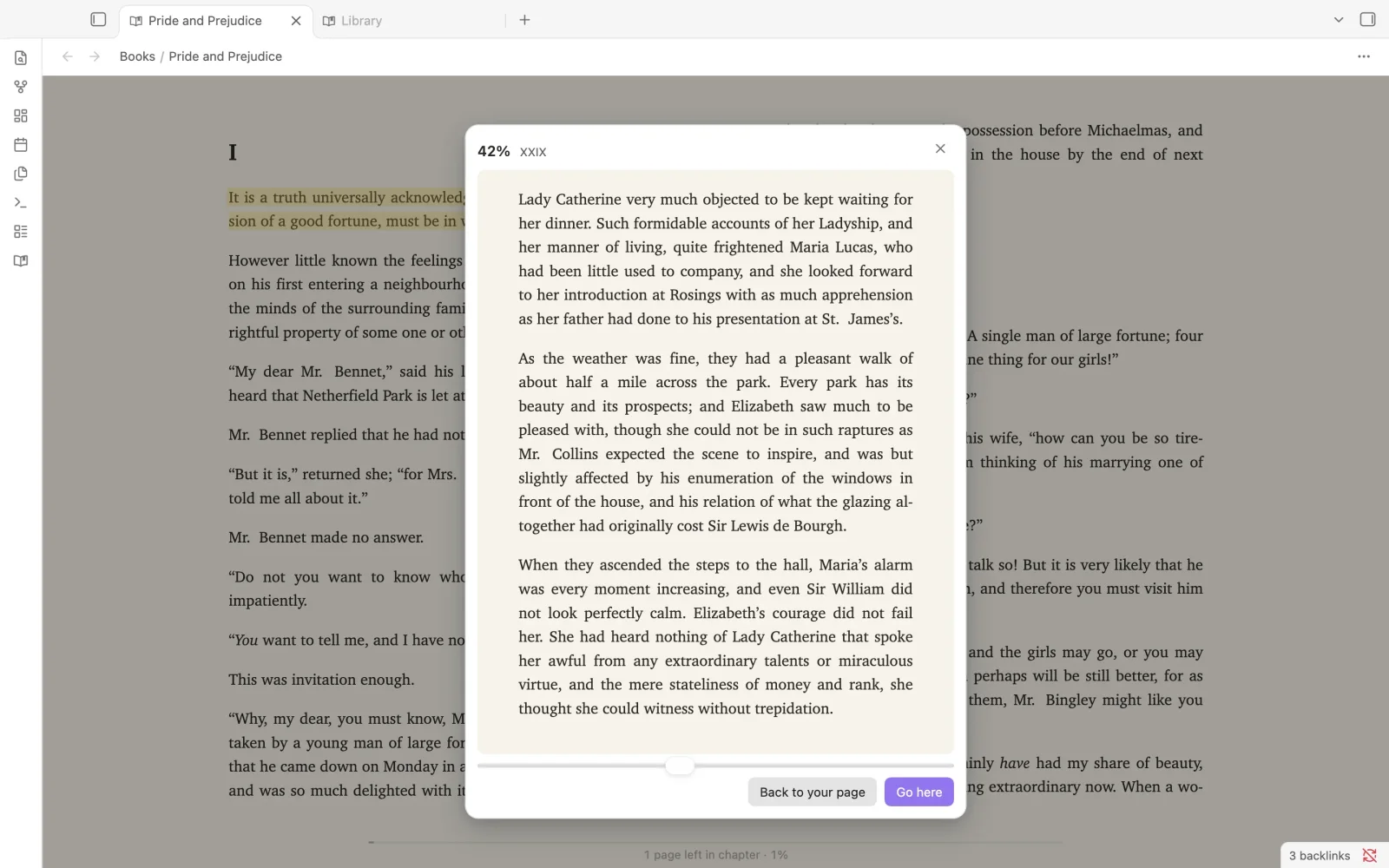
Flip through without losing your place
Drag through the book to look ahead, then go back to your page or jump there.
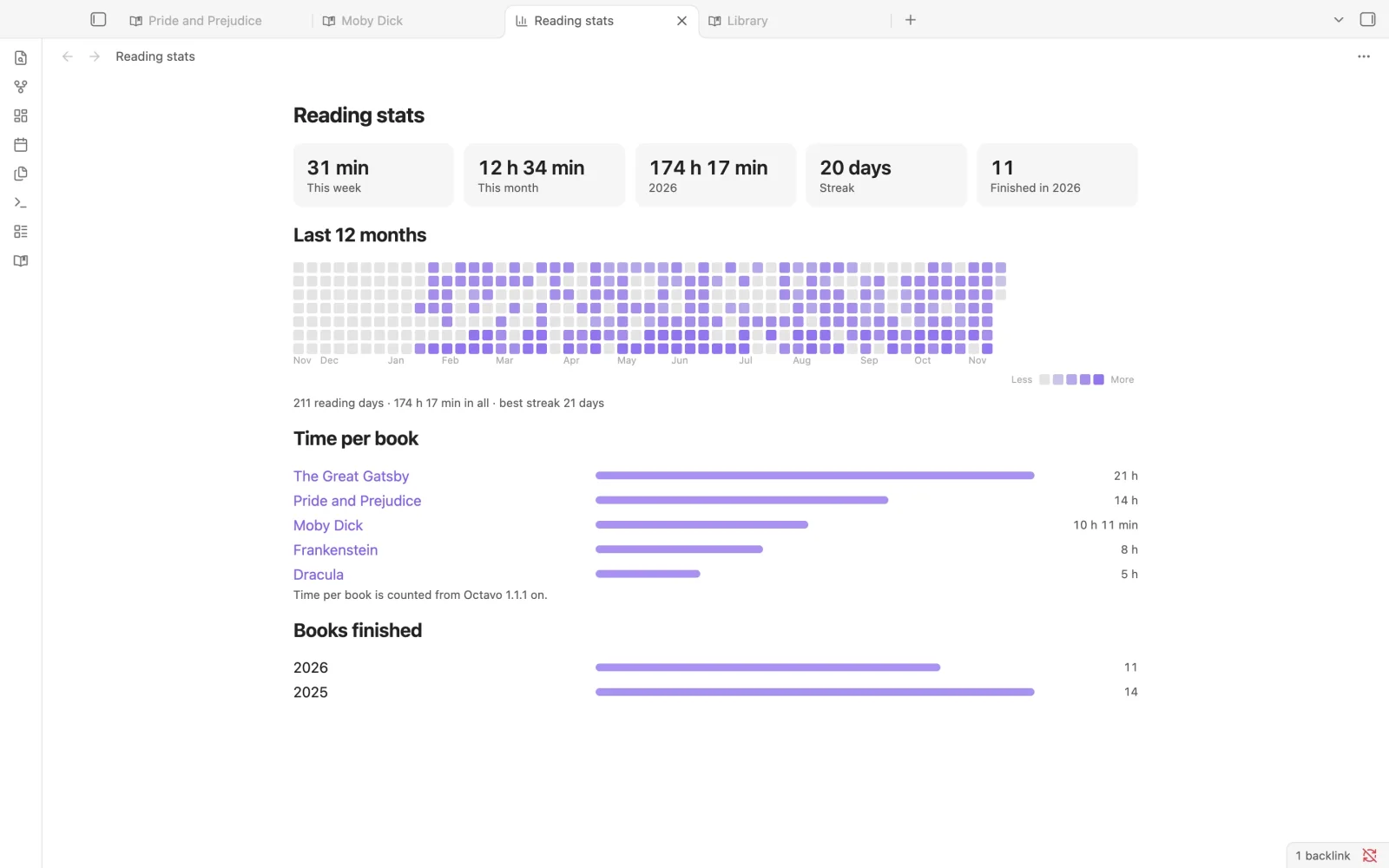
See your reading
A year of reading days, streaks, time per book and books finished, all kept in your vault.
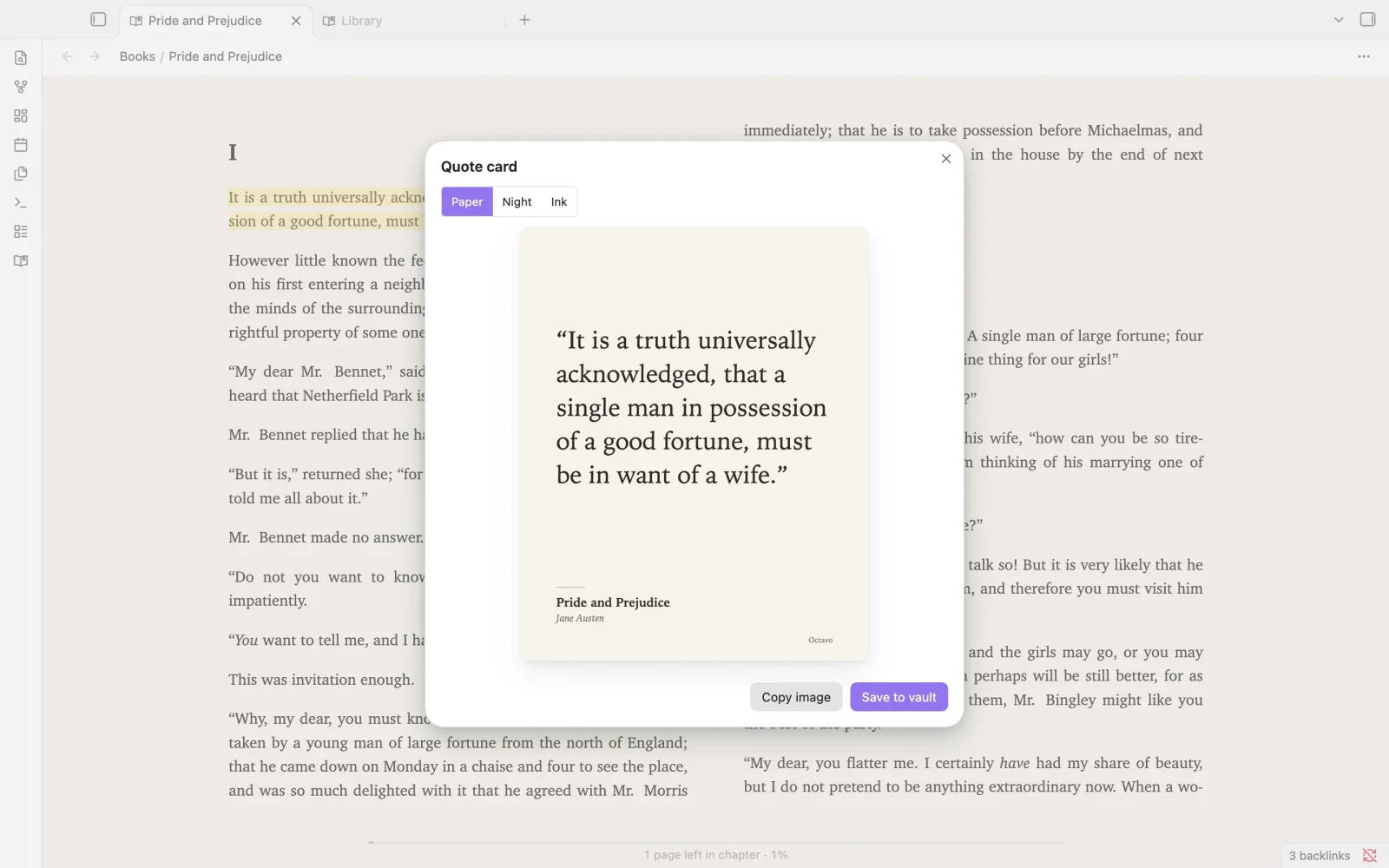
Share a line
Turn any passage into a quote card in Paper, Night or Ink, then copy it or save it to your vault.
Everything else
- EPUB, PDF, MOBI, AZW3, FB2 and CBZ: themes, fonts and spacing, page turns, two page spreads, line width and a full screen focus mode.
- Your notes in the margins. Any note that links into a book shows up in the text. Hover over it to preview.
- PDF++ links keep working. Importers bring in highlights from Annotator, Weave, Elton, Kindle, KOReader, Readest and others.
- Study tools: search with whole word and match case options, daily highlights in your daily note, a "story so far" recap when you come back to a book, and a vocabulary list from Define.
- Read aloud with your system voices, plus optional AI (your own API key or a local model through Ollama).
- Goals and streaks if you want them, logged to your daily note. Nothing leaves your device.
- Page turner keys and remotes, double tap to define, and text size remembered per book.
Website: https://octavo.devformat.tools
Install
In Obsidian, go to Settings → Community plugins → Browse, search for Octavo, then select Install and Enable.
Moving from PDF++ or Annotator
- PDF++ links keep working.
[[book.pdf#page=12&selection=…&color=…]]and region embeds (#page=…&rect=…) open in Octavo at the same place, and highlights are drawn back onto the page. - Annotator highlights come across with Import highlights → Annotator (colours and comments included).
- Make Octavo your PDF viewer: Settings → Octavo Reader → Library → "Open PDFs in Octavo". Your PDF files are never modified.
- What differs: Octavo stores highlights in the book's Markdown note (one callout per highlight) instead of inside the PDF, and adds a library, read aloud, phone layouts and EPUB in the same reader.
Full guide: https://octavo.devformat.tools/moving-from-pdfplusplus.html
On mobile (iPhone, iPad, Android)
Obsidian keeps plugin icons in the ribbon menu: tap the Menu button at the bottom right. To show Octavo there, open Settings → Appearance → Ribbon menu → Manage and turn on "Octavo library". You can also run "Octavo Reader: Open library" from the command palette, or simply tap any EPUB or PDF in your files.
Beta testing
Want new builds before everyone else? Install the BRAT plugin, choose "Add beta plugin" and enter
meaLuda/OctavoRelease. Beta builds are marked as pre-releases and never reach directory installs.
If something looks wrong on your phone, run "Octavo Reader: Copy mobile diagnostics" and paste the report
into an issue.
Octavo Cloud (optional)
The reader is free and works fully offline. Octavo Cloud is an optional paid subscription for hosted services that cost money to run:
- a cloud library that keeps books outside your vault
- Send-to-Octavo email inbox
- OCR for scanned PDFs
- natural neural voices
- KOReader progress sync
- hosted AI, on the Cloud + AI plan (coming soon)
See plans and prices. No free feature will ever be moved behind the paywall.
More from the developer
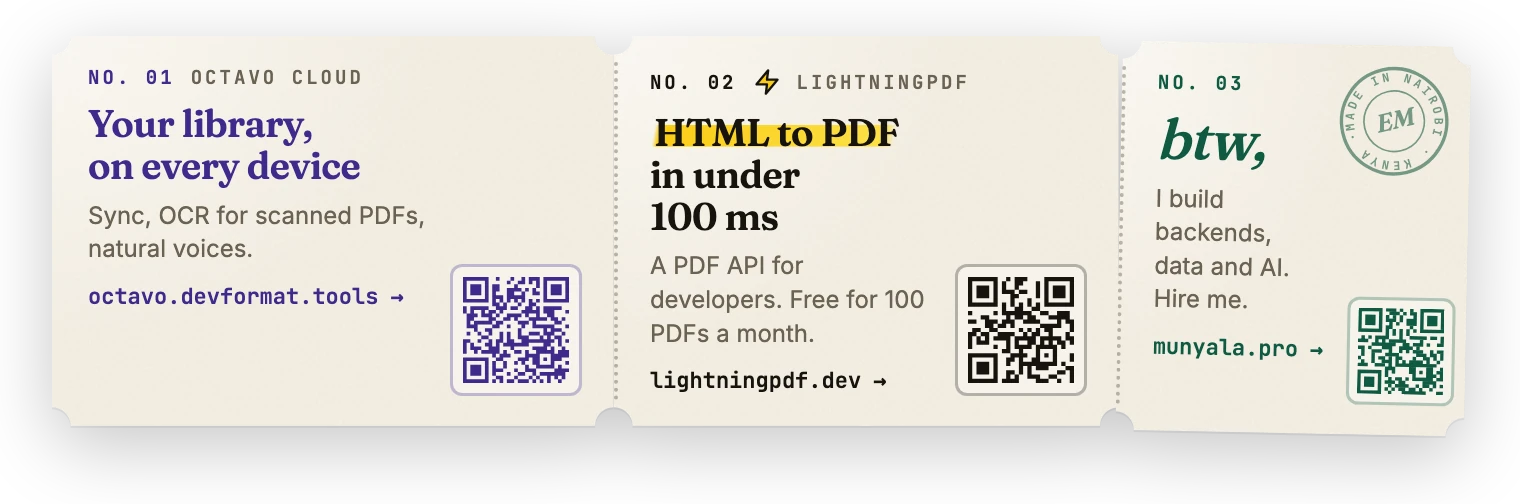
Octavo Cloud · LightningPDF, an HTML to PDF API · munyala.pro: I build backends, data platforms and AI.
Disclosures
-
Payments. Octavo Cloud features require a paid subscription. All reader features are free.
-
Account. Octavo Cloud features need an Octavo account (email sign-in code, no password). The reader needs no account.
-
Network use. Octavo makes network requests only when you use these features:
- Octavo Cloud (
octavo.devformat.tools): signing in, checking your plan, uploading and downloading cloud-library books, OCR and natural-voice jobs, and checkout. - AI providers you configure yourself: Anthropic, OpenAI or a local Ollama server, with your own key.
- Wiktionary (
en.wiktionary.org): when you use Define with no AI set up, only the word you selected is looked up.
Nothing is sent in the background.
- Octavo Cloud (
-
No telemetry. Octavo collects no usage data.
-
One static ad, in Octavo's settings only. The bottom of Octavo's settings tab shows three links with QR codes: Octavo Cloud, LightningPDF (the developer's PDF API) and the developer's site. They are bundled in the plugin: nothing is loaded from the internet, clicks are not tracked, and no ads appear anywhere else.
-
Local storage. Covers, tables of contents and book caches are kept in Obsidian's per-device browser storage (IndexedDB) and are never synced. Your highlights, notes and progress are plain files in your vault.
-
Files outside the vault. Octavo does not read or write files outside your vault.
-
Why it lists vault files. The library finds your books by listing the vault's EPUB and PDF files, and links highlights to notes. File contents are only read for books you open.
-
Clipboard. Only written when you choose a Copy action (for example "Copy link" on a highlight); Octavo never reads your clipboard.
Privacy policy: https://octavo.devformat.tools/privacy.html · Terms: https://octavo.devformat.tools/terms.html
Support
Email [email protected] or open an issue in this repository.
Source and licence
Octavo is open source under the GNU Affero General Public License v3.0 or later (LICENSE). Copyright © 2026 Munyala Eliud (MEA Tech). Third-party components and their licences are listed in THIRD-PARTY-NOTICES.md.
Octavo Cloud is a separate, optional hosted service that the plugin talks to over HTTPS; its server is not part of this repository.
Build it yourself (Node 22+):
npm ci
npm test
npm run build        # → packages/plugin/dist/main.js, styles.css, manifest.json
Every release is built from this repository by GitHub Actions and carries a signed build attestation
(gh attestation verify main.js --repo meaLuda/OctavoRelease).