
README file from
GithubNovelists Assistant
English | 简体中文
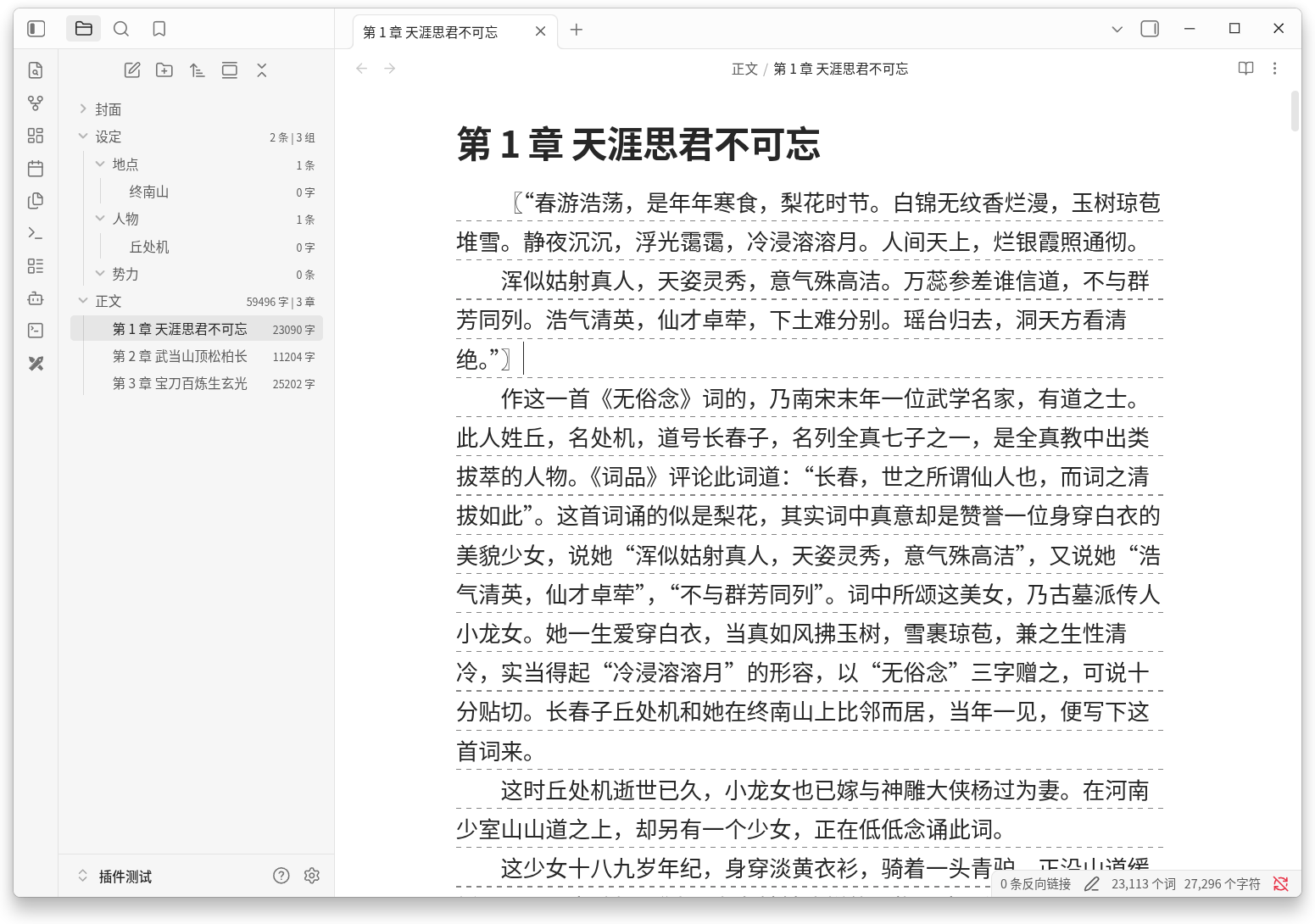
Enhance your novel writing experience with various writing tools to keep complex storylines organized.
Features
Default directory structure
- One-click creation of the
LoreandNovelfolders (localized:设定/正文in Chinese UI) with settings auto-pointed to them - Folders that already exist are detected on startup and linked automatically
Novel typesetting
- First-line indent and line height for files in the novel folder, in both source and reading (preview) view
- Font family and font weight (100–900) are configurable separately for source and reading views; an empty font family inherits the theme font
- Reading view has an independent toggle and parameters; soft line breaks render as independently indented lines
Grid lines
- Dashed grid lines under each line of novel files in source view, like manuscript paper
- Dash length, gap, thickness, and opacity are all configurable
Quick menu
- New chapter (file menu): creates the next chapter in the novel folder with auto-incrementing numbers, supporting digits, Chinese lowercase, and Chinese uppercase, then opens it in the current tab
- Add to lore (editor menu): turns the selected text into a lore note inside a chosen lore subfolder
- Sync lore links / Clear lore links (editor menu): wrap or unwrap every lore name in the current note as wikilinks in one click
- Chapter conversion (settings): rename existing chapters between numbering formats
Word count (file explorer)
- Per-file word count shown next to each file — markdown syntax is stripped before counting; CJK characters count individually, Latin letters and digits count as words
- Folder stats: the lore folder shows total lore notes and groups, the novel folder shows total words and chapters, and each lore subfolder shows its note count
- All units are configurable and can be hidden
Installation
Community plugins (recommended)
- In Obsidian, open Settings → Community plugins
- Turn off Restricted mode
- Click Browse, search for "Novelists Assistant", and install
Manual
- From latest release download
main.js,manifest.json, andstyles.cssdirectly - Place the files into
Vault/.obsidian/plugins/novelists-assistant/
Settings
All features are grouped in the settings tab and can be toggled independently. The interface language follows your Obsidian language (English, Simplified Chinese, Traditional Chinese) and can be overridden.
Compatibility
- Obsidian 1.13.1 or higher
- Desktop only
License
This project is licensed under GPL-3.0-only — see LICENSE.