


README file from
GithubNote Galaxy

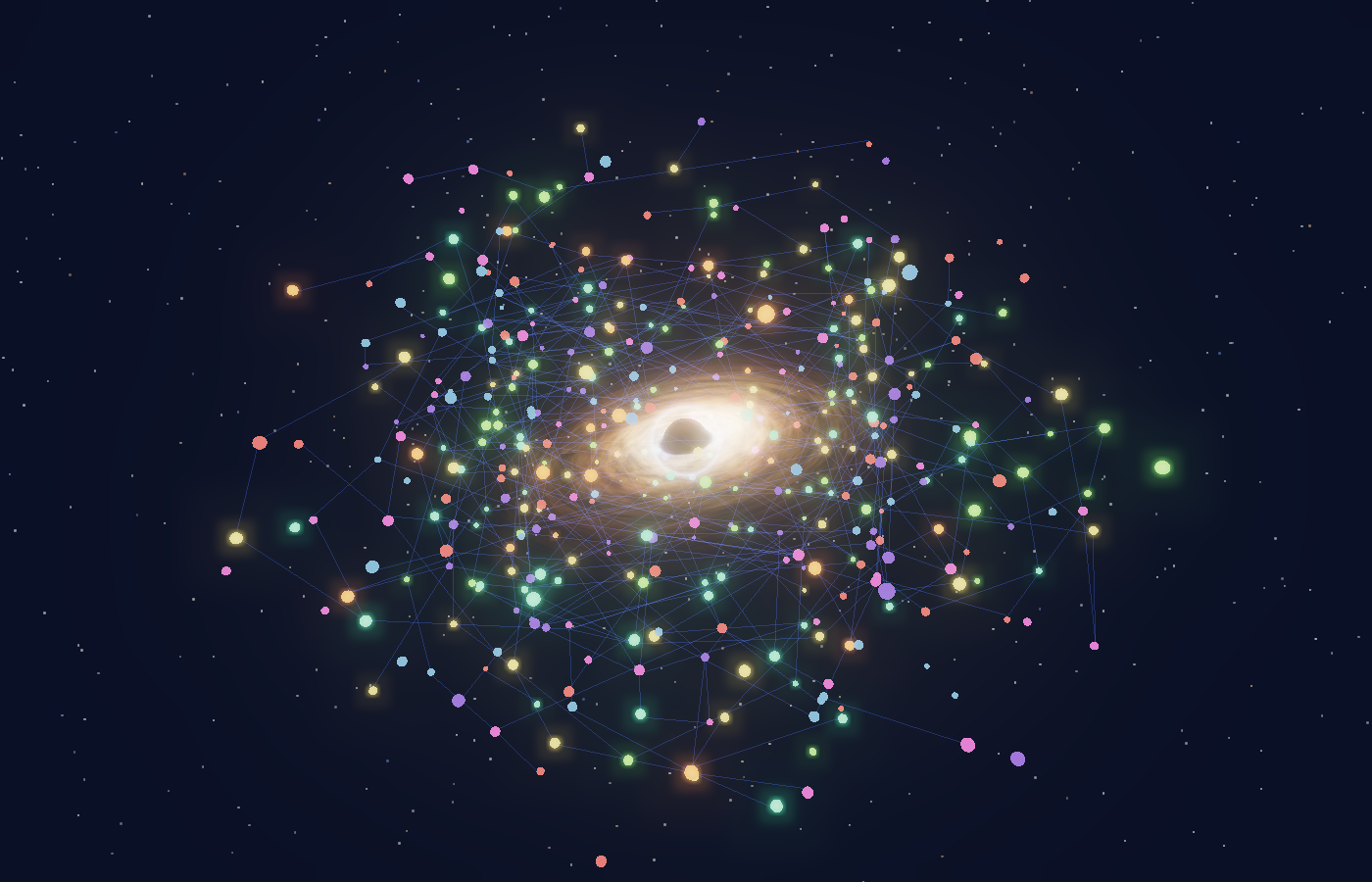
A 3D note graph for Obsidian. Notes become stars orbiting an animated black hole, projects glow as golden cores, and a dashboard greets you with the day's context.
Features
- 3D graph — force layout (spiral + springs + soft shell), notes slowly drift and bob.
- Accretion disk — GLSL shader with differential rotation, turbulent clumps, a temperature gradient and Doppler beaming on one side.
- Bloom —
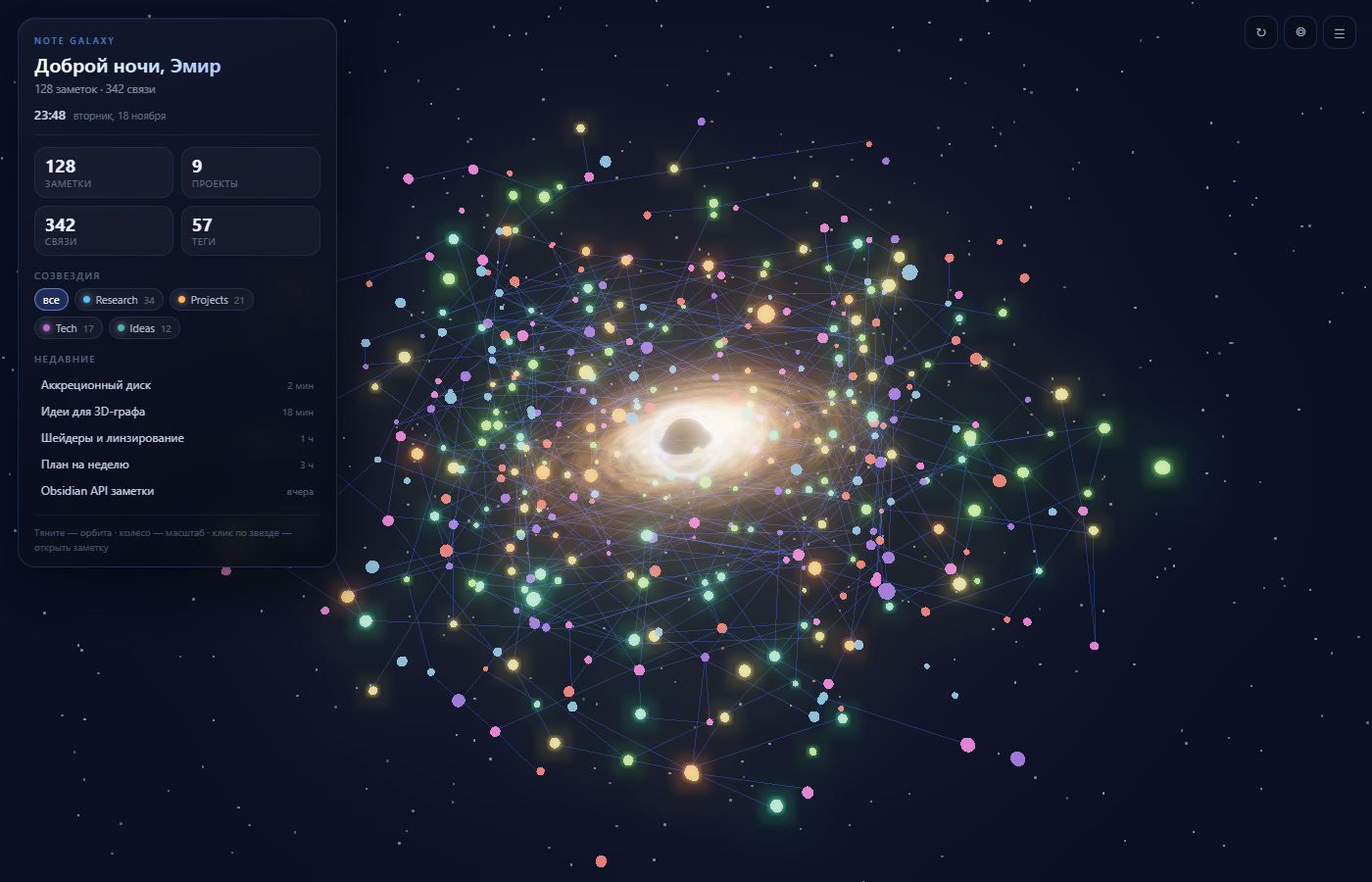
UnrealBloomPassfor the disk, the photon ring and the stars. - Dashboard — time-of-day greeting, clock, stats (notes / projects / links / tags), folder "constellations" with a filter, and recent notes.
- Interaction — hover highlights a star's links and title, click opens the note, scroll zooms, drag orbits.
- 11 languages — English, Русский, Українська, Deutsch, Español, Français, Italiano, Português (Brasil), Polski, 简体中文, 日本語. Auto-detected from Obsidian, switchable in settings.
- Procedural celestial shaders & rings — stars with convective boiling plasma, gas giants with atmospheric bands and Cassini-divided rings, terrestrial planets with oceans and Rayleigh scattering, and vertex-displaced craggy asteroids.
- Keplerian orbital dynamics — notes orbit with differential angular velocities according to Kepler's laws, updating connection lines dynamically at 60 FPS.
- Photon pulse packets — glowing energy packets continuously traverse links between connected notes.
- Dedicated Dashboard view — open the dashboard in the right sidebar or split pane with live fly-to camera navigation.
- Focal gravity center — right-click or use the toolbar button to center the whole galaxy around any note or tag-star ("Solar System" mode).
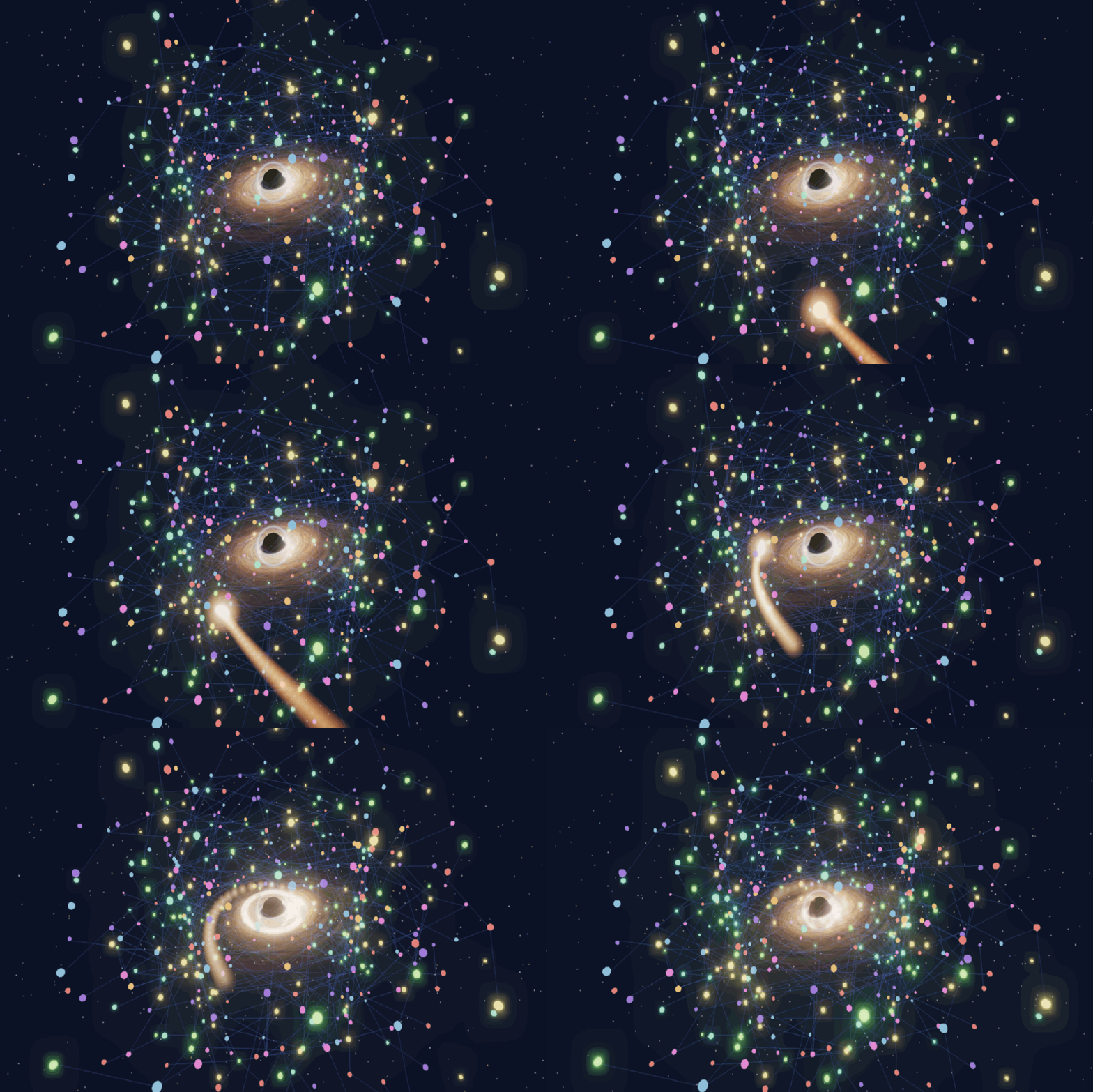
- Infall transition — opening a note sends it spiralling into the horizon, with a shock ring at the crossing. Skipped when the system asks for reduced motion.
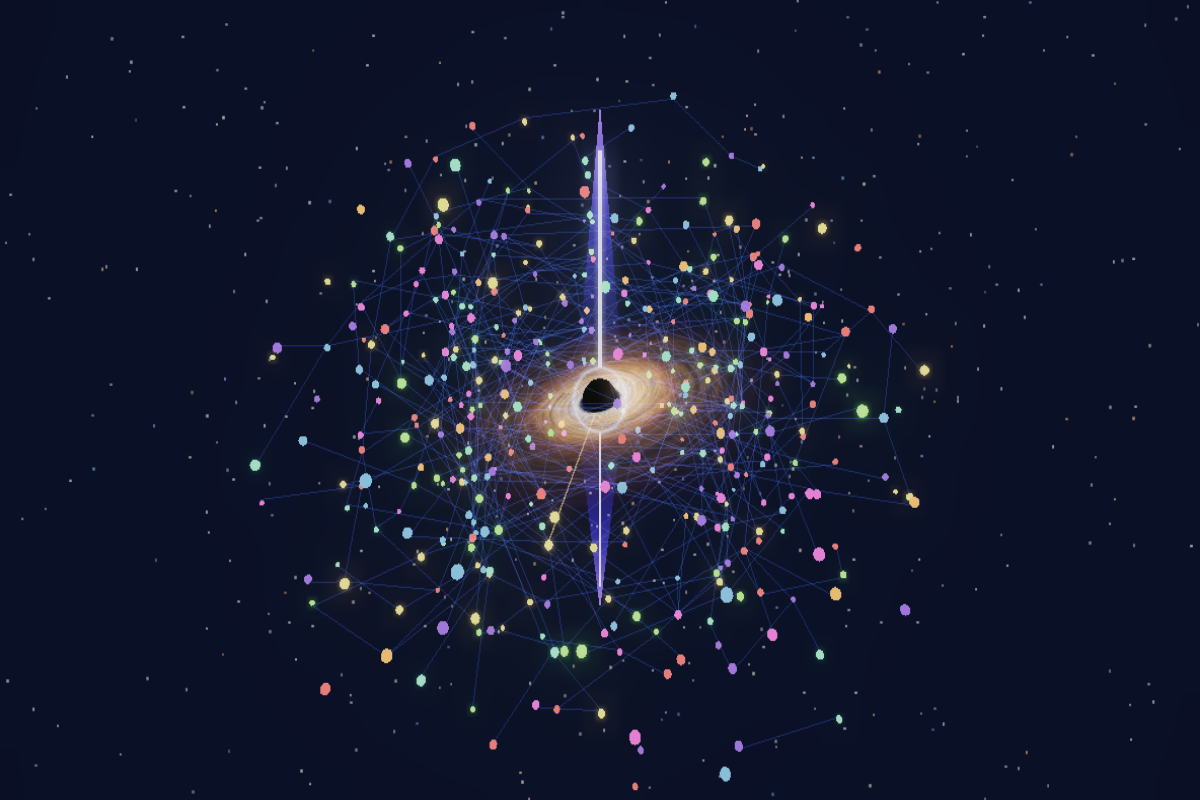
- Quasar jets — the most connected note powers jets above and below the disk and feeds them with a visible accretion stream.
- Activity layout — recently edited notes orbit closer to the disk and glow hotter, stale ones drift out to the shell and cool down.
- Adaptive quality — glow and resolution step down when frames drop, and a lost WebGL context rebuilds itself instead of freezing on a black canvas.
Opening a note
Quasar jets
Install
Manual
- Download
main.js,manifest.jsonandstyles.cssfrom the latest release. - Put them into
<vault>/.obsidian/plugins/note-galaxy/. - Enable Note Galaxy in Settings → Community plugins.
BRAT
Add the repository remageht/note-galaxy in the BRAT plugin and click Add Plugin.
Usage
Open the graph with the orbit ribbon icon or run Note Galaxy: Open 3D graph from the command palette. In the view: drag to orbit, scroll to zoom, click a star to open the note.
Notes are ranked by link degree, so the most connected ones make it into the scene.
A note counts as a project when it lives in a project/projects/проект/проекты
folder, has a #project/#проект tag, or type: project in frontmatter.
Settings
| Setting | What it does |
|---|---|
| Language | Auto / English / Русский, applies without reload |
| Name for the greeting | Good evening, … |
| Dashboard | Show or hide the side panel |
| Note labels | Titles of the most connected notes in space |
| Glow (bloom) | Halo strength |
| Disk speed | Accretion disk animation speed |
| Star size | Scale of note dots |
| Galaxy rotation | Rotation speed of the note cloud |
| Maximum notes | How many nodes to render |
Development
npm install
npm run dev     # watch build into main.js
npm run build   # type-check + production bundle
src/
  main.ts              plugin entry, commands, settings
  i18n/                dictionaries and locale matching
  view/GraphView.ts    ItemView: scene, camera, raycasting, labels
  scene/blackhole.ts   black hole, accretion disk, starfield
  scene/notes.ts       instanced note stars and links
  data/graph.ts        graph from metadataCache
  data/layout.ts       3D force layout
  ui/dashboard.ts      dashboard panel
A standalone scene preview lives in preview/:
npx esbuild preview/preview.ts --bundle --format=iife --outfile=preview/bundle.js
Then open preview/index.html in a browser.
Adding a language
- Copy
src/i18n/en.tstosrc/i18n/<code>.tsand translate the strings. - Add the code to
LanguageCodeinsrc/i18n/types.ts. - Import the dictionary and add it to
DICTSandLANGUAGESinsrc/i18n/index.ts. - Run
npm run build. The settings dropdown picks the new language automatically.
Credits
Built with three.js (MIT). The bundled license notice is
preserved at the end of main.js.