
README file from
GithubNatural Language Syntax Highlight Plus
Fork of: nl-syntax-highlighting
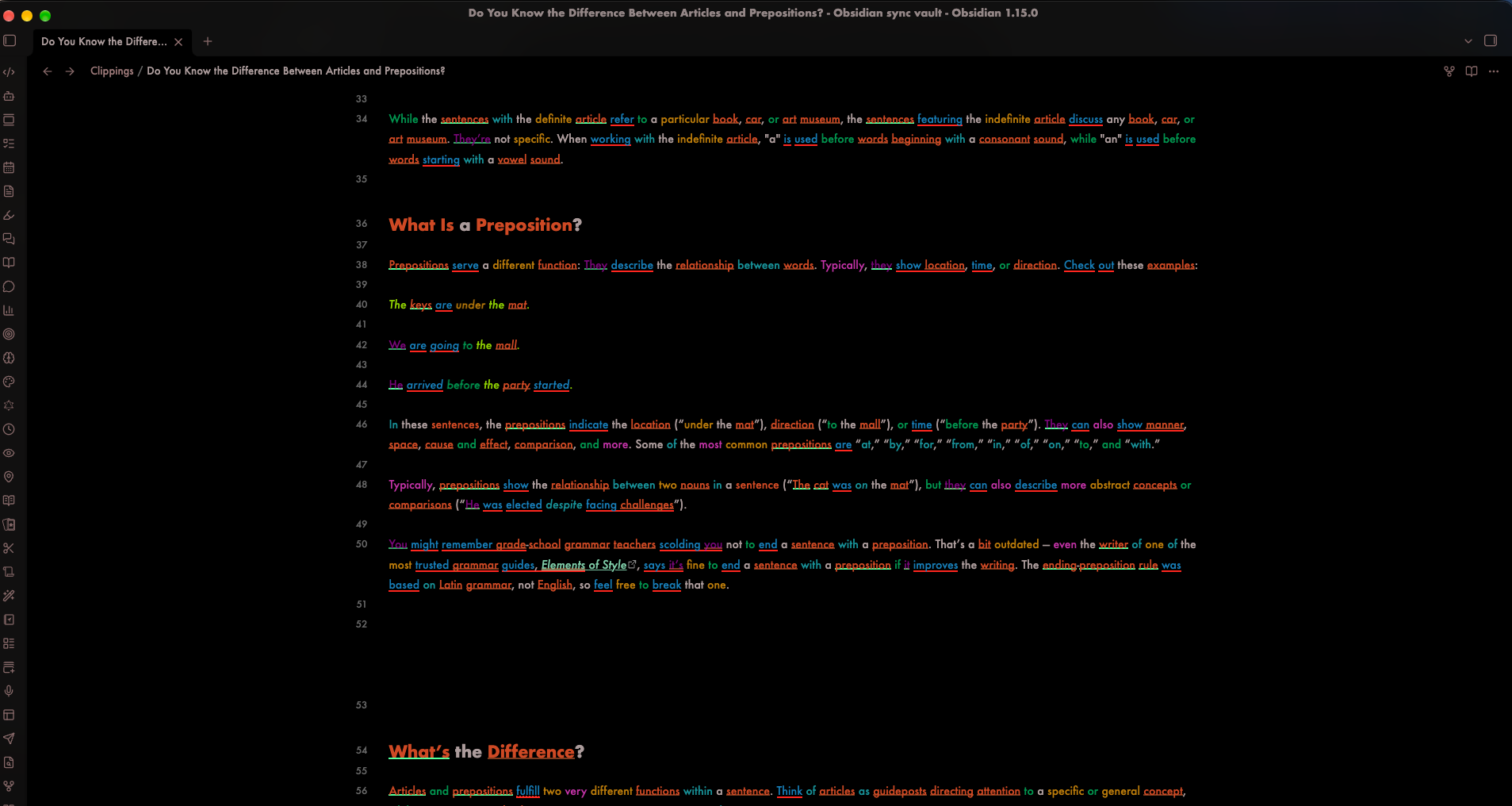
Highlight parts of speech and sentence roles in your notes, with optional playful interpretive modes inspired by philosophy. Natural Language Syntax Highlight Plus helps you notice how your writing works through coloured words and subject, object, and predicate markers.
This plugin is a fork by MichelleGDyason that extends the original Natural Language Syntax Highlighting plugin for Obsidian.
Colour controls
Click the colour picker beside any category in settings to choose its colour. Changes are saved and immediately update the note highlights and colour key. Each category also has an independent toggle.
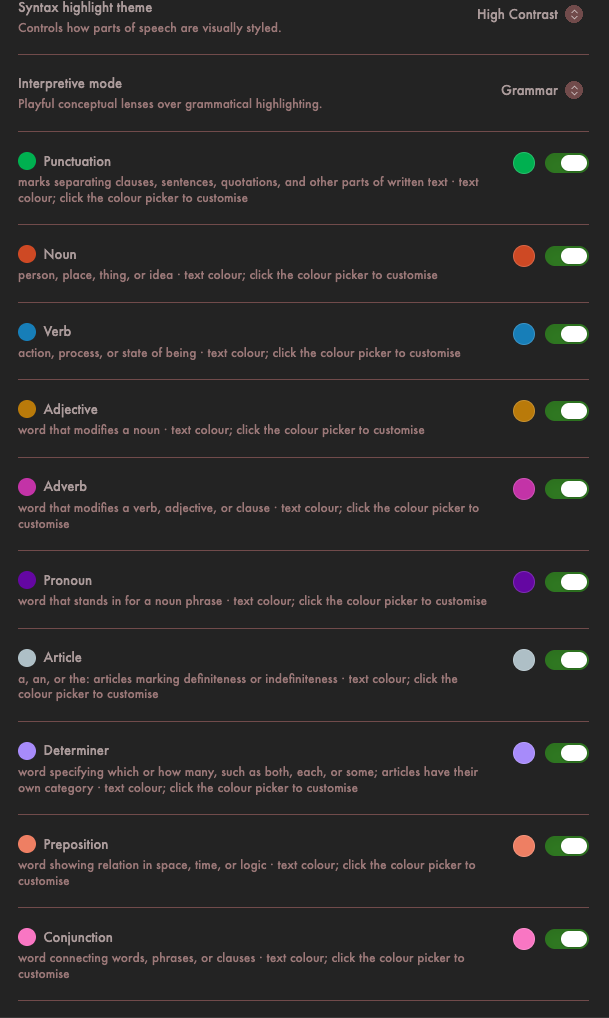
Articles (a, an, the) and determiners such as both have separate controls. Punctuation has its own control, defaults to green (#00b050), and is excluded from grammatical underlines.
See the changelog and GitHub Releases for updates.
Interpretive modes
Choose an Interpretive mode in the plugin settings. The descriptions beneath each grammatical element change to reflect the selected lens:
In Grammar mode, a word's part of speech depends on its use within the sentence. For example, book is a noun in "I read a book" and a verb in "I book a ticket". The same word can therefore have different colours in different contexts. Automatic detection can still make mistakes; word overrides and bug reports help with these cases.
- Grammar: Familiar grammatical descriptions, such as nouns for people, places, things, and ideas, and verbs for actions, processes, or states of being.
- Structuralism: Looks at language through signs, differences, and relations. Nouns become conceptual units, verbs link terms, and adjectives mark differences.
- Deleuzian: Plays with assemblages, becoming, intensity, and events. Nouns suggest provisional assemblages, verbs suggest movement or transformation, and adjectives suggest intensities.
- Foucaultian: Plays with discourse, power, and norms. Nouns suggest discursive objects, verbs suggest regulation, adjectives suggest norms, and pronouns suggest subject positions.
- Geontology: Plays with entities, endurance, vitality, and governance. Nouns suggest forms of persistence, verbs suggest endurance or transition, and adjectives suggest qualities of liveliness.
The philosophical modes are here for a bit of fun: an invitation to experiment with different ways of reading your notes. They are loose, playful interpretations built on grammatical highlighting, not authoritative philosophical analyses. Subject and object markers retain their grammatical meaning across modes. Interpretive modes are separate from the visual themes described below.
Requests for other interpretive modes are welcome! Open an issue with your idea and, if possible, examples of how you would describe different parts of speech through that lens.
Bugs and feedback
If you find a bug, please raise an issue on GitHub. Highlighting is automatic and can sometimes misclassify words or sentence roles. A short example sentence, what you expected, and what actually happened will help reproduce the problem. For colour or display issues, please include your Obsidian theme, the plugin's visual theme and interpretive mode, and a screenshot if possible.
Changes in this fork
- Added highlighting for articles (
a,an,the) - Added highlighting for pronouns (
he,she,they, etc.) - Added highlighting for prepositions (
to,from,with, etc.) - Added highlighting for predicates (parts of a sentence containing a verb and stating something about the subject)
- Fixed TypeScript typing issues for CodeMirror 6 compatibility
- Renamed the plugin to
Natural Language Syntax Highlight Plusto avoid conflicts - Added toggles for grammatical categories and sentence roles
Themes
Themes change the presentation of your selected colours without replacing or resetting them:
- Minimal: softens text colours and role underlines to 70% opacity for quieter reading. The key shows the same softened colours.
- High Contrast: uses your selected colours at full strength.
- Teaching Mode: retains your selected text colours and adds tinted backgrounds for grammatical categories.
Future plans
- Add more parts of speech
- Add more options for customizing the highlighting (underline, bold, etc.)
- Add support for other languages
- Add support for Obsidian mobile
- Add support for Obsidian canvas
Acknowledgements
- The original plugin was created by artisticat1 and was the inspiration for this fork.
- This plugin uses the compromise natural language processing library to detect parts of speech.
Usage
Toggle highlighting with Natural Language Syntax Highlight Plus: Toggle on/off in the Command palette, or use the Enabled toggle in plugin settings.
Contributing
Any contributions and PRs are welcome.