
README file from
GithubNested Notes
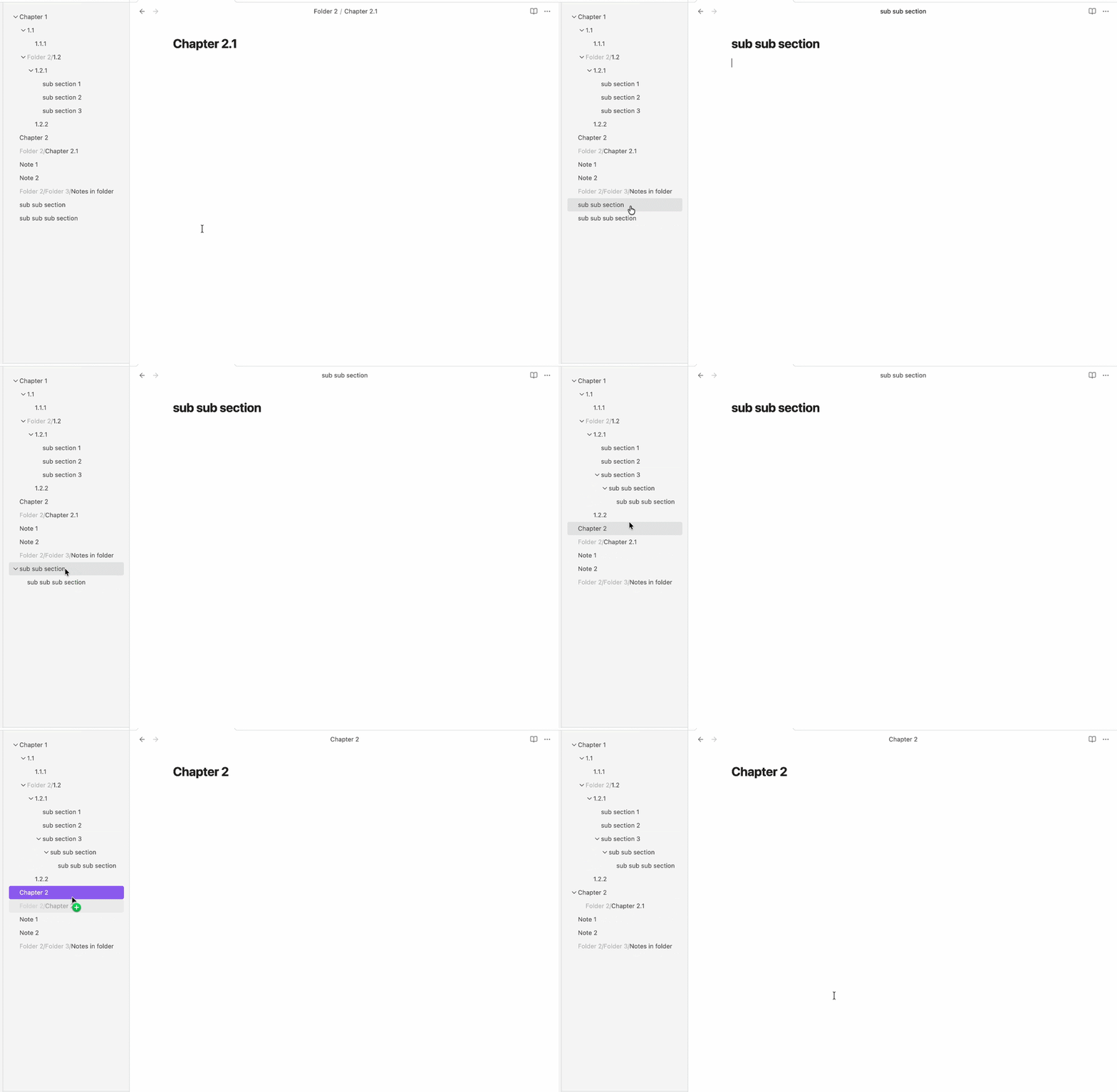
This is an Obsidian plugin that enables organizing notes in a nested structure by drag-and-drop.
You can use this plugin for nested tags, indexing topics, maps of contents (MOC), etc.
Demo
How to use
You can activate this plugin within Obsidian by doing the following:
- Open Obsidian
- Open Setting > Community plugins
- Turn on community plugins if you haven't
- Browse > Search for Nested Notes > Install
Latest Release
1.0.0
- First Release
- Added Features:
- Drag and drop to organise notes.
- Collapse or expand in view.
- Hide folders, non-markdown files.
- Added Settings:
- Show/hide file icon
- Show/hide folder path
License
This project is licensed under the GNU General Public License v3.0 - see the LICENSE file for details.
Support Me
This plugin is provided to everyone for free.
If you would like to say thanks or support continued development, feel free to buy me a bubble tea 🧋.