
README file from
Github✦ Neon Deck
One Obsidian plugin as a personal command centre: dashboard, tasks, tickets, automatic time tracking, study notes and writing tools, in a neon look. Runs 100% locally: no network calls, no telemetry, no remote code.
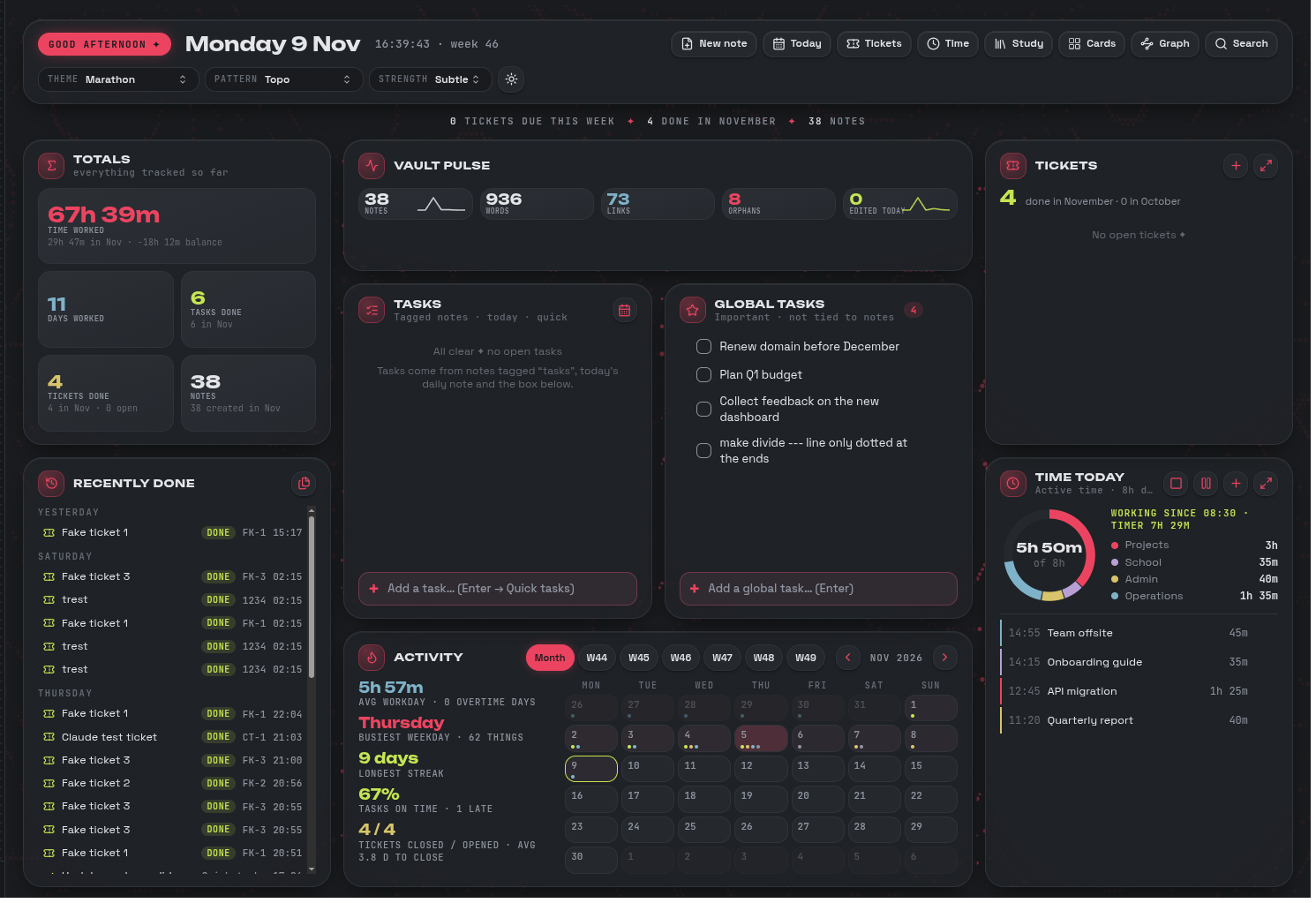
| Module | What it does |
|---|---|
| Neon Deck | Dashboard, themes, live patterns, quick capture, card explorer, note graph |
| Neon Tasks | Tasks widget, Global tasks, New note card, Fix properties |
| Neon Tickets | Ticket pop-up, templates, reminders, self-writing log, PDF export |
| Neon Time | Active time per category, workday timer, daily Time Log notes |
| Neon Write | Table picker, slash menu, selection toolbar, lockable callouts, page breaks |
| Neon Study | Study tab: topic tree, research list, quiz cards, link suggestions |
All six are modules of one plugin; switch any off in Settings → Neon Deck modules.
Features
Dashboard
- Totals, Vault pulse, Recently done, Activity (month/week + day pop-up), Tasks, Global tasks, Tickets and Time today on one page that fits any window.
- One main pane: a nav list in the left sidebar (Dashboard, Cards, Tickets, Time, Graph) switches it; Back / Forward move between notes.
- 9 themes, each light and dark, with a live background pattern (pauses when unfocused or with Reduce motion).
- Quick capture (
Ctrl+Shift+Space) to Task, Global task, Ticket or Time entry. - Card explorer with category chips and Revisit reminders. Notes and folders starting with
!are pinned: on top, in their own colour.
Tasks
- Open tasks from notes tagged
tasks, today's daily note and a Quick tasks note, grouped Overdue · Today · Later. - Global tasks for things not tied to a note, with a daily backup.
- Edit (pencil) or delete (×, with Undo) any task on hover; global tasks reorder by drag.
Tickets
- A ticket is a note with
type: ticket: steps, due dates, reminders, Waiting with follow-ups, and a log that writes itself. - Done tickets file into
Done/YYYY-MM/. Templates are notes inCore/Tickets/Templates. - Paste or drop screenshots; export a ticket as a PDF report. Sort and group by due, status, priority and more.
Time
- Counts active time only while you work in a note; stops after an idle time.
- Category from checkbox properties (
projects,school,admin,operations) or tags;untracked: trueis never logged. - Donut against your workday target, overtime, weekly/monthly balance, editable entries with Undo.
- Start day / Pause / End day, Add time and Log break (
930,9:30both work). - One Time Log note per day (
Core/Time Log/YYYY-MM-DD.md), written for an AI agent to pass on to Jira.
Writing
- Table picker,
/slash menu, toolbar on selected text. - Lockable callouts (
[!info|locked]) and math blocks ($$ % locked). - Page breaks for PDF export (
/pagebreak), merged table titles, lime dividers. - Theme fonts and colours in notes, a lifted writing card, the pattern dimmed behind notes.
- New images (
.png,.jpg,.gif,.webp,.svg, …) move toCore/Images; links keep working.
Study
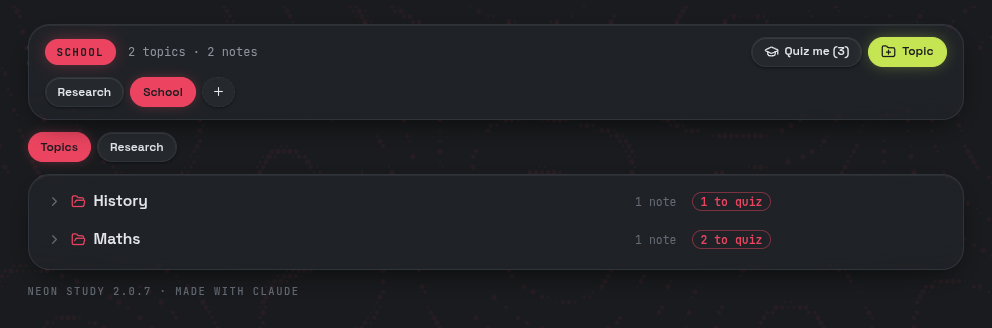
- A Study tab with a tree of topics → subtopics → notes (topics are folders), in sections like Research or School.
- Research list: a checklist of things to look into; paste several lines to add several.
- Quiz cards:
Question :: Answerlines (or/flashcard); "Quiz me" with spaced repetition. - Link suggestions for words that match other research notes.
Install
- Download
neon-deck.zipfrom the latest release and unzip it. - Put the
neon-deckfolder into your vault's.obsidian/plugins/. - Enable Neon Deck in Settings → Community plugins.
Updating: copy only main.js, manifest.json and styles.css over the ones in .obsidian/plugins/neon-deck/, then reload. Don't replace the folder itself: it holds your settings and data (since 2.2.1 a copy is kept in .obsidian/neon-deck-data/ and restored if the folder was replaced).
Safe mode: if Neon Deck fails while starting, the next start keeps all modules off; turn them back on in Settings → Neon Deck modules.
Requires Obsidian 1.5.0+, desktop. Coming from 1.x (six plugins)? Turn the old ones off and reload; their data is copied over once.
For developers
- Sources in
src/(MAP.mdlists every file,CLAUDE.mdhas the rules). Build:node tools/build.mjs→dist/neon-deck/. - Check:
node --test test/*.test.mjsandnode tools/check.mjs dist. - Release: bump
src/kernel/manifest.jsonandversions.json, build, attach the three dist files to a GitHub release, then run Actions → Package installer for the ZIP.
Latest release notes: 2.3.0. Older notes are in the git history.
License
Free to use and fork, never to sell: CC BY-NC-SA 4.0 since 1.6.0 (MIT up to 1.5.0). Bundled fonts (JetBrains Mono, Space Grotesk, Unbounded) are under the SIL OFL 1.1. Made by Yobzs with Claude.
TL;DR
- What: dashboard + tasks + tickets + time tracking + study + writing tools, one local-only Obsidian plugin.
- Install: unzip
neon-deck.zipinto.obsidian/plugins/, enable it. - Update: copy the 3 files (
main.js,manifest.json,styles.css), never the folder. - Start: ribbon
▦orCtrl+P → Neon Deck: Open dashboard; capture anything withCtrl+Shift+Space.