
README file from
GithubWelcome to Handwriting Natively!
What Handwriting Natively Does
Handwrite on PDFs with a stylus or mouse natively in Obsidian. Annotations live in vault metadata with the original PDFs untouched. Export either a flattened copy or a separate editable-PDF annotation copy. Text boxes are sidecar-backed and editable in Text mode; physical eraser tips and optional whole-stroke/right-click erasing are supported.
I made this plugin after realizing I use Obsidian a lot more than another nameless note taking app.. I hope you find it as useful as I do!
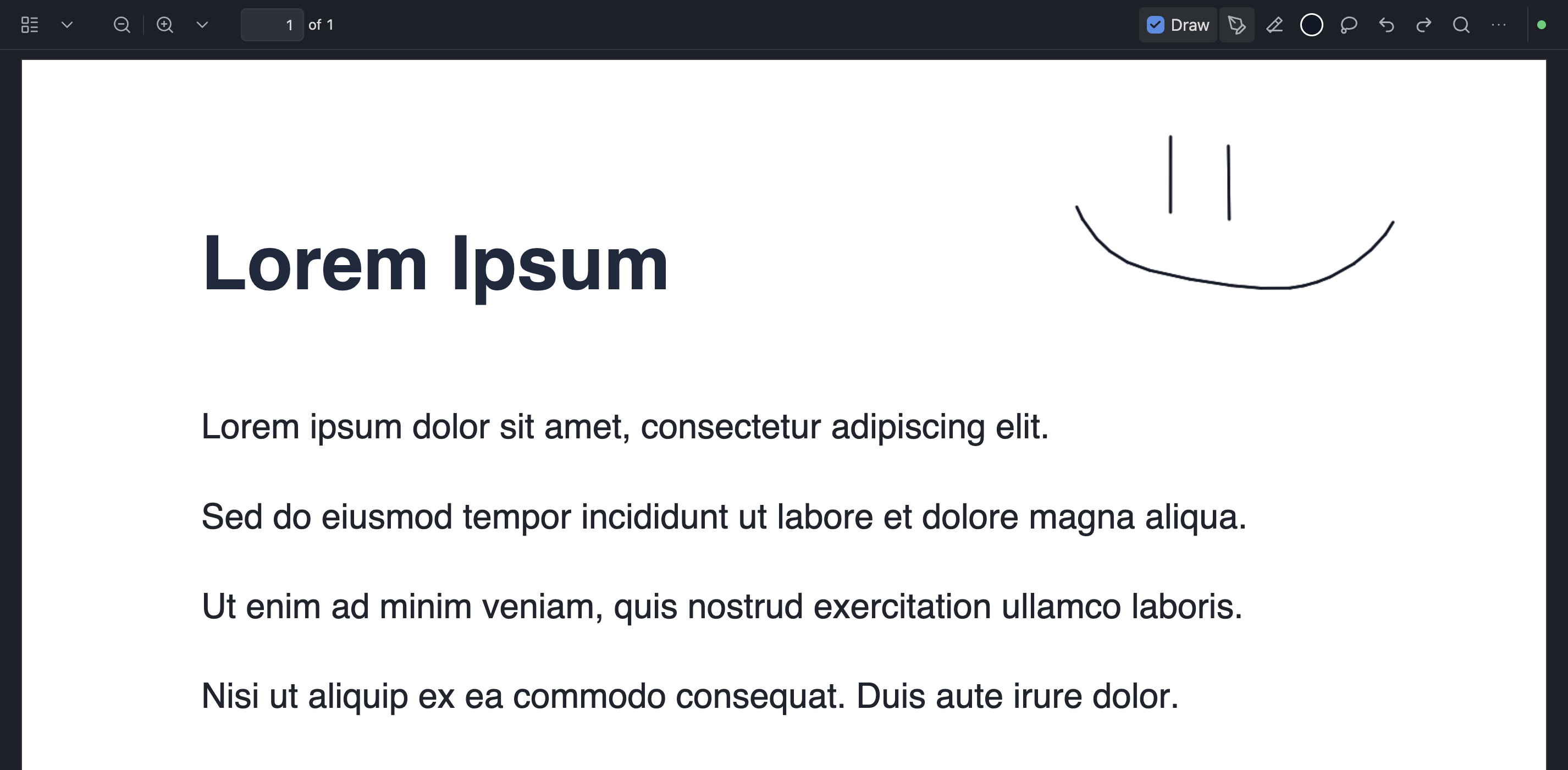
- Pen, graphite pencil, highlighter, laser pointer (fades away, not saved), circular eraser, and lasso tools with a compact Draw toolbar
- Draw mode opt-in so normal PDF mouse/trackpad behavior stays intact until you annotate
- Autosave, recovery, and explicit Save; commands for save, export, and select-all ink (
save-active-pdf-annotations,export-active-annotated-pdf,select-all-pdf-ink) - Commands to create a handwritten PDF, create a GoodNotes-sized blank notebook, add a matching blank page, and export selected ink as SVG (
create-handwritten-pdf,create-notebook,add-page-to-active-pdf,export-selected-pdf-ink-as-svg) - File-explorer folder context menu New PDF (GoodNotes Standard blank page in that folder)
- Assignable Hotkeys commands to switch to Pen, Eraser, Laser Pointer, Lasso, or Text (
select-pdf-pen,select-pdf-eraser,select-pdf-laser-pointer,select-pdf-lasso,select-pdf-text), plus undo and redo (undo-pdf-annotation,redo-pdf-annotation) - Clear freehand strokes only (no default hotkeys): all pages, selected/current pages, or a page range prompt (
clear-all-pdf-freehand,clear-selected-pages-pdf-freehand,clear-specific-pages-pdf-freehand) - Desktop and mobile PDF adapters without telemetry or hosted services
Setup
Quick Start
- Download the latest GitHub release assets (
main.js,manifest.json,styles.css). - Copy them into
<Vault>/.obsidian/plugins/native-pdf-handwriting/. - Reload Obsidian and enable Handwriting Natively under Settings → Community plugins.
- Open a PDF, turn on Draw, and annotate.
Manual Setup
git clone https://github.com/MarsLuay/handwriting-natively.git
cd handwriting-natively
npm install
npm test
npm run build
Copy manifest.json, main.js, and styles.css into your vault plugin folder, then reload Obsidian. See docs/manual-test-checklist.md before trusting private PDF-view integration.
Settings includes Copy all logs, which copies the complete vault debug log after it is enabled and an issue is reproduced. The UI is English; annotation files are language-independent.
License
MIT — see LICENSE.
Privacy
Local-only annotation processing. See PRIVACY.md and TERMS.md. No telemetry or hosted service.