
README file from
GithubMore Excellent Hotkeys (MEH)
small obsidian plugin for quick markdown formatting toggles.
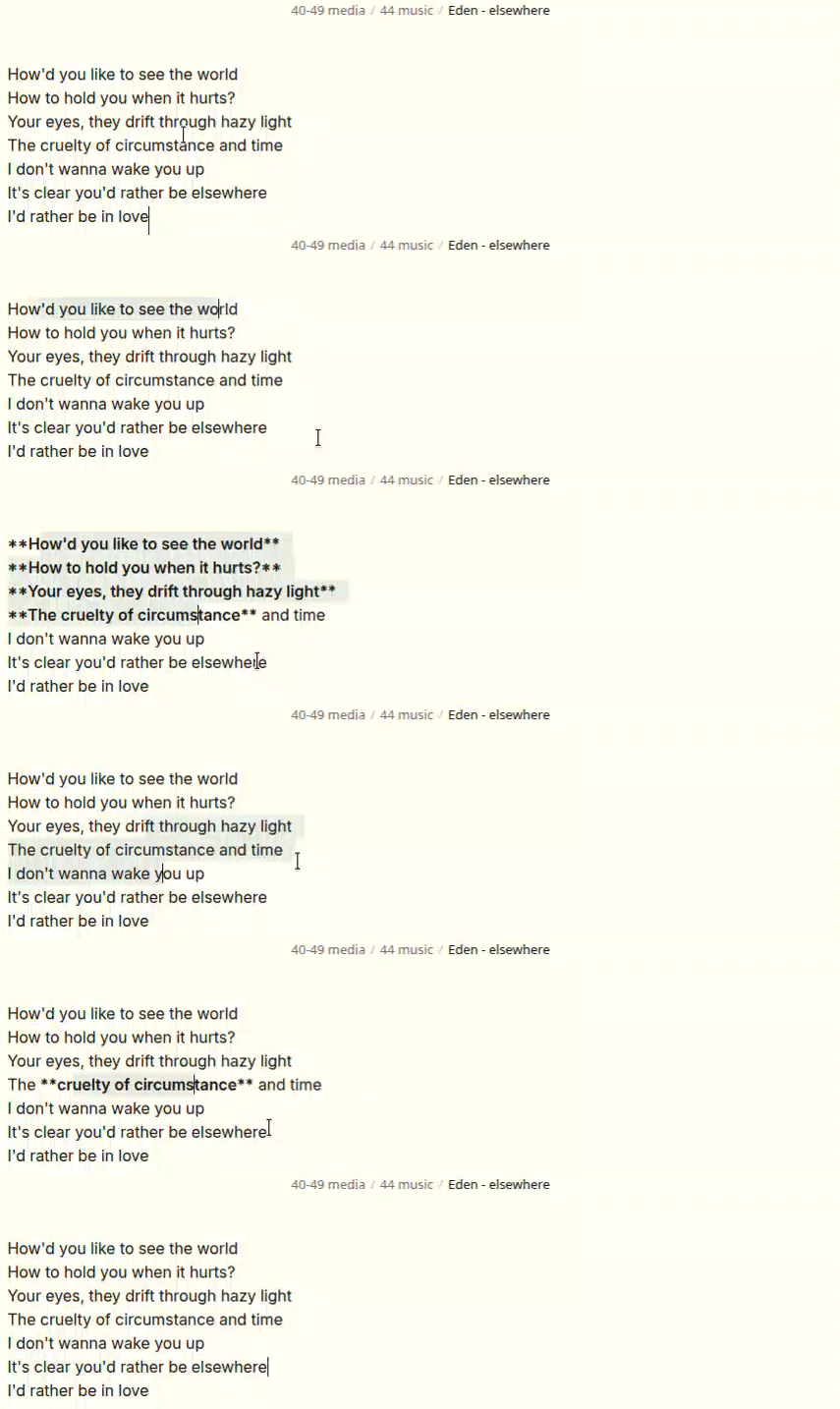
- the main feature is that it selects up to the nearest word:
- selecting something like:
hello th[is is some sent]enceand hittingToggle bold(from this plugin) will result inhello **this is some sentence** - similarly,
hello **thi[s is some sen]tence**->Toggle bold->hello this is some sentence.
- selecting something like:
- cursor position is preserved where reasonable.
local installation
you can probably use BRAT (i haven't tested it).
download more-excellent-hotkeys.zip from the latest release.
unzip it, such that its contents are in <your vaullt>/.obsidian/plugins/more-excellent-hotkeys,
e.g. <your vaullt>/.obsidian/plugins/more-excellent-hotkeys/main.js
commands added
this plugin adds editor commands you can bind to your own hotkeys (no default bindings).
- Toggle bold
- Toggle highlight
- Toggle italics
- Toggle inline code
- Toggle comment
- Toggle strikethrough
- Toggle underscore
- Remove formatting
- Change checkbox type (opens fuzzy picker)
settings
- Use
*for italics (default: off,_is used) - Promote regular bullet points (default: on) for
Change checkbox type - Extended checkboxes submenu for managing picker rows (
- [x] description) with add/delete and reset-to-defaults controls
checkbox picker
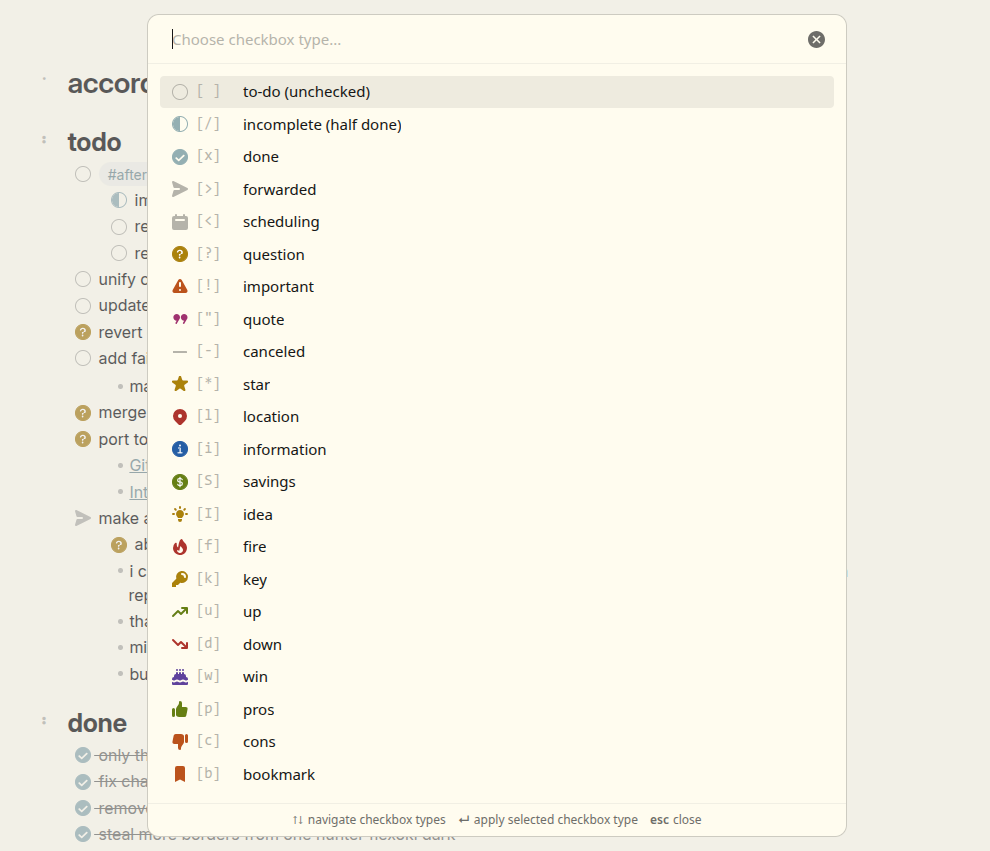 To get the same icons as I have in the screenshot, see my snippets repo.
- Works on task lines like
- [ ] item - Can also promote regular bullet lines like
- item(when enabled in settings) - Supports configurable Obsidian extended checkbox markers
- Opens as a fuzzy picker modal
- Also available from the editor right-click menu when cursor is on a checkbox line
other
- thanks to Cawlin for the name
- thanks to obsidian-smarter-md-hotkeys for the idea and some code
- increase/decrease heading level commands were removed (out of scope) - use obsidian-heading-shifter
support development


You can support ongoing development & maintainance by donating. All donations are highly appreciated! <3