
README file from
GithubObsidian plugin for Misskey (Misskey Connector)
Features
Adds commands to embed a Misskey note in quote format Embed a Misskey note and to post the current line to Misskey Post the current line to Misskey.
※ A Misskey account is required to use these features.
The posting command supports options such as tagging, limiting files to upload, and anonymizing file names during upload. It can be used with both Japanese and machine-translated English.
Initial Setup
- Open settings and select "Misskey Connector" from Community Plugins.
- Enter your account's domain in "Domain". (For example, enter misskey.io for https://misskey.io/@minimarimo3.)
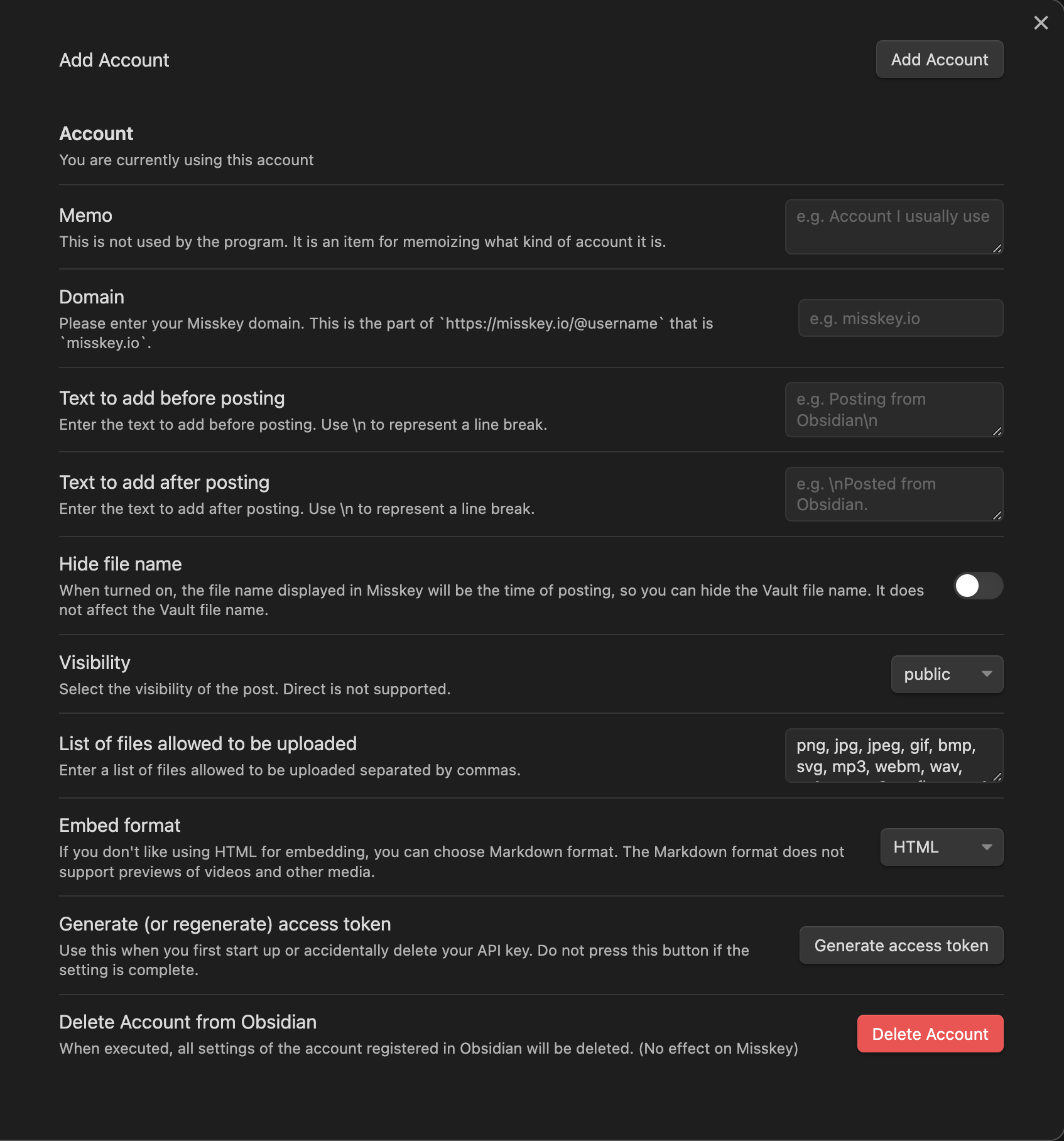
- Press the "Generate Access Token" button at the bottom. A browser will open with a screen like the one shown in the image, so please press "Allow" promptly.
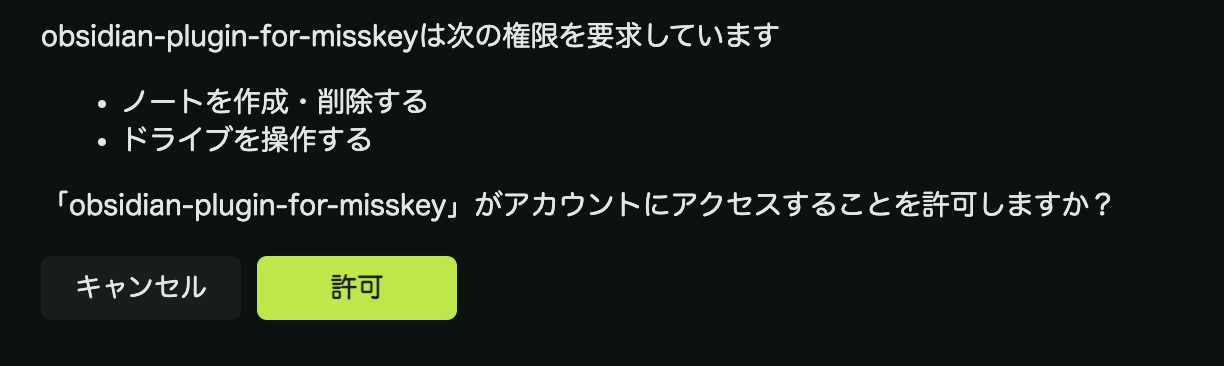 Q: What is this? And why is it necessary?
A: This is MiAuth, an authentication method provided by Misskey. In this case, it is requesting permission for "creating and deleting notes" and "operating the drive". Operating the drive is necessary for uploading media.
Q: What is this? And why is it necessary?
A: This is MiAuth, an authentication method provided by Misskey. In this case, it is requesting permission for "creating and deleting notes" and "operating the drive". Operating the drive is necessary for uploading media. - Once you press "Allow", the initial setup is complete.
How to Use
Embed a Misskey Note
Paste the URL of a Misskey note into Obsidian, and execute the Embed a Misskey note command on the line containing the URL.
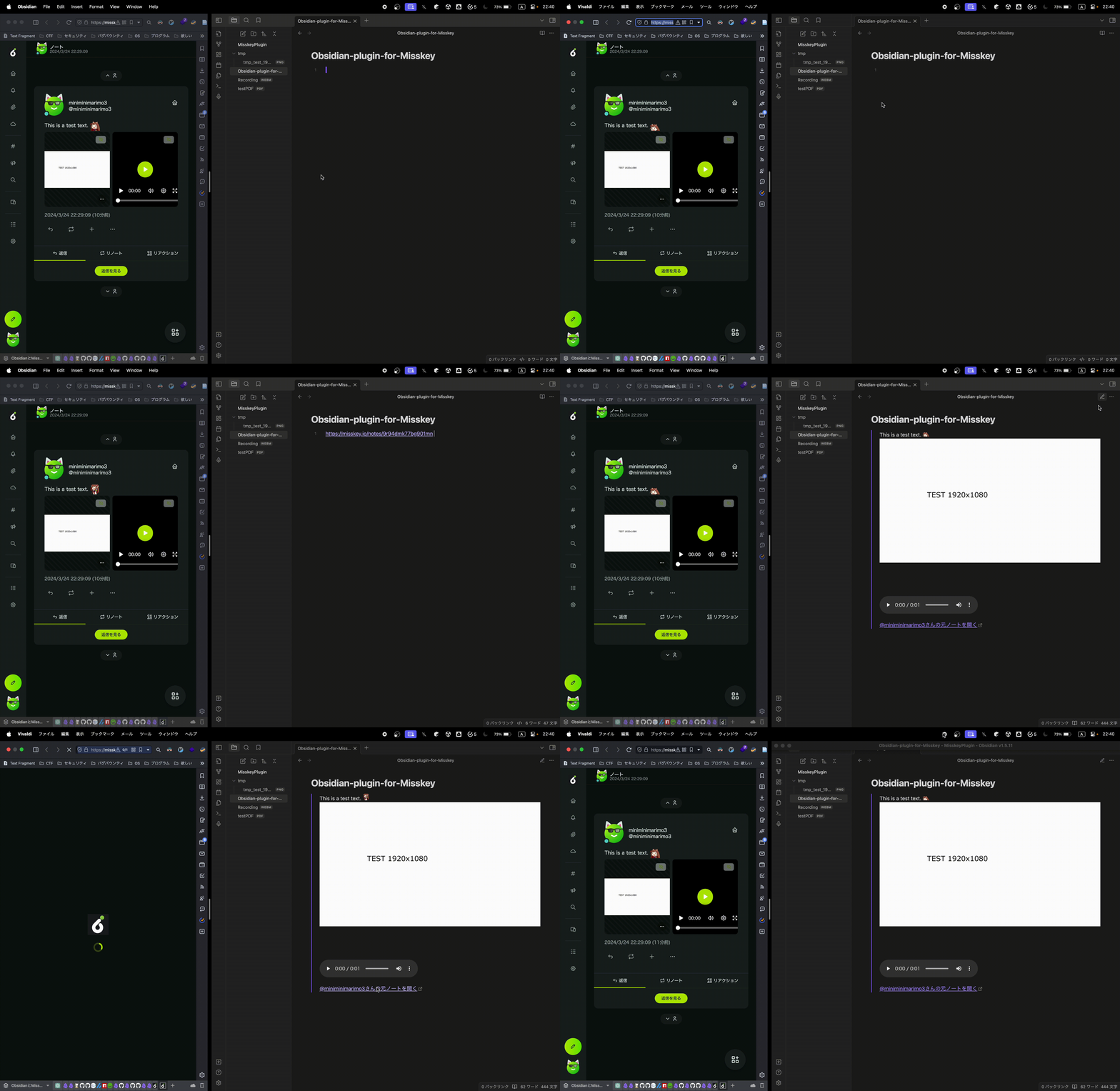
The following settings are available:
- Change of embedding format
- This plugin uses HTML to embed images and videos. This can be switched to Markdown format in the settings.
Post the Current Line to Misskey
Execute the Post the current line to Misskey command on the line where you have text you wish to post to Misskey. If there are media files like images or videos on the same line, they will also be attached and posted.
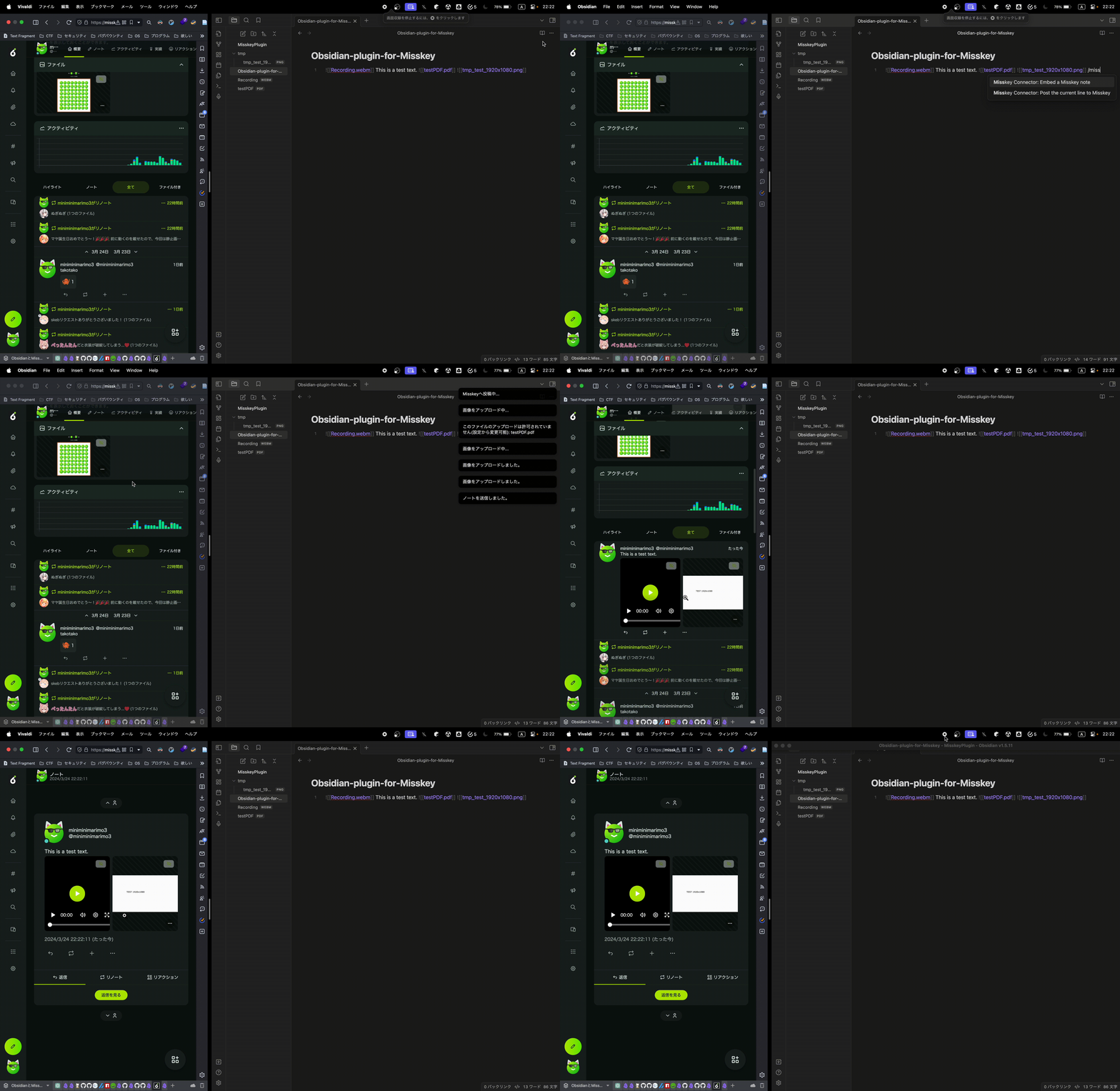
The following settings are available:
- Insertion of text before and after the post content
- You can insert any text before and after the post content. This can be used for tagging, for example.
- Anonymizing file names
- Normally, when posting files, the local file names are used as is on Misskey. Turning this option on will keep the local file names intact, but change the file names displayed on Misskey to the time of posting.
- Adjusting the visibility range
- You can choose the visibility range from public, home, followers. Direct is not supported.
- Setting allowable file extensions for upload
- You can specify that only files with certain extensions can be uploaded.
License
This project uses i18next, which is available under the MIT License. For more details, see the i18next license information at their GitHub repository.
This project is licensed under the MIT License - see the LICENSE.md file for details.
Contact
For feature requests or bug reports, please contact us through GitHub, @[email protected], or the Google Form.