
README file from
GithubMind Tree · 思维树
AI-driven mind mapping and topic notes — every action sparks deeper thinking, and knowledge grows like a tree.
User Manual · Feedback · Bilibili
简体中文 | English
What Is This
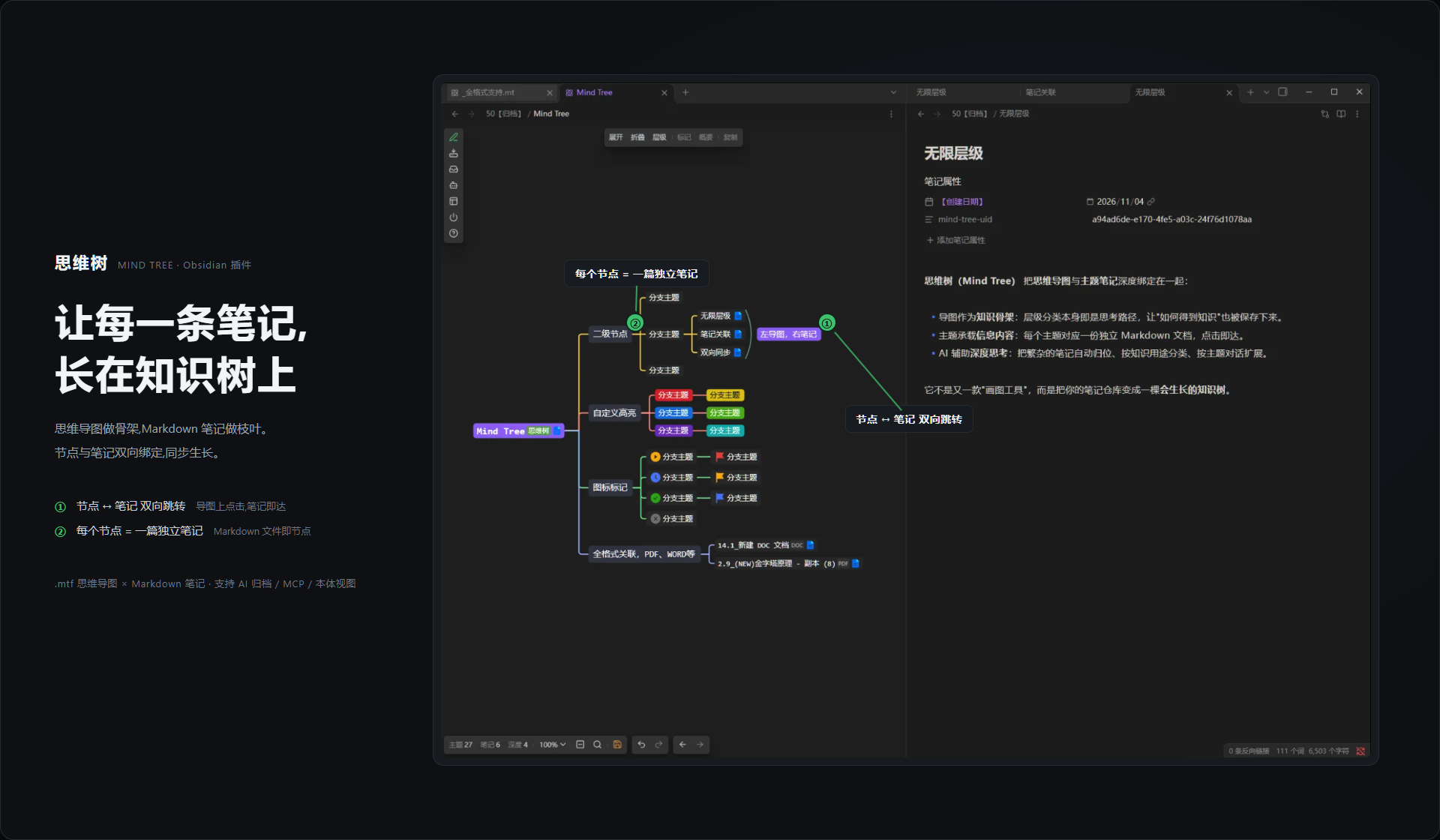
Mind Tree (思维树) is an Obsidian plugin that deeply binds mind maps and topic notes together:
- The map is your knowledge skeleton: the hierarchical classification itself is the path of thinking, so "how the knowledge was derived" is preserved too.
- Topics carry the information content: each topic maps to a standalone note, one click away.
It's not another "drawing tool" — it turns your vault into a growing tree of knowledge.
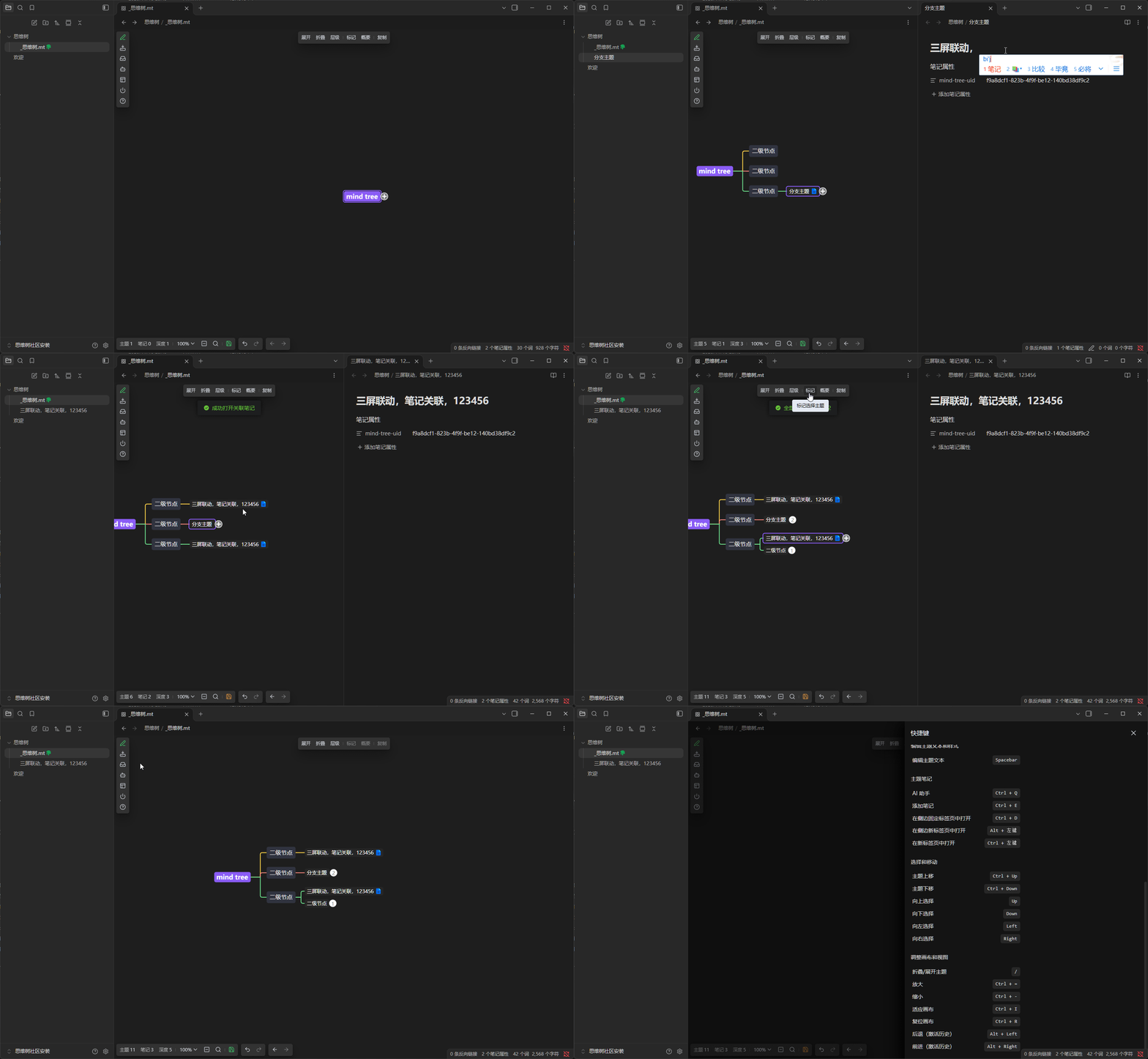
Basic feature demo:
Core Features
1. Mind Map Editor
- Full map editing: drag to rearrange hierarchy, full-text search, keyboard navigation, clean rainbow connector lines, multiple layouts and color themes, export and share.
- Dark / light theme: syncs automatically with the Obsidian theme.
2. Topic Notes
- One topic, one note: click a topic on the map to jump straight to its note; how notes link back to topics requires no manual upkeep — the plugin maintains the bidirectional index automatically.
- Configurable open behavior: open on click or on icon click, with a choice of where it opens.
- Node marks: progress, priority, card type, level (realm), knowledge entity, highlight and more — each can be toggled independently in settings.
- Topic note templates: new topics can carry default content, compatible with Templater dynamic syntax.
- Visual note properties: the note's property labels are shown directly on map nodes, with customizable colors and icons.
Settings (Seven Tabs)
Settings are grouped into tabs by feature:
- General: how to handle notes not yet in Mind Tree, auto-collection exclusion rules, whether to auto-link to the root topic.
- Mind Map: default theme, expand level on open, title wrap width, default read-only mode, auto-save, mouse wheel / left-right button behavior, mark count and position.
- Topic Notes: open behavior and location, default content, template path, node mark toggles.
- Knowledge Management: knowledge-base manager toggle, knowledge type and property configuration.
- More Settings: import folder location, GET note authorization, log level, debug options.
- Premium: license code management and activation (hidden together with author info when the author info is hidden).
- About: philosophy, WeChat official account, Bilibili, user manual, feedback channels.
Installation
Option 1: From the Obsidian Community Plugins Marketplace
Now available: Mind Tree on the marketplace. In Obsidian, open Settings → Community plugins → Browse, search for "Mind Tree", and install.
Option 2: Manual Installation
- Download the latest
main.js,manifest.json, andstyles.cssfrom the release page. - Create the directory
.obsidian/plugins/mind-tree/in your Obsidian vault. - Put the three files into that directory.
- Enable "Mind Tree" in Obsidian settings → Community plugins.
Desktop only (mobile not yet supported).
Contact Us
- WeChat Official Account: 瑾智初源
- Bilibili: 思维树·Mind Tree
- User Manual: FlowUs docs
- Feedback: feedback channel
- Purchase License: get VIP
License
MIT License · Author: 瑾智初源