
README file from
GithubMDZip for Obsidian
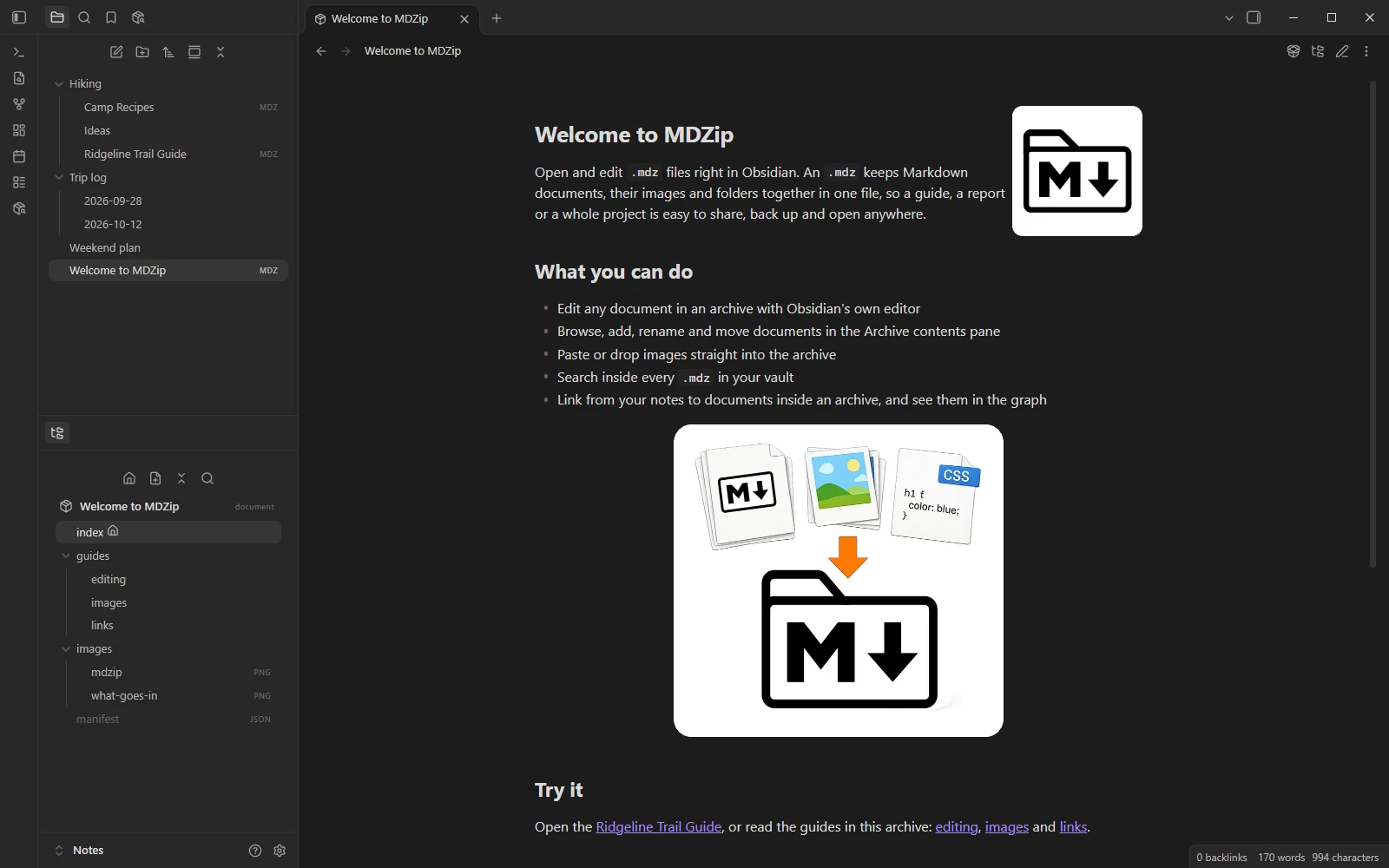
Keep a note and its pictures in one file. MDZip (.mdz) packs Markdown documents, their images and folders into a single file. This plugin opens and edits them right in Obsidian, in the same editor you use for every other note.
Why use it
- One file to share. Send a guide, a report or a whole project as one
.mdz, images included. No attachments folder to forget. - Opens anywhere. An
.mdzis a ZIP of plain Markdown files. MDZip Studio, VS Code and MDZip.org open it too, and any unzip tool gets the files back out. - Nothing new to learn. Live preview, source mode, reading view, properties and hotkeys work as they do for any note.
Edit it like a normal note
Click an .mdz in the file explorer and it opens in Obsidian's editor. Edits save back into the file automatically. Paste or drop an image and it's stored inside the .mdz, not in your vault.
Whole projects in one file
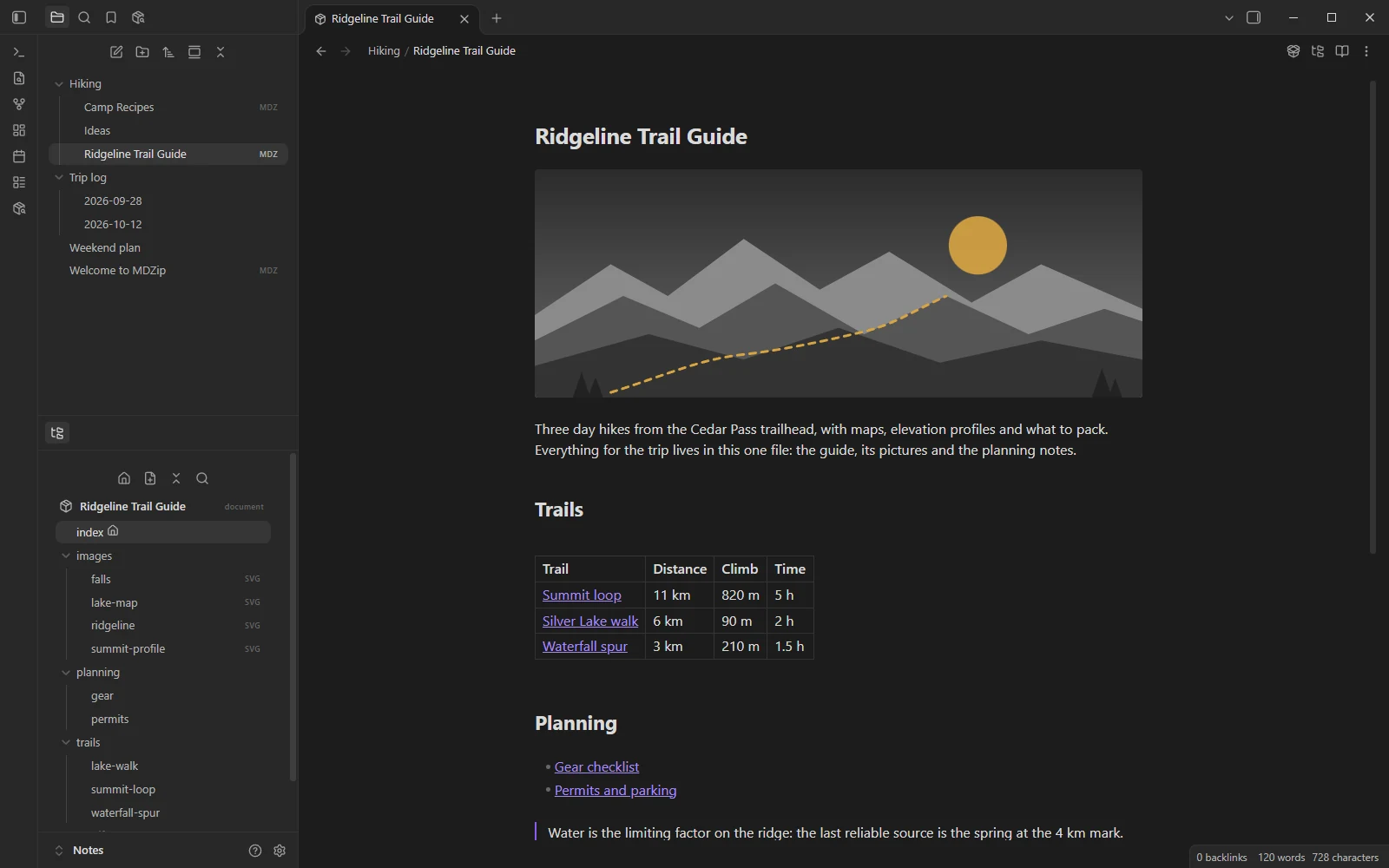
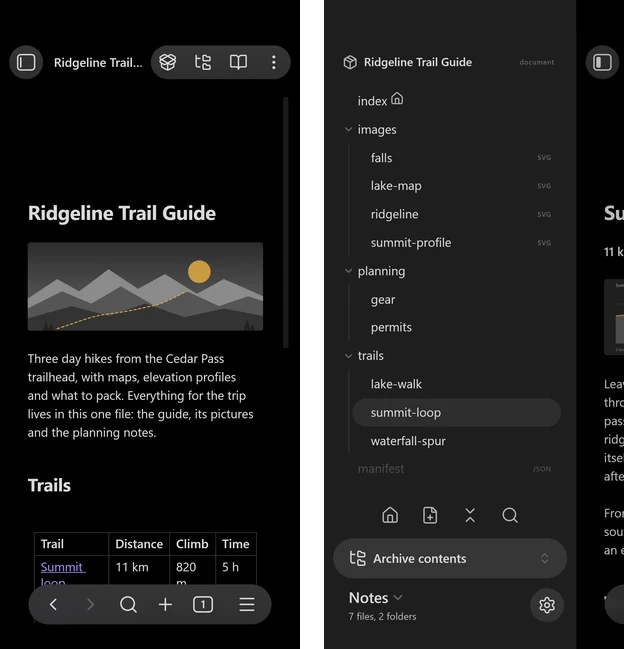
An .mdz can hold a folder of documents. The Archive contents pane shows them as a tree: add, rename, move and delete files there, and links between documents follow when you move them. The search box in the pane finds text in that archive.
Search every archive
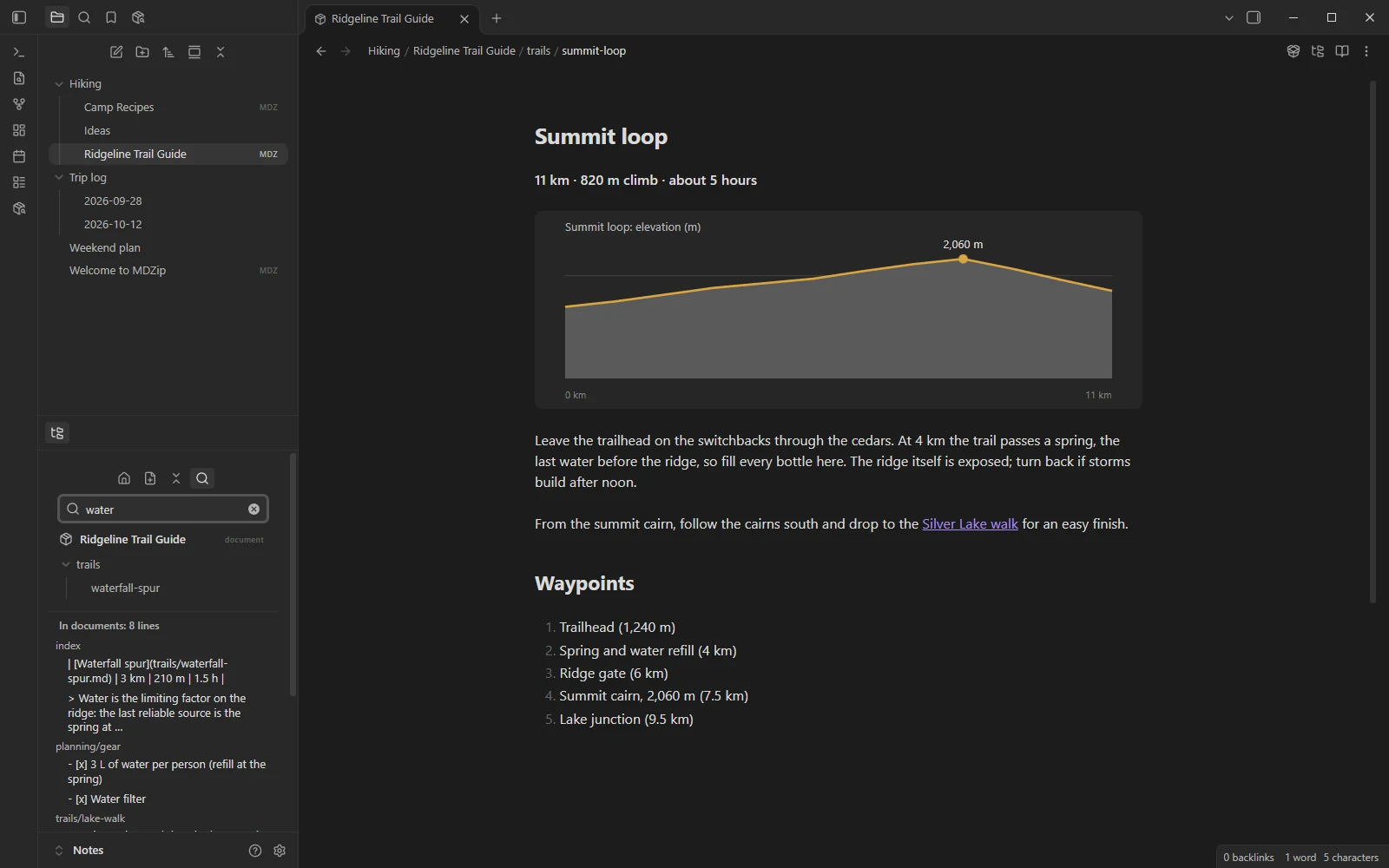
MDZip search looks inside every .mdz in your vault as you type, and opens a result at the matching line.
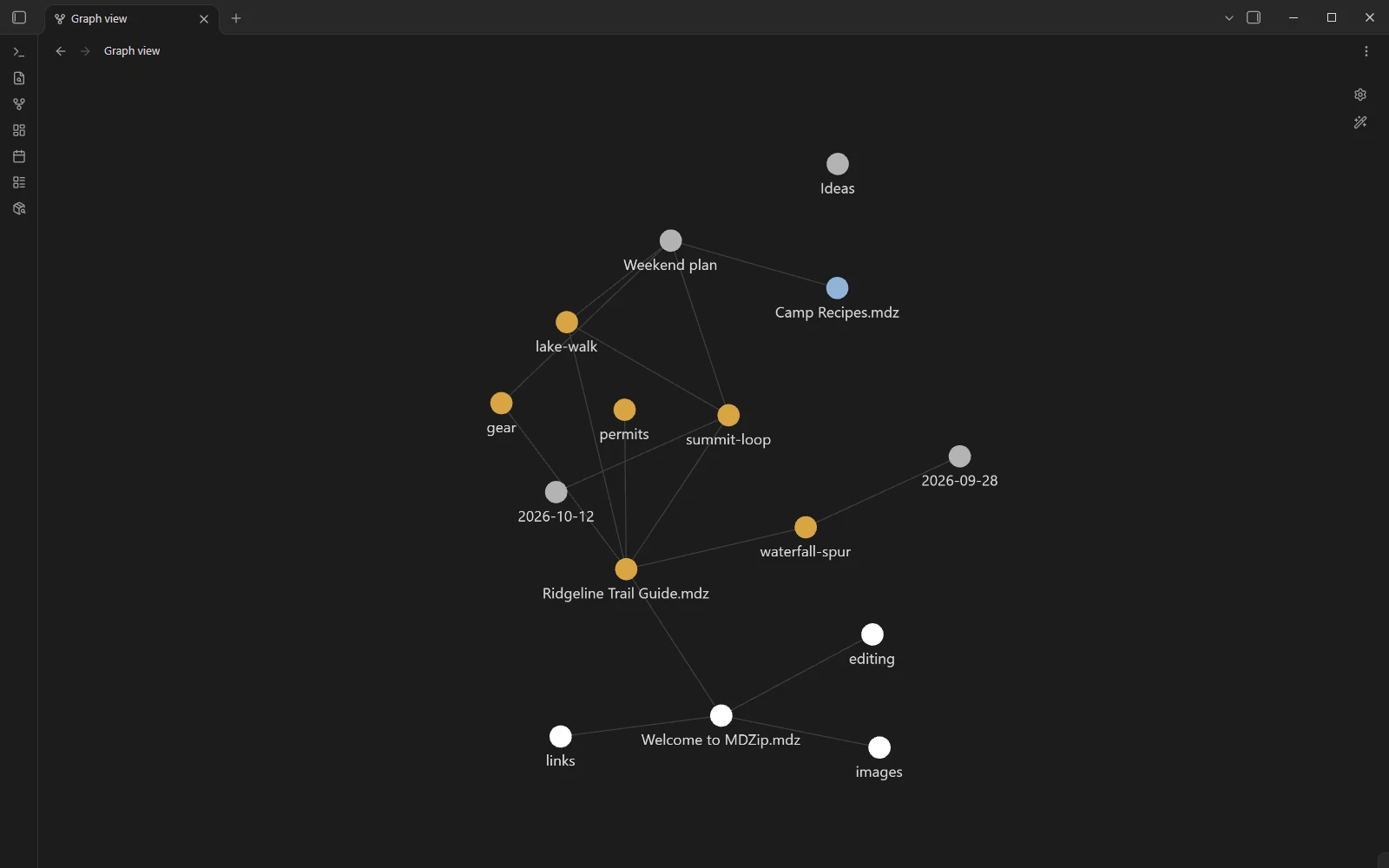
In the graph, linked to your notes
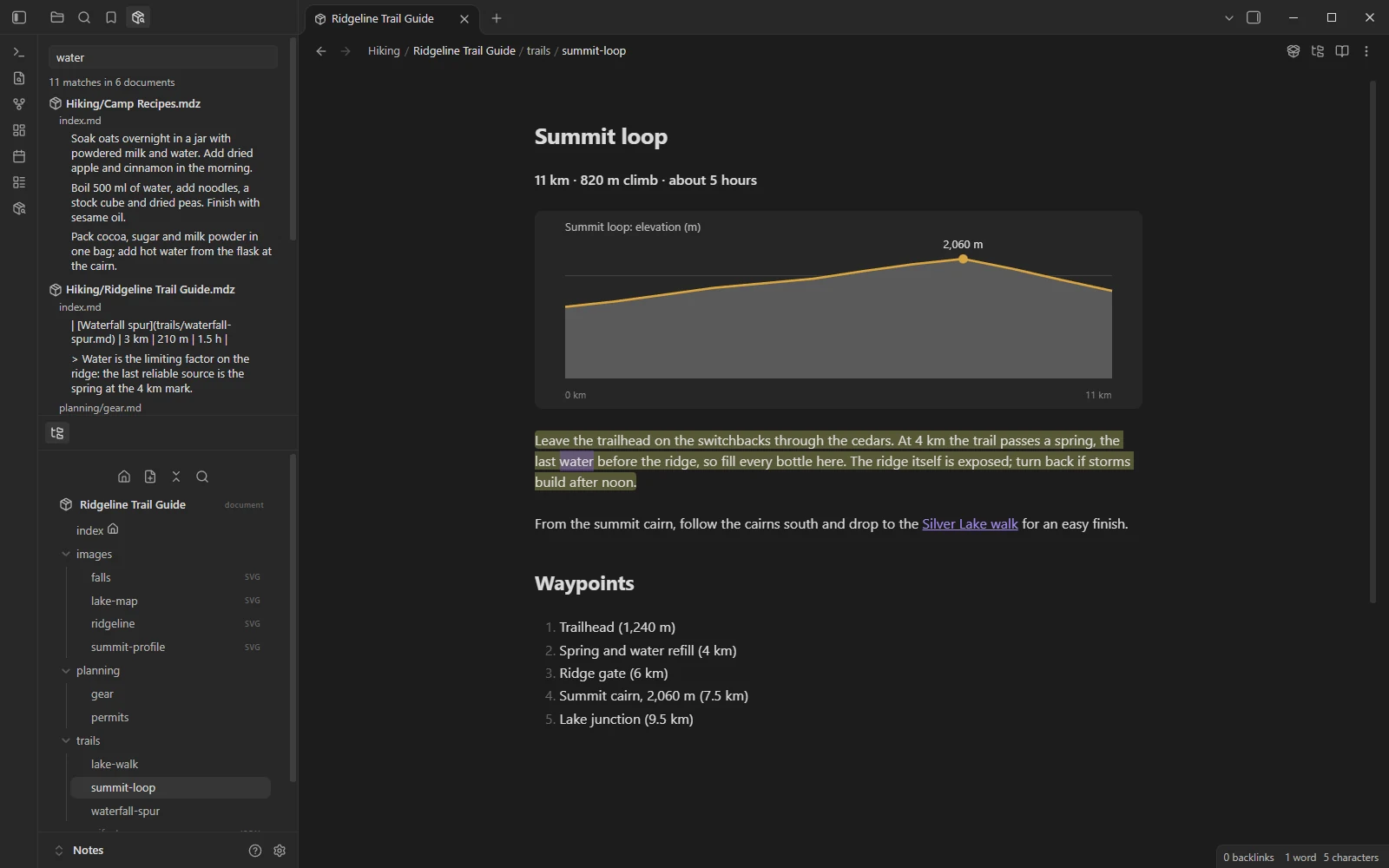
Every document inside every archive shows up in Obsidian's graph. Link from a note to Project.mdz/docs/design.md, or from inside an archive out to the notes next to it.
On your phone too
It works in Obsidian's mobile app as well as on desktop.
Get started
- In Obsidian, open Settings → Community plugins → Browse, search for MDZip, then install and enable it.
- Right-click a note and choose Convert to MDZip, or paste an image into a note and choose Convert when asked.
- Or drop an
.mdzyou already have into your vault and click it.
Good to know
- Obsidian's own search, quick switcher and backlinks don't look inside archives. Use MDZip search and the Archive links panel instead.
- Links from regular notes into an archive aren't updated when you move a file inside that archive.
- Deleting a file inside an archive can't be undone: Obsidian's trash doesn't see it.
Privacy
MDZip works only on your vault, on your device. It makes no network requests and collects nothing. Details.
Learn more
- Full guide: every feature, command and setting
- MDZip.org: what MDZip is and the other tools that open
.mdzfiles - Report a bug or ask for a feature
Install from a release
Download main.js, manifest.json and styles.css from the latest release into your vault's .obsidian/plugins/mdzip/ folder, reload Obsidian and turn on MDZip under Settings → Community plugins. The release files are built on GitHub from this repository and carry an artifact attestation; gh attestation verify main.js --repo mdzip-project/mdzip-obsidian checks one.
Development
npm install        # install dependencies
npm run dev        # watch mode (rebuilds on change)
npm run build      # production build
npm test           # link resolution (the spec's link fixture), link extraction, graph and link-index tests
npm run test:app   # the plugin inside a real Obsidian, on the test vault (see scripts/app-tests/README.md)
To work on it inside a vault, clone this repository into .obsidian/plugins/mdzip, run npm install and npm run build, and enable it under Settings → Community plugins.
Built on @mdzip/core-js and the MDZip spec.