
README file from
Github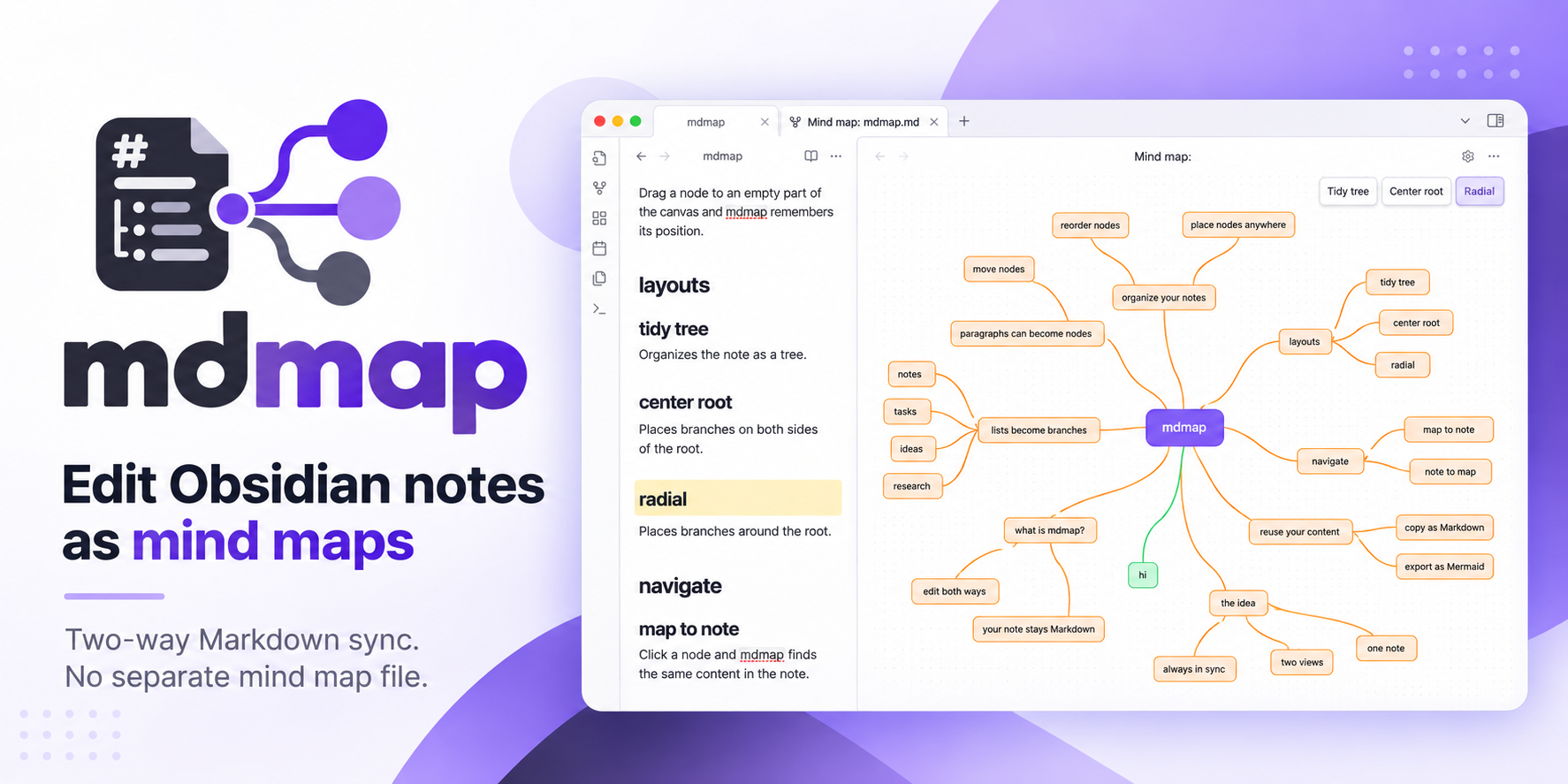
mdmap
Edit Obsidian notes as mind maps.
Changes in the map are written to the note, and changes in the note show up in the map. The Markdown note is the only place the content is stored; there is no separate mind map file.
Install · Features · Issues · Changelog · Sponsor
Features
- Headings, list items and paragraphs as nodes.
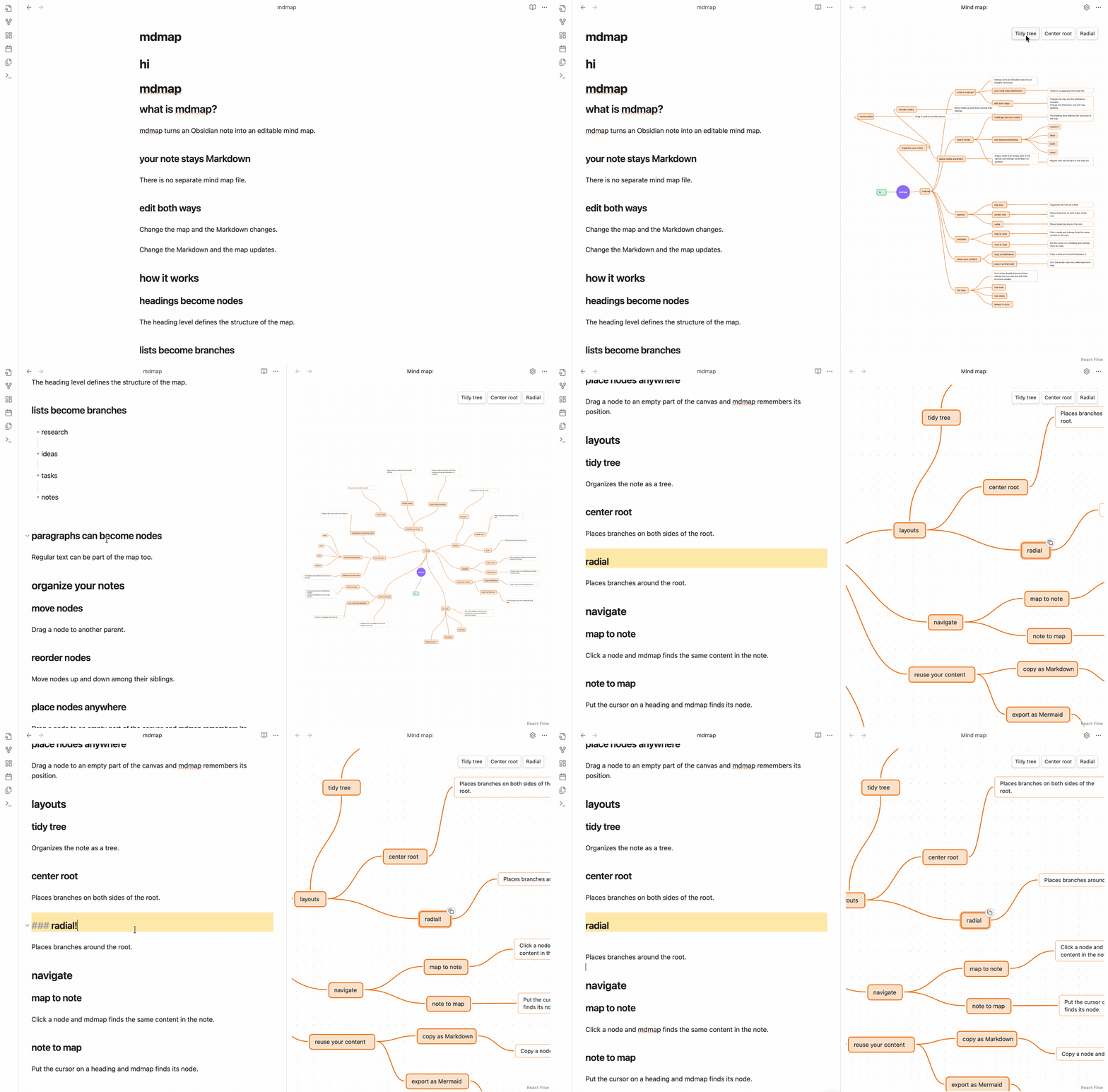
- Two-way sync. Edit the map and the note changes; edit the note, in Obsidian or another app, and the map updates.
- Drag and drop. Drag a node onto another node to change its parent, or to an empty part of the map to keep it there.
- Automatic layouts. Tidy tree, Center root and Radial place every node without overlaps.
- From the map to the note and back. Click a node to highlight its line in the note; put the cursor on a heading in the note to select its node.
- Search. Type in the field at the top of the map, or press Cmd+F, to highlight the nodes that contain the text and jump from one to the next.
- Copy a branch as Markdown, exactly as it is written in the note.
- Mermaid export. Copy the whole note as a Mermaid
mindmapblock. - Images and videos embedded in the note are shown inside their node.
- Undo and redo for changes made in the map.
How it works
This note:
# Trip

## Packing
- Passport
- Charger

## Plan
Leave early to beat the traffic.

Keep the receipts.

Stops:
1. Lyon
2. Turin
becomes this map:
Trip
├── Packing
│   ├── Passport
│   └── Charger
└── Plan
    ├── Leave early to beat the traffic.   (both paragraphs, one node)
    └── Stops:
        ├── Lyon
        └── Turin
Add a child named USB-C cable under Charger in the map, and the note gets it as a nested item:
- Charger
  - USB-C cable
- The heading level sets how deep a node is. When you move a node, the plugin updates the heading levels of the node and everything under it.
- If a note has more than one top-level heading, the map adds a root node named after the file.
- Paragraphs that follow one another are one node, which shows up to six lines of text; hover over it to see the rest. A list right after a paragraph becomes that paragraph's children.
- Tables, code blocks, quotes and embeds belong to the node before them and move with it.
- A node shows the first line of its content under its title.
Install
The plugin is not in the community directory yet. To install it manually:
- Download
main.js,manifest.jsonandstyles.cssfrom a release into<vault>/.obsidian/plugins/mdmap/, or build them from the source code directly into the vault (see Development). - Turn on mdmap in Settings → Community plugins.
- Open a note and run Edit current note as mind map from the command palette. The map opens next to the note.
Keyboard and mouse
| Action | Input |
|---|---|
| Edit a node's text | Double-click where the caret should go and type in the node itself; click outside or press Escape to finish (Cmd+Z then undoes it). In a paragraph, Enter and Shift+Enter add a line |
| Add a child | Tab |
| Add a sibling | Enter |
| Delete | Delete or Backspace |
| Move up or down among siblings | Alt+Up / Alt+Down |
| Move to another parent | Drag the node onto the new parent |
| Place a node anywhere | Drag the node to an empty part of the map; the nodes under it move with it |
| Copy a node and the nodes under it as Markdown | Hover over the node and click the copy icon in its corner |
| Undo / redo | Cmd+Z / Cmd+Shift+Z (Ctrl on Windows and Linux) |
| Search the map | Cmd+F (Ctrl on Windows and Linux) or click the search field, type; Enter / Shift+Enter center the next / previous match, Escape clears |
| Move around the map | Scroll with two fingers on a trackpad or with the mouse wheel, or drag an empty part of the map |
| Zoom | Pinch on a trackpad, or Cmd+scroll (Ctrl on Windows and Linux) |
The command Copy current note as Mermaid mindmap copies the whole note to
the clipboard as a Mermaid mindmap block.
Settings and details
List items and paragraphs as nodes (on by default, in Settings → mdmap). When it is off, only headings are nodes, and list items and paragraphs belong to the heading above them. The change applies the next time you open a mind map.
Show clicked node in the note (on by default, in the gear menu of the map's header). When it is off, clicking a node only selects it in the map.
Where positions are saved. When you drag a node to an empty part of the map, the plugin adds a comment block at the end of the note:
%% mindmap-positions
Pesquisa/Artigos: -54,149
%%
Each line has the node's path (the titles from the root down, separated by
/) and its x,y distance from the top-left corner of its parent, so the
node stays next to its parent when the parent moves. Obsidian hides %%
comments in reading view. The plugin deletes the block when no node has a
saved position, for example after you click Tidy tree.
Images and videos from the internet. If an embedded image or video links
to an http:// or https:// address, the plugin downloads it from that
address when it shows the node, so the server at that address receives a
request from your computer. Images and videos stored in the vault are read
from the vault.
Support mdmap
If mdmap is useful to you, you can support its development on GitHub Sponsors.
Development
git clone https://github.com/pererinha/mdmap.git
cd mdmap
npm install
npm run build     # builds main.js and styles.css; with MDMAP_VAULT=/path/to/vault it also copies the plugin into that vault
npm test          # unit tests for reading and writing Markdown, the layouts and the Mermaid export
To run tests in a real Obsidian app, see e2e/README.md.
Release
- Set the new version in
manifest.jsonandpackage.json, and describe the changes in CHANGELOG.md. - Push a tag with exactly that version and no
v(1.0.1, notv1.0.1). Obsidian finds the release by this name. - The release workflow runs the tests,
builds the plugin, and publishes
main.js,manifest.jsonandstyles.cssin a GitHub release named after the tag.
License
MIT, see LICENSE. Built with React Flow; the licenses of the packages included in the build are in THIRD_PARTY_LICENSES.md.