
README file from
GithubFriday
Friday is now two plugins, so you can choose the service that fits you:
- MDFriday Publish turns notes into a website.
- MDFriday Sync syncs your vault across devices.
If you already paid for Friday, you can apply for one free year of the new service. Ask in the Discord community, or email [email protected].
Friday is your digital asset creation assistant
Write in Obsidian. Sync across devices. Publish instantly. Share with the world. Own everything.
✨ Demos
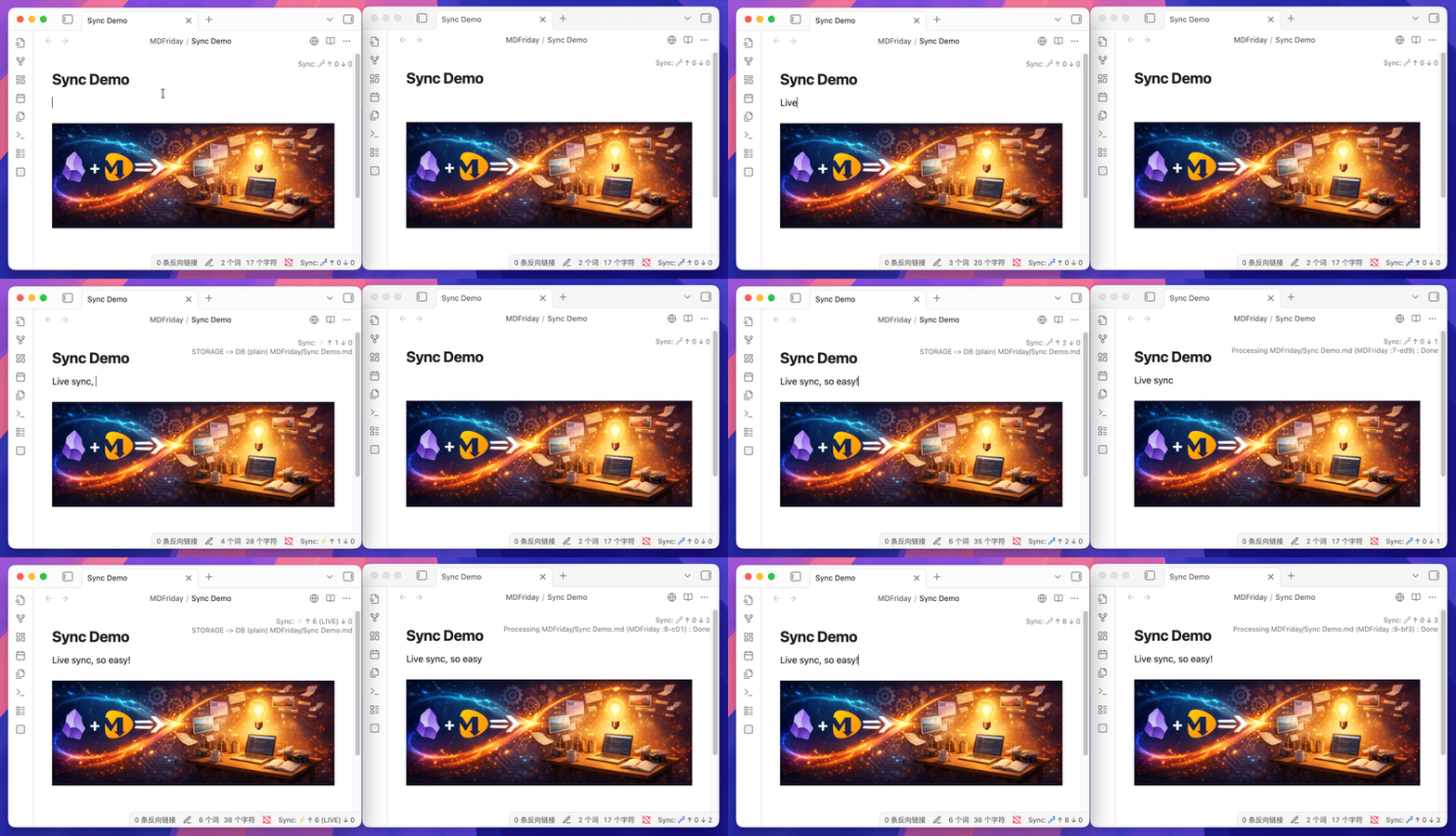
Live Sync across devices:
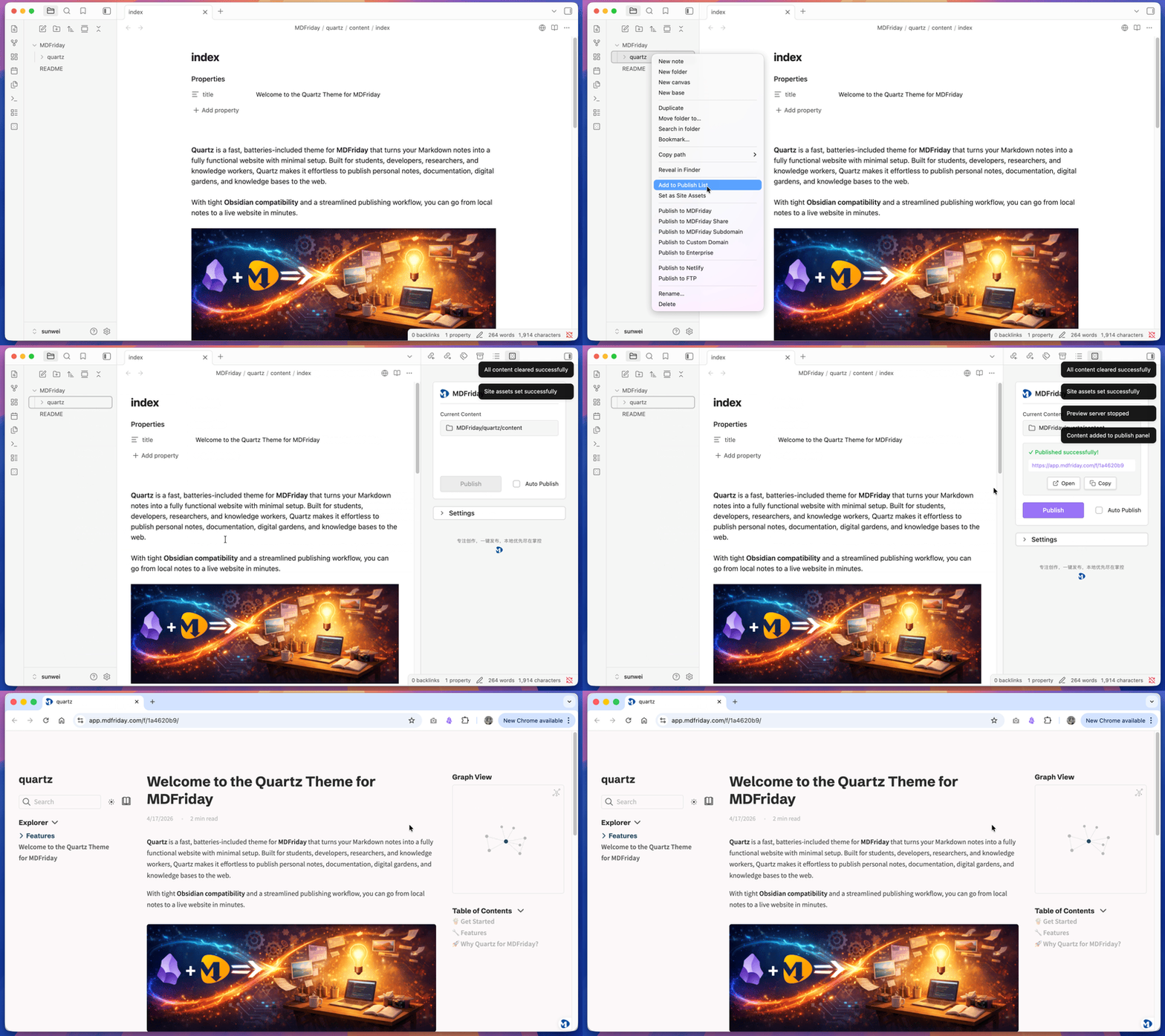
Instant Publishing:
🎨 Beautiful Themes, Ready to Use
Choose a professional design. Download sample notes. Start publishing in minutes.
- 📚 Documentation / Knowledge Base: Quartz | Book | Note
- 📰 Blog: Beautiful | Awesome
- 📄 Resume & Portfolio: Resume | Portfolio
- 🚀 Landing & Company: Landing | Company
- 🎤 Slides: Slides
More themes available inside the plugin.
📚 Learn More
- Documentation: 👉 https://help.mdfriday.com/index.html
- Website: 👉 https://mdfriday.com
- Community: 👉 https://discord.gg/t7FHJ6qNzT
🐳 Self-Hosting with Docker
Deploy your own MDFriday instance on YOUR cloud server.
Prerequisites
Before running the installation script, ensure you have:
- Docker installed and running
- A domain name pointed to your server
- Open firewall ports - 80 (HTTP) and 443 (HTTPS)
One-Command Installation
Once Docker is ready, deploy MDFriday with a single command:
curl -fsSL https://raw.githubusercontent.com/mdfriday/obsidian-friday-plugin/main/docker/install.sh | bash
For detailed configuration options and troubleshooting, see docker/README.md.
Video tutorial: Bilibili | YouTube

🚀 Start Building Today
Your notes are seeds. Friday helps them grow into assets.
Just write. Friday brings it to life.
🙏 Acknowledgements
Friday is inspired by: