
README file from
GithubMarkr
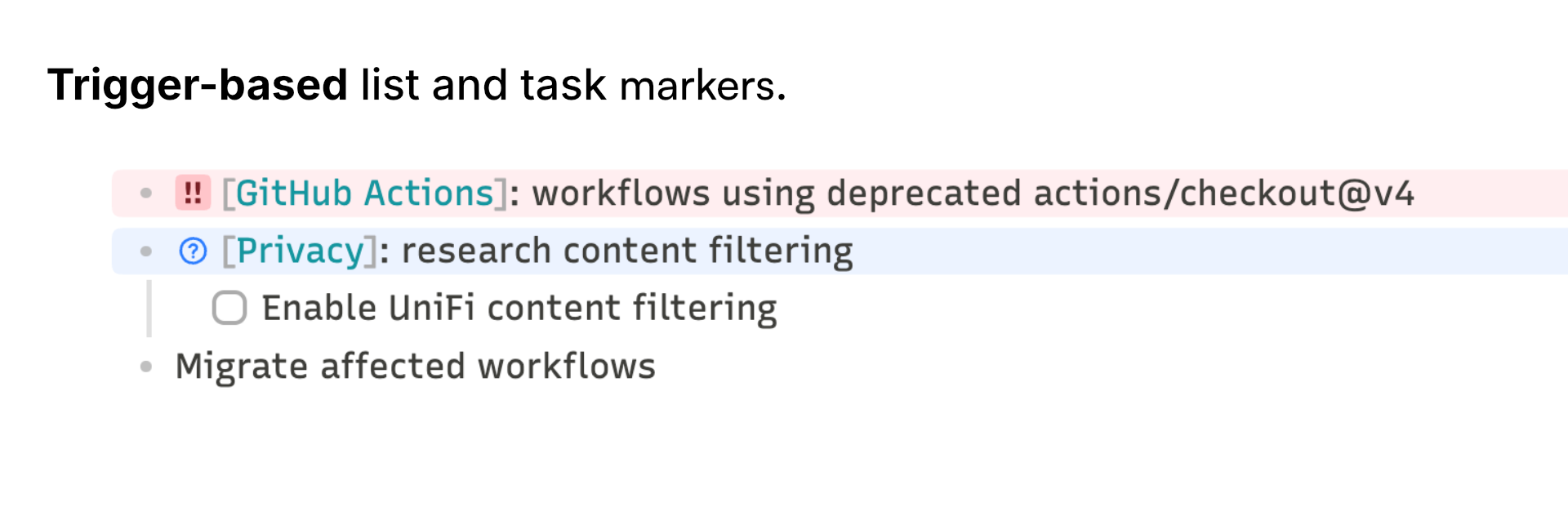
Trigger-based list and task markers for Obsidian — character or icon badges and line tints in Live Preview and Reading View. Inspired by List Callouts by mgmeyers.
Why does this plugin exist?
Not everything on a list deserves equal weight — I needed a real sense of priority. That's closer to the Eisenhower Matrix, for prioritizing my own day-to-day workflow.
Features
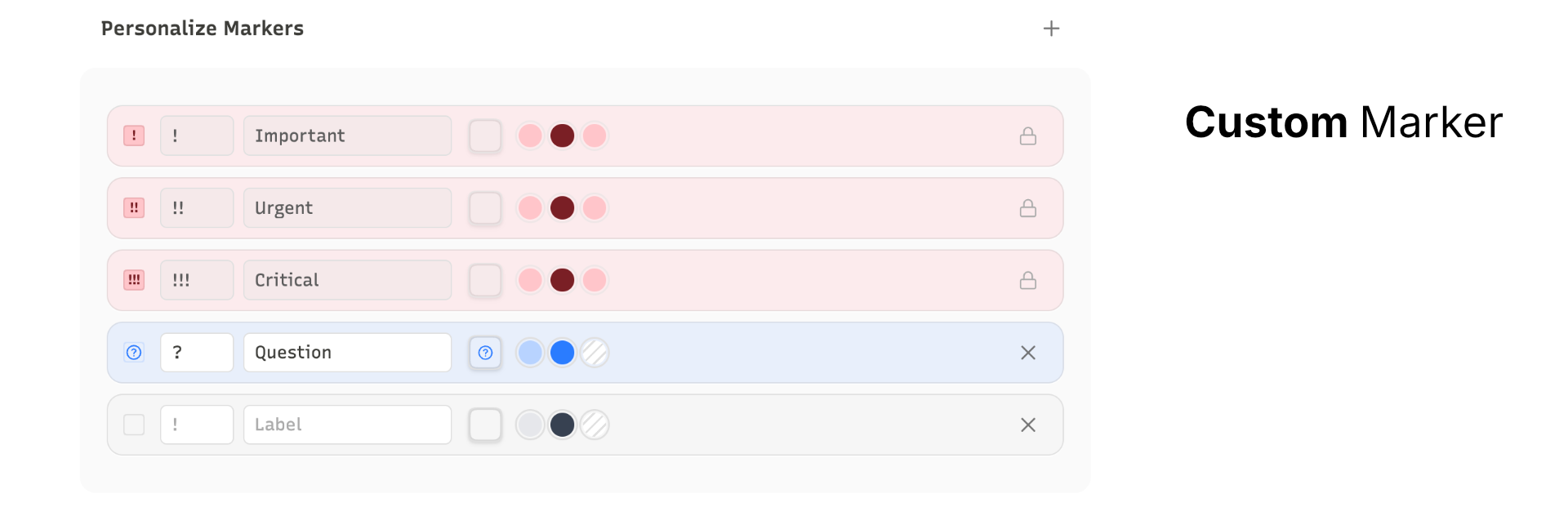
Every marker is fully configurable — pick the trigger, label, any built-in Lucide icon, line color, and badge color independently.
- Priority markers built in: zero setup, toggle on/off anytime
- Any trigger: 1–3 characters on any list item becomes a colored badge with line tint
- Command palette: apply, remove, and cycle markers without touching the trigger text
- Theme-safe: no hardcoded colors, works with any theme
Install
Official Store:
- Open Settings → Community plugins → Browse
- Search for Markr and install
Manual:
- Download
main.js,styles.css, andmanifest.jsonfrom the latest release - Copy the files to
<vault>/.obsidian/plugins/markr/ - Enable Markr in Settings → Community plugins