
README file from
GithubLink Integrity
English · 简体中文 · 繁體中文 · Deutsch · Français · Русский · Português (Brasil) · 日本語 · 한국어 · Español · Tiếng Việt
Link Integrity is a local, read-only Obsidian plugin that helps you find Broken links and Isolated files.
Screenshots
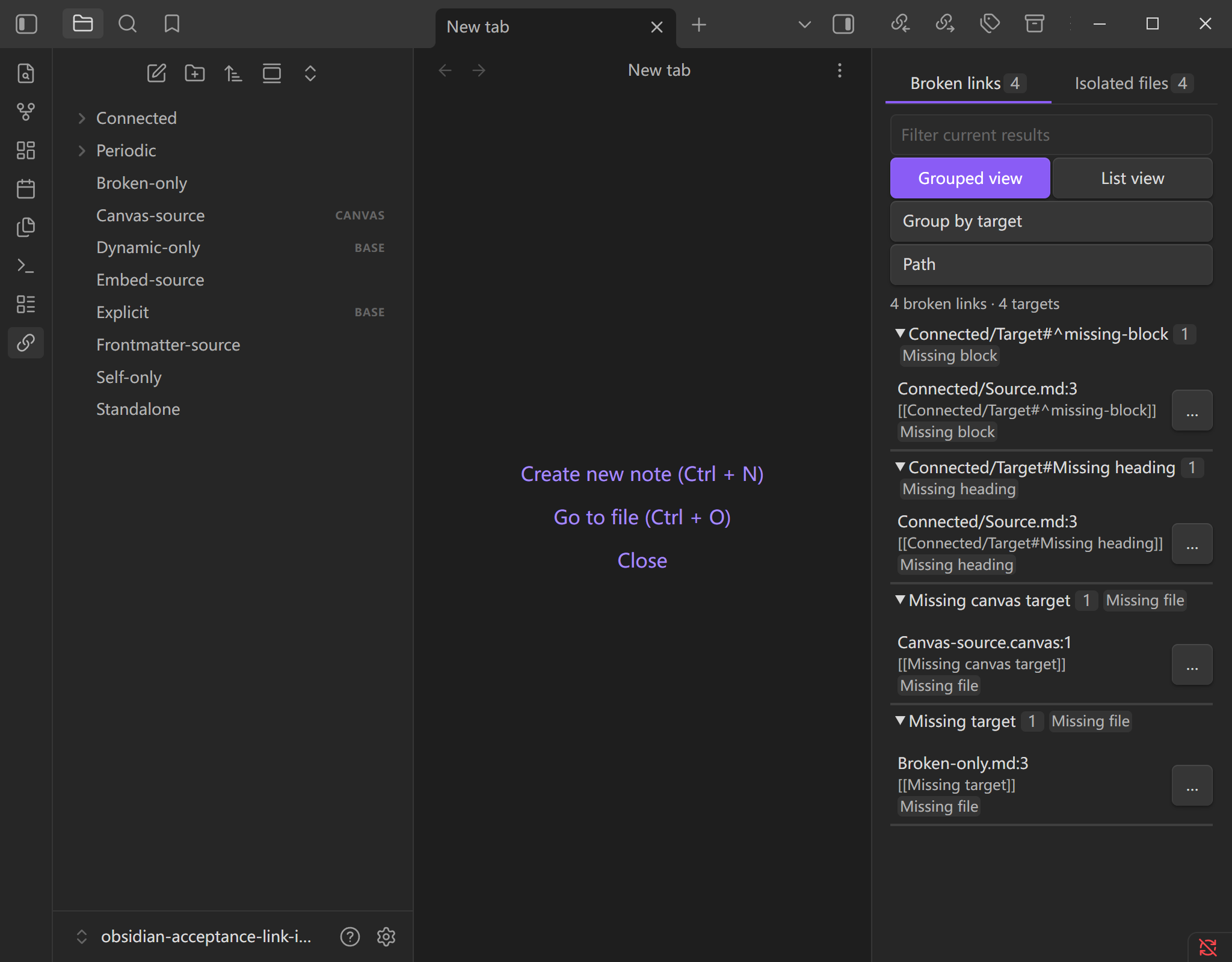
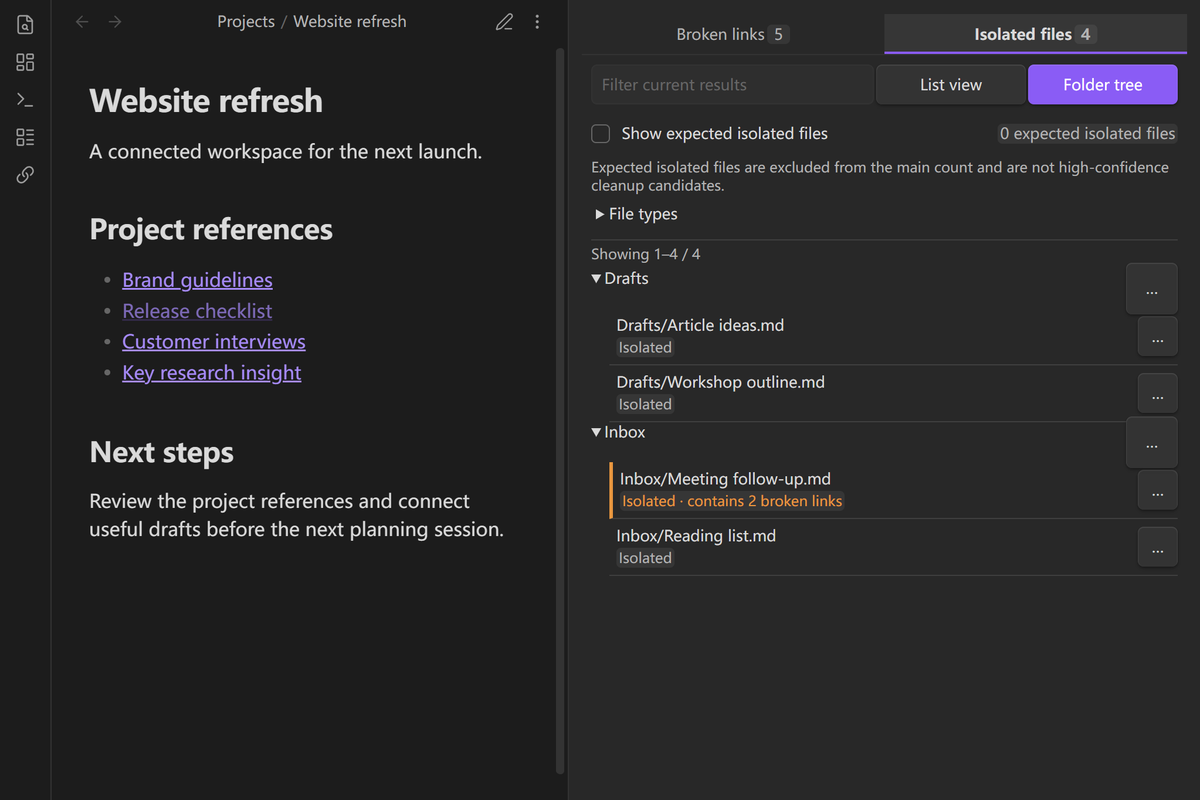
Review broken links and isolated files from one compact sidebar:
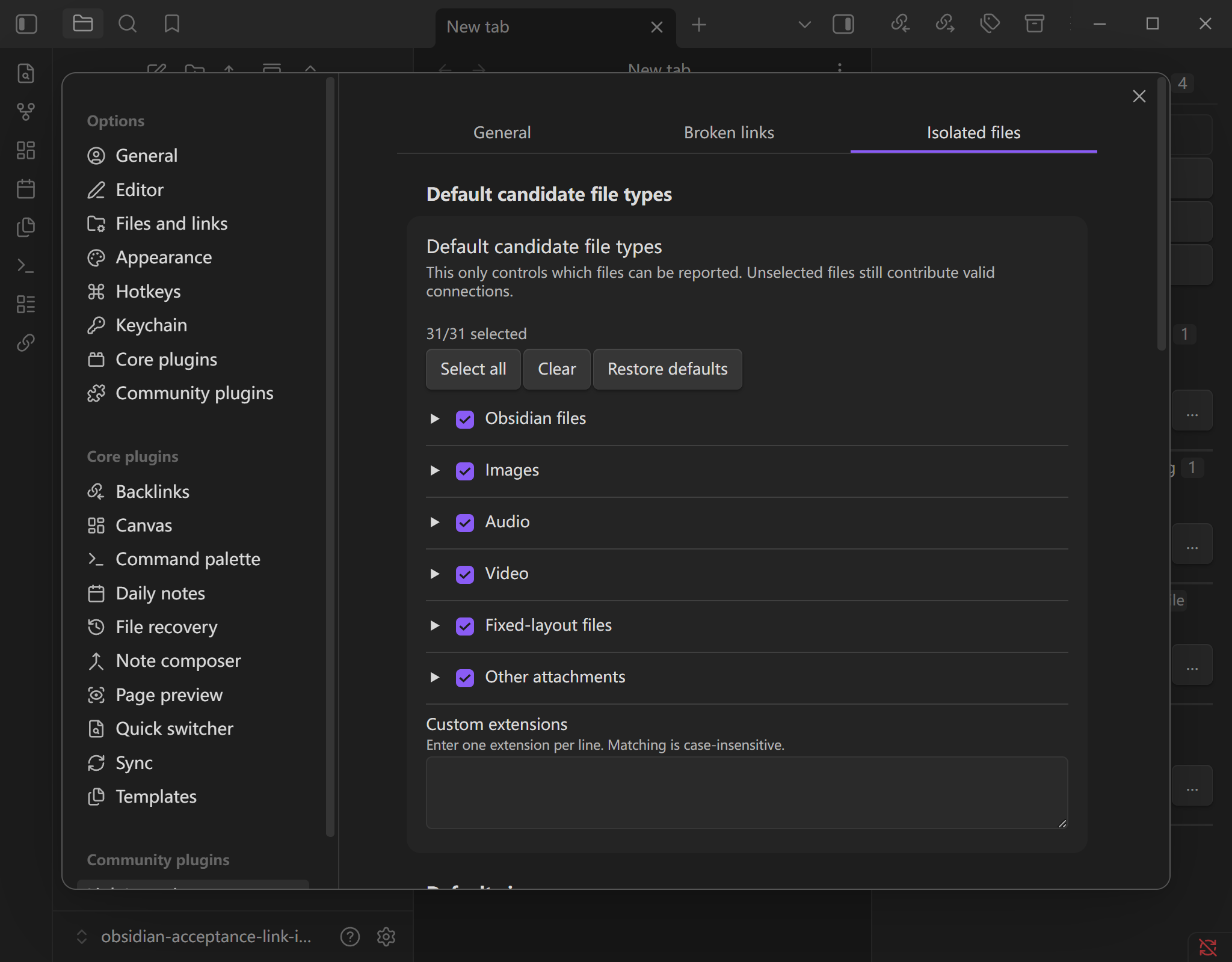
Configure indexing, ignore rules, file types, and expected-isolation rules in Obsidian settings:
Features
- Finds internal links to missing files, headings, and blocks in Markdown, embeds, frontmatter, Canvas, and explicit Bases file references.
- Finds files that have no working incoming or outgoing connection to another existing file in the Vault. Self-links and external URLs do not count as Vault connections.
- Warns when an isolated file also contains broken outgoing links, so it is not mistaken for a file that is obviously safe to clean up.
- Lets you mark periodic notes, templates, archives, and similar files as Expected isolated. This changes how they are classified in the results without changing their real links.
- Filters isolated-file results by Obsidian files, image formats, audio, video, PDF, and configured attachment extensions.
- Builds a complete index when needed and keeps it up to date as the Vault changes, without requiring a routine manual refresh.
- Opens each reported problem at its source when precise navigation is available. All scanning, matching, and indexing stays local.
Dynamic Bases query results are not treated as links. If a target file exists but a heading or block is missing, Link Integrity still considers the two files connected and reports the missing heading or block separately.
Requirements and compatibility
- Obsidian 1.12.7 or later.
- Supports desktop and mobile Obsidian.
- Checks the current Vault only. It does not check external websites or remote resources.
Installation
Open Settings → Community plugins → Browse, search for Link Integrity, and install it. If it is not available in your catalog, download link-integrity-<version>.zip from the latest GitHub release.
For a manual installation, place main.js, manifest.json, and styles.css in Vault/.obsidian/plugins/link-integrity/, reload Obsidian, and enable Link Integrity. During upgrades, replace only those three files and preserve data.json unless you explicitly want to reset the plugin settings.
Usage
- Enable Link Integrity under Settings → Community plugins.
- Open Link Integrity from the ribbon or command palette. The sidebar contains Broken links and Isolated files.
- Select a result to open its source. Use the isolated-file filters to narrow the current view without changing your saved defaults.
- Startup scanning is off by default. Opening the sidebar builds the index when needed; you can also use Build index or Rebuild index in General settings. After the first successful build, changes in the Vault update the results automatically.
Settings
- General controls language, startup scanning, default result views, and Build/Rebuild index actions. Follow Obsidian is the default language choice.
- Broken links controls which problems are shown and lets you create named ignore rules with a match preview.
- Isolated files controls the default file types, the optional no-incoming-links view, Expected isolated files, ignore rules, and expected-isolation rules.
- Expected-isolation rules can combine file type, an exact folder or a folder with subfolders, date formats, glob patterns, and advanced regular expressions. The periodic-notes preset supports daily, weekly, monthly, quarterly, and yearly naming patterns.
Settings and user-defined rules are stored in data.json. The calculated link index is kept in memory and rebuilt after restart.
Limitations
- Link Integrity does not delete files, rewrite links, or decide automatically which files should be removed.
- External URLs are intentionally out of scope and are never requested over the network.
- Dynamic Bases query results do not count as direct file connections; only explicit file references do.
- Expected-isolation rules only change how already-isolated files are classified. They do not hide broken links or remove real file connections.
Privacy and security
All indexing and rule evaluation runs locally. Link Integrity does not upload Vault content, require an account, or modify notes. Diagnostic paths and samples stay inside the running Obsidian session unless you choose to share them.
Development
Use Node.js 24.19.0 and npm 11.17.0. Run npm ci, then npm run check.
Developer documentation:
- Product requirements: English · 简体中文
- UX specification: English · 简体中文
- Architecture: English · 简体中文
- Testing: English · 简体中文
Project links: Contributing · Changelog · Security
Support
- Q&A: Usage and configuration questions.
- Ideas: Early feature and workflow ideas.
- Show and tell: Tips, workflows, and reference examples.
Use GitHub Issues for reproducible bugs and concrete feature requests. Never post private Vault paths, note content, diagnostic samples, or personal information publicly.
License
MIT © ZhengYX