
README file from
GithubLink Doctor
Find the broken links in your vault and jump straight to them.
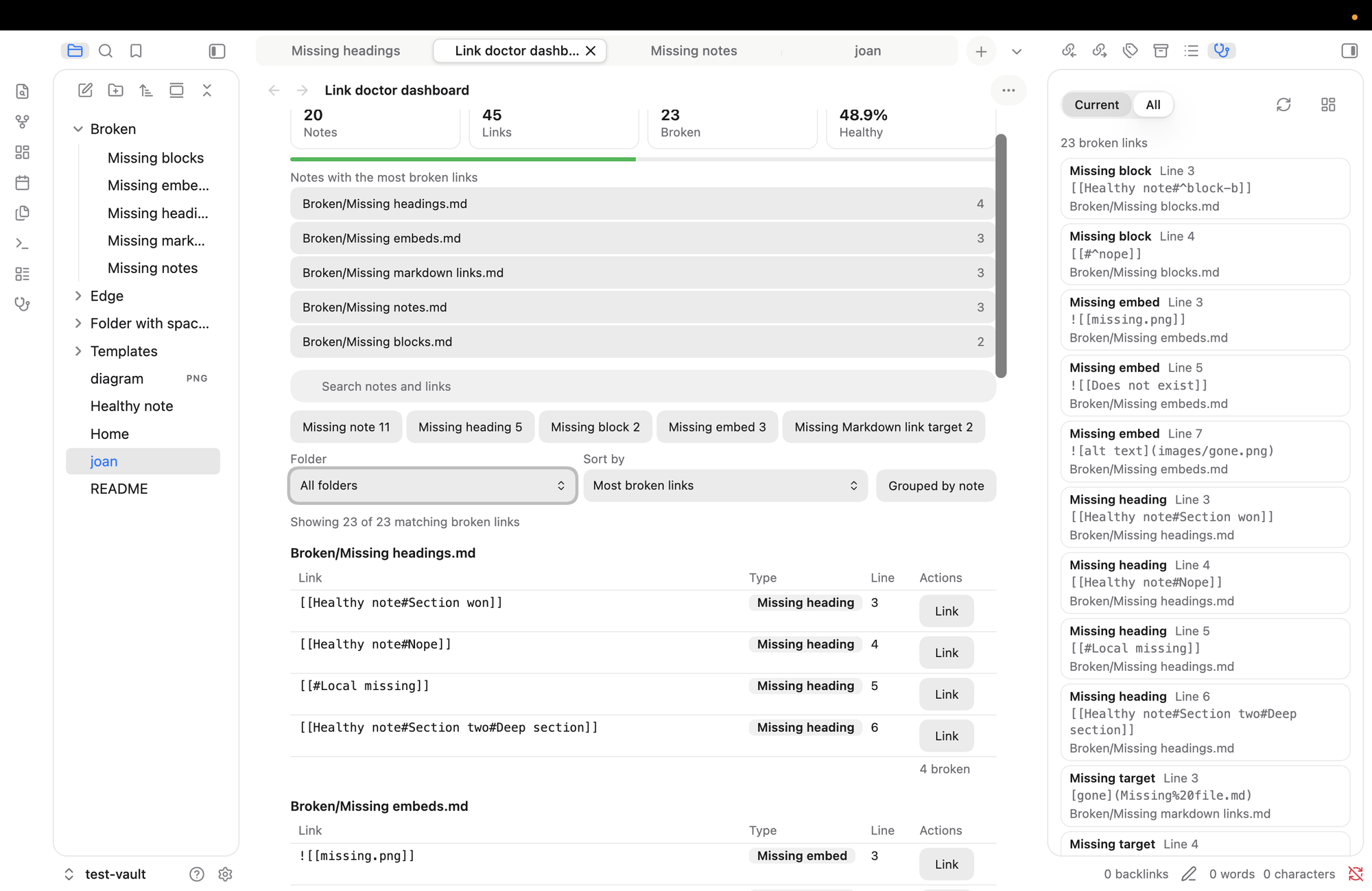
What it checks
- Links to notes that don't exist:
[[Missing note]] - Links to missing headings:
[[Note#No such heading]] - Links to missing blocks:
[[Note#^no-such-block]] - Embeds of missing files:
![[missing.png]] - Markdown links to missing files:
[text](missing.md)
It also lists empty notes, meaning notes with nothing but frontmatter. Web links aren't checked.
It matches names the way Obsidian does (ignoring case and accent differences, handling relative paths and aliases) and works on desktop and mobile. It never edits your notes, and it makes no network requests. It lists every file path in your vault (never file contents) so it can tell whether a link target exists.
How to use it
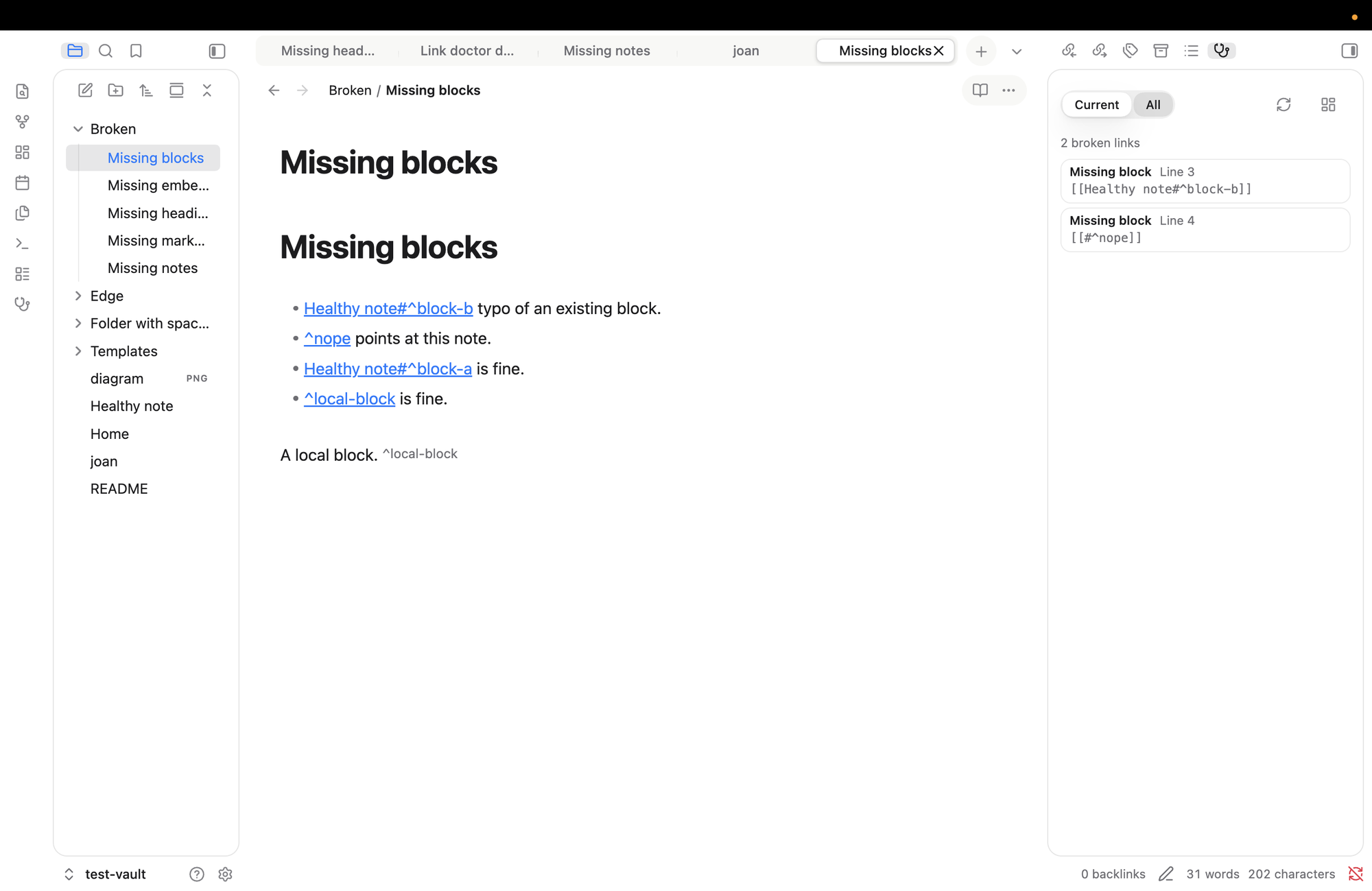
Side panel (stethoscope icon in the ribbon): Current shows the broken links in the note you're in, All shows the whole vault. Click a row to open the note with the link selected.
Dashboard (grid icon in the panel): health summary, search, filters by type and folder, grouping by note, and a Link button on every row.
Settings
Choose the panel's starting mode, open notes in a new tab or the current one, switch link types on or off, ignore folders (for example Templates/ or Archive/**), and set how quickly results refresh.
Good to know
- It reads Obsidian's own index, so a brand-new note may take a moment to appear. Press Rescan vault if something looks stale.
- It finds broken links and takes you to them. It never changes your notes: there are no fix buttons, by design.
Install
Needs Obsidian 1.13 or later. (Older versions of Obsidian get version 0.1.1 automatically.)
Once it's in the community list, search for Link Doctor in Settings, then Community plugins. To try it by hand, copy main.js, manifest.json and styles.css from a release into <your vault>/.obsidian/plugins/link-doctor/ and enable it.
For developers
npm install
npm run verify    # lint, types, tests, build
npm run dev       # watch build
Needs Node 22 or later. More in docs/. MIT licence.