
README file from
GithubLaTeX Notes
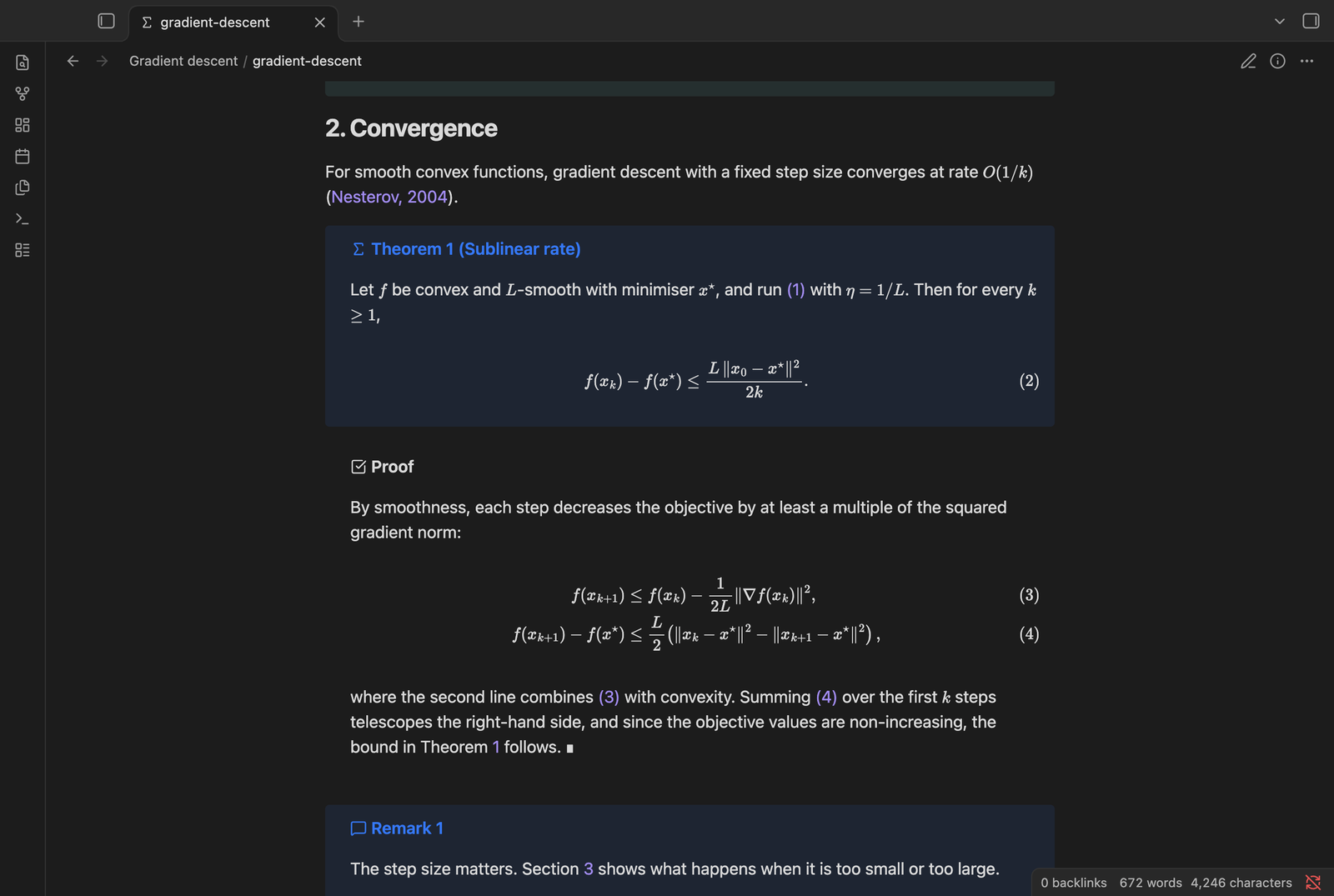
Open .tex files in Obsidian as if they were notes. LaTeX Notes converts LaTeX to Obsidian markdown in memory and renders it with Obsidian's own renderer, so headings, math, callouts and your theme look exactly like your other notes. There's no TeX installation and no PDF compilation, and no .md files are written.
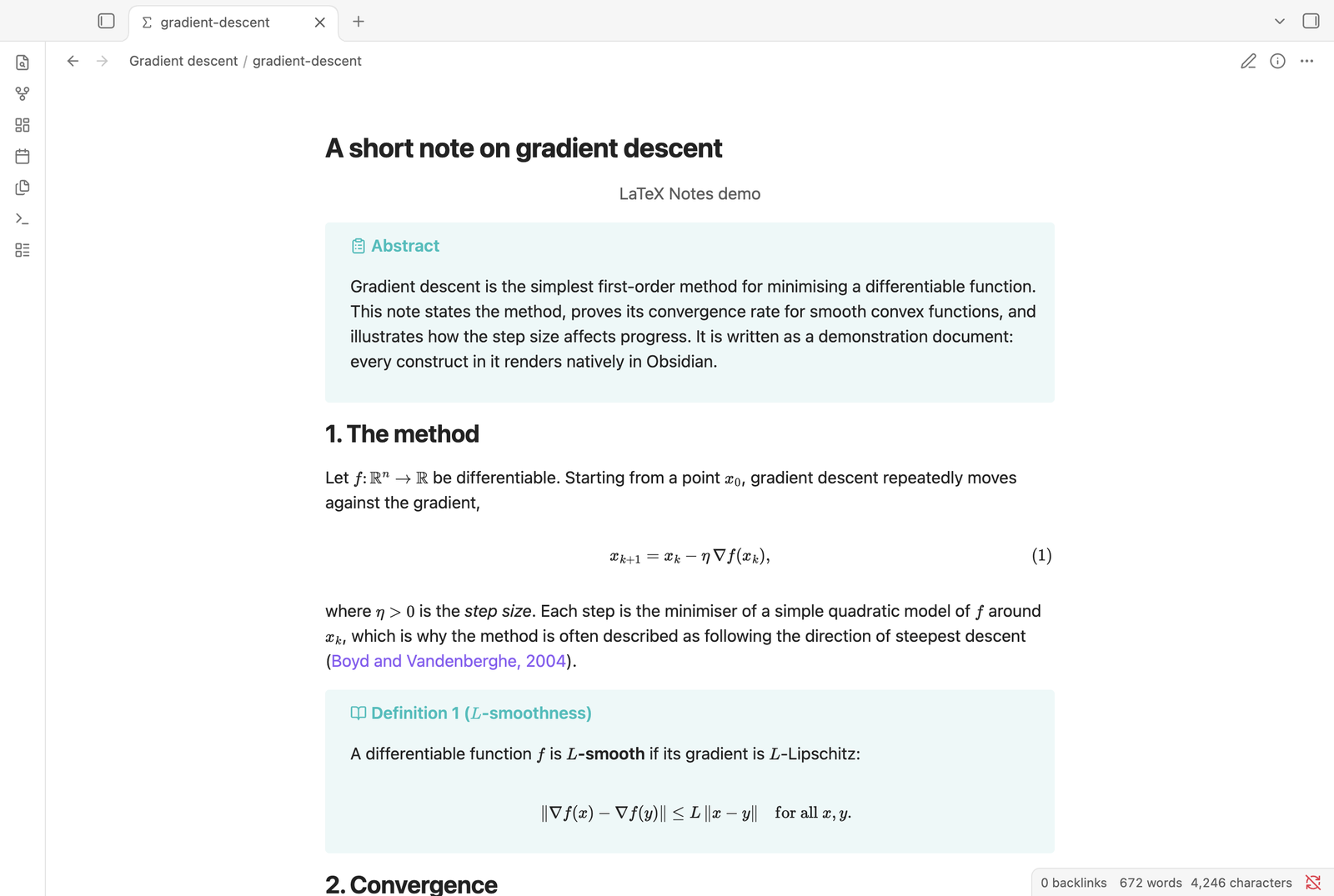
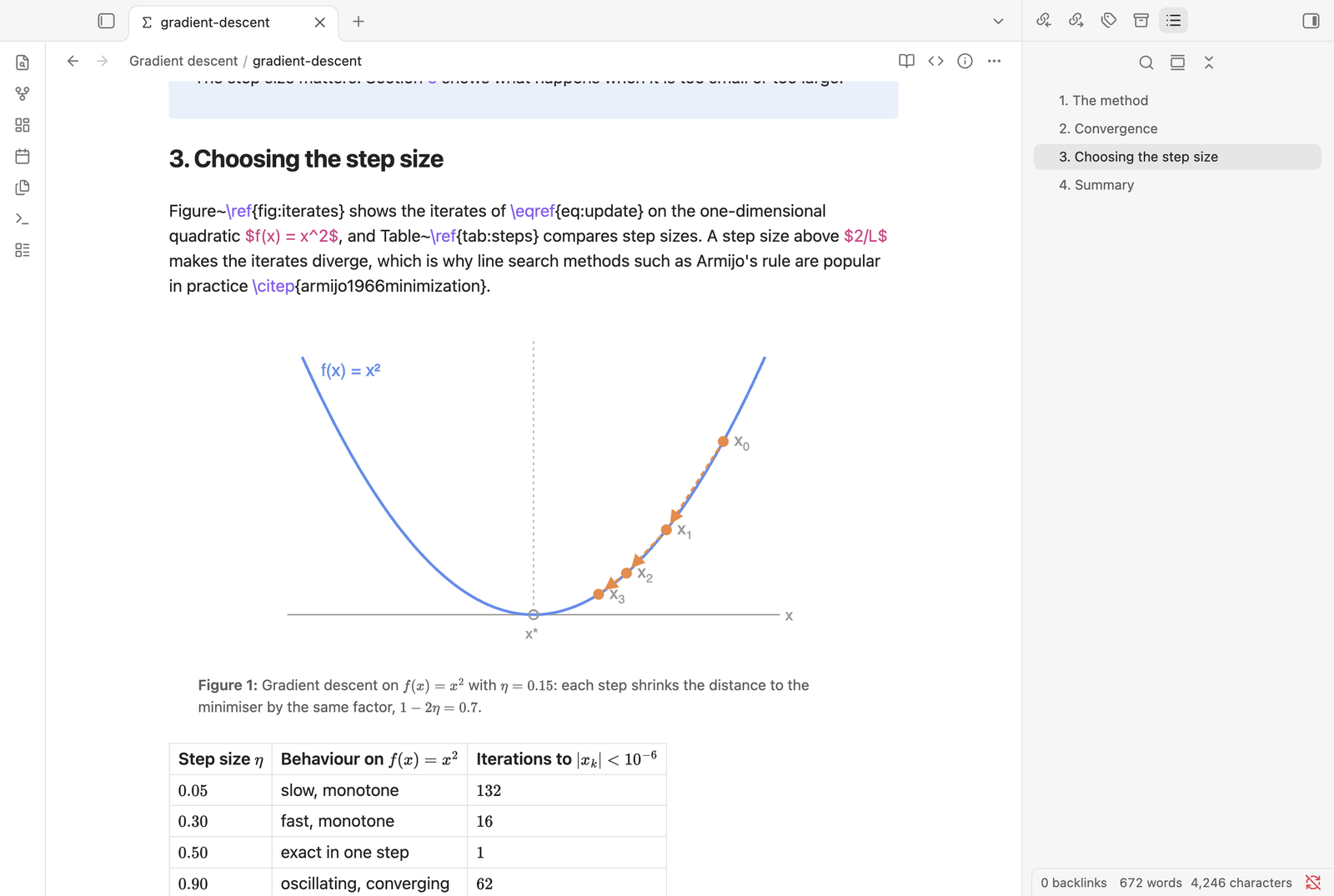
Edit in place. The paragraph you're editing shows as LaTeX; everything else stays rendered. The core Outline pane lists the document's sections.
Features
- Three modes, switchable from the view header or the command palette:
- Live preview (default): the paragraph you're editing shows as LaTeX source, everything else is rendered. Click any rendered paragraph to edit it.
- Source mode: a plain LaTeX editor with syntax colouring.
- Reading view: the whole document rendered, with clickable references.
- Structure: title, authors, abstract, numbered sections, lists, footnotes, quotes,
\input/\include. - Math: inline and display math,
equation,align,gather,multlineand friends, with equation numbers. - Macros: the document's own
\newcommand,\renewcommand,\defand\DeclareMathOperatordefinitions are expanded, in text, math and diagrams alike, including ones in\inputfiles. The document's own counters (\newcounter,\refstepcounter,\the…) work too, so numbered custom items can be referenced with\ref. - Cross-references:
\label,\ref,\eqref,\autoref,\crefresolve to the right numbers and are clickable. - Citations:
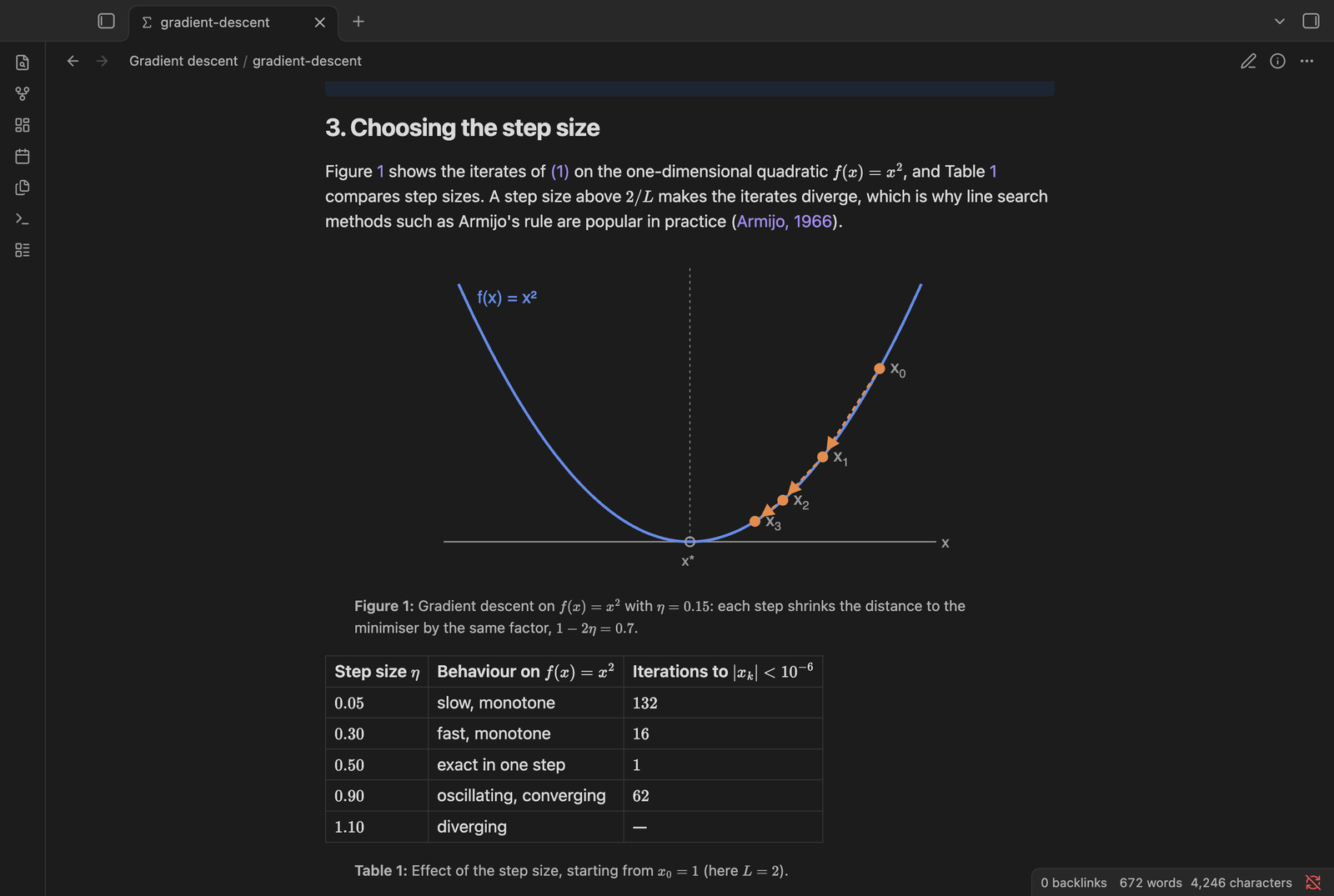
\cite,\citep,\citetand variants render as author–year text from your.bibfile, or from athebibliographyblock in the document. Hover a citation to see the full entry. A reference list is added at\bibliography. - Figures and tables:
\includegraphics(PNG, JPG, SVG and PDF figures) with numbered captions, and simpletabulartables. - Theorems and proofs render as callouts.
- Outline: Obsidian's core Outline pane lists the document's sections, highlights the current one and jumps to a section on click.
- New documents: the "Create new LaTeX document" command (also in the folder context menu) creates a
.texfile from a template of your choice. - TikZ diagrams (
tikzpicture,tikz-cd,circuitikz,forest) are drawn when a plugin that renderstikzcode blocks is installed, such as TikZJax Next (works offline and on iOS). The document's TikZ libraries, styles and diagram packages are passed along. - Anything unsupported (unknown environments, complex tables, TikZ without such a plugin) shows as a collapsed block with the original source instead of breaking the page.
What it doesn't do
- It doesn't run TeX, so it never produces a PDF. Use a LaTeX editor or another plugin for that.
- TikZ diagrams need a separate plugin (see above).
- Macros that program TeX (conditionals other than the usual empty-argument test,
\expandafterand the like) aren't expanded; they're listed in the conversion report. - Sections in
\inputfiles don't appear in the Outline. .texfiles aren't indexed by Obsidian's search, backlinks or graph.
Settings
- Readable line length: limits the width of LaTeX documents, like Obsidian's setting of the same name does for notes.
- Template file: a
.texfile used for new documents. Placeholders:{{title}},{{author}},{{date}}(or{{date:YYYY-MM-DD}}),{{cursor}}. Leave empty for the built-in template. - Author: fills
{{author}}. - Folder for new documents: empty uses Obsidian's default location for new notes.
- Create missing .bib files: creates an empty bibliography file when the template refers to one.
Compatibility
- Desktop and mobile. Tested on macOS and iPhone; on phones, reading view is smoothest on iOS 18 or later.
- Needs no TeX installation, so it works anywhere Obsidian runs.
- Other plugins that open
.texfiles (for example LaTeX Live or LaTeX Studio) can't be enabled at the same time, because only one plugin can handle a file extension. - The Outline integration relies on internals of Obsidian's core Outline pane. If a future Obsidian version changes them, LaTeX Notes switches the integration off and the Outline shows nothing for
.texfiles; everything else keeps working.
Privacy
LaTeX Notes works entirely offline and never makes network requests. It only writes to a .tex file when you edit it.
About this code, and why it should be safe
The code in this plugin was written by an AI model (Anthropic's Claude), directed and tested by the maintainer. AI-written code can contain mistakes like any other code, so the plugin is deliberately built to keep what it can do, and what a bad document could make it do, as small as possible:
- No network access. The plugin never makes a network request. It can't send your notes anywhere or download anything.
- No code execution. It doesn't use
eval, Node.js APIs, shell commands or anything outside Obsidian's plugin API. - Vault-only file access. It reads files only through Obsidian's vault API (the
.texfile, its\inputfiles,.bibfiles and figures), so it can't reach files outside your vault. It writes only when you edit a document or create a new one. - Documents are treated as untrusted. A
.texor.bibfile from someone else can't inject HTML or scripts: text from documents is escaped before rendering, links are kept only forhttp(s)andmailtoaddresses (javascript:,file:and similar become plain text), MathJax commands that create links or set styles are removed, and PDF figures are opened in pdf.js's safe mode. This was tested with deliberately malicious files. - One small runtime dependency. Apart from Obsidian and the CodeMirror editor it ships with, the only bundled library is monkey-around (a 1.7 KB helper for safely patching the Outline pane), plus CodeMirror's LaTeX syntax mode.
- Reproducible releases. Release files are built by GitHub Actions from the tagged source, with build provenance attestation, not uploaded from someone's computer.
- Open source. All code is in this repository. The parts that handle untrusted input are
src/tex/(the converter) andsrc/view.ts(rendering); please report anything that looks wrong.
As the MIT license says, the software comes with no warranty.
Installing a beta version
Before it's listed in the community plugins, you can install LaTeX Notes with BRAT: install BRAT, choose "Add beta plugin", and enter this repository's URL.
Reporting problems
LaTeX documents vary a lot, so if something renders wrongly, please open an issue. The most helpful report includes:
- A minimal snippet of LaTeX that shows the problem.
- The conversion report: open the file, click the ⓘ button in the view header, then Copy report.
Development
npm install
npm run dev     # rebuilds main.js on change
npm run build   # production build
The converter in src/tex/ doesn't depend on Obsidian. To see what it produces for a file:
npx esbuild scripts/convert-cli.ts --bundle --platform=node --outfile=build/convert-cli.cjs
node build/convert-cli.cjs paper.tex paper.md
License
MIT