
README file from
GithubKotonoha
Kotonoha is a lightweight quick-capture plugin for Obsidian. It saves everyday notes and tasks to Daily Notes, then lets you review them in a simple timeline.
The name comes from the Japanese word 言の葉 (kotonoha), an older expression for words or language.
What it looks like
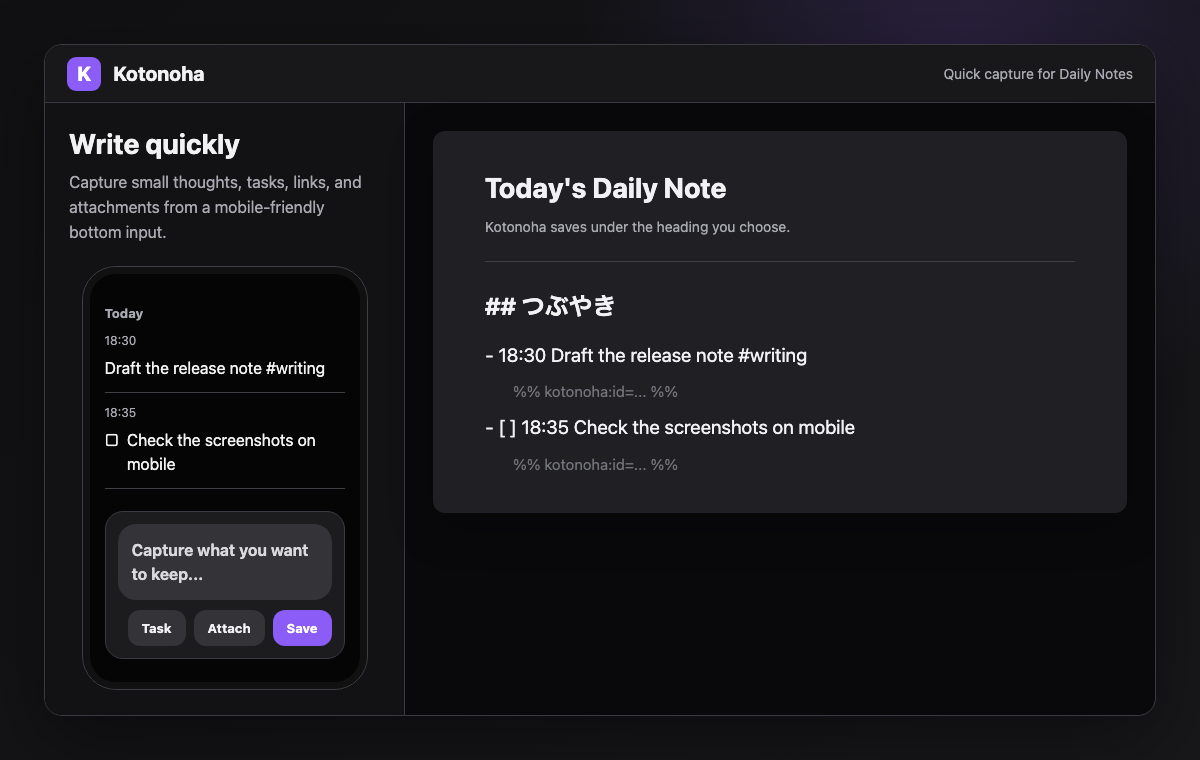
- Write from the bottom input.
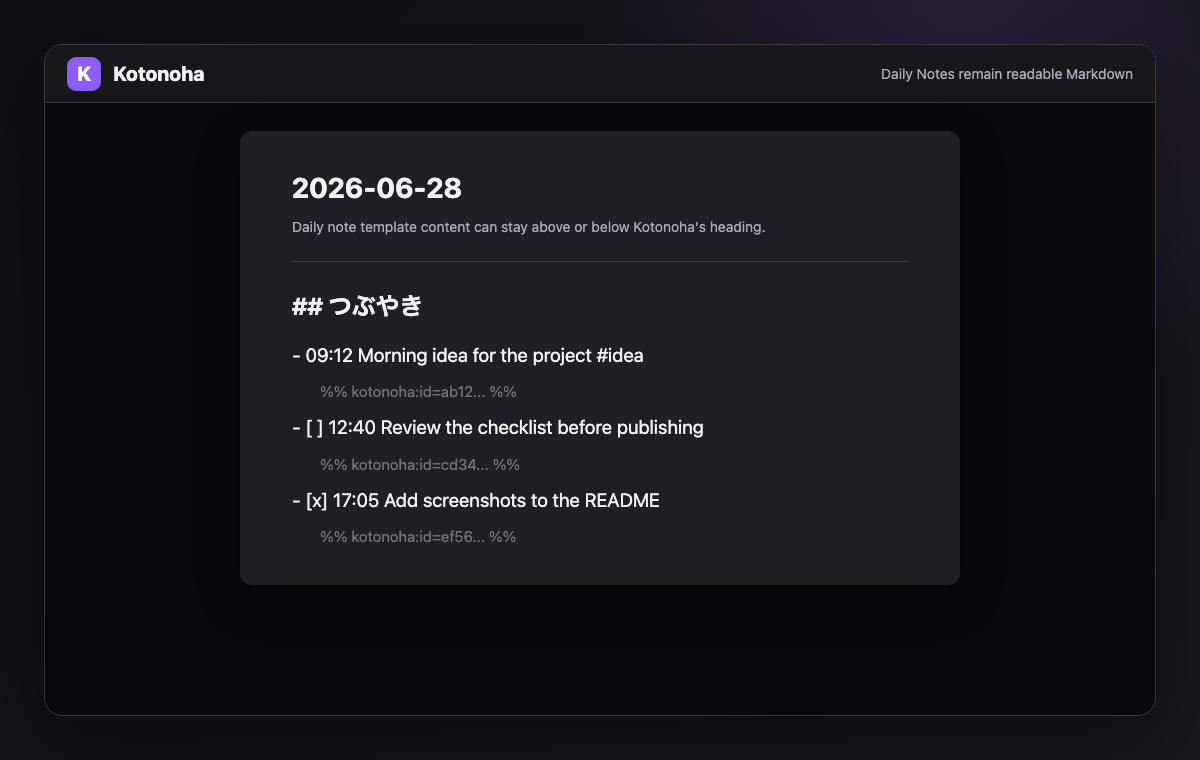
- Save to today's Daily Note.
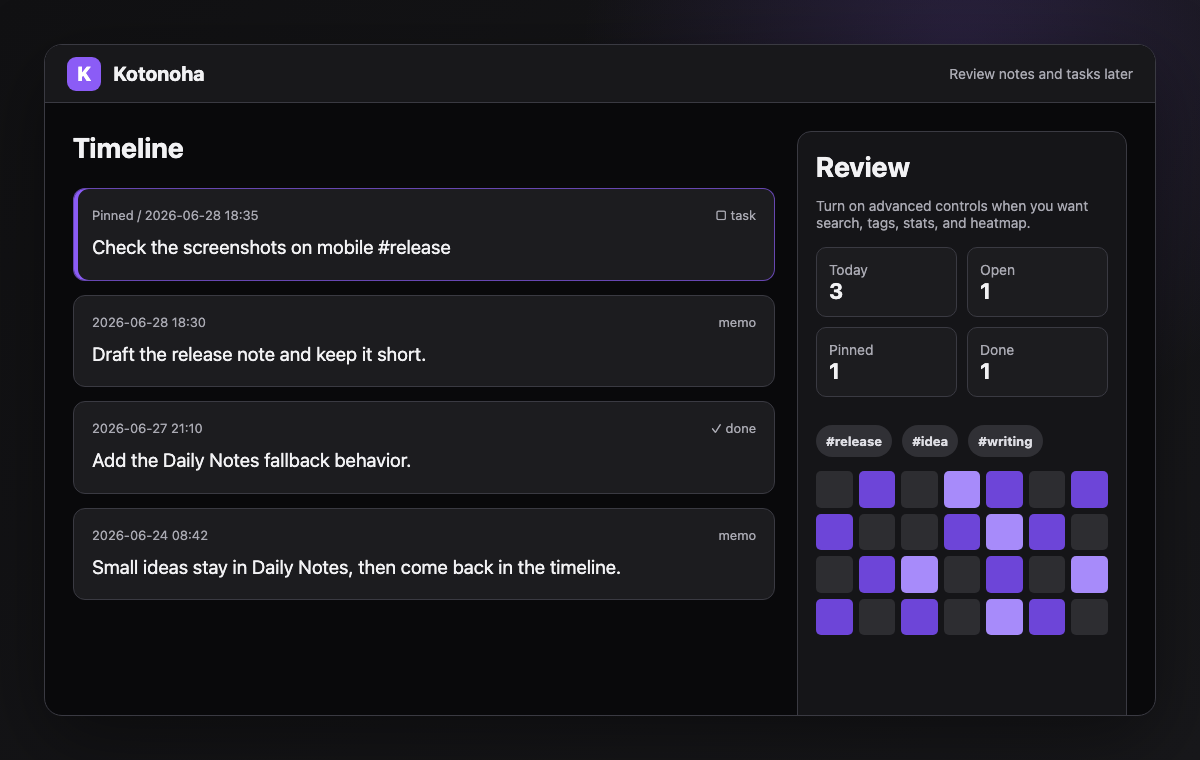
- Review notes and tasks in the timeline.
Kotonoha is designed for people who already use Daily Notes and want a faster place to capture small thoughts, tasks, links, and attachments without leaving Markdown.
Features
- Append notes to Daily Notes
- Create today's Daily Note when it does not exist
- Save tasks and toggle completion
- Review notes in a timeline
- Search by text, tags, and date range
- Use a heatmap and random review
- Save file attachments
Install
After Kotonoha is listed in Community Plugins, search for Kotonoha in Obsidian settings and install it.
To install manually, download these files from the latest release and place them in .obsidian/plugins/kotonoha/ in your vault:
main.jsmanifest.jsonstyles.css
Reload Obsidian, then enable Kotonoha from Community Plugins.
Usage
- Open Kotonoha.
- Write a note in the input area.
- Press
残すto save it.
Turn on タスク before saving to create an open task. You can also start the text with [ ] or [x].
Recommended setup
- Keep Daily Notes enabled.
- Set the Kotonoha heading to the section where you want quick notes to appear.
- Turn on advanced controls only when you want search, filters, tags, stats, and the heatmap visible above the timeline.
Daily Notes
By default, Kotonoha appends notes to today's Daily Note. If today's Daily Note does not exist, Kotonoha creates it using your Daily Notes settings and template before saving.
You can change the destination heading in settings. The default heading is つぶやき.
## つぶやき
- 18:30 Finished today's notes #work
  %% kotonoha:id=... %%
- [ ] 18:35 Review tomorrow's document
  %% kotonoha:id=... %%
日本語
Kotonohaは、短いメモやタスクをDaily Notesへすばやく保存し、あとからタイムラインで見返すための軽量なquick captureプラグインです。
名前は、言葉を意味する古い表現の 言の葉 から取っています。
どんな見た目か
- 下部の入力欄から書く
- 今日のDaily Noteに保存する
- タイムラインでメモやタスクを見返す
Daily Notesを普段から使っていて、小さな思いつき、タスク、リンク、添付をMarkdownに残したい人向けです。
Features
- Daily Notesへのメモ追記
- 今日のDaily Noteがない場合の自動作成
- タスク保存と完了切替
- タイムライン表示
- 検索、タグ、期間フィルタ
- ヒートマップとランダム回顧
- 添付ファイル保存
Install
Community Plugins掲載後は、Obsidianの設定から Kotonoha を検索してインストールできます。
手動で試す場合は、リリースに含まれる次のファイルをVaultの .obsidian/plugins/kotonoha/ に置きます。
main.jsmanifest.jsonstyles.css
その後、Obsidianを再読み込みしてCommunity PluginsからKotonohaを有効にします。
Usage
- Kotonohaを開く
- 下部の入力欄にメモを書く
残すを押す
タスク をオンにして保存すると、未完了タスクとして保存されます。本文を [ ] または [x] から始める方法も使えます。
おすすめ設定
- Daily Notesを有効にしておく
- Kotonohaの保存先見出しを、短いメモを置きたいセクション名にする
- 検索、絞り込み、タグ、統計、ヒートマップが必要なときだけ詳細ツールを表示する
Daily Notes
初期設定では、今日のDaily Noteにメモを追記します。今日のDaily Noteがまだない場合は、ObsidianのDaily Notes設定とテンプレートを使って作成してから保存します。
保存先の見出しは設定から変更できます。初期値は つぶやき です。
## つぶやき
- 18:30 今日やったこと #work
  %% kotonoha:id=... %%
- [ ] 18:35 明日の資料を確認する
  %% kotonoha:id=... %%
Development
開発、テスト、リリース手順は CONTRIBUTING.md を参照してください。
License
MIT License. See LICENSE.