Knowledge Map

by 何大哥
5
4
3
2
1
Score: 50/100

Description

write it later

Reviews

No reviews yet.

Stats

0
stars
24
downloads
0
forks
4
days
3
days
3
days
0
total PRs
0
open PRs
0
closed PRs
0
merged PRs
0
total issues
0
open issues
0
closed issues
41
commits

Latest Version

3 days ago

Changelog

Knowledge Map 0.0.14 — bilingual interface, cleaner releases

0.0.14 is a UI and release-hygiene update. The layout data format (schema 3), the capture / reconcile / apply contracts, and the rendering and physics code in upstream/ are unchanged, so upgrading needs no data migration.

What's new

English and 简体中文 interface

The whole interface is now translatable: top bar, search, level pills, legend, layout toolbar, tooltips, toasts, side panel, settings tab, status bar, notices and command names. The UI language follows Obsidian's language on startup (anything other than Chinese falls back to English), and can be pinned in Settings → Community plugins → Knowledge Map → Language:

  • Follow the app (default) — uses Obsidian's language
  • 中文 — always Chinese
  • English — always English

Changing the setting re-renders an open map and the settings tab immediately. Command-palette entries, the ribbon tooltip and the tab title are captured when the plugin loads, so they pick up a language change after the plugin is reloaded — the notice shown after saving says so. Existing data.json files without a language field are treated as "follow the app".

The release contains exactly three files

The GitHub release for this version ships only main.js, manifest.json and styles.css — the three files Obsidian actually downloads. SHA256SUMS and the release notes now live in the release body instead of being extra assets, and the build provenance of all three files is attested with GitHub Actions artifact attestations. See RELEASE_CI.md for the workflow and how to verify an attestation with gh attestation verify.

No :has() selector

The layout toolbar used to make room for the details sidebar with a CSS :has() selector. It is now driven by an explicit kg-sidebar-open class that the HUD toggles together with the sidebar, so the behaviour no longer depends on selector engine support and avoids the broad-invalidation warning this pattern raises in plugin review. The toolbar offset is unchanged.

Legend state is stored with the plugin's data API

Whether the legend is collapsed is now written to the plugin's data.json (top-level ui object) instead of localStorage. The last localStorage value is imported once on first load and then ignored. This is the only UI state that is persisted; nothing new is stored, and layout data, settings and their timing are unchanged.

README rewritten as an introduction and tutorial

The README is now a product guide and a tutorial, built around three ideas: see your knowledge layout (containment has depth, links have a plane; pan, zoom through levels, Ctrl + hover to preview), see how knowledge connects (links form chains you can follow when debugging) and arrange the map yourself (drag the important regions to the middle and push details aside, then keep that arrangement). Each section pairs the idea with a short recording or screenshot from a synthetic demo vault (English UI): knowledge-map-overview.png, knowledge-map-pan.gif, knowledge-map-zoom.gif, knowledge-map-preview.gif, knowledge-map-links.png and knowledge-map-layout.gif. It also documents the real interaction model (single click selects, double click focuses, scroll moves between levels) instead of the older, inaccurate description.

Fixes and internal changes

  • The schema-3 differential check now actually exercises the layout write-failure path (previously its "write failure" scenario was rejected earlier by the single-owner guard, so the assertion passed without testing anything). Both sides are asserted to reject, report a failure message and preserve committed groups.
  • Added scripts/i18n_check.mjs to the synthetic test suite: it loads the real language dictionaries, checks that English and Chinese define the same keys, that no English value contains Chinese characters, that every template binding resolves, and that no user-facing Chinese string literal remains outside the dictionaries. npm test now runs 11 synthetic checks.
  • Bumped versions.json to {"0.0.13":"1.6.7","0.0.14":"1.6.7"}.

Unchanged contracts

  • Layout data stays schema 3; data.json layout records and migration logic are untouched. Upgrading from 0.0.13 keeps your layout.
  • capture / reconcile / apply, drag/save/undo/Esc, hover preview and native note opening behave as before.
  • upstream/ rendering and layout physics are untouched.
  • The plugin id remains knowledge-graph-smoke (UI-A14 was explicitly deferred).

Known limits

  • Desktop Obsidian 1.6.7+ only (isDesktopOnly: true).
  • Layout adjustment supports up to 128 siblings per group and 5000 affected nodes; undo history keeps the last 50 steps for the current session.
  • Data written by 0.0.10 and older cannot be adjusted by schema-3 builds; the original data is preserved.

Install / upgrade

Community directory: https://community.obsidian.md/plugins/knowledge-graph-smoke. Manual install and upgrade: replace main.js, manifest.json and styles.css in .obsidian/plugins/knowledge-graph-smoke/, keeping data.json. See INSTALL.md for rollback and known limits.


中文摘要

0.0.14 是界面与发布流程更新:界面全面支持英文 / 简体中文(默认跟随 Obsidian 语言,非中文环境为英文,可在设置里固定为「跟随应用 / 中文 / English」),切换后 已打开的图谱与设置页立即刷新,命令面板/ribbon 提示/标签页标题在重载插件后更新; GitHub Release 只保留 main.js、manifest.json、styles.css 三个文件, SHA256SUMS 与发布说明移入正文,三资产带 GitHub Actions 构建来源证明;布局工具条 不再依赖 CSS :has(),改由 JS 同步 kg-sidebar-open 类;图例收起状态改存插件 data.json 的 ui 字段(首次从 localStorage 迁移);README 重写为「理念 + 上手 教程 + 动图」。布局数据仍为 schema 3,capture/reconcile/apply 与 upstream/ 渲染物理逻辑未改,升级无需迁移;插件 id 仍为 knowledge-graph-smoke。


SHA-256 checksums

b022a4d810c38280e23068e718e68f9e0030bd4ba763b2dc0abae0b847903dc5  main.js
aa3cc460b8e50a16b35ac72f9df5476de19c4a17df149382239b5eefb636b1e8  manifest.json
c14381d9c9844151ac037a6164bd25b606dfe21f7b51cc417c0dea19570a450b  styles.css

Release notes source: docs/RELEASE_NOTES_0.0.14.md

Build run: https://github.com/xidianhush/knowledge-graph-obsidian-plugin/actions/runs/42164446268

README file from

Github

Knowledge Map

Explore the hierarchy and connections in your Obsidian knowledge as a map you can arrange. Folders, notes and headings form nested circles; wiki-links connect them.
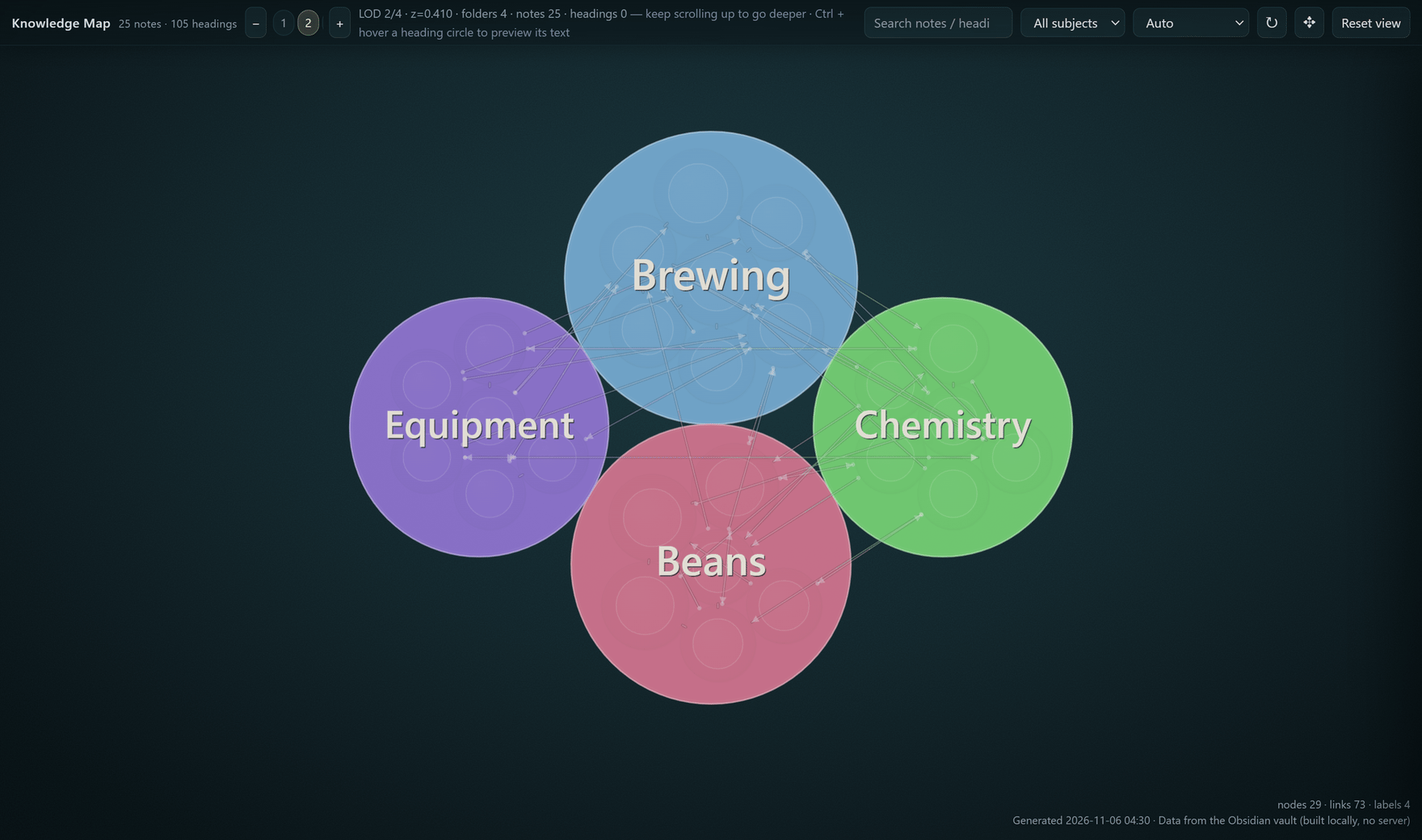
Folders, notes and headings in one nested map

Explore the hierarchy

See where knowledge belongs, from a subject down to a heading. Colour follows the top-level folder; circle size reflects the structure beneath it.

Pan — drag the canvas to explore another region; on iPad, use one finger.
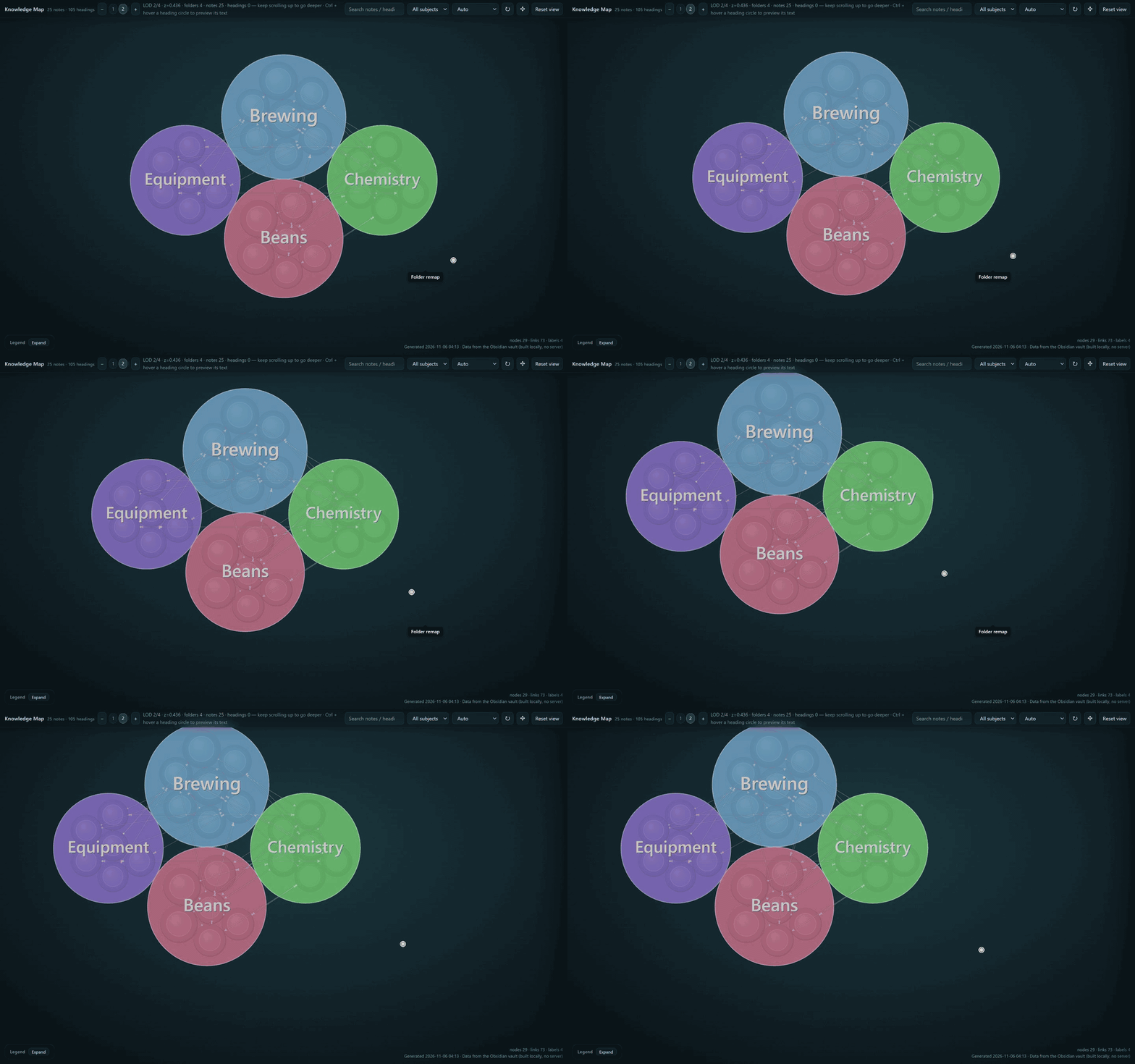
Dragging the canvas to pan

Zoom — on desktop, scroll over a circle to explore deeper levels or come back out. On iPad, pinch to zoom or tap − / + to change levels. Use Reset view to return to the current level's default view.
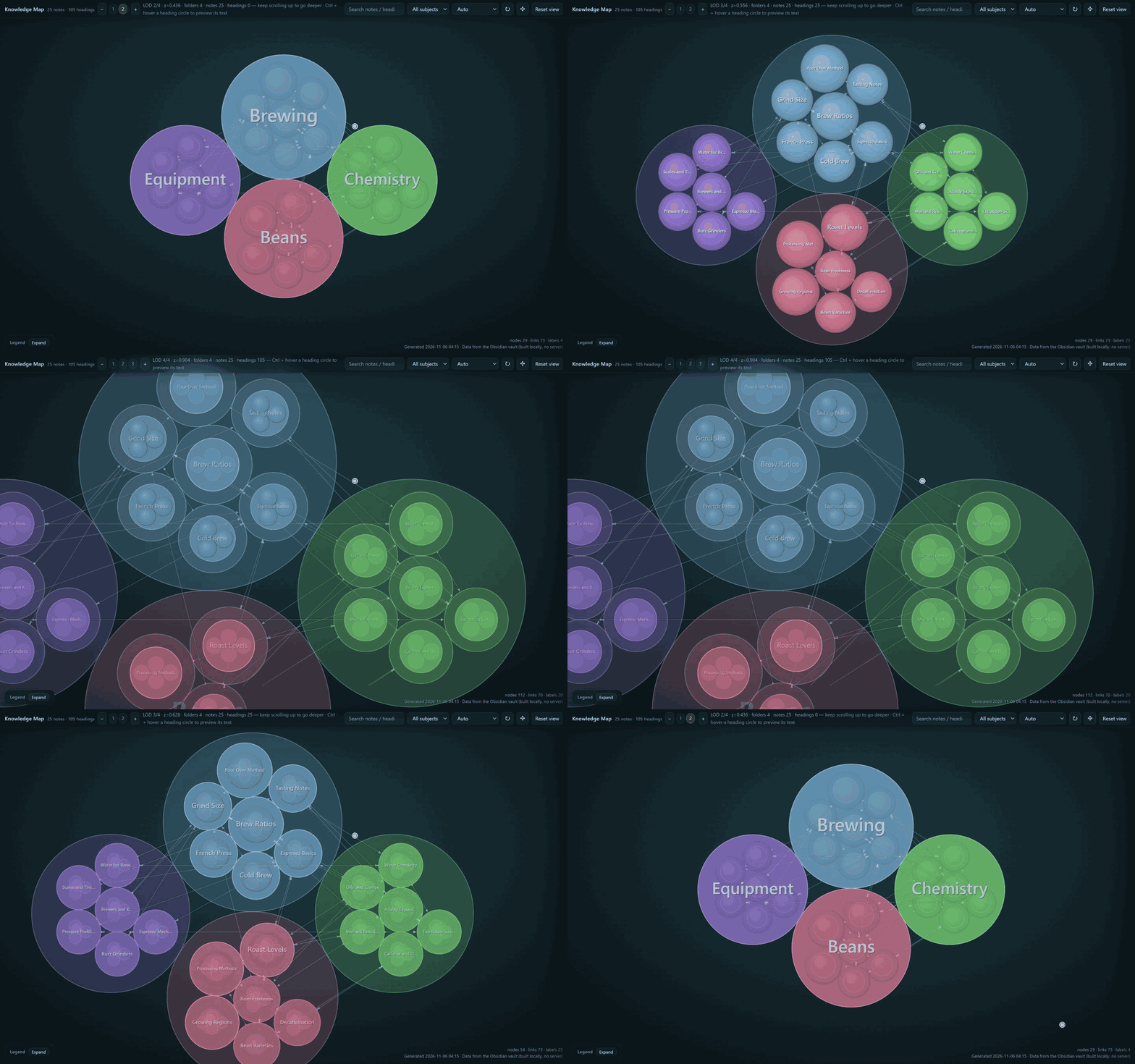
Zooming through the hierarchy on desktop

Preview — on desktop, hold Ctrl and hover over a note or heading; click the circle to pin its preview. On iPad, hold a note or heading, or select it and tap Preview. Close the preview with its close button (or Esc on desktop).
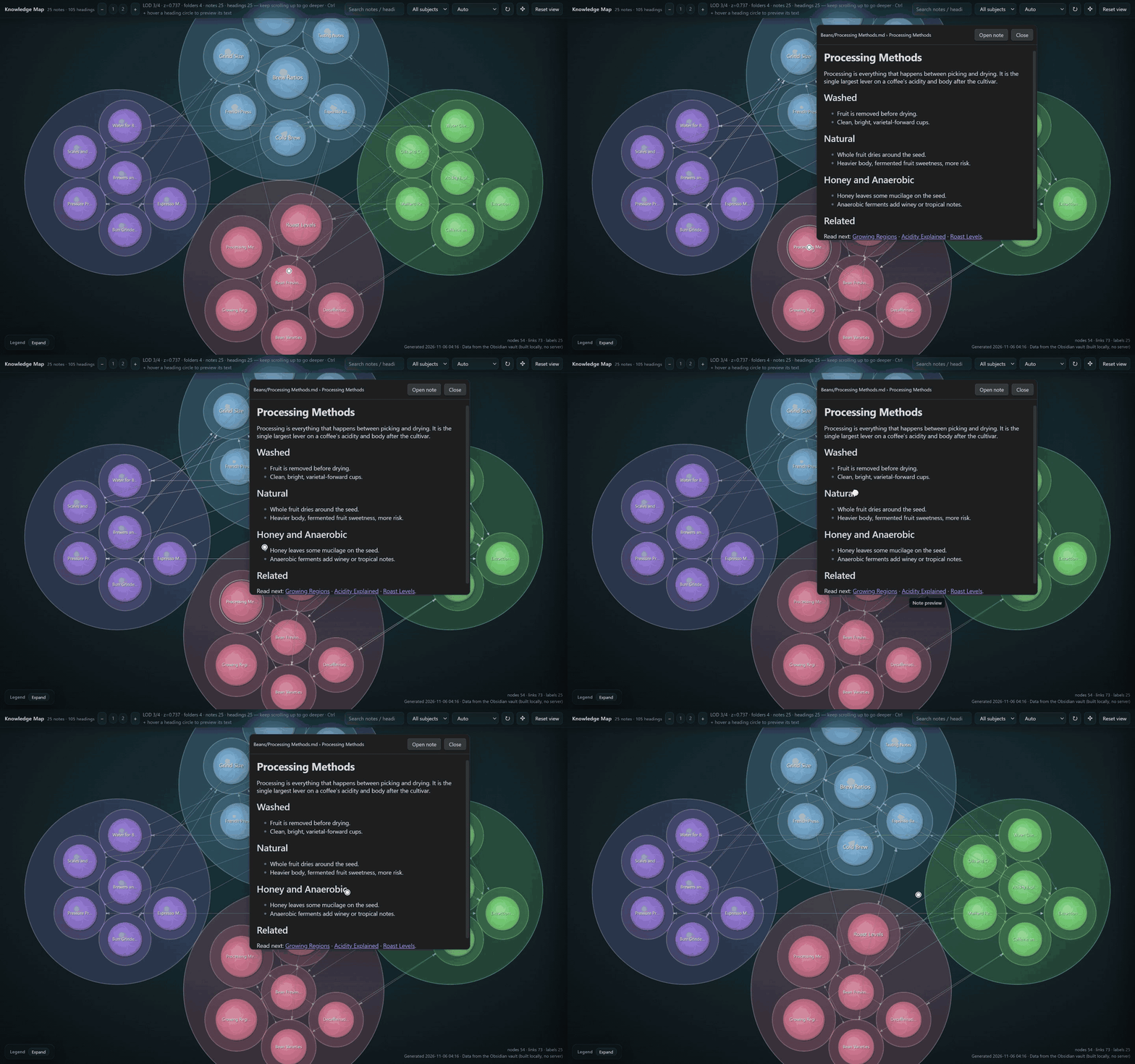
Previewing and pinning a note on desktop

Follow the connections

See the chain between related ideas and follow it when investigating a question or tracing a problem.
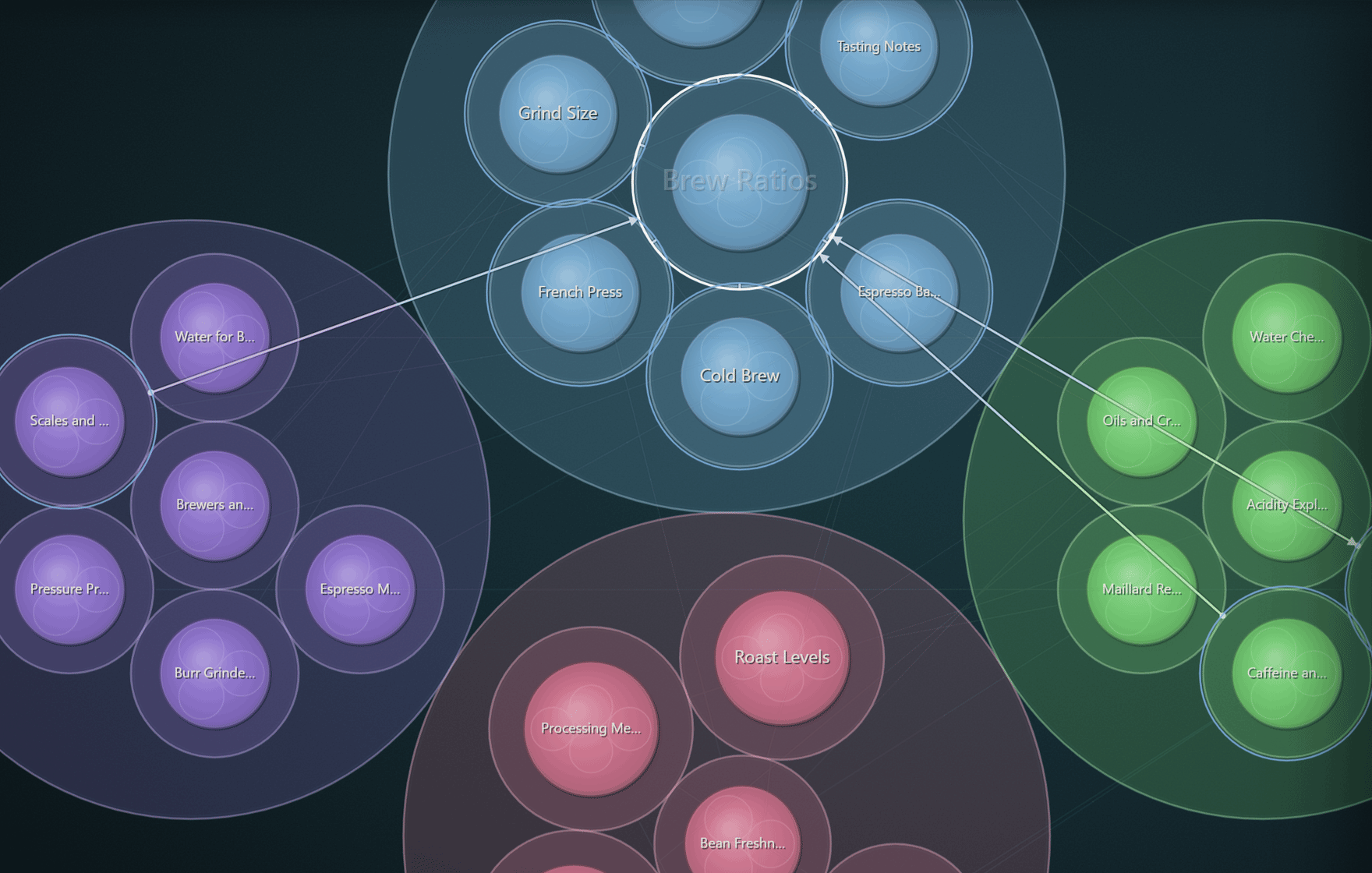
Links between notes and headings

A dot marks a link's source and an arrow its target. Dashed lines mark parallel / contrast relations. Select a circle to highlight its links and connected elements; a grey dotted line traces its ancestors. Visible links depend on zoom, filters and drawing limits.

Arrange what matters

Put core ideas in the centre and supporting details around them.

Press ✥ Adjust layout, drag a circle, then press ✥ again to finish. The layout toolbar provides undo, redo and reset controls. Desktop also supports group dragging; touch layout editing moves one element at a time.
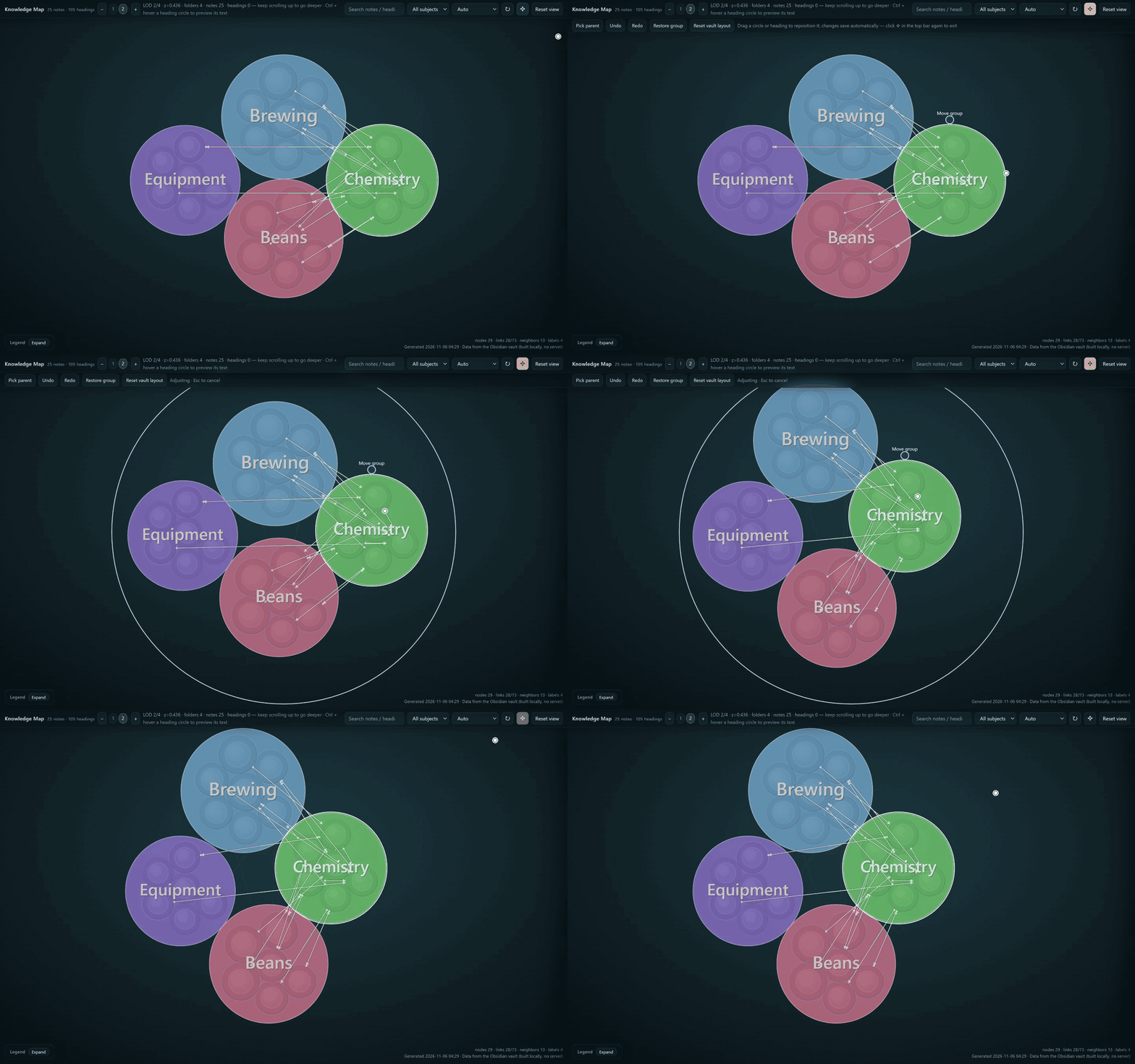
Adjusting circle positions on desktop

Layouts are saved separately from your notes and reused after edits where they can be reconciled. Incompatible groups fall back to automatic layout.

Install and start

  1. In Settings → Community plugins → Browse, search for Knowledge Map, install and enable it. You can also use the directory page.
  2. Click the ribbon icon or run Build knowledge graph from current vault from the command palette.
  3. Choose the folders to include in the plugin settings. The interface supports English and 简体中文, following the app language by default.

For manual installation, copy main.js, manifest.json and styles.css from a release into .obsidian/plugins/knowledge-graph-smoke/. See the installation guide for upgrades, backups and rollback.

Platforms and limits

  • Desktop: Obsidian 1.6.7+.
  • iPadOS (0.0.15): user testing covered iPad Pro 2022 / iPadOS 26.5.2 / Obsidian 1.15.0. The demos show desktop controls. iPhone is unverified; Android adaptation is planned for the next version. Minimum iPadOS and objective iPad frame-rate / memory limits have not been established.
  • Layout editing supports up to 128 siblings per group and 5000 affected nodes. Undo keeps 50 steps within the session and clears on structural changes or plugin reload.
  • The map canvas stays dark, including with a light Obsidian theme.

中文简介

Knowledge Map(知识地图) 用嵌套圆展示知识的包含层级,用连线展示知识之间的联系。拖动画布探索,缩放查看层级,预览笔记内容;点 ✥「调整布局」,把核心知识放在中间、细节放在周围,再点一次结束。

桌面用 Ctrl + 悬停预览;iPad 用长按或选中后的「预览」按钮,触屏支持单元素拖动。0.0.15 加入 iPadOS 支持并保留桌面;iPhone 未验证,Android 适配留到下一版。

Data and development

Map building happens locally within your configured scope. The plugin does not modify or upload your notes; settings and layouts are stored in the plugin's own data.json. Back up that file before upgrading or uninstalling.

Data, upgrades and limits · Build and test · Current tasks · 0.0.15 release notes · MIT license