
README file from
Githubkeep-writing
A vault that interviews you, so that you keep writing.
A blank page stops you; a question doesn't. keep-writing puts one into your daily note in Obsidian, you answer it in your own words, and the next questions come out of what you already wrote — so it never runs out.
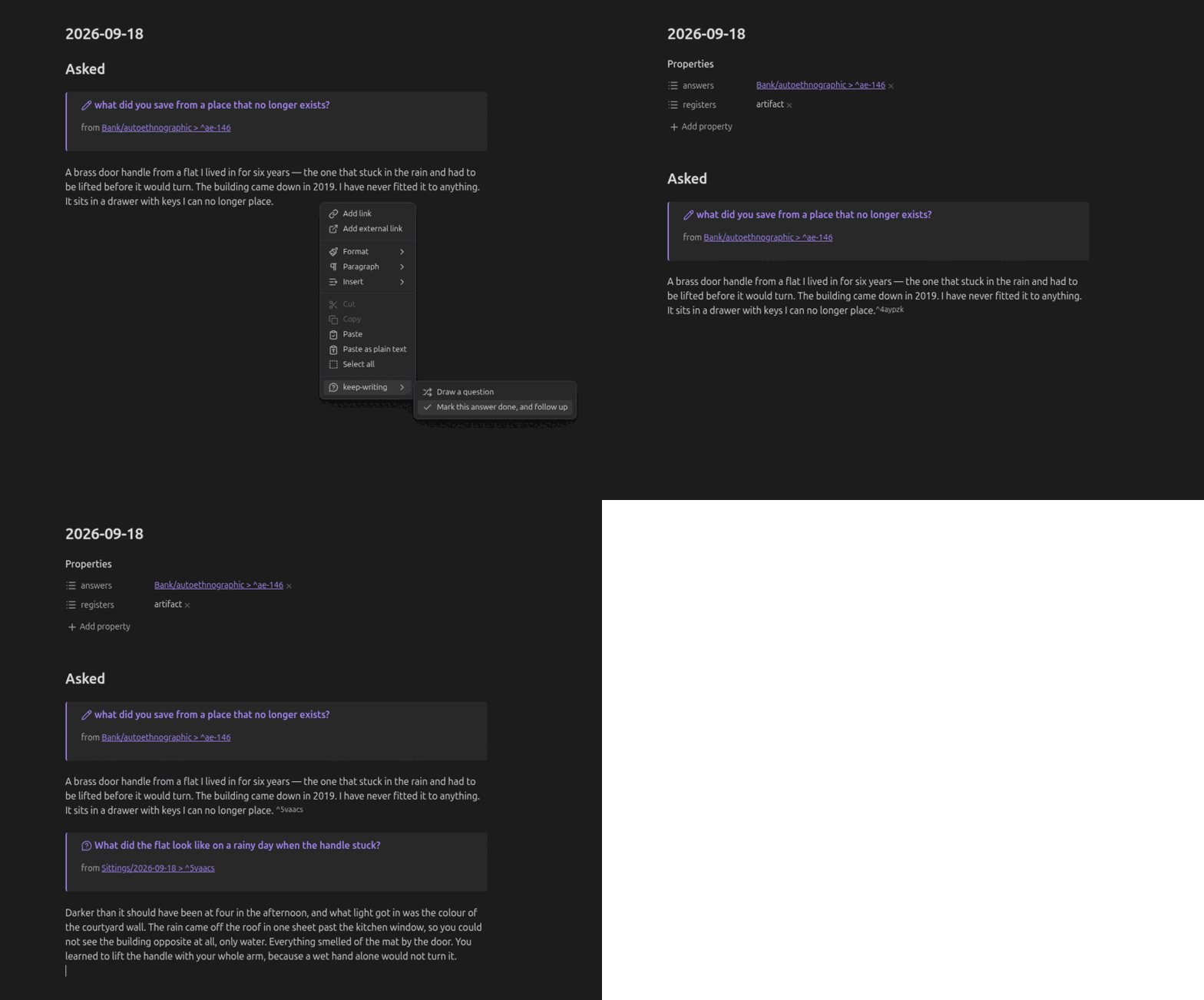
In the community store, and early. Search community plugins for keep-writing. Needs Obsidian 1.13 or newer. Questions built from your own writing need a model endpoint; everything else works without one.
What it does
- Starts the day for you. Adds an opening question to a new daily note when a bank has unanswered questions. Works without AI.
- Draws a question into today's note. Three to choose from — pick one, or press Escape and nothing is written.
- Asks your own. Under the three is Ask my own…: search every bank, answered questions included, or type a new question. A new one is kept in
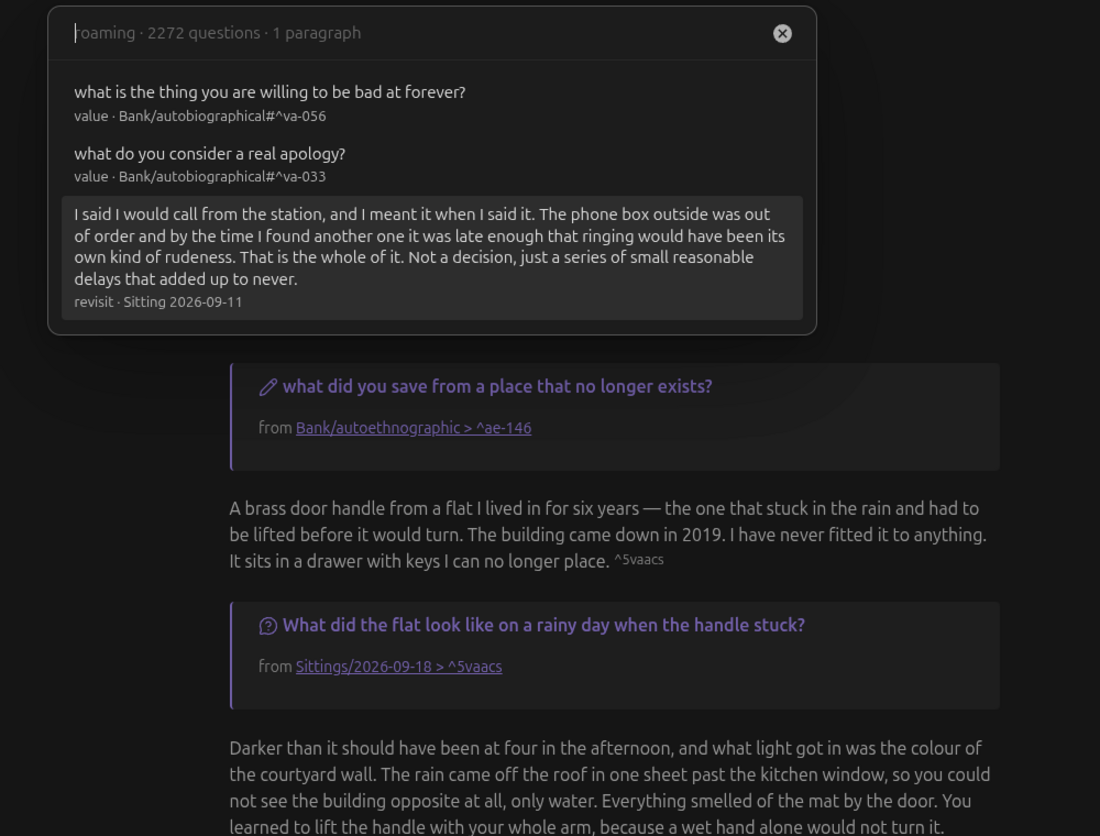
Bank/Custom.md, where any line you type, on any device, is a question. - Turns your old writing into new questions. Highlight a paragraph and you are asked about that paragraph. Let the draw find one and you get a question about your life now — most of what it can reach is years old, and a question about 2020 is a question for whoever you were then. Any paragraph in the folders you choose counts, as it is; nothing is added to it.
- Lets you rewrite how it asks. The AI's instructions are in settings: who is asking, and where it looks for each kind of question. The reply format stays fixed, so no edit can stop the questions, and every box has a way back to its default.
- Follows up. Mark an answer done and the model reads it, then offers the next question. Run it again next week and it writes fresh ones.
- Opens where you stopped. Leave a note about where to pick up, and tomorrow's first question comes from what you wrote, with your own words under it.
- Links every answer to the question that caused it, which is what stops a question coming back once you have answered it.
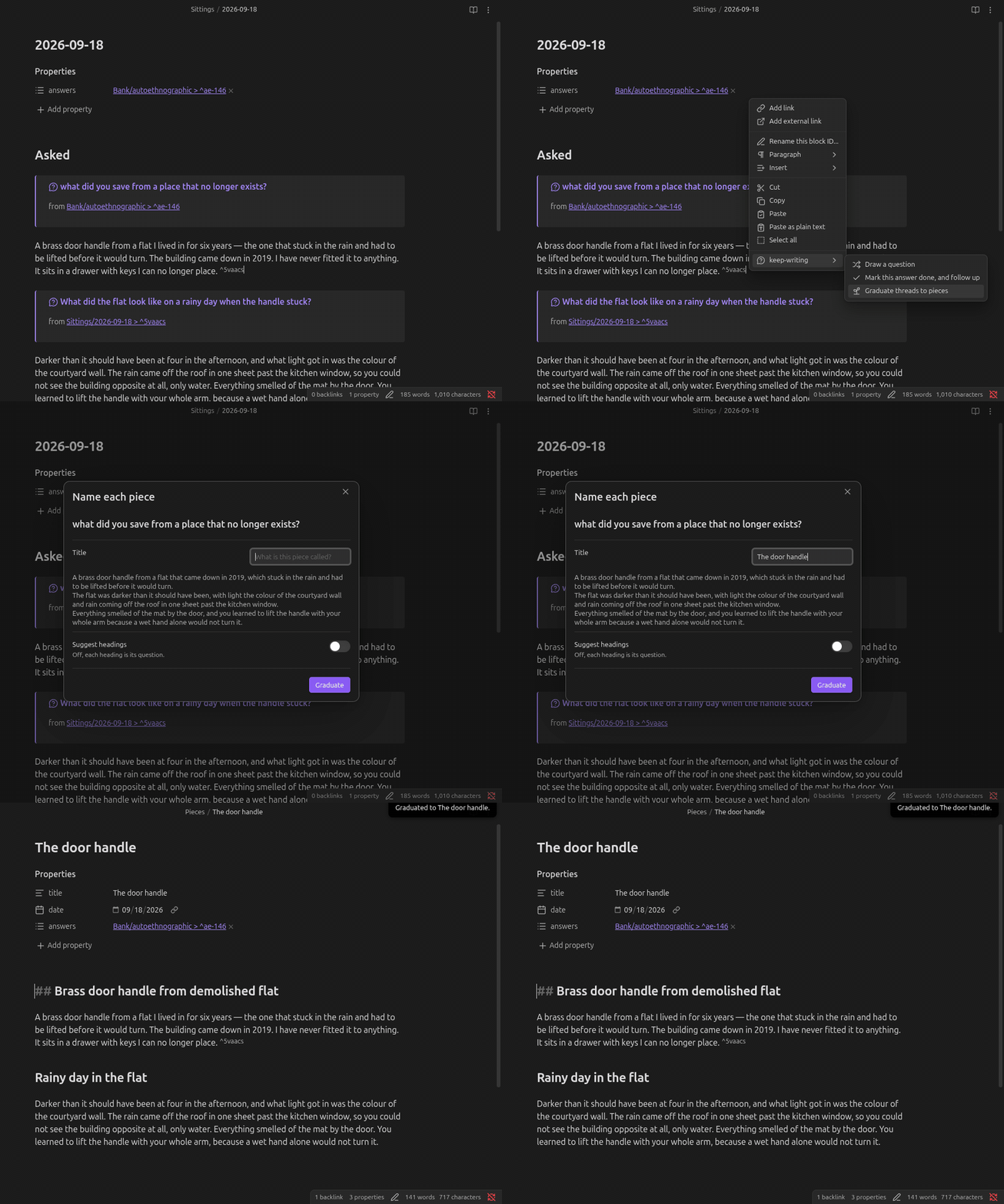
- Grows pieces out of days. A question and its follow-ups can leave the daily note and become a piece of its own, with every link following the words.
- Never writes your prose. It adds frontmatter, a block id on your answer, and the question itself, with the words it asks about quoted under it. The only other writes are ones you start: a question you typed, added to
Bank/Custom.md, and ids the bank check adds to bank lines. No sentence of yours is ever edited or reworded.
Getting started
On first run, Set up keep-writing finds your daily notes, lists the folders that hold your writing and how much each holds, offers the question banks — 3,576 questions across five plain Markdown notes you can edit or delete — and checks for an AI server. Nothing changes until you start, and it ends by drawing your first question.
- Open today's daily note.
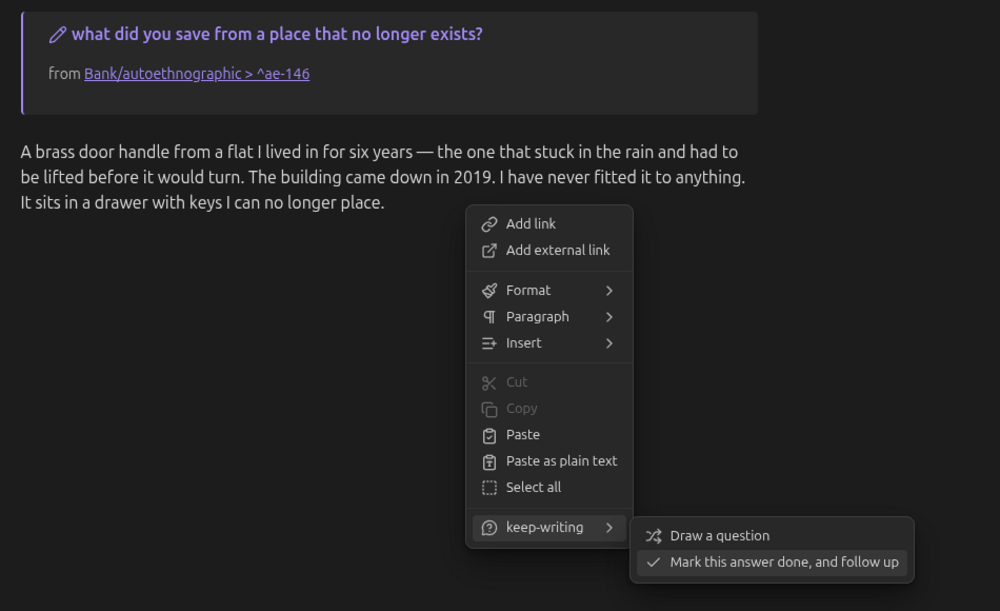
- Run Draw a question — ribbon icon, command palette, or right-click.
- Pick one. It lands in your note and the cursor goes where your answer starts:
## Asked

> [!ask] what do you get complimented on the most?
> from [[Bank/autobiographical#^b17850831]]

▏
- Write. Then, with the cursor still in your answer, run Mark this answer done, and follow up.
Your answer gets an id and a link back to the question, and the model reads what you wrote to offer the next one.
Commands
On the editor's right-click menu under keep-writing, and in the command palette.
| Command | What happens |
|---|---|
| Set up keep-writing | Daily notes, writing folders, banks and AI server in one place. Runs on first load; run it again any time. |
| Draw a question | Three to choose from, and Ask my own… to search the banks or write a new question. A bank question is written straight in; a paragraph of yours goes to the model first. |
| Mark this answer done, and follow up | Links the answer the cursor is in, then offers what follows from it. Run it again for fresh follow-ups. |
| Ask about the selection | Highlight text in any note and be asked about it. The question lands in today's note. |
| Choose question banks to install | Choose which banks to add. Existing notes keep your edits. |
| Check and repair the question banks | Gives an id to bank lines that have none, so they can be asked, and lists what it cannot fix by itself. |
| Graduate threads to pieces | In a daily note, turns a question and its follow-ups into a piece of writing of its own: your words moved as written, the questions as headings. |
On a phone
Where the editor menu opens on a phone, its keep-writing actions are listed flat, because a submenu wants a hover. The quickest way in is the toolbar: in Settings → Toolbar, add keep-writing: Draw a question and keep-writing: Mark this answer done, and follow up.
Settings
Findable from Obsidian's own settings search: type "bank folder" or "server address" anywhere in Settings.
| Setting | |
|---|---|
| Daily notes folder | Where your daily notes are, chosen from your folders. Default Sittings. |
| Question bank folder | Where the questions are kept, chosen from your folders. Default Bank. |
| Ask about writing in | Choose the folders you want questions about, each shown with how many paragraphs it holds. Your daily notes are included by default. |
| Use saved questions (%) | Default 70%. Choose how often to draw a bank question instead of your writing. If one source has nothing available, the other is used. |
| Question banks | Install selected banks, get authoring instructions for your agent, and open Installed banks to choose how often each appears. Zero pauses it. |
| Generate questions with AI | Off makes it bank-only, with no network call at all. |
| The AI's instructions | Who is asking, and where the AI looks when you mark an answer, point at a paragraph, or draw one. Restore puts the default back. |
| Server address | An OpenAI-compatible server. The default expects one already running on your device. For Ollama: http://localhost:11434/v1 |
| Check the server | Lists your server's models so Model name becomes a choice, and finds Ollama or LM Studio on this device. |
| Model name | Must name a model your server has. |
| Response length limit | Maximum AI response size in tokens. Raise it if responses are cut short. Default 2048. |
| API key | Only if your server needs one. Saved in Obsidian secret storage on this device; existing plaintext settings migrate automatically. |
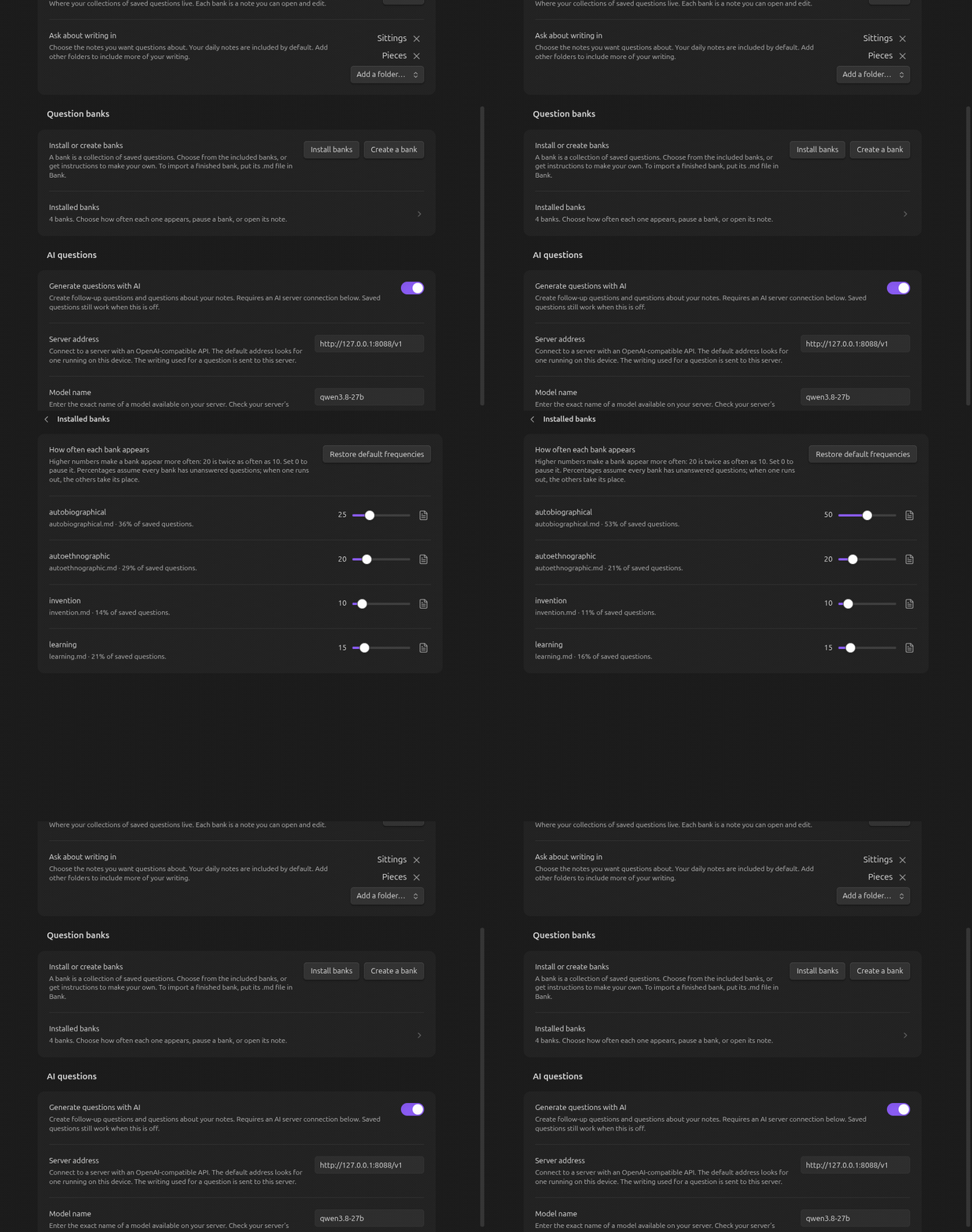
To import a finished bank or get instructions for your agent, see Choose, import, or create a bank.
Nothing you write leaves your computer unless you point the endpoint somewhere else. That is the whole of what changes.
More
The guide covers where questions come from and how the bank is built, spending a day on one note, picking up where you stopped, how the three model jobs differ, how to change how it asks, and how to read your vault in graph view.
Licence
Two licences, because there are two kinds of thing here.
- The code is MIT.
- The question bank in
starter/is CC BY-SA 4.0. It is writing, not code. Share and adapt it, as long as you credit the source and license what you build under the same terms.
NOTICE says which is which. Your answers are yours — neither licence reaches anything you write.
Development
npm install
npm run dev     # rebuild on change
npm test        # unit tests, no vault and no model needed
npm run build   # typecheck, then bundle
test/fake-vault.ts stands in for Obsidian's App — reads and the whole write surface — so the interview runs and is tested with no Obsidian and no DOM. Tests needing a live model are skipped unless KW_LIVE=1.
Releases are not cut by hand. Pushing a bare semver tag (0.2.0, never v0.2.0) runs .github/workflows/release.yml, which checks the tag against manifest.json and versions.json, tests, builds, attests the assets and publishes them. Every release is signed against the commit it was built from, which matters here because main.js carries all 2,374 questions and nobody can diff those by eye:
gh attestation verify main.js --repo micahchoo/keep-writing