
README file from
GithubJournalify
Journalify turns your plain Markdown daily notes into an interactive diary feed, vertical timeline, or two-page book view directly inside Obsidian — with 0 runtime dependencies, full Desktop & Mobile support, and zero proprietary lock-in.
Features
- 100% Plain Markdown & YAML Frontmatter
- Reads and writes your standard Obsidian daily notes (
YYYY-MM-DD.md,YYYY-MM-DD_dddd.md, or nested folders likeYYYY/MM/YYYY-MM-DD.md) without creating a proprietary database. - Automatically detects folder, date format, and template settings from Core Daily Notes or Periodic Notes, and supports multiple switchable journal profiles.
- Uses Obsidian's
MetadataCachefor fast in-memory indexing across thousands of daily notes with lazy windowed scrolling.
- Reads and writes your standard Obsidian daily notes (
- 3 Switchable Layout Modes + Live Split Sync
- Card feed: Continuous diary stream with smart folding for long notes or scratchpads below
---. - Vertical timeline: Chronological mood-node axis with structured metadata cards.
- Two-page book view: Open book spread with spine shading, favorite ribbon, keyboard page flipping (
←/→), and automatic single-page layout on mobile/narrow panes. - 1-click live split sync: Keep an adjacent native Obsidian Markdown editor synchronized with whichever card you activate.
- Card feed: Continuous diary stream with smart folding for long notes or scratchpads below
- 6 Built-in Theme Editions (Light & Dark Mode)
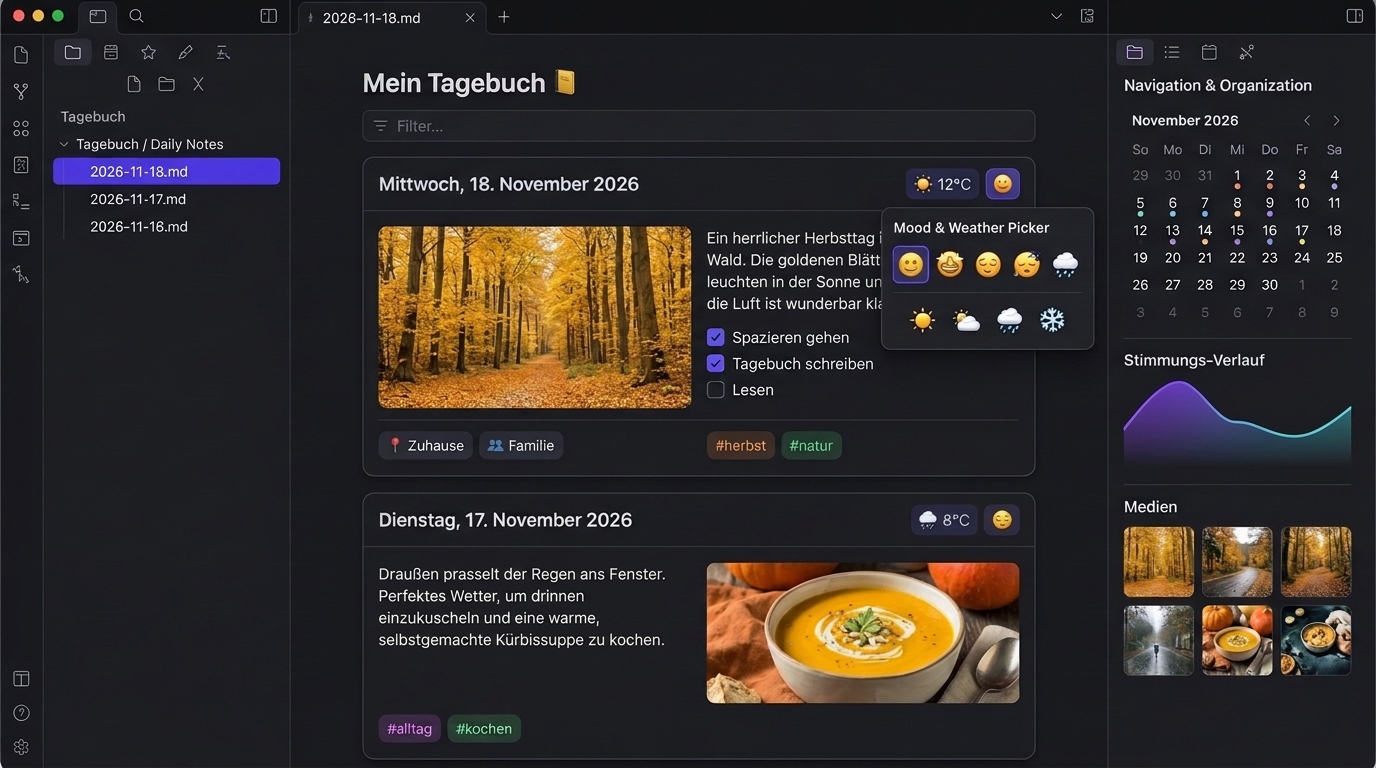
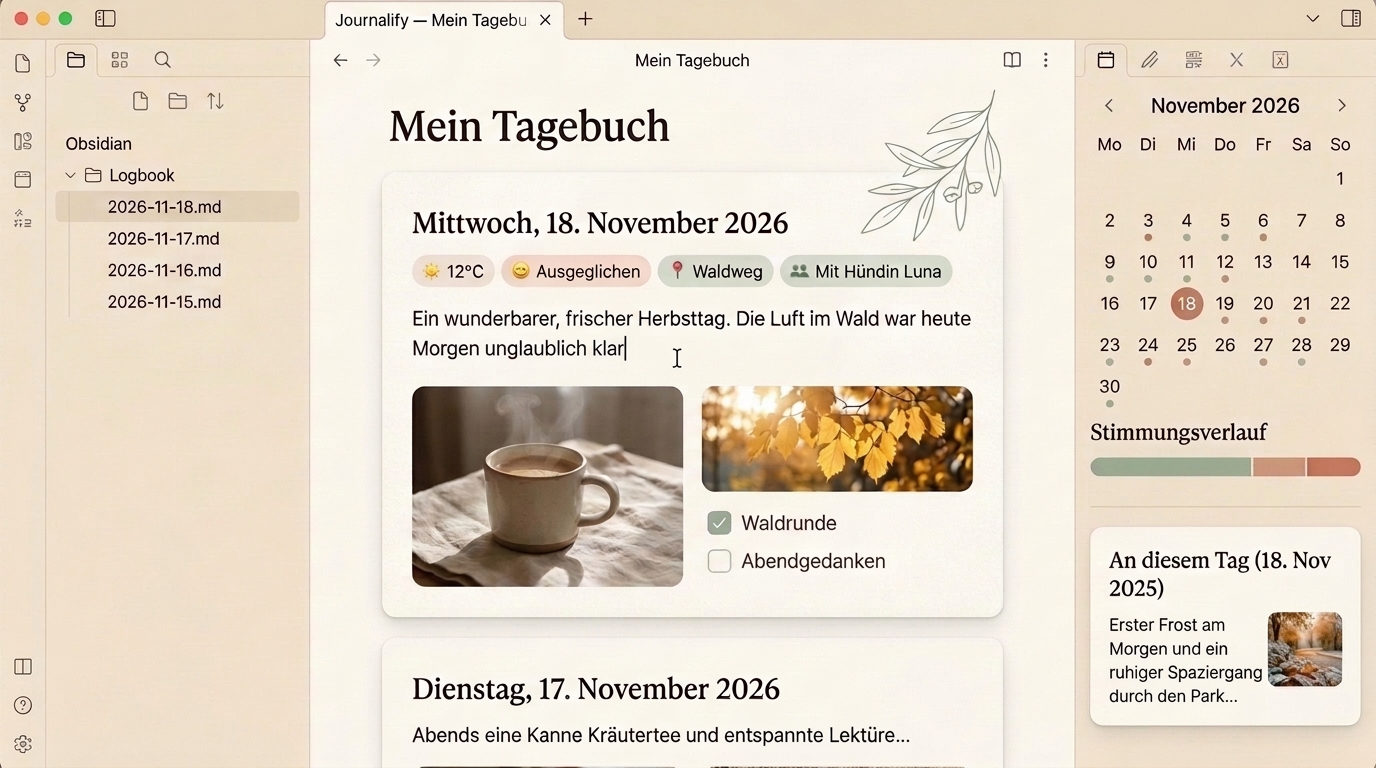
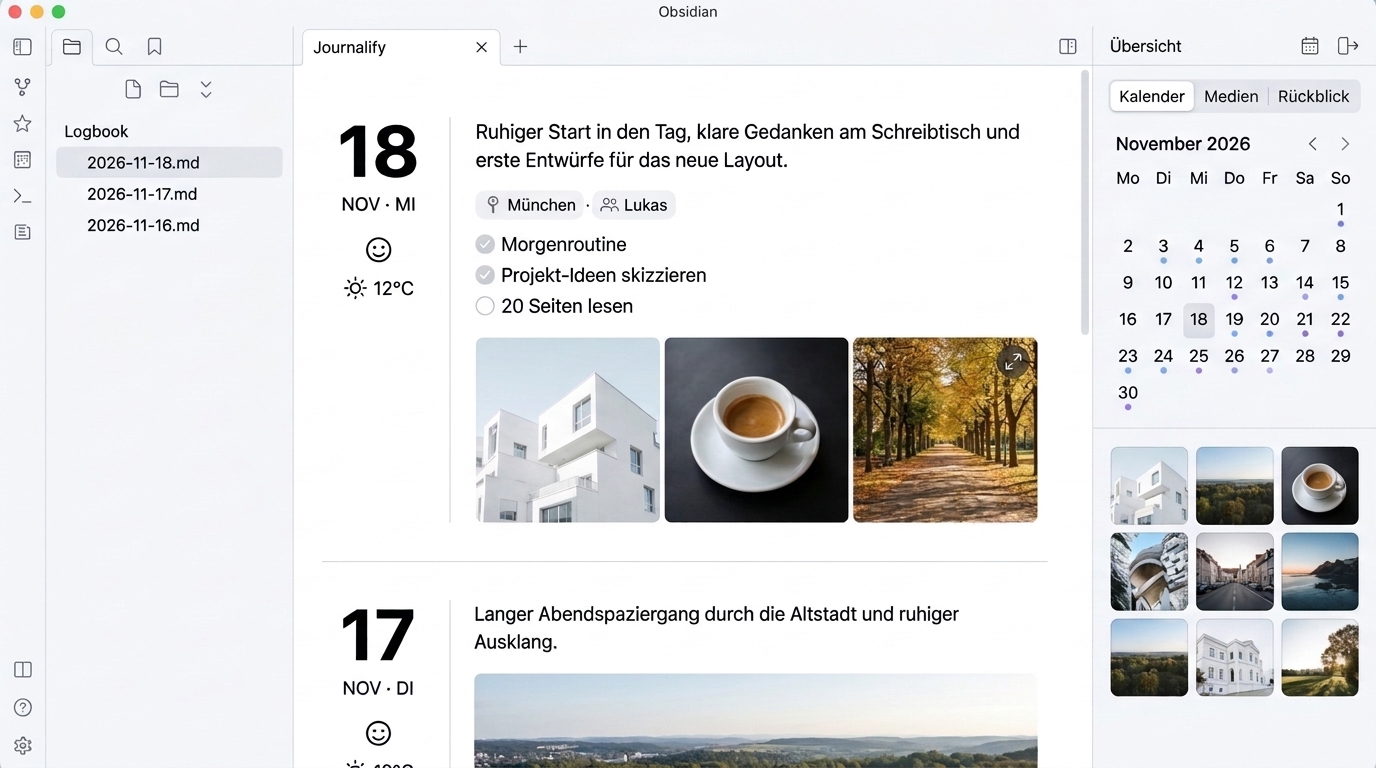
- Obsidian native (default): Adapts 100% to your active Obsidian theme and accent color.
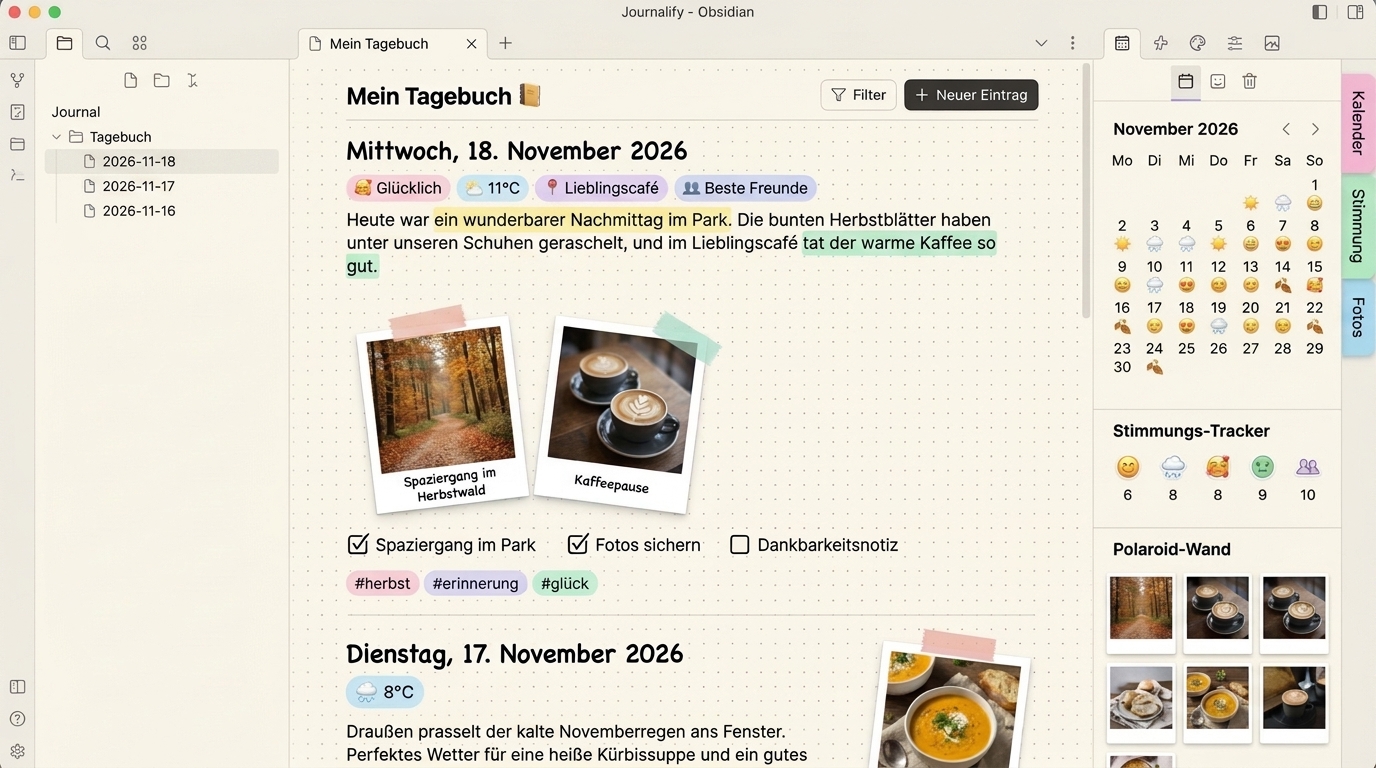
- Warm cozy, Clean minimal, Creative retro scrapbook (dot-grid & Polaroid frames), Classic editorial magazine (hero banner & drop-caps), and Typewriter & field logbook (tabular stamp header & film-strip gallery).
- Interactive Diary Controls & Safe Inline Editing
- Toggle Markdown checkboxes (
- [ ]↔- [x]) directly on cards via atomicvault.process. - Clickable Mood, Weather, Location, and People popovers with vault-wide autocomplete chips writing cleanly via
processFrontMatter(never clobbering foreign frontmatter fields). - In-place body editor (protects YAML frontmatter while editing prose) and a zero-ghost-file Today quick-start card compatible with Core Templates and Templater.
- Toggle Markdown checkboxes (
- Calendar, Mood Analytics, Media Gallery & "On this day"
- Responsive right-hand inspector inside the Journalify tab (slide-over drawer on mobile) and optionally dockable in Obsidian's global right sidebar.
- Color-coded monthly mood calendar, pure-SVG mood & activity trend line, writing streak counter, deduplicated photo gallery with zoomable lightbox, native audio/video players, and "On this day" memories from previous years.
- Zero-Dependency Day One Importer (
.zip&.json)- Built-in pure-TypeScript RFC 1951 ZIP/DEFLATE extractor imports Day One
.zipand.jsonexports (entries, photos, audio, video, weather, places, tags, favorites) on both Desktop and Mobile with UUID duplicate protection.
- Built-in pure-TypeScript RFC 1951 ZIP/DEFLATE extractor imports Day One
Theme Editions
Every built-in theme supports both Light and Dark mode and can be switched anytime in Settings → Journalify.
| Obsidian Native (Default) | Warm Cozy (Natural & Soft) |
|---|---|
|
 |
| Clean Minimal | Creative Retro Scrapbook |
 |
 |
| Classic Editorial Magazine | Typewriter & Field Logbook |
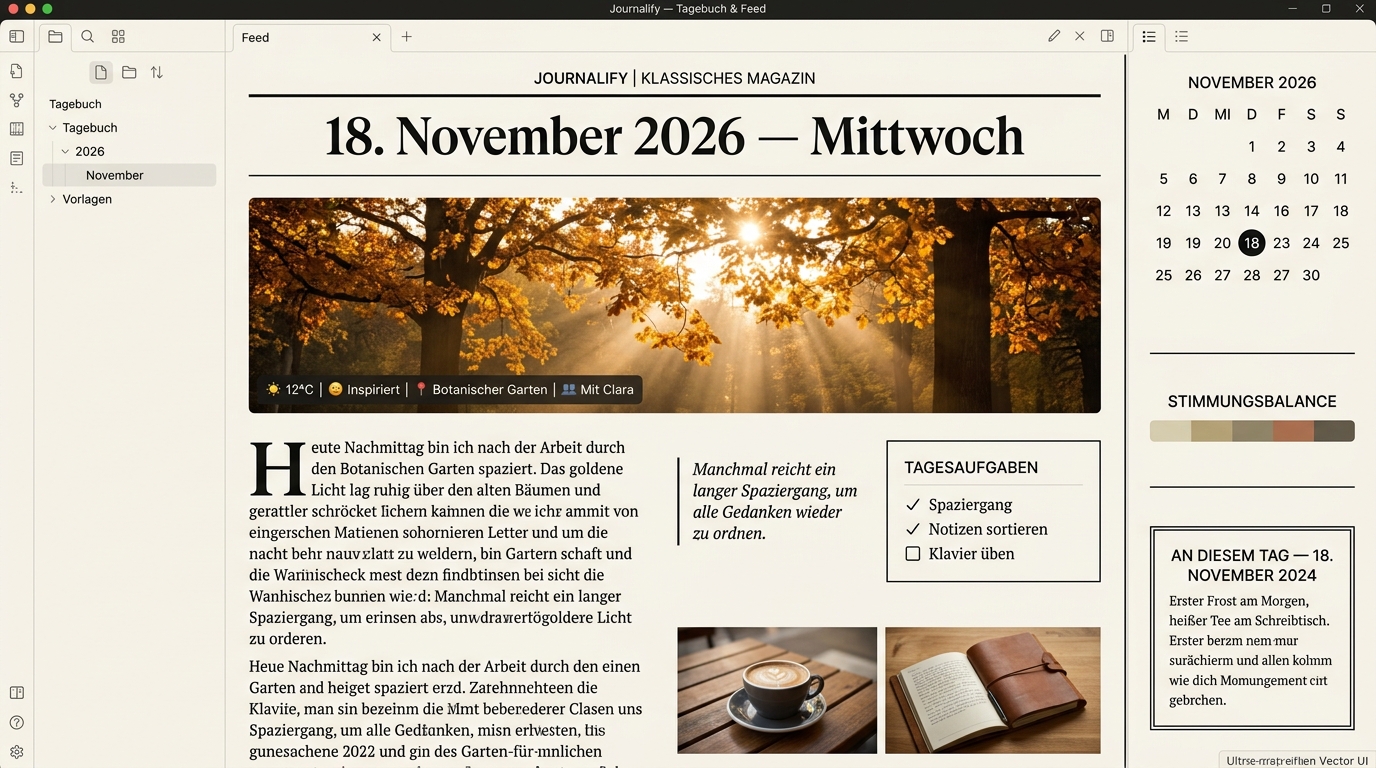 |
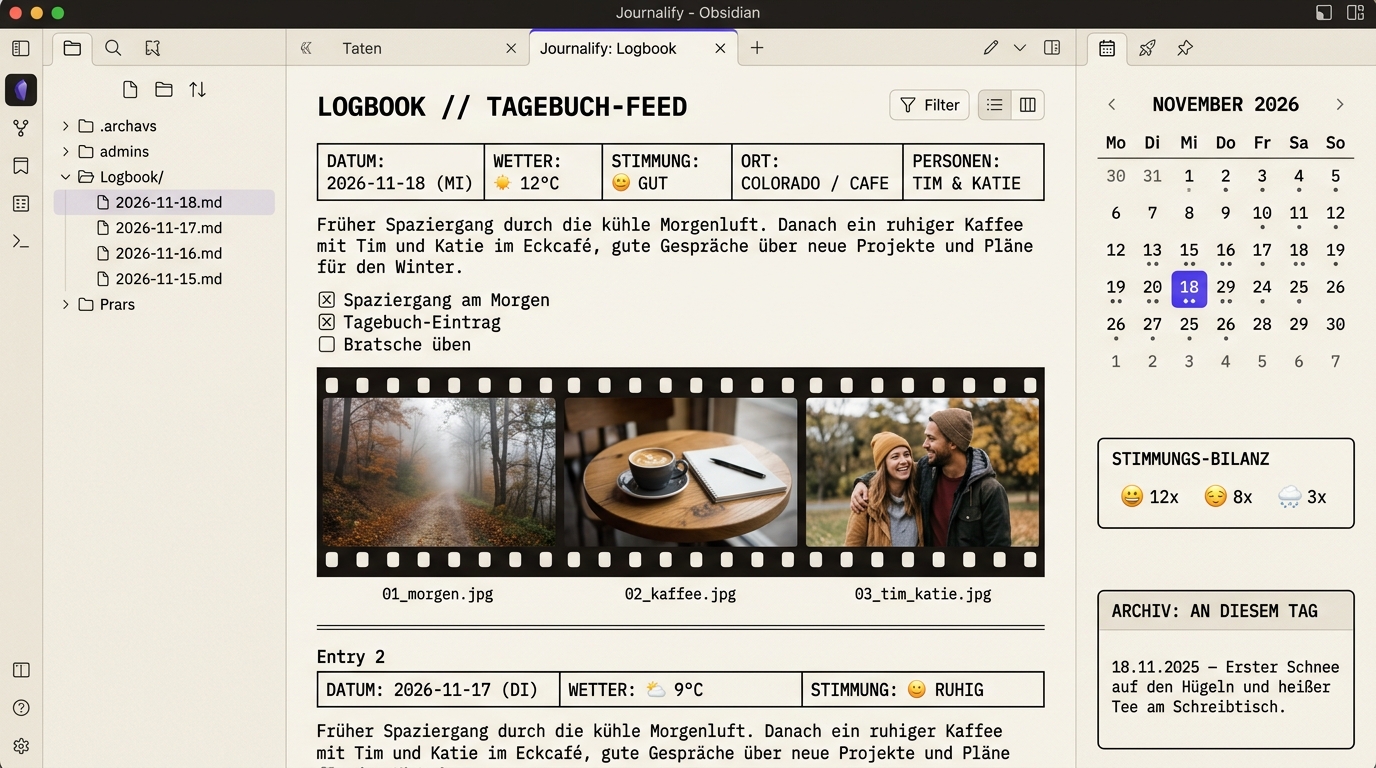 |
Switchable Layouts & Live Split Sync
| Vertical Timeline | Two-Page Book View |
|---|---|
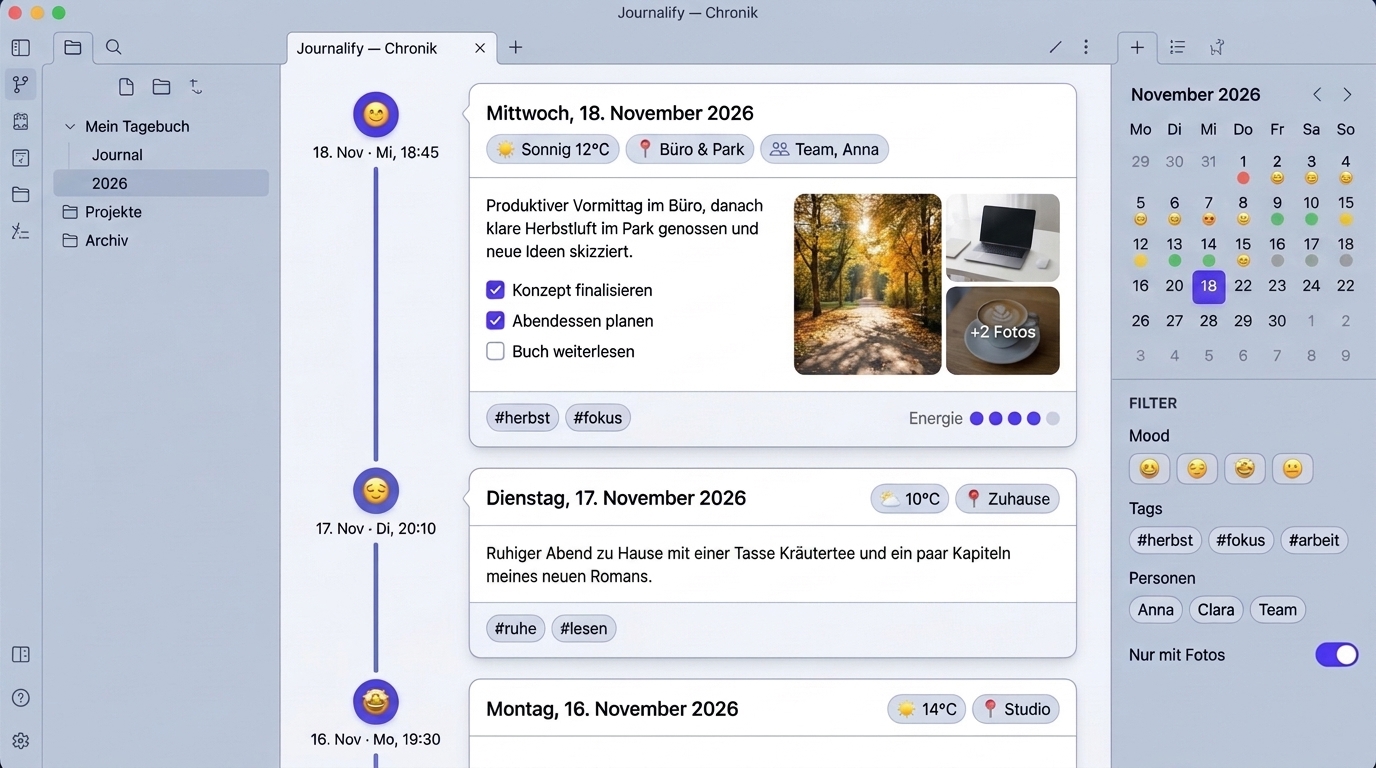 |
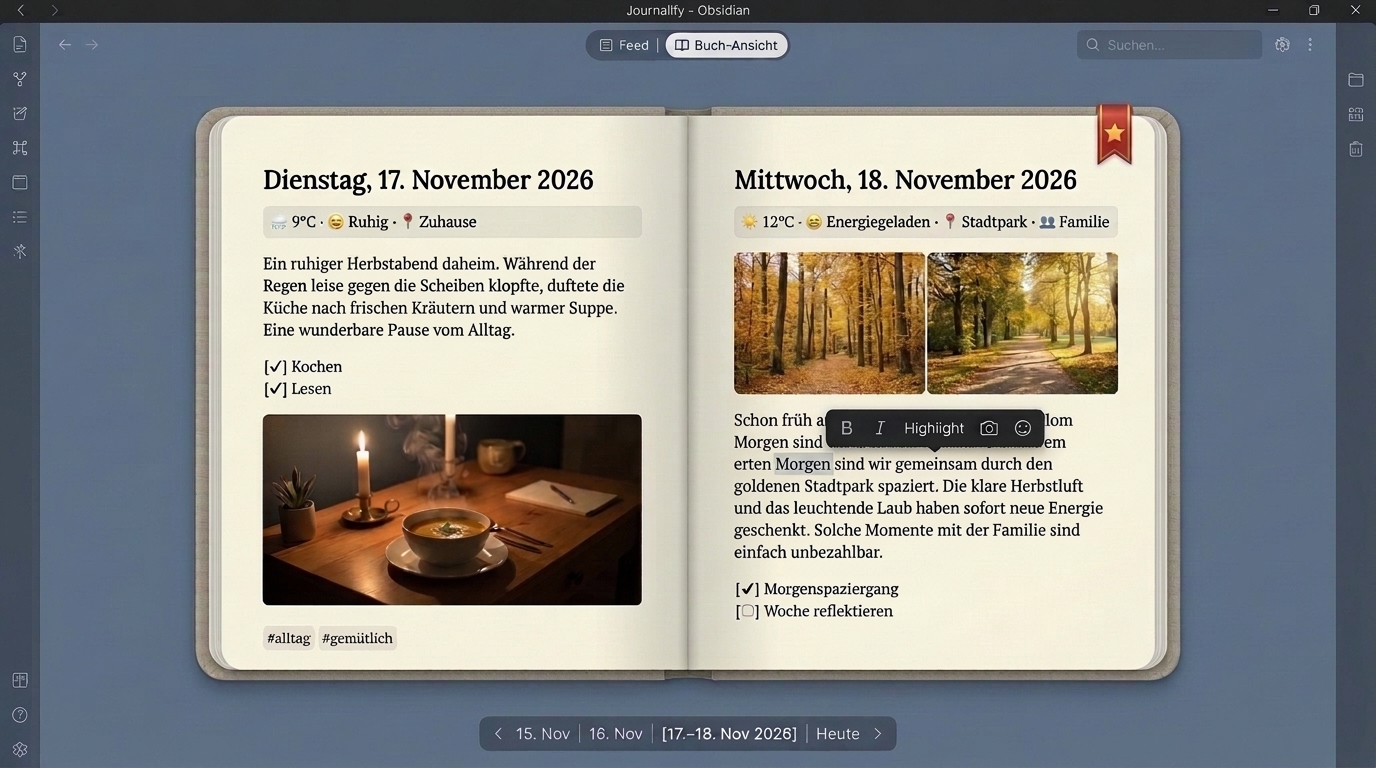 |
Live Split-Editor Sync (Markdown Source ↔ Diary Card)
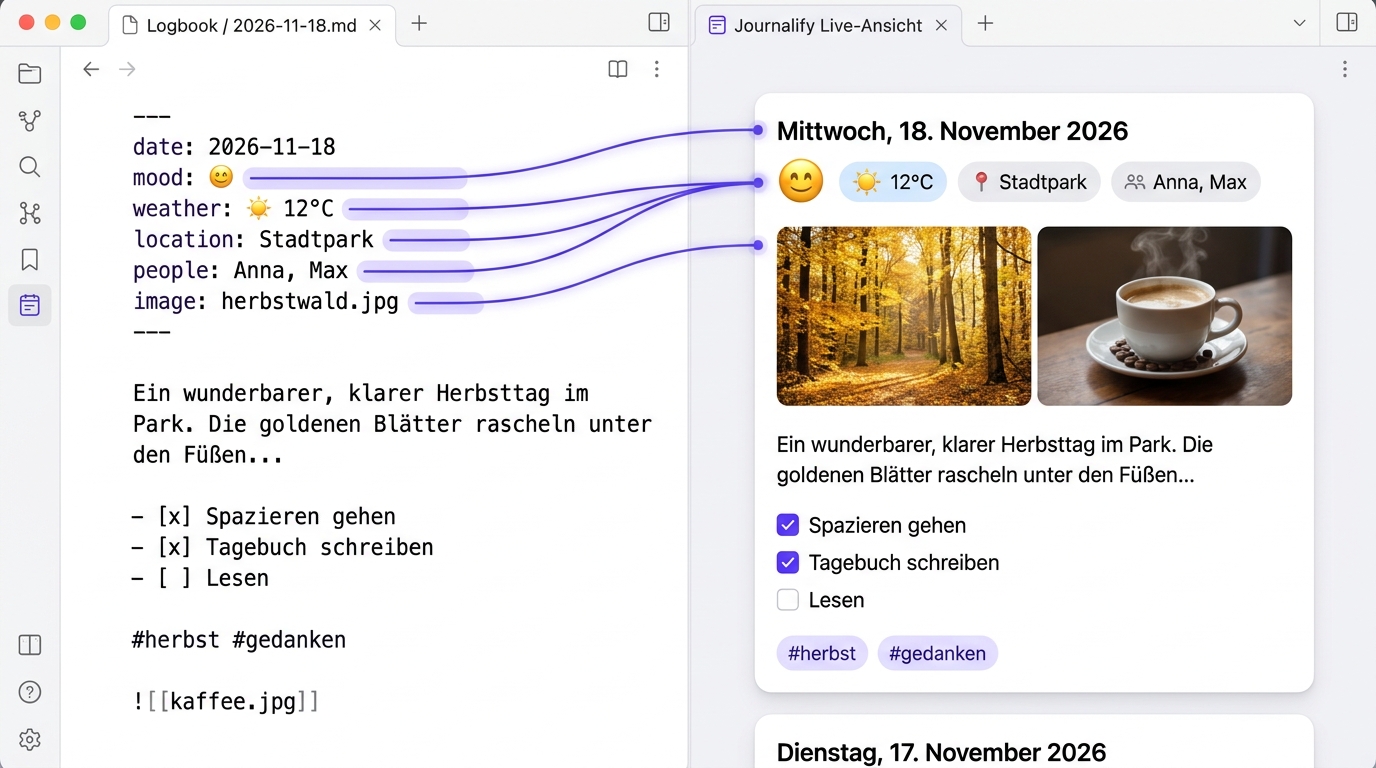
Frontmatter Reference
All property names are customizable in Settings → Journalify → Frontmatter property mapping. Missing properties never show empty clutter — hover or tap a card to add them anytime.
| Property | Example | Description |
|---|---|---|
mood |
😊 Happy, 🤩, 4, 8/10 |
Normalized into an emoji, label, and 1–5 score for the calendar & mood chart |
weather |
☀️ 18°C |
Manual picker or optional 1-click Open-Meteo lookup (current & historical dates) |
location |
Home or [Park, Cafe] |
Displayed as clickable place badges with autocomplete history |
people |
[Anna, Max] or [[Anna]] |
Displayed as people badges (wiki-links are cleaned automatically) |
image |
autumn.jpg or [a.jpg, b.jpg] |
Cover/gallery images (also supports aliases cover, banner, images) |
starred |
true |
Marks an entry as favorite (⭐ filter & book ribbon) |
date |
2026-11-18T14:30 |
Optional fallback when filenames do not follow a date pattern (supports multiple entries per day) |
Installation
Via BRAT (Beta Testing)
- Install and enable the BRAT community plugin in Obsidian.
- Open Settings → BRAT → Add Beta plugin and enter
MarkusLitz/obsidian-journalify. - Enable Journalify under Settings → Community plugins.
Manual Installation
- Download
main.js,manifest.json, andstyles.cssfrom the latest GitHub Release. - Place them into
<your-vault>/.obsidian/plugins/journalify/. - Reload Obsidian and enable Journalify under Settings → Community plugins.
Privacy & Network Usage
Journalify is local-first and requires no account, no API key, and no telemetry:
- All notes, metadata, search indexing, SVG charts, and Day One
.zipextractions run 100% locally on your device. - Optional Open-Meteo weather lookup: Network requests are only made when you explicitly search for a city in settings, click Auto-fetch weather in the weather popover, or opt into Auto-fetch weather when creating today's entry. When used, Journalify queries the free, API-key-less Open-Meteo API (
geocoding-api.open-meteo.com,api.open-meteo.com, andarchive-api.open-meteo.com) via Obsidian'srequestUrl. You can disable weather lookups completely in settings for strictly offline operation. - External image URLs that you embed in your own Markdown notes (
) are loaded directly from their respective hosts when displayed.
Development & Testing
npm ci
npm test
npm run build
License
MIT © Markus Litz