
README file from
GithubJot Import
Jot is a private capture app for iPhone. Jot Import brings Jot exports into your Obsidian vault. Each Jot category goes into the Obsidian note you choose.
How to use
- In Jot, go to Export ▸ Format and turn on Obsidian Format. Then export your jots.
- In Obsidian, run Import a Jot export… from the command palette and choose the file.
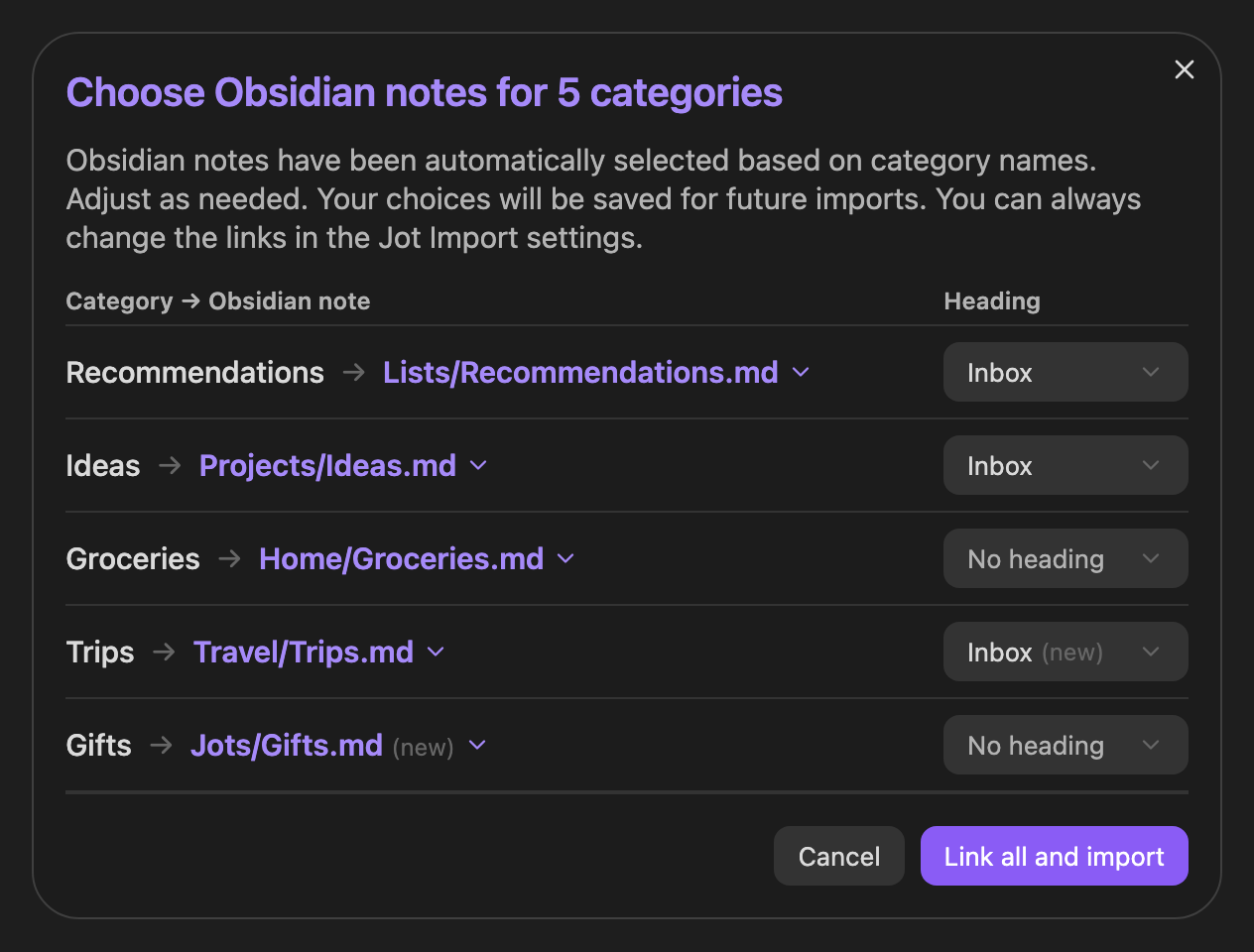
- Choose an Obsidian note and heading for each category. Then import.
Jot Import remembers your choices for the next import. It always shows you where the jots will go before it writes anything. Photos and files come along when the export is a .zip.
On a phone it can be easier to save exports into your vault's Jots folder. Turn on Offer to import new Jot exports in Jot Import's settings and it offers to import each new one.
If you use Obsidian Sync, import on one device at a time. After you reinstall Obsidian or a device has been offline, wait for Sync to finish before you import. Otherwise Sync can merge two copies of an Obsidian note and repeat its jots or properties.
Install
Search for Jot Import in Settings ▸ Community plugins ▸ Browse.
Needs Obsidian 1.13 or later, on desktop or mobile.
Privacy
Jot Import makes no network requests and collects no data. It reads only the Jot export you pick with Choose a file, which can be outside your vault. If you turn on Offer to import new Jot exports, it also checks new files in your Jots folder to see if they're Jot exports. To find the notes linked to Jot categories, it looks through your notes' properties. It writes only to the Obsidian notes you choose and saves the export's photos and files. After an import it moves a Jot export in your vault to the trash. You can turn that off in settings.
License
MIT. Jot Import is not affiliated with Obsidian.