
README file from
GithubPDF-export · Beautiful PDF Export for Obsidian
English | 中文
Repository: https://github.com/JerommeWEI/j-studio-export
Version: v0.4.1 · Author: JerommeWEI
Platform: Desktop Obsidian (isDesktopOnly)
Export any Obsidian note as a formal, printable, deliverable A4 PDF — with cover, table of contents (real page numbers), running headers, footer page numbers, and elegant pagination. Not the built-in export that breaks pages, warps styles, and feels unfinished.
Preview
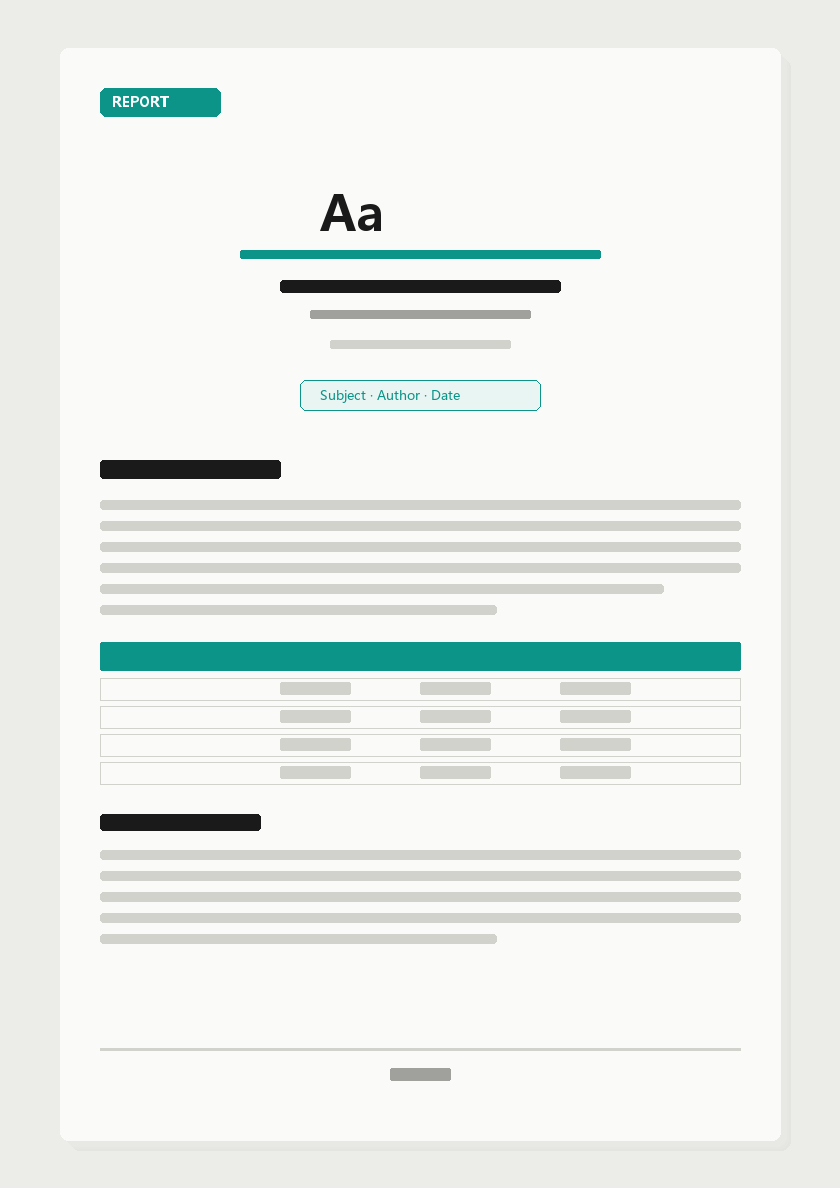
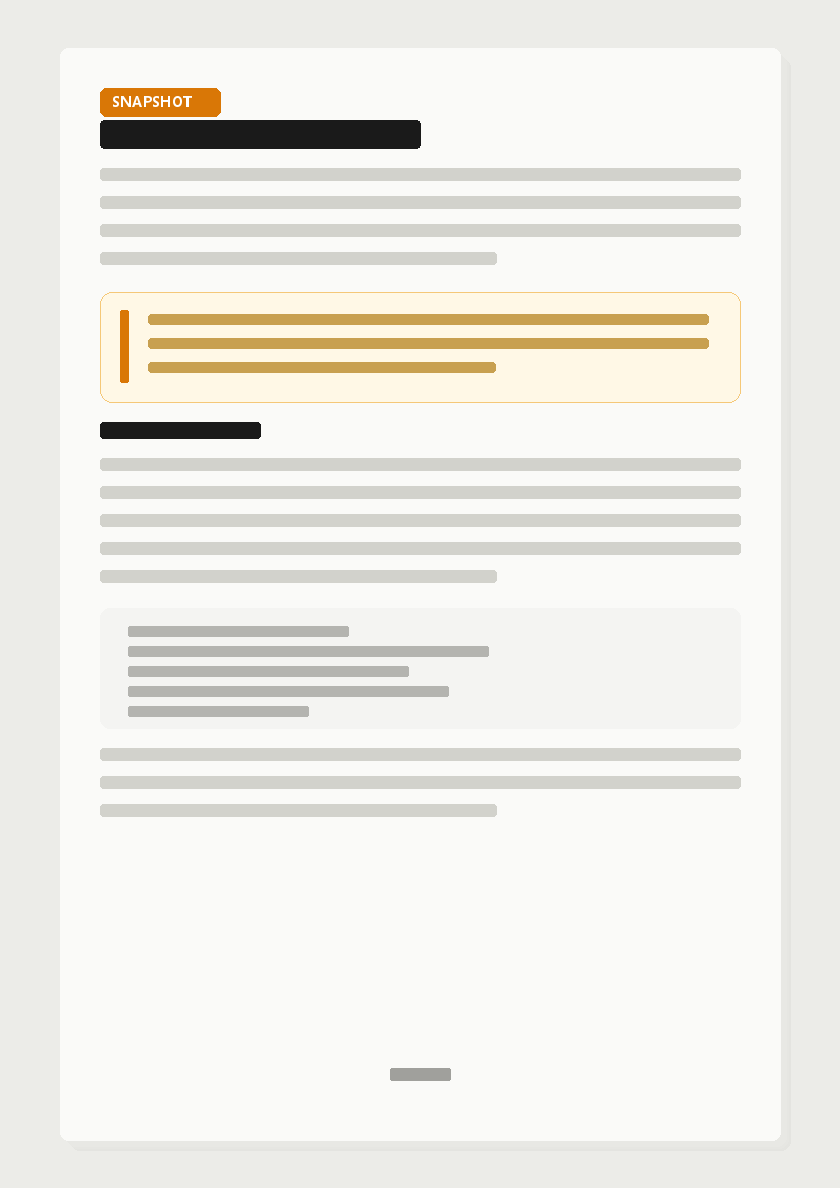
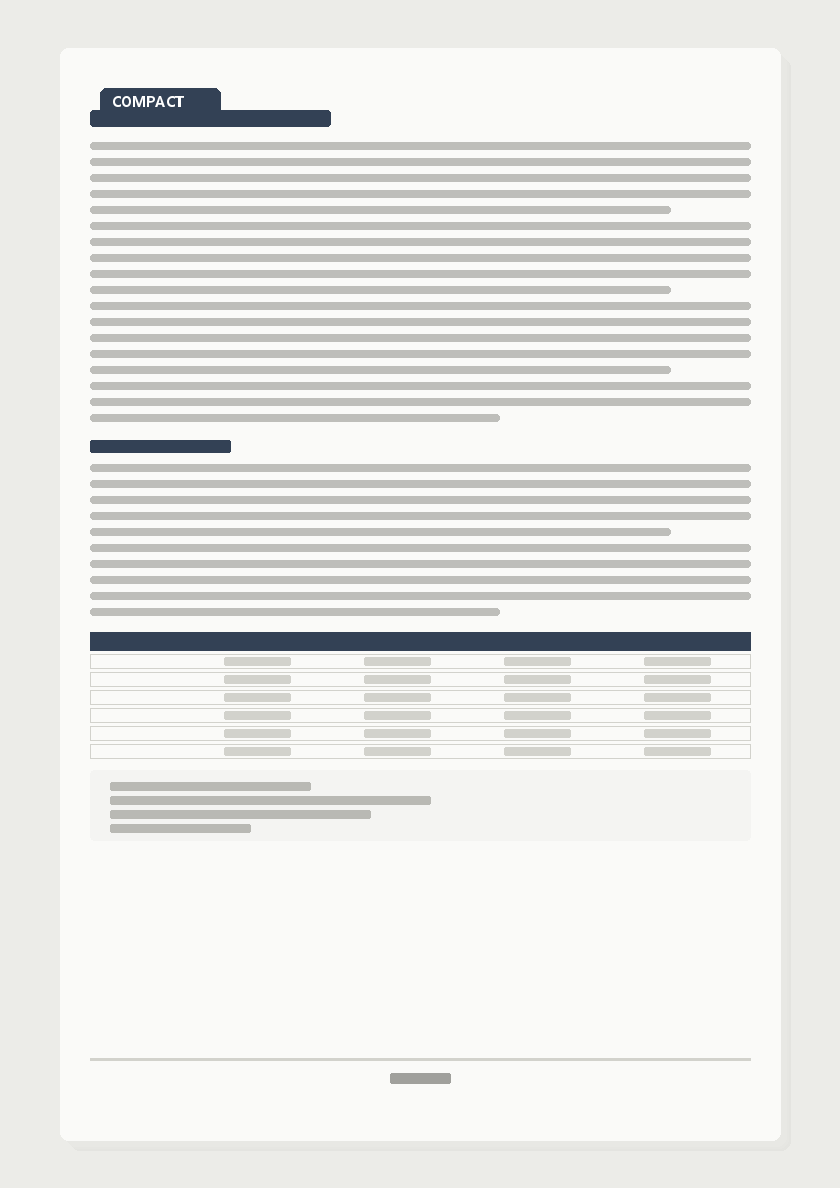
Conceptual mockups of the three export presets (illustrative, not live screenshots):
| Formal Report | Snapshot | Compact Print |
|---|---|---|
 |
 |
 |
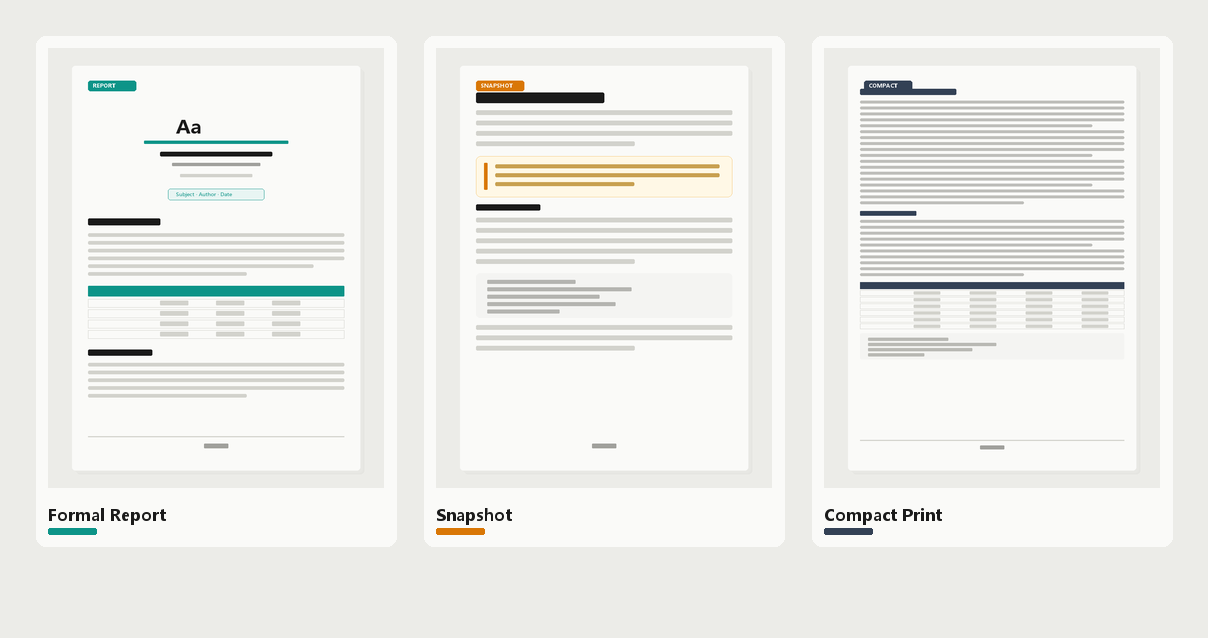
- Formal Report — cover + TOC with real page numbers + headers/footers; H1 starts a new page
- Snapshot — close to Obsidian reading feel: airier leading, bold body text
- Compact Print — smaller type, tighter leading, narrow margins for paper
Why this plugin
| Pain point | What this plugin does |
|---|---|
| Built-in PDF export breaks pages and clips charts | Paged.js engine; table headers repeat across pages; orphan/widow control |
| Styles drift from Reading view | Collects real vault CSS, sanitizes it, injects for typesetting |
| No formal document feel (cover / TOC / headers) | “Formal Report” preset: cover + auto TOC + headers + page numbers |
| Charts, Mermaid, math don’t export | Uses Obsidian’s renderer; images embedded as base64 |
| Want a faithful archive / paper-friendly print | “Snapshot” and “Compact Print” presets |
Good for: project close-out reports, calibration/lab notes, weekly archives, handoff docs for colleagues and leads, printed handouts.
Quick start
- Install
- Community plugins: search PDF-export (recommended)
- Or manually: drop
main.js/manifest.json/styles.cssfrom the Release into
.obsidian/plugins/j-studio-export/
- Enable: Settings → Community plugins → turn on PDF-export
- Export
- Click the 📄 download icon in the left ribbon, or
- Command palette (
Ctrl/Cmd+P):
| Command | What it does |
|---|---|
| Export current note as beautiful PDF | Opens a dialog to pick preset and options |
| Quick export (skip dialog, use default preset) | Exports immediately with the default preset |
Export dialog
- Top: Export PDF / Export HTML (HTML for sharing or browser
Ctrl+Pfallback) - Three preset cards: Formal Report / Snapshot / Compact Print
- Card-style toggles (label left, switch right): cover page, TOC page, headers, page numbers
Three presets
| Preset | Character | Best for |
|---|---|---|
| Formal Report | Cover + TOC (real page numbers) + headers/footers; H1 starts a new page; proper A4 document | Delivery, archive, leadership |
| Snapshot | Close to Obsidian reading feel: looser leading, bold body | Archival snapshot, side-by-side compare |
| Compact Print | Small type, dense leading, narrow margins | Paper, handouts, save ink |
Cover metadata (frontmatter, with sensible fallbacks):
title: Document title
subtitle: Subtitle
subject: Section / topic (e.g. Venus Product)
author: Byline
date: 2026-10-13
kicker: Small header text (optional)
The first H1 that matches the document title is auto-hidden so it does not repeat on the cover and body.
How it works
Note (.md)
  → Obsidian MarkdownRenderer (Dataview / Mermaid / Excalidraw / math all real-rendered)
  → Images inlined as base64 + vault CSS collected
  → CSS sanitize (drop selectors Paged.js can’t handle, strip @media print)
  → Styles injected screen-only (real styles for pagination measurement; print styles only from presets/)
  → Paged.js 0.4.3 pagination (page numbers / headers / TOC page numbers)
  → Hidden-window Chromium printToPDF
No build step: main.js is plain JavaScript. While developing, edit presets/*.css and reload the plugin; before release run node tools/embed-assets.js to embed presets into main.js.
Changelog
v0.4.1
- Bilingual README: English (
README.md) and Chinese (README.zh-CN.md) with a language switcher at the top - Preview illustrations: conceptual mockups of the three presets (
docs/images/) so the README shows rendering effects, not only text
v0.4.0
- Copy button removed from export: Obsidian’s code-block “copy” icon no longer appears in PDFs (DOM strip + CSS fallback)
- Consistent top-of-page gap: spacing is applied to each page’s content area (
pagedjs_page_content), so code blocks / paragraphs / headings share the same header-to-first-line distance, and no extra blank bar appears inside gray code blocks - Community review cleanup: standard MIT LICENSE, manifest description punctuation, fewer unnecessary
!importants
v0.3.0
- True top-of-page gap for body pages:
margin-topat page breaks collapses, so content on page 2+ stuck to the header; switched topadding-top- Headings (h1–h4) and body blocks (paragraphs / lists / quotes / code / tables) share one “header → first line” gap
- Formal Report header-to-body gap increased (
padding-bottom4mm → 7mm)
- Mid-page paragraph spacing changed to
margin-bottom+padding-topso the unified gap does not explode paragraph spacing
v0.2.0
- Export dialog buttons fixed: bottom buttons were clipped under some themes; now pinned to the top
- Dialog scrolls: tall content is no longer truncated
- Toggle cards: tinted sections, label left / switch right
- Author field set to JerommeWEI
v0.1.0
- First release: three presets, Paged.js pagination, cover / TOC / headers + page numbers, HTML fallback export
Settings
| Setting | Description |
|---|---|
| Default preset | Preset preselected when the dialog opens |
| Author name | Cover byline |
| Output location | Ask every time (Save As) / write next to the note |
| Open after export | Open the file when export finishes |
| Custom CSS | Appended after all presets; highest priority |
File structure
j-studio-export/
├── manifest.json              # Plugin manifest (version, author, minAppVersion)
├── main.js                    # Export pipeline + embedded-asset fallback
├── styles.css                 # Export dialog / settings UI
├── versions.json              # Version → minAppVersion map
├── presets/                   # Typesetting styles (day-to-day iteration entry)
│   ├── _base.css              # Element styles, break guards, cover/TOC skeleton
│   ├── report.css             # Formal Report
│   ├── snapshot.css           # Snapshot
│   └── compact.css            # Compact Print
├── vendor/paged.polyfill.js   # Paged.js 0.4.3
├── tools/embed-assets.js      # Before release: embed presets/vendor into main.js
└── docs/images/               # Conceptual preview mockups for README
dev-test/ is a local verification loop (not shipped in Release):
cd .obsidian/plugins/j-studio-export/dev-test
node build-test.js report    # sample content → HTML
node render.js report        # Chrome render → PDF + screenshot
node verify.js report        # DOM/pixel assertions
node pdf-check.js report     # PDF text assertions
Typesetting iteration notes
- Rules that affect measurement (type size, leading, spacing) live in
presets/*.css, scoped with.jx-export .jx-contentto beatapp.css - Do not rely on
@media print— print styles come only from presets - Top-of-page gap uses
padding-top, notmargin-top— margins collapse at page breaks - After editing presets, run
node tools/embed-assets.jsbefore release
Known pitfalls (Paged.js scars)
- Must use Paged.js 0.4.3 (0.5.0-beta margin box / break is broken)
- Selectors with
:is(a,b)and commas fail the whole pagination (0 pages) — must go throughcss-sanitize leader()is unsupported; TOC dots use flex + a dotted spanapp.css’shtml, body { height: 100% }clips page 2+ in print — collected styles are screen-only
Known limits
- Code blocks use Cascadia Code / Consolas (preview icon fonts are not for code)
- Frosted glass is not real on paper; the Snapshot preset translates it into equivalent print typesetting
- Audio / video / iframe embeds are not included in PDFs
- A few CJK characters may copy as radical variants (Chromium + Source Han CMap quirk; rendering is fine)
- If silent print is unavailable, falls back to “export self-contained HTML + browser
Ctrl+Pguidance”
Permissions (for reviewers and users)
Export must write PDF / HTML files locally, so the plugin uses Node fs to write files and read presets/, vendor/ static assets. Note content is read via Obsidian’s vault.read API. No network upload, no telemetry.
License
MIT.
Bundles Paged.js v0.4.3, also MIT.