
README file from
GithubIter for Obsidian
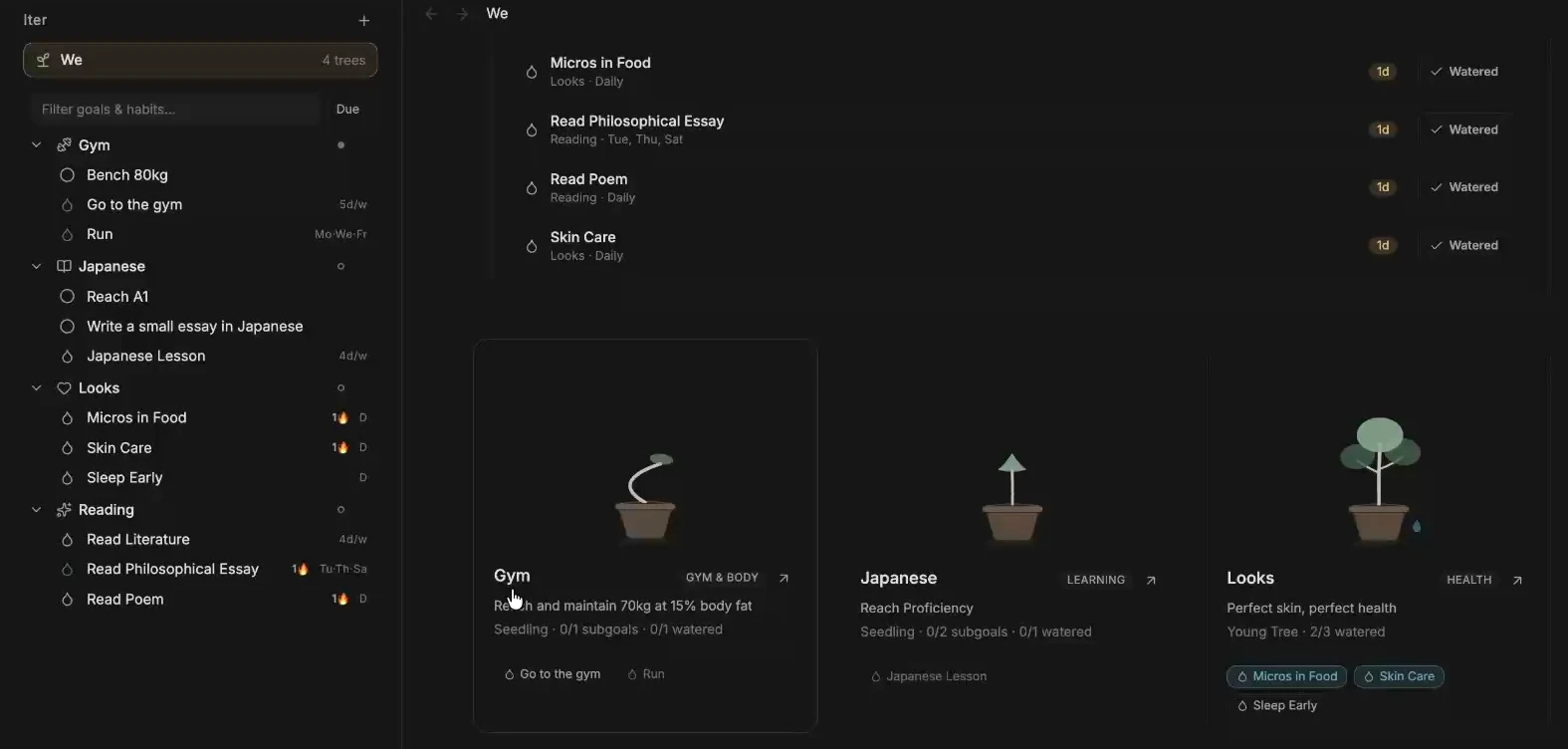
Grow a garden of goals inside your Obsidian vault. Give each long-term goal a tree, break it into milestones, and water it by completing the habits that support it. Build dashboards from the notes and numbers you already keep in Obsidian.
Install Iter · Documentation · Releases · Contribute


What you can do
- Set up a tree for Reading, Japanese, or Gym. Give it a target date or keep it ongoing.
- Water recurring habits on daily, selected-day, weekly, or monthly schedules. The We Garden shows today's queue and how each tree is growing.
- Build dashboards with streaks, progress bars, charts, and linked notes. Pull numeric properties such as pages or exam scores from Obsidian notes and combine datasets across a tree.
- Put a live widget or today's habit tracker inside a Markdown note. Use the visual Canvas widget editor to filter, combine, or summarize data for a custom widget.
Installation
Requires Obsidian 1.14.5 or later. Install Iter in each vault where you want to use it.
Install from Obsidian Community Plugins
- In Obsidian, go to Settings → Community plugins and turn on community plugins if prompted.
- Select Browse, search for Iter, and open its listing.
- Select Install, then Enable.
You can also open the Iter listing and select Add to Obsidian.
Install with BRAT
- Open Settings → Community plugins → Browse. Turn on community plugins if prompted, then install and enable BRAT (Beta Reviewer's Auto-update Tool).
- Open the command palette and run BRAT: Add a beta plugin for testing, or choose Add beta plugin in BRAT settings.
- Paste
https://github.com/mateusdcc/obsidian-iter. Choose Latest version if prompted, then select Add Plugin. - In Settings → Community plugins, enable Iter if BRAT left it disabled.
BRAT can check for updates from the repository. To pin a version, use BRAT's option to select a release tag during setup.
- Download
main.js,manifest.json, andstyles.cssfrom the same GitHub release. - Put all three files in
.obsidian/plugins/iter/inside your vault. - Reload Obsidian and enable Iter under Settings → Community plugins.
Start a garden
- In the command palette, run Iter: Create tree and name it Reading.
- Run Iter: Create habit, select Reading, and create a daily Read 10 pages habit. Add Finish a book with Iter: Create subgoal.
- Run Iter: Open We garden. Select Water when you complete the habit, and open the tree to review its progress.
- Open a goal or habit and use Add data and Add widget to build a dashboard. Follow the worked examples for linked note properties and time graphs.
Iter creates an Iter/ folder in your vault. Goals, schedules, watering history, datasets, and widget configuration live in Markdown and YAML frontmatter. Back up or sync the folder with the rest of your vault, including any source notes your datasets link to.
Screenshots
Iter panel
Browse your trees, subgoals, and scheduled habits in the Obsidian sidebar.
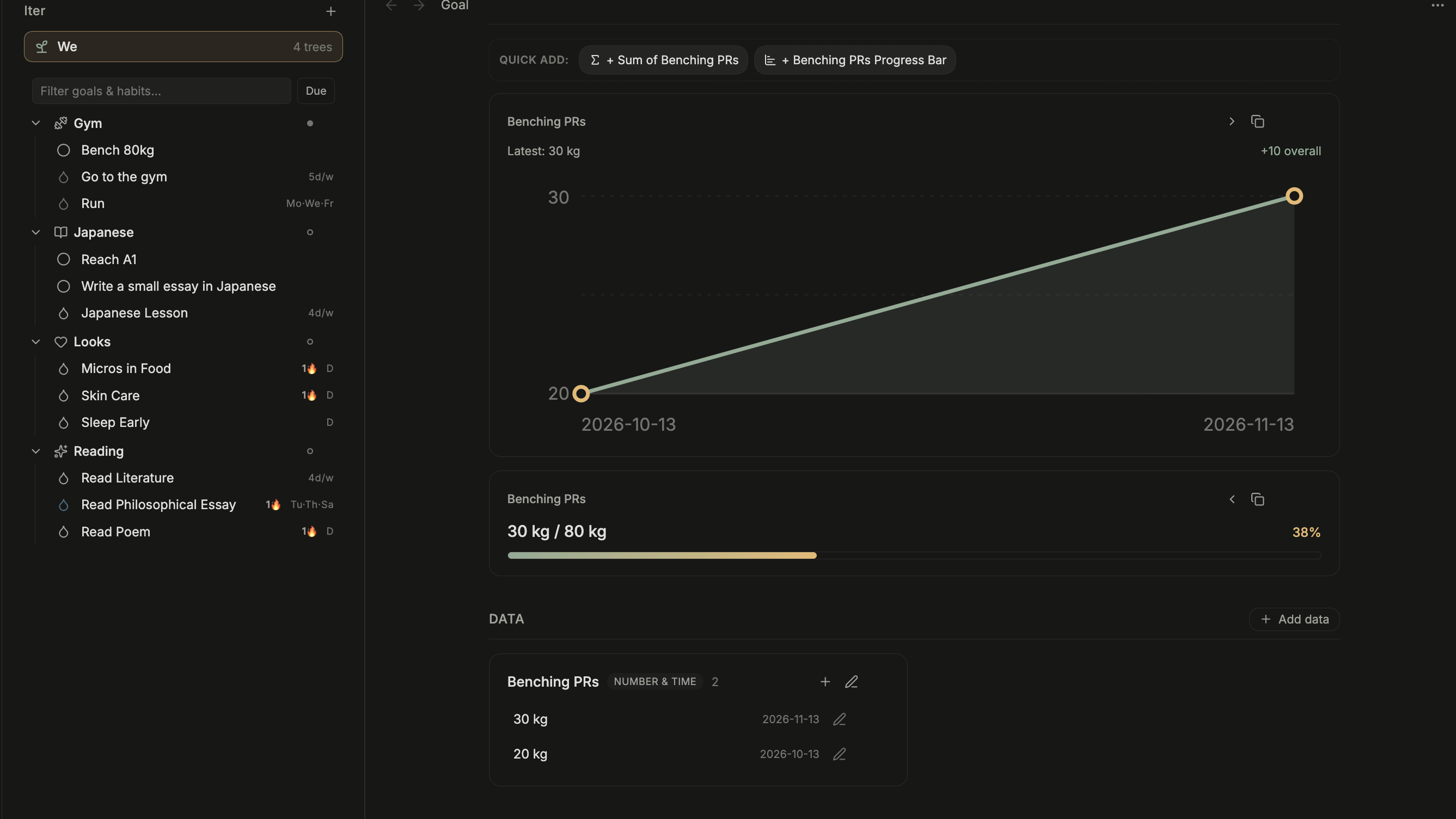
Bench 80 kg
Use a dated workout log to chart your lifts and track progress toward a target weight.
Reading habit
Schedule a habit for specific days and see its streak alongside a pages-read total.

Development
Use Node.js 24 and npm.
npm ci
npm test
npm run build
See CONTRIBUTING.md for a test vault setup, release steps, and how to edit the docs. Report bugs or share ideas via GitHub Issues. See SECURITY.md for private security reports.
Iter is released under the MIT License.