
README file from
GithubHTML Frontmatter
English · 简体中文
Edit properties of HTML notes using Obsidian's native Properties interface, and include HTML properties in the vault-wide property catalog and occurrence counts. Metadata stays inside each HTML file as a JSON data block. No companion Markdown files or third-party HTML plugins are required.
Preview release. Supports desktop Obsidian 1.14.4 only; verified on Windows.
Vibe-coded project: Developed through human–AI collaboration and AI-assisted coding. The verification record documents the actual checks and their limits. This project is still a preview.
Features
- Edit text, lists, numbers, checkboxes, dates, date-times, and tags with native property controls.
- Add, rename, and delete properties within a single HTML file.
- Preserve all HTML content, styles, and scripts outside the metadata block when saving properties.
- Include HTML, HTM, and Markdown properties in the native vault-wide catalog, occurrence counts, and property-value suggestions.
- Refresh the catalog after file changes, moves, deletions, or changes to excluded-file rules.
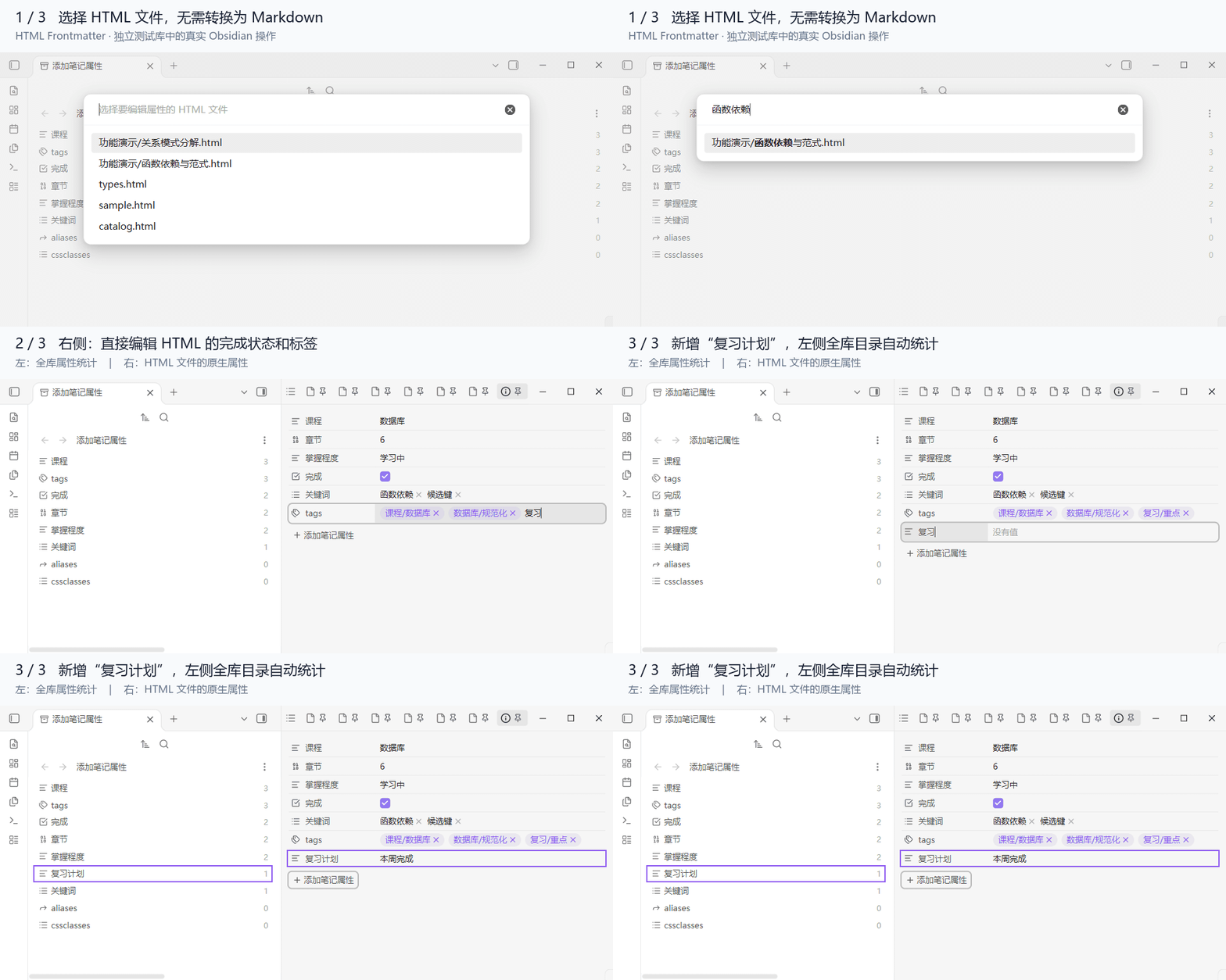
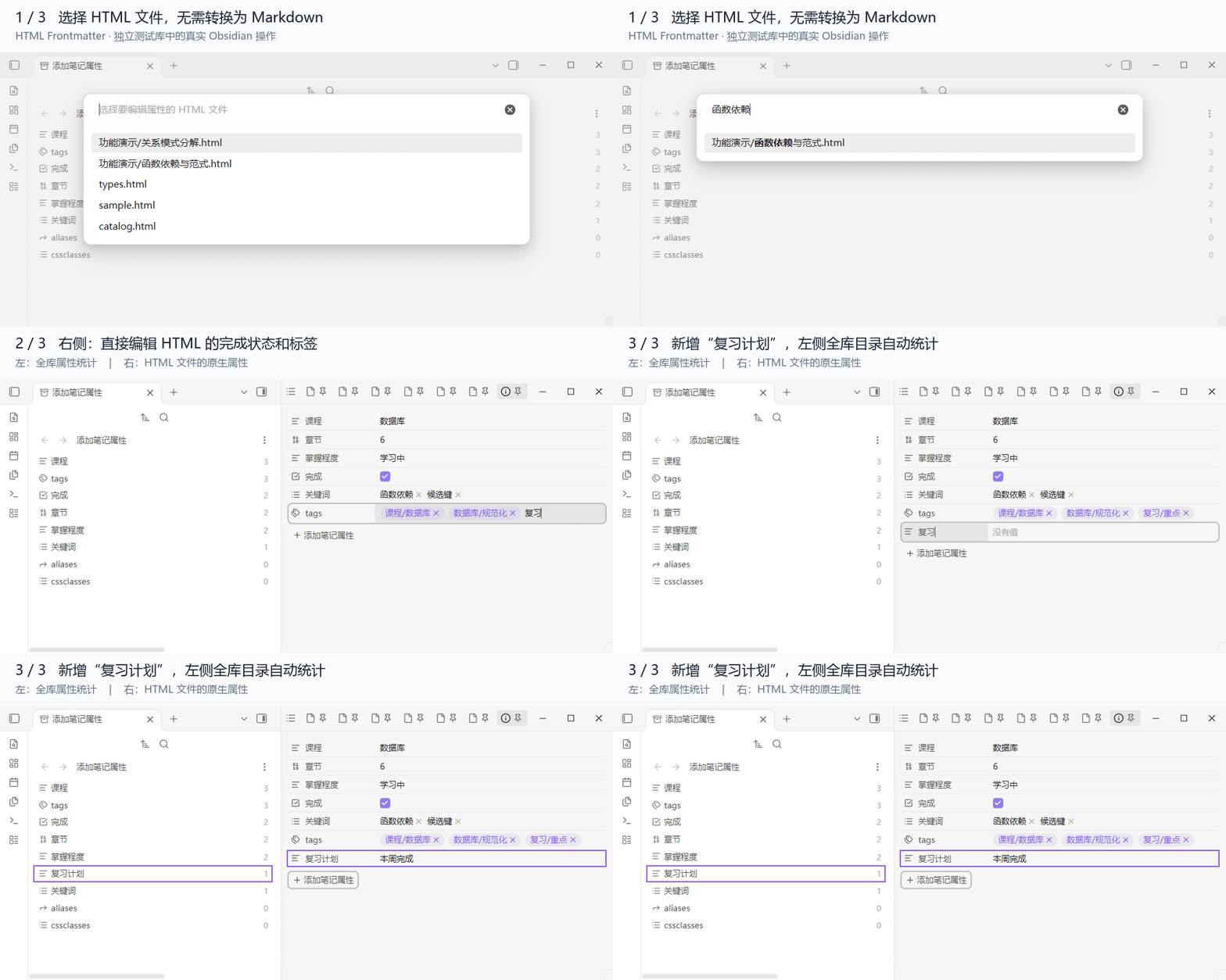
The GIF uses synthetic notes. The native property editor is on the right; the vault-wide catalog is on the left. Adding “复习计划” (Review plan) to an HTML note creates a catalog entry with an occurrence count of 1.
Installation
Manual installation
To install a release manually:
- Open the latest GitHub release and download the
html-frontmatter-<version>.zipasset. - Extract the ZIP. Copy the entire
html-frontmatterfolder into your vault's.obsidian/plugins/directory. The resulting plugin folder must be.obsidian/plugins/html-frontmatter/, withmain.jsandmanifest.jsondirectly inside it. - Restart Obsidian. Open Settings → Community plugins, allow community plugins if prompted, and enable HTML Frontmatter.
- Open Settings → Core plugins and enable Properties view.
Alternatively, create .obsidian/plugins/html-frontmatter/ and place the release's standalone main.js and manifest.json files inside it. License notices are embedded in main.js and also provided as separate release files. Node.js is not required to use the installed plugin.
Usage
Edit an HTML note's properties
- Place an
.htmlor.htmfile inside your vault. - Open the command palette with Ctrl+P on Windows/Linux or Cmd+P on macOS.
- Search for HTML Frontmatter and run HTML Frontmatter: 编辑 HTML 属性 (“Edit HTML properties”). The plugin's command and file-menu labels are currently in Chinese.
- Select the HTML file. Its properties open in the native file-properties sidebar.
- Edit values, toggle checkboxes, or add properties. Changes are saved to the JSON metadata block inside that HTML file.
You can also right-click an HTML file in the file explorer and choose 编辑 HTML 属性. The property pane stays pinned to the selected file. Read the HTML body using your existing preferred method; this plugin does not render it.
View properties across the vault
Run Obsidian's Show all properties command to open the native vault-wide property catalog. HTML and Markdown notes contribute to the displayed property names and occurrence counts. A property used by one HTML note has an occurrence count of 1.
Metadata format
There is no need to maintain JSON manually. If a file has no metadata block, saving its first property inserts one:
<script type="application/json" id="obsidian-frontmatter">
{
  "project": "Example",
  "completed": false,
  "tags": ["demo/example"]
}
</script>
The block is non-executing JSON. Flat objects and lists of primitive values are supported; tags, aliases, and cssclasses must be string lists. Invalid, duplicate, or unsupported metadata blocks are refused rather than overwritten.
Working with agents
File-capable agents can edit the JSON block directly; Obsidian integration requires the enabled plugin. Start from the minimal HTML template and follow the agent read/write guide (Simplified Chinese) to preserve surrounding source and handle conflicts. The metadata ID and field rules are this plugin's convention. No dedicated CLI or MCP server is provided.
Limitations
- The adapter uses some non-public APIs and refuses to load on Obsidian versions other than 1.14.4.
- Vault-wide property renaming or deletion involving HTML is blocked, including mixed multi-selections. Single-file property renaming and deletion remain available.
- Editing the tags field does not integrate HTML with the native tag sidebar or tag index. HTML rendering, search results, graph links, Bases, and backlinks are outside this plugin's scope. Clicking a catalog entry still invokes native search; its results are not guaranteed to include HTML.
- Explicitly assigned property types may remain in the native catalog with a count of 0. Date-times use Obsidian's native format, including seconds.
Build from source
Use Node.js 24 and npm. The release-packaging command currently requires Windows PowerShell:
npm ci --ignore-scripts --no-audit --no-fund
npm run release
The installable folder, ZIP, and SHA-256 file are generated under dist/. Build output, dependencies, and test-vault state are excluded from the source repository.
Documentation index · Development · Verification record · Architecture · Changelog
License
MIT. Bundled dependencies retain their own notices in THIRD_PARTY_NOTICES.md. Detailed development documents are currently in Simplified Chinese.