
README file from
GithubHeading Outliner
Heading Outliner is an Obsidian plugin that brings Outliner-style editing to heading-based Markdown. Move, indent, and unindent entire sections using the same keyboard hotkeys as bullet lists.
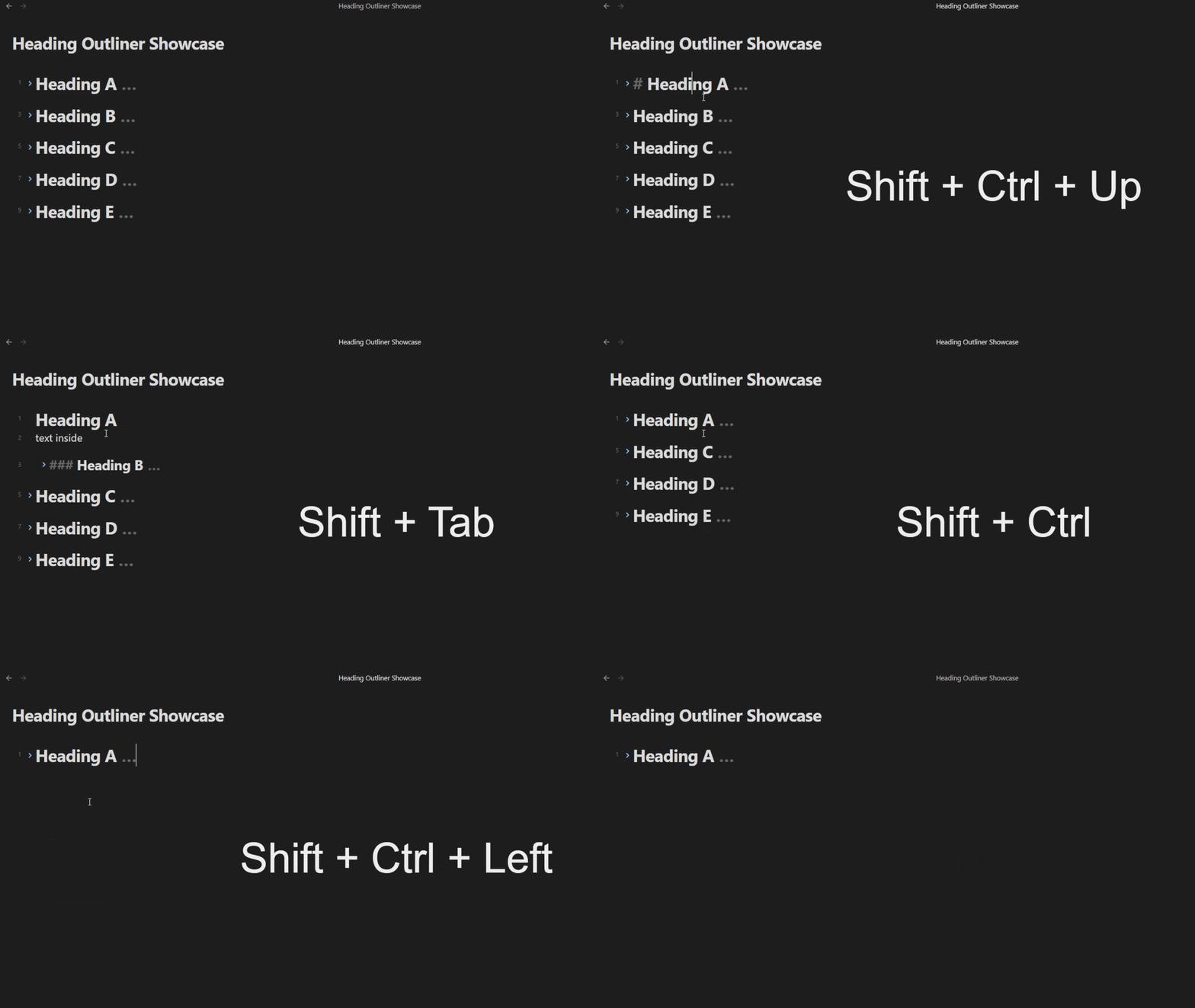
Features
Section movement (Ctrl+Shift+↑ / Ctrl+Shift+↓)
Move a heading and all its content (body text + sub-headings) up or down past sibling sections. Fold state is preserved - sections that were folded before the move stay folded afterward.
Indent / unindent (Tab / Shift+Tab)
Increase or decrease heading levels. Tab/Shift+Tab only activates when the cursor is on a heading line - body text and list items are unaffected. Supports single or multiple selected headings (range selection or multi-cursor). Fold state is preserved. Smart fold handling: When indenting a heading to become a child of a folded parent, the parent automatically unfolds to show the new child. All other fold states remain unchanged.
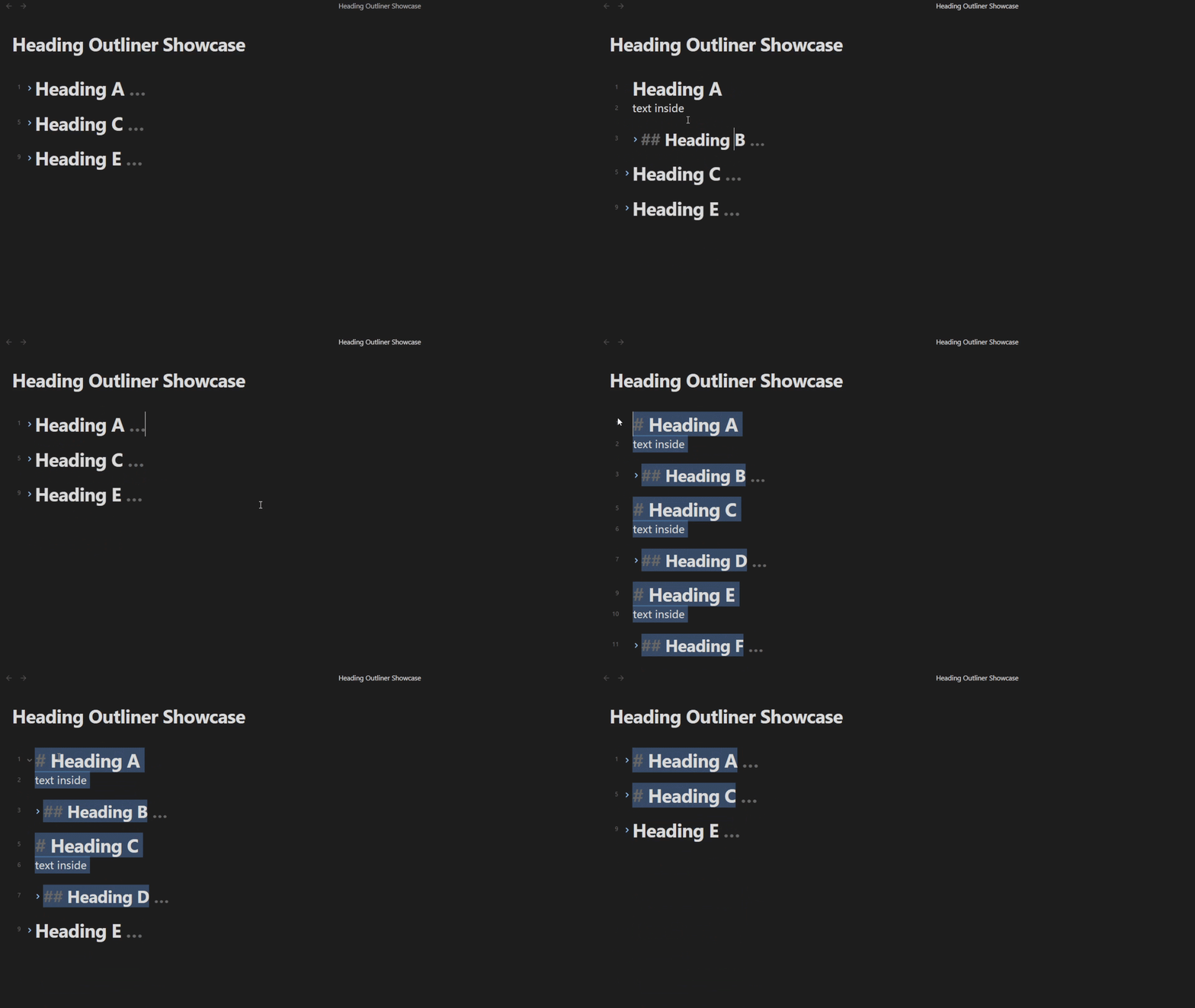
Progressive outline folding (Fold more / Fold less)
Expand or collapse the document outline level by level, operating on all selected visible headings at once. Works seamlessly with Obsidian's built-in fold commands.
Workflow: Use Obsidian's Fold all headings and lists to collapse everything, then run Fold less to reveal one heading level at a time across your selection. Run Fold more to collapse back down. When nothing is selected, the command falls back to the heading under the cursor.
| Action | Behavior |
|---|---|
| Fold less | Unfolds the shallowest folded heading level among selected visible headings |
| Fold more | Folds the deepest unfolded heading level among selected visible headings |
Visual heading indent
Optional per-level indentation in both the editor and reading view, styled via CSS.
Compatibility with Outliner
Fully compatible with the Outliner plugin. Both plugins use context-aware CM6 keymaps: Heading Outliner intercepts keypresses only when the cursor is on a heading line and explicitly passes through to Outliner on bullet/list lines. There are no hotkey conflicts.
Installation
Obsidian Community - Heading Outliner
Or just search Heading Outliner in Obsidian Settings → Community plugins → Browse
Hotkeys
| Action | Hotkey |
|---|---|
| Move section up | Ctrl+Shift+↑ |
| Move section down | Ctrl+Shift+↓ |
| Indent section | Tab (on heading line) |
| Unindent section | Shift+Tab (on heading line) |
Hotkeys are handled via CodeMirror 6 keymaps and are not exposed to Obsidian's hotkey manager. This is intentional: these keys need context-aware interception (activate only on heading lines, pass through otherwise) which Obsidian's command system cannot provide (see Hotkey Architecture Dilemma). Custom modifier configuration is planned for a future release.
Settings
| Setting | Default | Description |
|---|---|---|
| Indent headings by level | On | Visually indent headings by level |
| Indent size (em) | 0.5 | Spacing per heading level |
Roadmap
- Implement moving all selected blocks up/down, same way as indenting/unindenting selected blocks work
- Implement custom movement modifier configuration via individual ALT, CTRL, SHIFT boolean toggles in settings
- Implement Drag-n-drop
Changelog
1.1.0
- New:
Fold moreandFold lesscommands for progressive outline folding - New: Commands operate on all selected visible headings, falling back to cursor heading when nothing is selected
1.0.2
- Prepared for release, bugs fixed
0.0.4
- Fixed: Multi-selection now preserves all selections after indent/unindent
- Fixed: Nested headings no longer cause duplicate text changes
- Fixed: Fold states are now properly preserved during operations
- Fixed: When indenting into a folded parent, only that parent unfolds (siblings stay folded)
- Refactored: All operations now use native CodeMirror 6 API for better reliability
0.0.3
- Initial release with core features