
README file from
Github🎨 Graph Styler
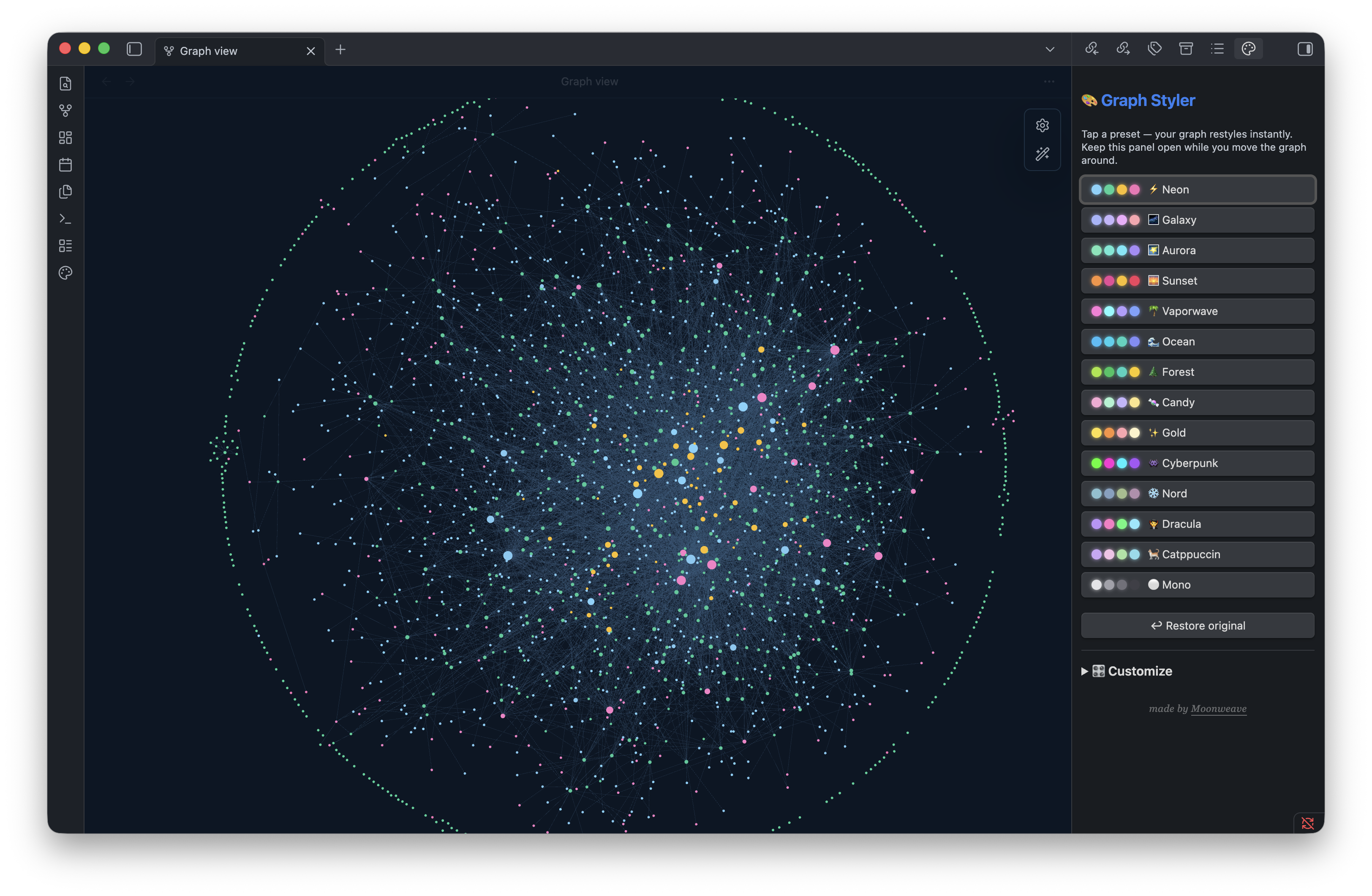
One-click aesthetic themes for the Obsidian graph view. Pick a vibe — color and glow are applied instantly while your current graph physics stays unchanged. No manual CSS, JSON, or setup.
Made by Moonweave.
Why
Obsidian's graph looks amazing in screenshots — but getting there means digging through color groups, force sliders, and CSS snippets. Graph Styler turns that into a single click. Think Canva templates, but for your graph.
Presets
⚡ Neon · 🌌 Galaxy · 🌠 Aurora · 🌅 Sunset · 🌴 Vaporwave · 🌊 Ocean · 🌲 Forest · 🍬 Candy · ✨ Gold · 👾 Cyberpunk · ❄️ Nord · 🧛 Dracula · 🐈 Catppuccin · ⚪ Mono
Each built-in preset applies node/group colors and a glow CSS snippet while preserving your current force and visual size settings. Custom presets can explicitly save force/size values.
Make your own. Open 🎛️ Customize in the panel — drag the force/size sliders (repel, link distance, node size…) and pick colors, watch the graph update live, then 💾 Save as preset. Customization changes graph physics; save it only when you want a reusable custom preset. Your presets show up under My presets and persist.
How colors map to your vault
Graph Styler hardcodes nothing — it adapts to your vault:
- It finds your most-used folders and assigns the preset's palette to them (up to 4).
- No folders? It falls back to your most-used tags.
- Totally flat (no folders or tags)? You still get the glow, background, and node colors — just no per-group split.
It writes these into Obsidian's native graph color groups (Settings → Graph → Groups), so you can see and tweak them there. Whether you have 2 groups or 4, it just works — and the glow, background, and node styling are identical for everyone. Applying a preset replaces your current color groups; your original config is backed up, so Restore brings it back. Restore returns to the snapshot saved before Graph Styler first changed the vault and may overwrite graph settings changed afterward.
Usage
- Open the graph view (global graph).
- Click the 🎨 palette icon in the left ribbon → a panel opens on the right.
- Click any preset. Your graph changes instantly.
- Tweak freely afterward, or hit ↩︎ Restore to revert — your original
graph.jsonis backed up automatically.
Install
Community plugins (recommended):
- In Obsidian, open Settings -> Community plugins -> Browse.
- Search for
Graph Styler. - Install it, then enable Graph Styler under Community plugins.
Direct listing: https://obsidian.md/plugins?id=graph-styler
Development builds: install with BRAT from moonweave/obsidian-graph-styler, or copy main.js + manifest.json + styles.css into <vault>/.obsidian/plugins/graph-styler/, then enable.
Notes
- Works in any vault. Group colors auto-map to the busiest folders in your vault — no setup, no hardcoded paths.
- Bilingual UI. The panel follows Obsidian's language — English or 한국어.
- Writes the global graph config (
.obsidian/graph.json) and a CSS snippet (.obsidian/snippets/graph-styler-*.css); your originalgraph.jsonis backed up first. Restore requires confirmation because it restores that first snapshot. - Themes look the same in light and dark mode — the graph pane takes on the theme's own background.
- Desktop only.
License
MIT © 2026 Moonweave. Free to use and modify — please keep the attribution.
🇰🇷 한국어 설명