
README file from
GithubGlobasa Dictionary (Obsidian Plugin)
Globasa Dictionary is an offline dictionary plugin for Obsidian. It lets you quickly search Globasa entries and view meanings directly inside your vault.
Features
- Dockable dictionary panel for always-available lookup.
- Fast local search over Globasa and English data.
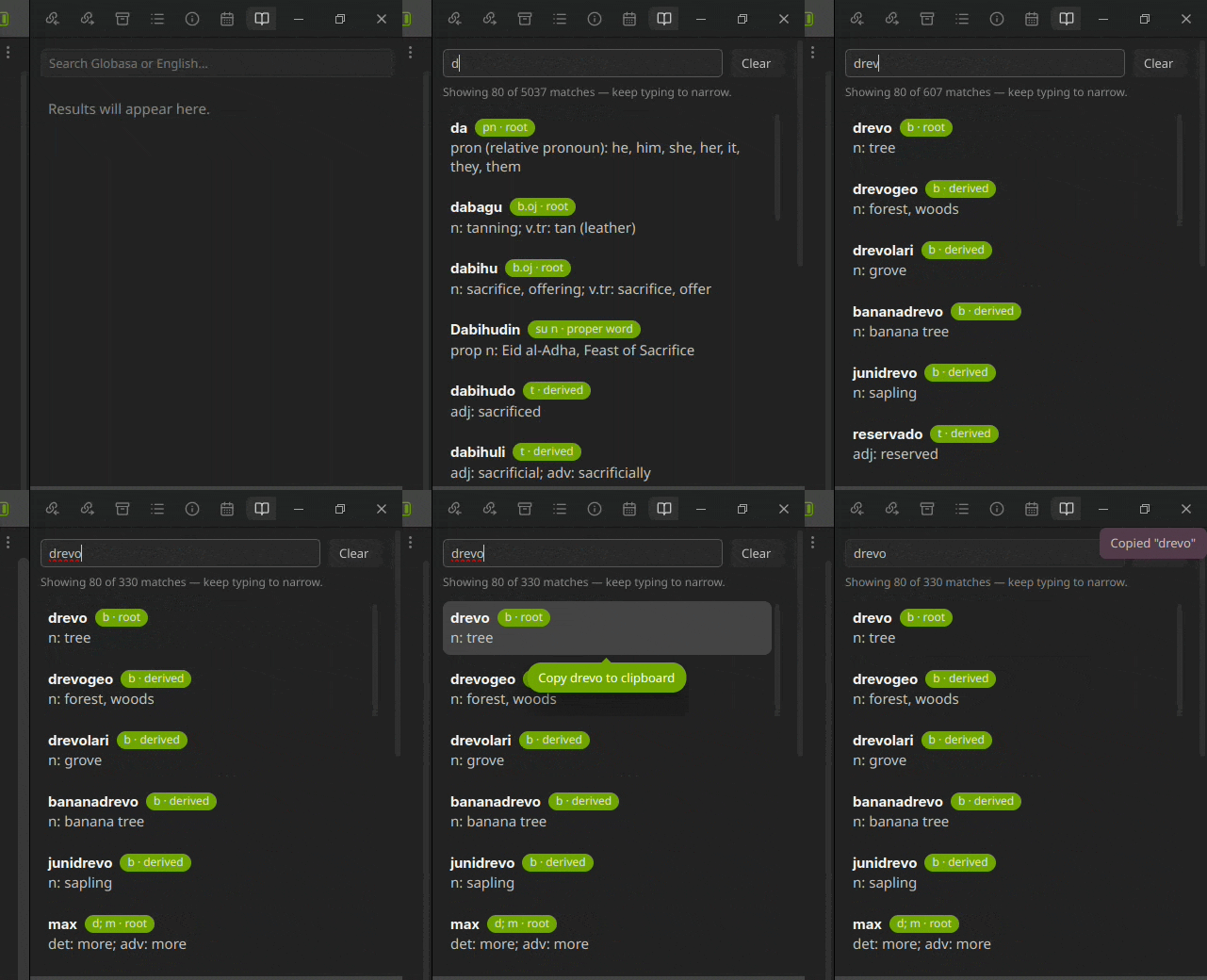
- Entry cards show:
- Globasa word
- Word class/category badge
- English translation.
- Click any entry card to copy the Globasa word to clipboard.
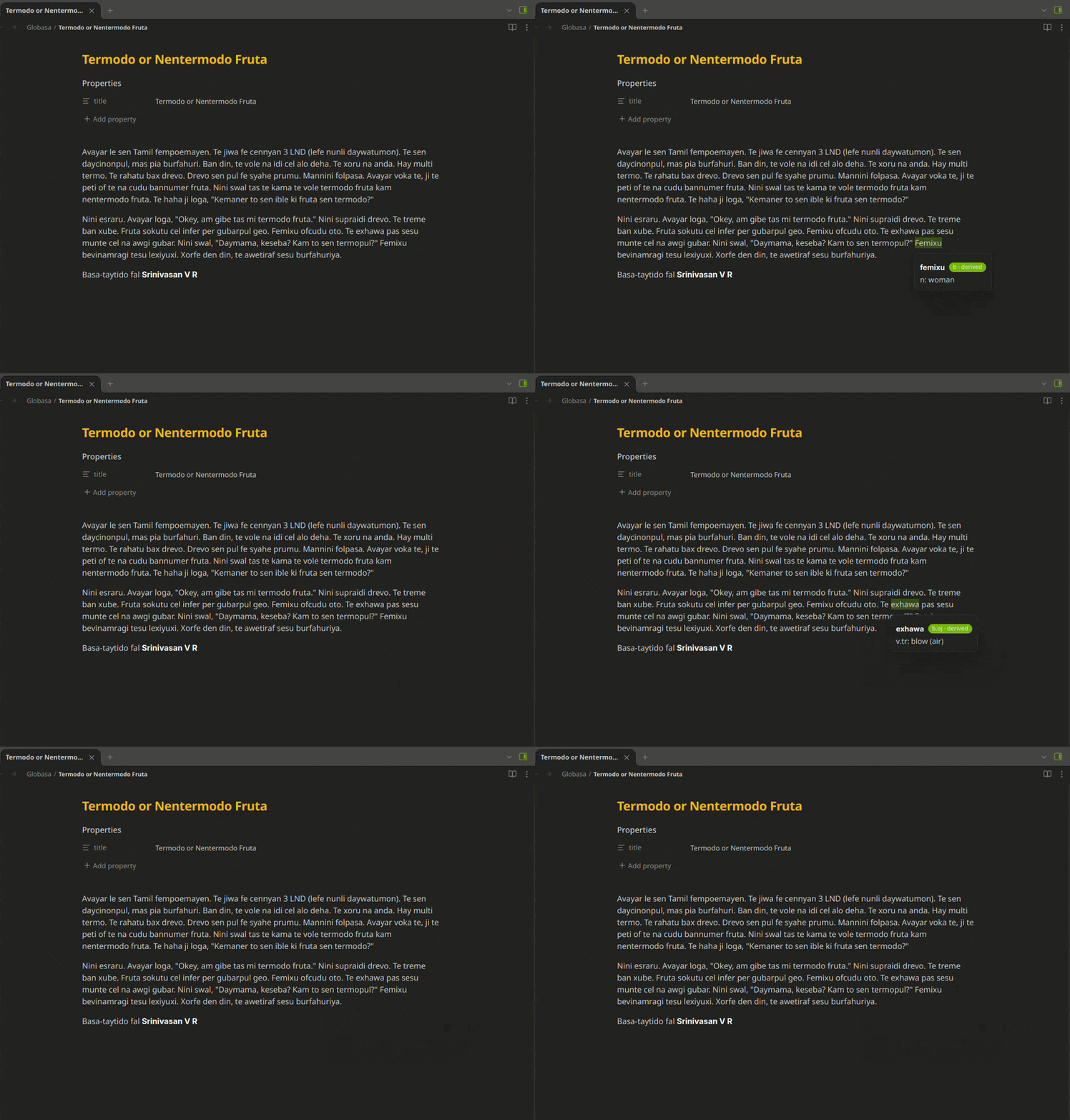
- Optional hover dictionary in reading view.
- Optional hover dictionary in editor view.
- Optional exact-only or fuzzy hover matching.
- Optional routing of hover lookups to the dictionary panel (no overlay popup).
- Optional pinnable, draggable hover cards.
Demo
Dictionary panel lookup
Hover popup lookup
Installation
- Download/install the plugin files into:
VaultFolder/.obsidian/plugins/globasa-dictionary/
- Ensure these files exist in that folder:
main.jsmanifest.jsonstyles.css
- In Obsidian, go to Settings → Community plugins and enable Globasa Dictionary.
Usage
Dictionary panel
- Run Open dictionary panel from the command palette, or click the book icon in the left ribbon.
- Keep the panel pinned in a sidebar for quick access.
- Type to search. Use Clear to reset.
Hover dictionary
In plugin settings, enable Enable hover dictionary popup to use hover lookups.
Available options:
- Show hover results in dictionary panel: sends hover matches to the panel instead of showing overlay popups.
- Use fuzzy matching in hover popup: when off, hover uses exact Globasa match only.
- Enable hover popup in editor view: allows hover lookups in editing mode.
- Enable pinnable hover popups: click a hovered word to pin a draggable popup card.
Data source
The word list was extracted from the official Globasa repository.
The plugin bundles the word list in main.js, works offline, and does not require network requests for lookups.
Privacy and disclosures
- No telemetry is collected.
- No account is required.
- No payment is required.
- No network requests are made for dictionary lookups.
- Clipboard write access is used only after explicit user action (clicking a dictionary result) to copy the selected Globasa word. The plugin does not read clipboard contents.
License
This plugin is licensed under the 0BSD license. See LICENSE.
Development
Clone the project and install dependencies:
npm install
Run development build/watch:
npm run dev
Create production build:
npm run build
Optional helper to build and install into a vault:
./install-to-vault.sh /path/to/your/vault