
README file from
GithubGenealogy Graph
An interactive family tree for Obsidian, drawn from your notes: one note per person, relatives in its properties.
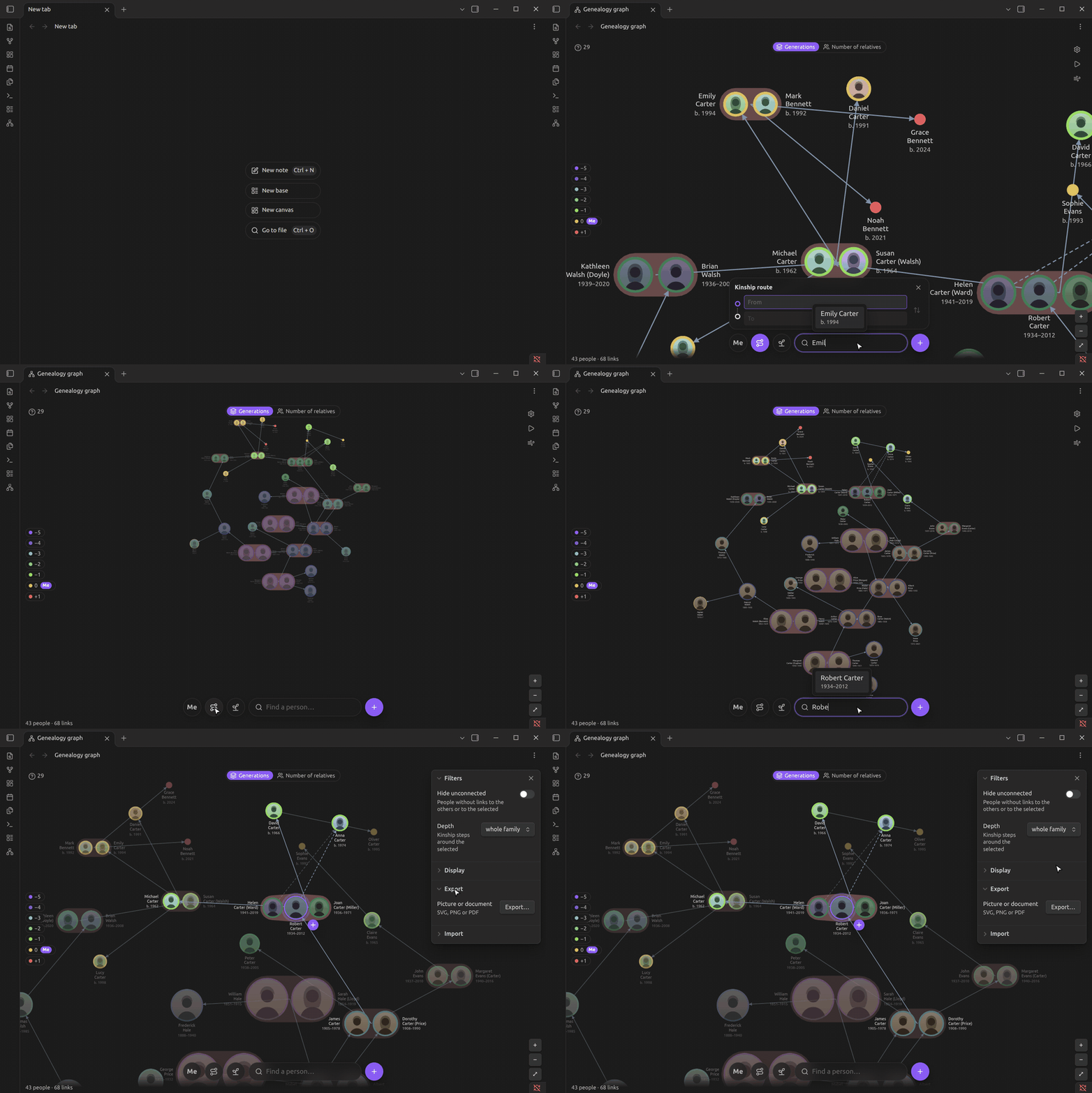
Features
- A living graph of the family. People are nodes with portraits and life years, couples sit together, children hang from their parents. Colors and sizes show generations counted from you, or how many relatives each person has.
- Kinship route. Pick two people and see how they are related, step by step, with the kinship term: «3rd great-uncle», «second cousin once removed».
- Roots. Every line of your ancestors at once, back to the oldest generation, with as many relatives around them as you want.
- Profiles. A double click opens a person's page: dates, places, occupation, family as clickable chips, the story from the note.
- Add and edit people on the graph. A side form writes the card and the links on both sides; new cards are named and placed by a template.
- Import. GEDCOM 5.5, 5.5.1 and 7.0, and «Древо Жизни» archives, with photos; re-importing a file updates the cards instead of duplicating them.
- Export for print. SVG, PNG or vector PDF, from A4 to A0 and plotter rolls, tiled sheets with glue marks; the dialog checks that names stay readable.
- Checks. Broken links, impossible generations and what each card still lacks.
- Phones and tablets. Pinch to zoom, hold a finger on a person for their menu, double-tap for the profile; on a phone the controls are finger-sized and sit above Obsidian's navigation bar.
- Any naming tradition. Russian, Western, Spanish, East Asian and Icelandic name schemes, for the whole vault or per card — a Spanish branch in a Russian family tree gets Spanish surnames; the interface is in English or Russian.
Your data stays plain Markdown: properties follow GEDCOM, so the vault stays readable without the plugin. Works on desktop, phones and tablets.
Getting started
- Create a note for a person with the property
type: person(or add the first person on the empty graph with «+»). - Run Open genealogy graph from the command palette.
- In the plugin settings choose your own card: generations are counted from it.
Guides: the interface, step by step (computer, phone, tablet) · the data · import · export.
Install
In Obsidian open Settings → Community plugins → Browse, find Genealogy Graph, install and enable it. To install by hand, copy main.js, manifest.json and styles.css from a release to .obsidian/plugins/genealogy-graph/ and enable the plugin.
Privacy
The plugin works offline: it makes no network requests and collects nothing.
- Vault access. To find person notes it reads the properties of every Markdown file in the vault (Obsidian's metadata cache) and ignores notes without
type: person. It writes notes only when you add or edit people, run an import, or (with Rename by the template) when a card's name or dates change and its file is renamed to match. - Files outside the vault. Only during an import: the plugin reads the GEDCOM or «Древо Жизни» file you pick, and the photos and documents it refers to on your disk (through Node's
fs, desktop only; on a phone or tablet you pick the photo files yourself), and copies them into the vault (Папка файлов). Nothing outside the vault is ever written. - Export saves a file where you choose; on a phone or tablet it is saved into the vault.
Development
See TESTING.md for the build and the tests. The GIF and the screenshots are recorded from a fictional family by npm run media, the guides' GIFs by npm run media:guides.
License
MIT. The bundled DejaVu Sans font has its own license.