
README file from
GithubObsidian Gallery View Dashboard
A powerful, visual gallery plugin for Obsidian that transforms your vault folders into a beautiful, navigable dashboard. Organize your resources, courses, and media with custom banners and intuitive folder structures.
Preview
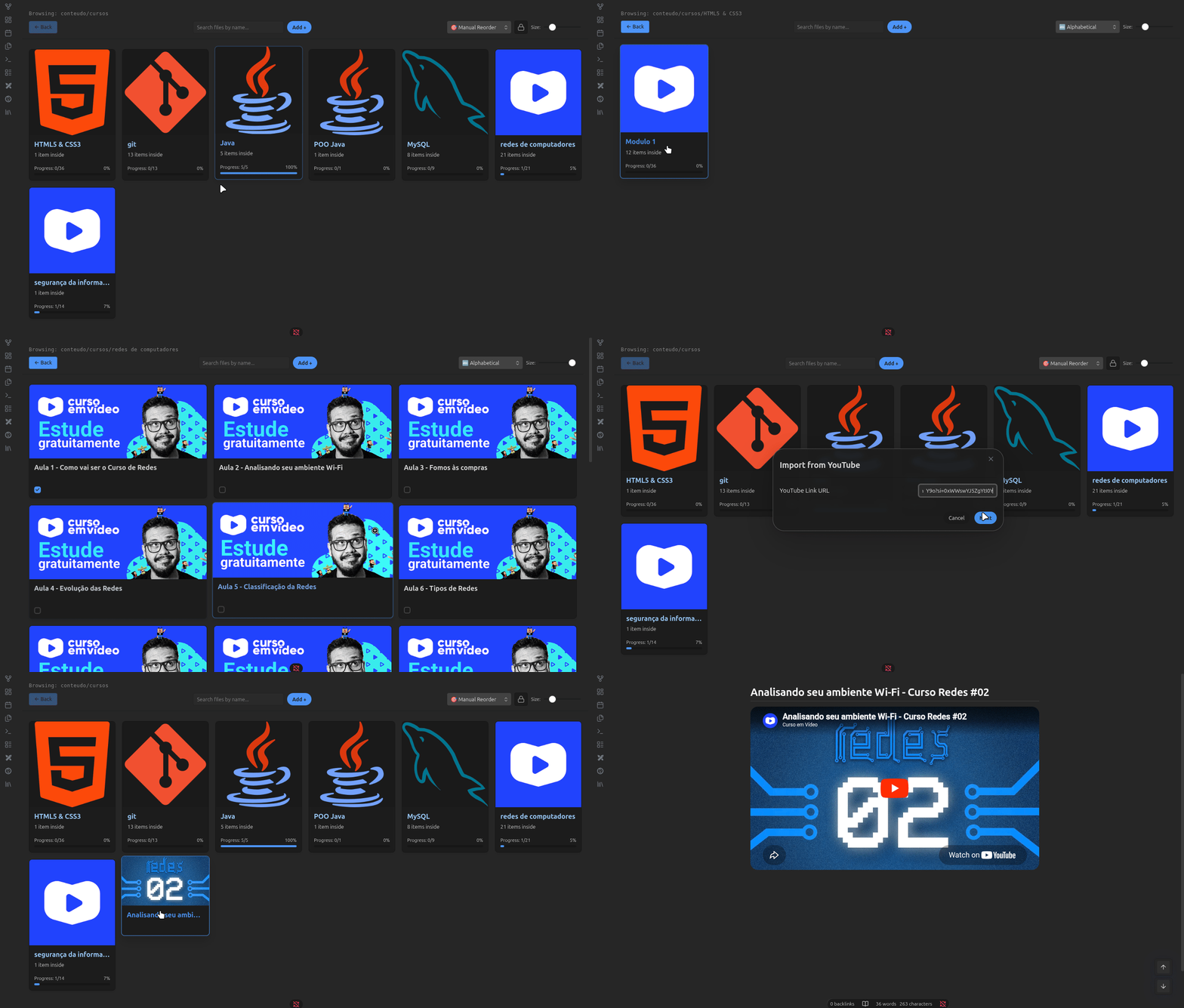
🚀 Features
- Dynamic Dashboard View: Browse your vault as a visual library with custom banners.
- Hierarchical Navigation: Seamlessly move between subfolders and files with an integrated navigation system.
- Customizable Banners: Set unique banner images for folders and individual notes.
- Metadata Integration: Display file metadata (like status or tags) directly on library cards.
- Quick Action Checkboxes: Manage task statuses directly from the library view.
- Live Settings Sync: Instant updates to your library structure without needing to reload.
- Smart Folder Suggestion: Auto-complete path selection for easy configuration.
⚙️ Setup
- Open Settings > Gallery Dashboard.
- Set your Library Root Target Path (e.g.,
conteudo/cursos). - Configure your Visible Metadata Keys to see your frontmatter properties.
- Use the Live Library Vault Tree section to assign custom banners to specific folders.
- Add Manual Customizations for specific overrides.
🖼️ How to use
- Browsing: Click any folder card to enter it, or click a file card to open the note.
- Navigation: Use the "Back" button in the gallery toolbar to return to the parent folder.
- Customization: Edit banners via the plugin settings to match your vault's theme.
🛠️ Development
This plugin was built using the Obsidian Plugin API.
Build
npm install
npm run build