
README file from
GithubFormula Forge
Render bases formulas in your notes, define global formulas and functions, and more formula-related features.
Table of Contents:
Formula rendering
You can render formulas in your notes in inline code or a codeblock. These formulas will automatically re-render when metadata changes.
Both this and file refer to the current file which the formula is being rendered in.
Inline code
By default, the inline code syntax is an equals sign. For example:
`=this.file.name + 2`

Codeblock
By default, the codeblock language is base-formula. For example:
```base-formula
"Created: " + file.ctime
```

With formula codeblocks, you can also add CSS classes by adding them after the codeblock language. For example:
```base-formula my-class my-other-class
"Created: " + file.ctime
```
Utilities
FF provides a few extra utility functions you can use in your formulas. More may be added in the future.
files()
files(): list
- Gets all files in the vault
- Example:
files().filter(value.inFolder("myFolder")).
md()
md(input: number): html
- Converts a markdown string into a code snippet that renders as HTML.
- Example:
md("*italic*, **bold**, ~~strikethrough~~")
define() / Null.define()
define(name: string, value: any): null
- Defines a local variable.
- Typically used in conjunction with
then(). - Example:
define("who", "world").then("Hello " + who + "!")returns"Hello world!". - It is also a function of the
Nulltype, so it can be chained to define multiple variables. - Example:
define("num1", 6).define("num2", 7).then(num1 + num2)returns13.
then() / Null.then()
then(values: any...): any
- Returns the last of all the provided values.
- Typically used in conjunction with
define(). - Example:
then(define("foo", "bar"), "this string is ignored", foo)returns"bar". - It is also a function of the
Nulltype, which is useful to chain on adefine()call. - Example:
define("who", "world").then("Hello " + who + "!")returns"Hello world!".
stableRandom()
stableRandom(seed: any): number
- Returns a random number between 0 and 1 that is consistent per the provided
seedparameter. - Uses a 32-bit hashing algorithm from MurmurHash to create the seed, which is then passed to a Mulberry32 pseudo-random number generator.
- Example:
stableRandom("fizz")will always return0.027356557780876756
Global formulas
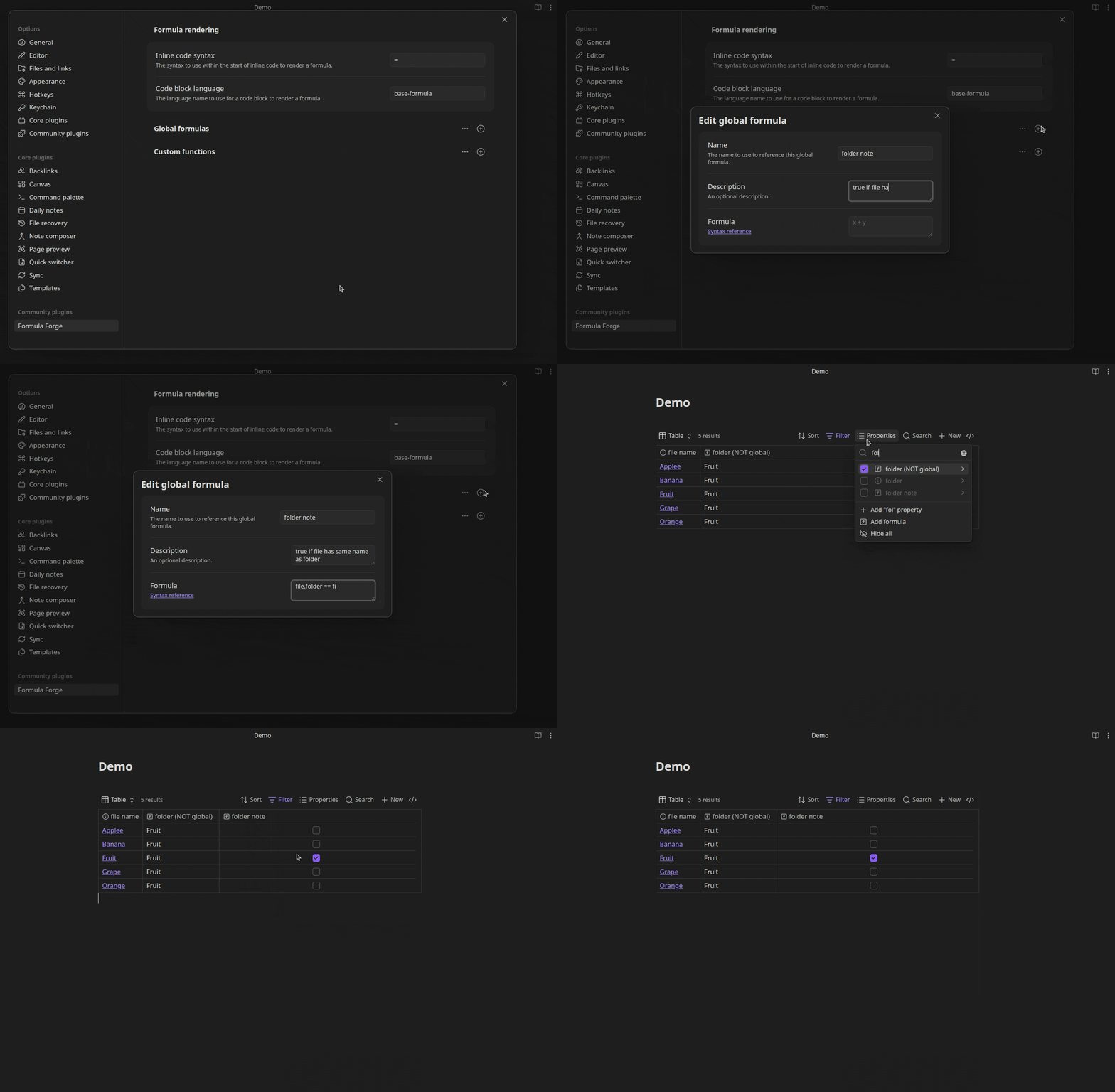
In the plugin settings, you can define global formulas which can be accessed in any base or formula in your vault.
These formulas are treated exactly the same as regular formula properties that you would define within a base, so they can be used within filters and as a property.
Custom functions
In the plugin settings, you can define custom functions which can accept typed parameters and be used in any base or formula in your vault.
These functions can be defined in the global scope or as a function of a specific data type.
You can copy the YAML for these examples and import them by selecting the
three dots near the Custom functions setting and selecting Import YAML.
Global scope example
name: formatDollars
description: Converts a number into a string dollar amount
scope: Global
scopeType: Any
parameters:
  - name: num
    type: Number
    optional: false
    variadic: false
formula: '"$" + num.round(2)'
Type scope example
name: random
description: Gets a random item from the list
scope: Type
scopeType: List
parameters: []
formula: self[(random() * self.length).floor()]
API
FF provides an API for some formula-related features in your own plugins and scripts. See below for an overview of its use.
For the full type definition, see src/Api/api.ts.
// access the API
const { api } = app.plugins.plugins["formula-forge"];

// ensure the API is ready for use (because it's loaded asynchronously)
// do this when accessing the API in things like startup scripts
api.on("ready", () => {
	// do some stuff...
});

// evaluate a formula
const output = api.evaluateFormula(
	"this.file.path", // the formula to eval
	"path/to/note.md" // the file to use as `this` and `file`
);

// render formula output to the DOM
output.renderTo(myEl, app.renderContext);

// get the actual value of a formula's output
const raw = api.normalizeFormulaValue(output);
typeof raw === "string"; // true
Templater integration
To use formulas in templater syntax, add the following as a user script:
path/to/user-scripts/formula.js
/**
 * Evaluates a formula
 * @param {string} formula - The formula to evaluate
 * @param {string | TFile | undefined} file - The file to evaulate this formula in the context of. You only need to pass this if using the "this" or "file" keywords.
 * @returns The formula output
 */
function evaluateFormula(formula, file) {
	const { api } = app.plugins.plugins["formula-forge"];
	return api.evaluateFormula(formula, file).toString();
}

module.exports = evaluateFormula;
Example templater syntax:
<% tp.user.formula("2 + 2") %>

<% tp.user.formula(`"Created: " + file.ctime`, tp.config.target_file) %>