
README file from
GithubFoldwise
Paste a screenshot into a note and Foldwise saves it in the right folder. Then it gives you one page to find, rename and move every image and PDF you have saved.
What it does
Saves pasted files where you want them. Give a folder a rule, such as "notes in Physics save to Physics/Assets". Subfolders follow the nearest rule, and you can exclude some of them. Files are named like Physics-ramp-20261013-1.png, and nothing is ever overwritten.
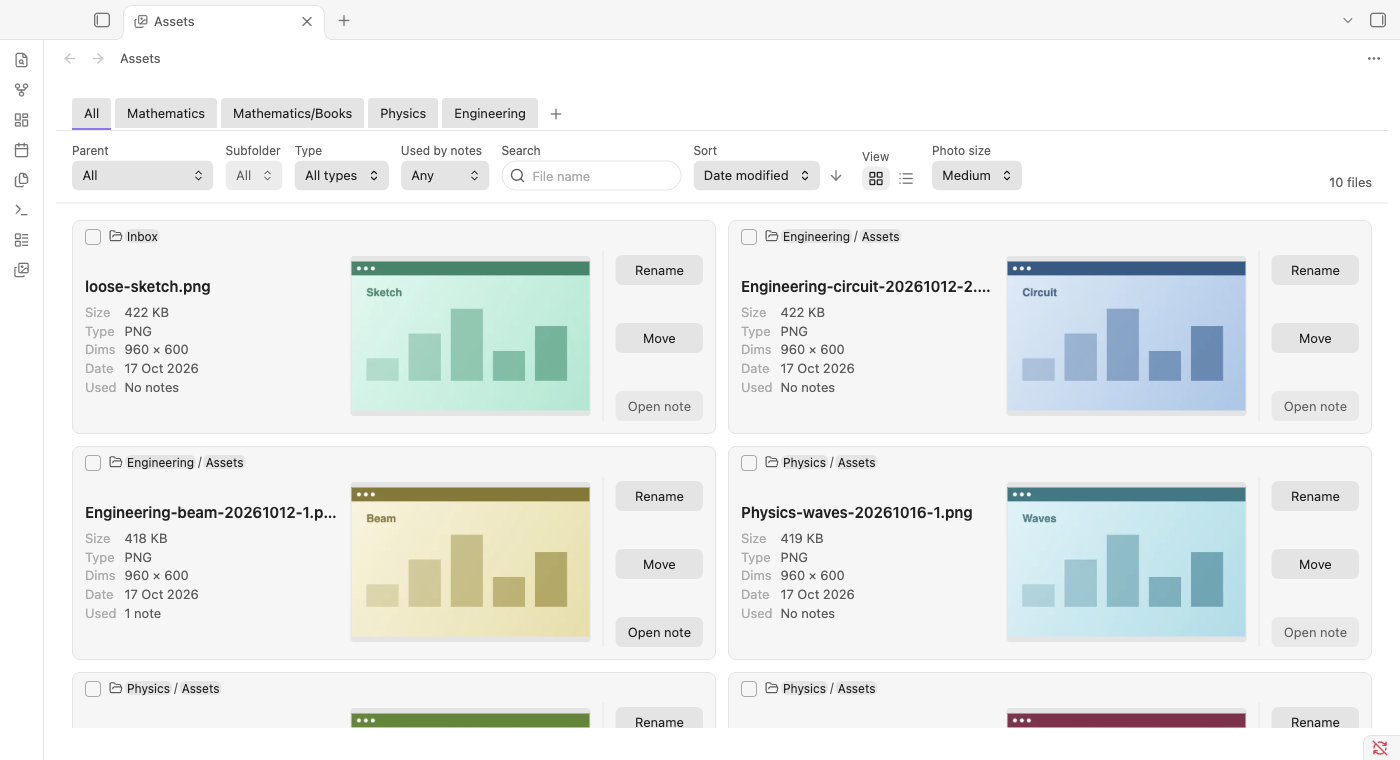
One page for everything you have saved.
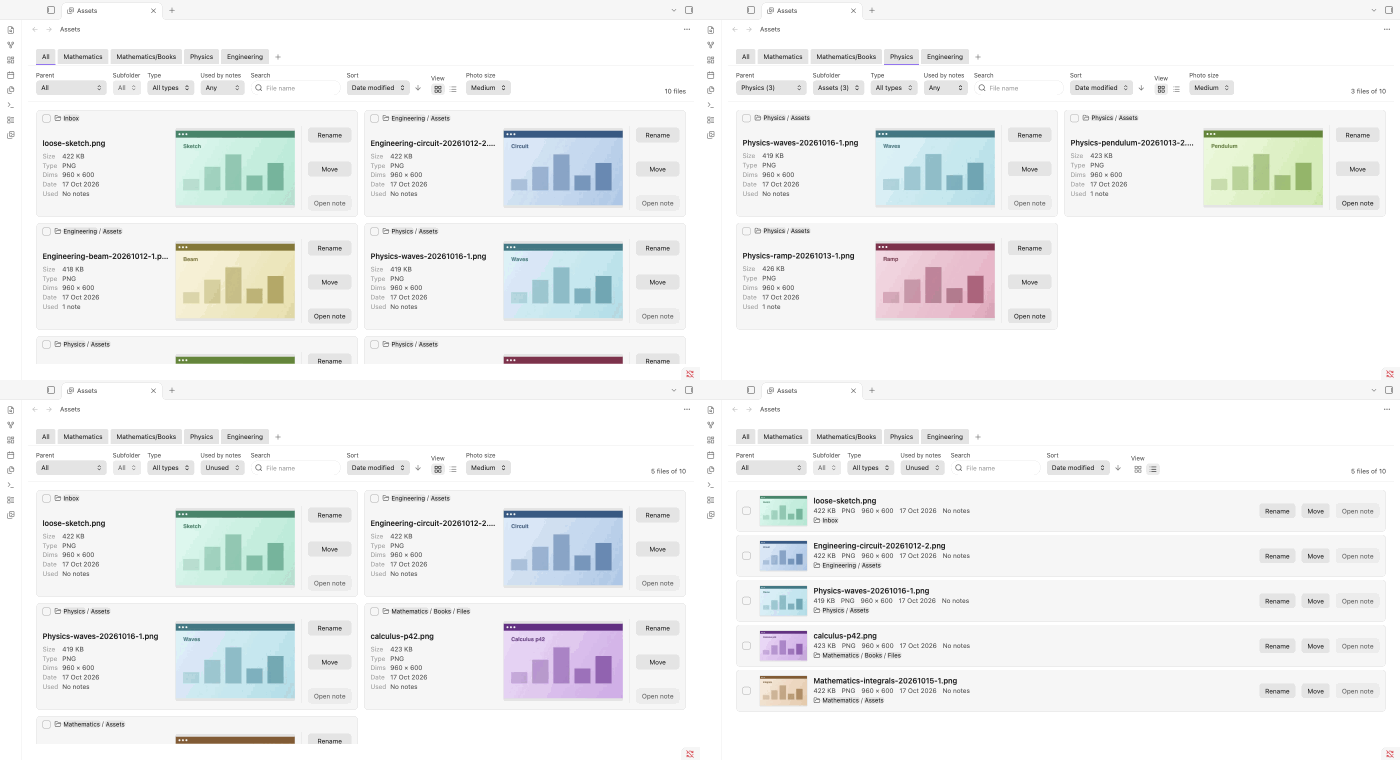
- Browse as a grid or a list, with a tab for each folder rule.
- Filter by folder, type, name, and whether any note uses the file.
- Rename or move a file and every link to it keeps working.
- Rename or move many files at once.
- Open the note that uses a file.
- Handles 10,000+ files smoothly. Small cached previews live in the plugin's own folder, never in your vault, and your original files are never copied.
Set up
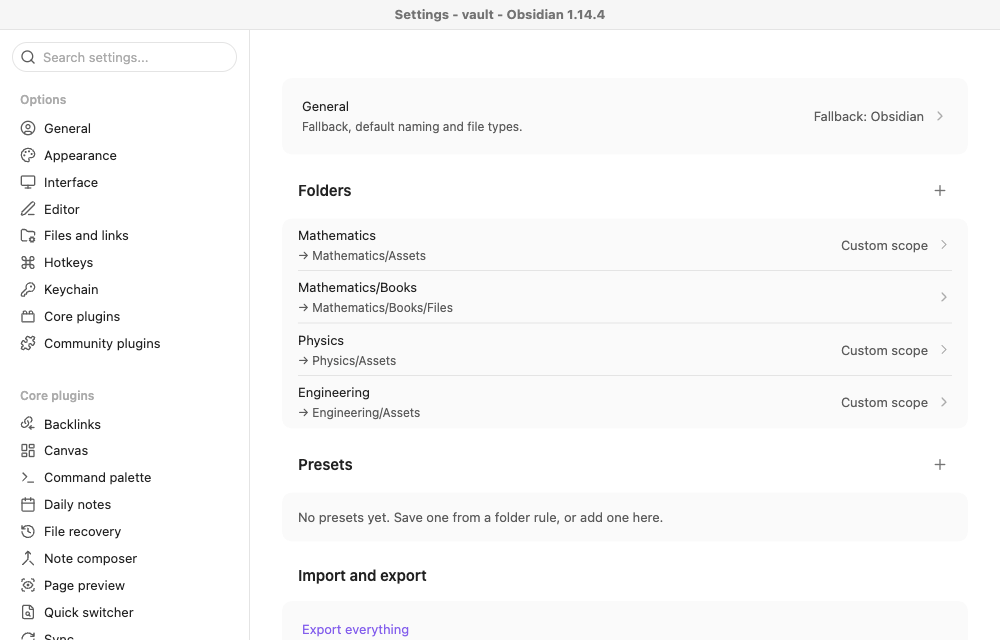
Open Settings → Foldwise, then add a folder under Folders. Pick the folder it applies to and where its files should go. The page has a live summary and a test box where you can try a note path.
Open the page from the ribbon icon, the command palette ("Open asset manager"), or by right-clicking a folder and choosing Open assets for this folder.
You can also keep naming and scope settings as presets, and export or import everything as plain JSON.
On mobile
Pasting works the same on a phone. Photos you take with the camera, add with Add attachment or share into Obsidian are saved by Obsidian itself, not pasted. Foldwise handles these too: once the note you are editing links to the photo, it moves and renames the photo with the same rules. Turn this off with Also route attached and camera photos in Foldwise's General settings.
For this to work on your phone:
- Turn on automatic link updating. Open Settings → Files and links and switch on Automatically update internal links. It is off by default. While it is off, Foldwise leaves the photo where Obsidian saved it and shows a message saying Obsidian is not set to update internal links automatically, because moving it would break the link in your note.
- Make sure your rules are on the phone. Foldwise keeps its rules in
.obsidian/plugins/foldwise/data.jsoninside the vault. If your sync skips the.obsidianfolder, the phone has no rules, so photos use Obsidian's own attachment folder. Check Settings → Foldwise → Folders on the phone. - Install the same version on both devices. If you install by hand, copy
main.js,manifest.jsonandstyles.cssto the phone's.obsidian/plugins/foldwise/too, then restart Obsidian.
Foldwise waits up to 10 seconds for a note to link to a new photo. A file that no note links to in that time, such as one arriving from sync, is never moved.
Install by hand
- Run
npm installand thennpm run build. - Copy
main.js,manifest.jsonandstyles.cssinto<your vault>/.obsidian/plugins/foldwise/. - Turn the plugin on under Settings → Community plugins.
Needs Obsidian 1.13.4 or newer. It runs on desktop and Android. On Android it has been tested in an emulator, not yet on a real phone, and it has not been tested on iOS.
Development
npm run dev rebuilds on change, npm test runs the tests, and npm run lint checks the code. The design is in docs/SPEC.md.
Licence
MIT © 2026 Anthirayas. Free to use, change and share, as long as the licence notice stays with it.