
README file from
GithubFeel the Notion
Recommended setting: Obsidian Settings → Files and Links → under Links, toggle on Automatically update internal links.
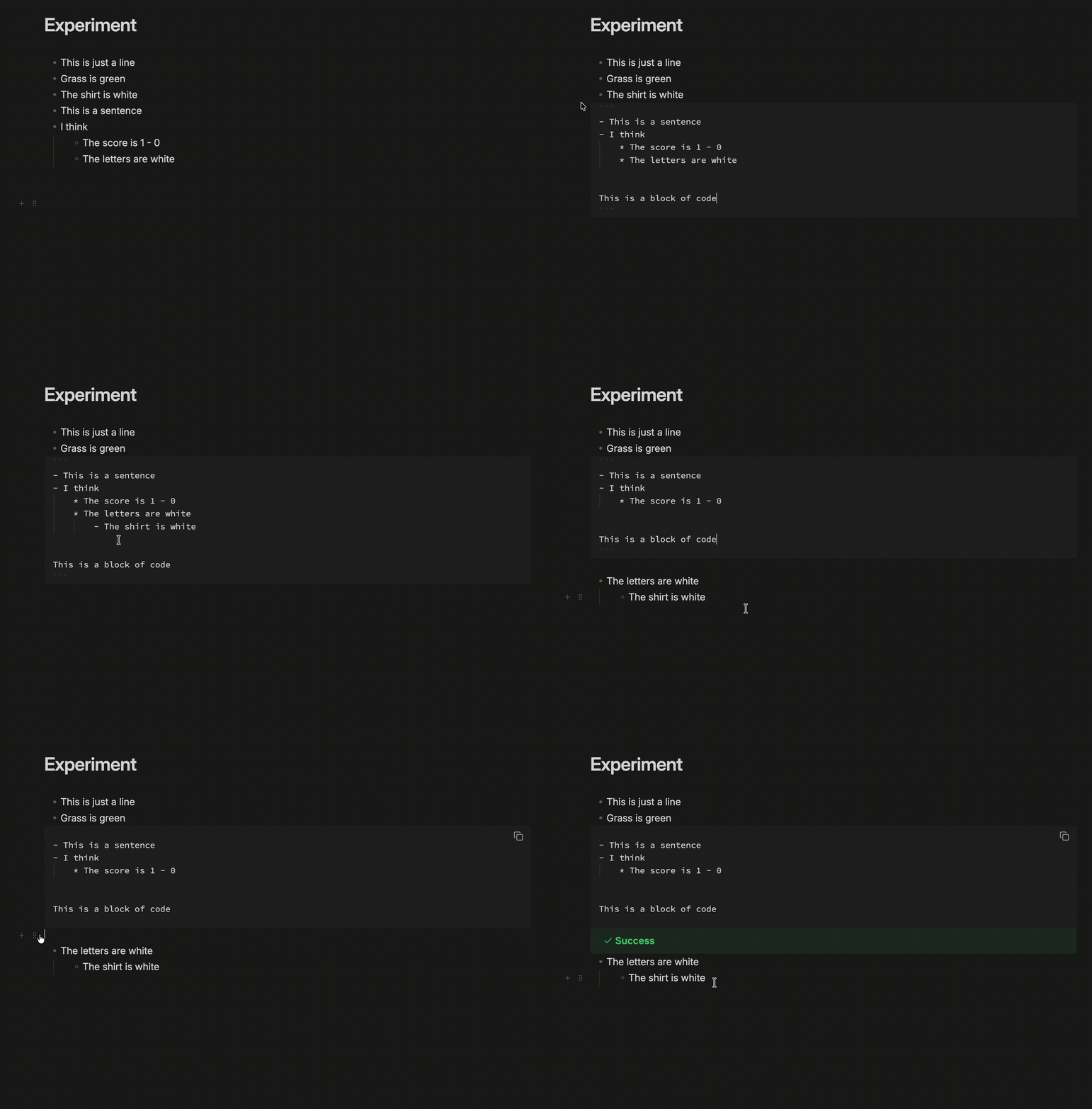
Notion-like block editing for Obsidian's Live Preview.
Features
- Hover handles — a
+and a drag handle follow the pointer down the gutter. - Drag whole blocks — grabbing any line takes the block, children included, and drops it at a depth you choose with horizontal position.
- Multi-block selection — a drag across blocks paints whole blocks rather than a ragged text range.
- Block-aware keys —
Cmd+Aselects the block, then the note.Backspaceat a block's start outdents, then drops the marker, then merges. - Insert menu — type
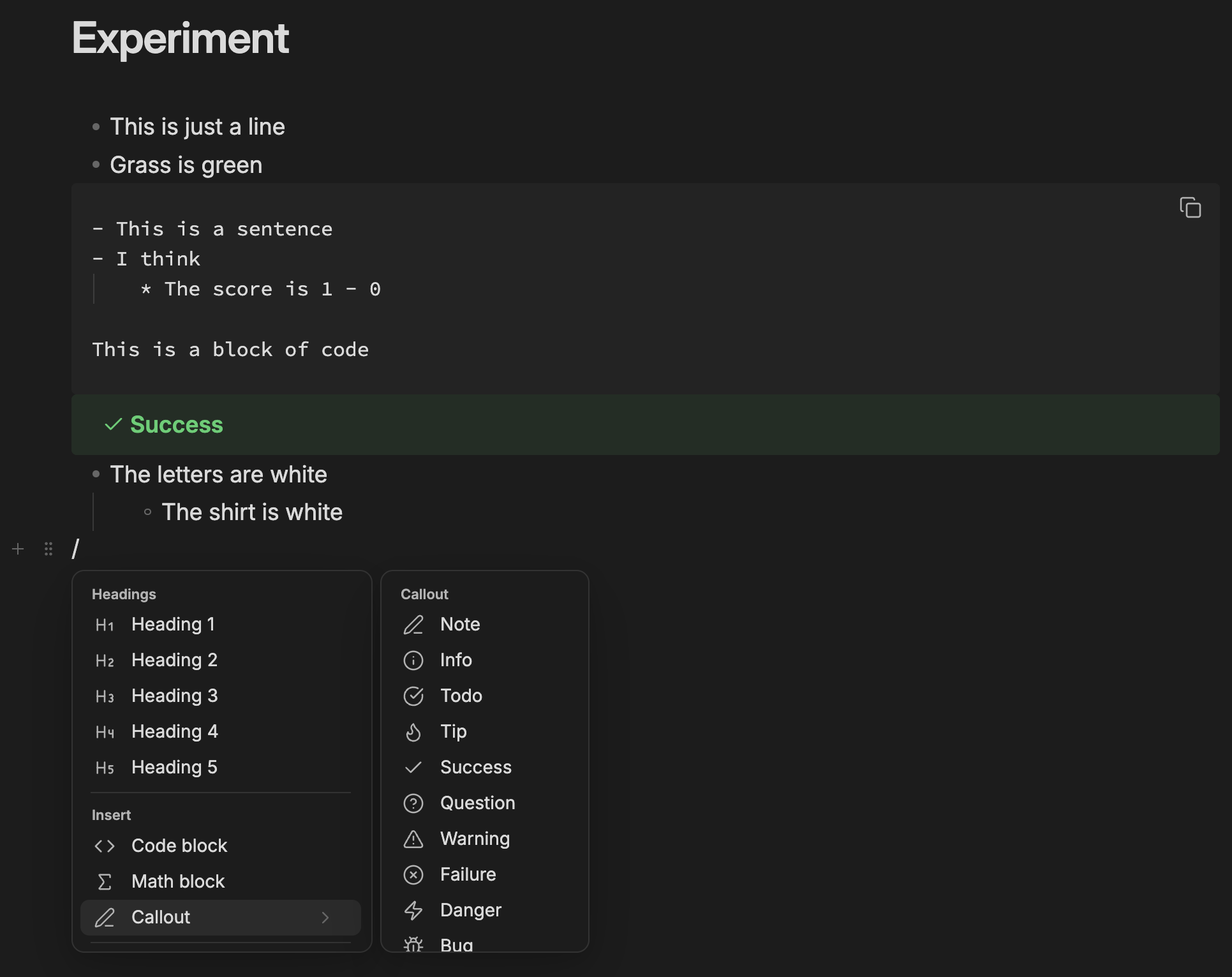
/on an empty block or mid-line, or click the+. - Hide syntax markers — optional: stops text shifting sideways as the caret enters
**bold**. - Handle side — the handle can sit on the left or the right of the text, and can be pinned so it never hides when the pointer moves away.
- Fold blocks — a chevron on the handle folds a block to its first line, leaving an ellipsis you click to expand it again.
- Move blocks together — selecting several blocks and dragging any one of their handles moves all of them together.
- Custom insert menu — insert-menu rows can be reordered, hidden, and extended with custom rows that run any Obsidian command. A custom row runs its command on a single click with no confirmation, so binding a destructive one — "Delete current file", say — gives you a one-click delete.
- Bullet depth markers — optional, off by default: child bullets get their own marker in the file,
-then*then+, and a matching ● ○ ▪ on screen. Markers can be reordered or switched off. Only lists you edit are changed. Built in from the standalone Bullet Depth Markers plugin; disable that one before turning this on.
Everything behavioural has a toggle in settings.
0.8.0
- Optimize block dragging mechanics and functionalities
0.7.0
New features:
- Bullet depth markers, built in and off by default
- Reorder or switch off bullet markers in settings
- A "What's new" card after each update
0.6.3
Bug fixes and improvements:
- The block handle now lines up with your text on themes that center the editor.
- The handle no longer sits on top of Obsidian's own fold arrow on headings and lists.
- Thanks to @alwinlin23 for reporting and fixing the alignment problem.
0.6.2
Bug fixes and improvements.
New features:
- Insert a new line, for getting a paragraph under a table or code block that ends a note
0.6.1
Bug fixes and improvements.
0.6.0
Bug fixes and improvements:
- The drag handle no longer disappears while you reach for it.
- The settings page no longer jumps back to the top when you add, edit, reorder or delete an insert menu row.
- Custom insert menu rows can now bind any Obsidian or plugin command, not just the handful that were listed.
0.5.0
Bug fixes and improvements.
New features:
- Handle position and always-on pinning
- Block folding from the handle
- Multi-block drag
- Insert menu reordering, hiding and custom commands
0.4.0
Bug fixes and improvements:
- Dragging blocks is smoother. Pointer movement is now handled once per frame rather than once per mouse event, so a fast drag no longer does the same measuring several times between two redraws.
- Hovering the gutter costs less. The handle measures the line only when the pointer actually crosses into a different one, instead of re-checking on every movement.
- Measuring and repositioning were interleaved, which forced the browser to recalculate layout repeatedly within a single mouse event. Everything is now measured first and drawn afterwards.
- Editor geometry that cannot change mid-drag is read once instead of on every movement, and the list of legal drop depths is recalculated only when the drop point moves to a different line.
- Releasing the mouse at the end of a fast drag drops the block where the pointer actually was, not where it had been a moment earlier.
- The hover handle no longer occasionally stays on screen after the pointer has left the editor.
0.3.0
Mobile support coming!
New:
/check list— inserts a- [ ]checkbox./yesterdayand/tomorrow— insert the neighbouring day's date.
Bug fixes and improvements:
- Hide syntax markers now leaves code alone.
_VARIABLE_A_inside a fenced block or an inline code span keeps its underscores. - Typing
/tablenow offers Table before Table of contents. - A table inserted directly under text gets the blank line Markdown needs, so it renders as a table instead of literal pipes.
- The caret now lands in the new table's first cell.
Installation
Community plugins
- Settings → Community plugins → Browse.
- Search for Feel the Notion, then Install.
- Enable it.
Manual
- Download
main.js,manifest.jsonandstyles.cssfrom the latest release. - Put them in
<vault>/.obsidian/plugins/feel-the-notion/. - Enable the plugin in Settings → Community plugins.
Credits
Forked from BCS1037/notion-block v1.4.0 (MIT).
Built with the help of Claude Code.
License
MIT. See LICENSE.