
README file from
GithubEmacs Logseq Inspired Outline
English · 简体中文
Outliner editing improvements for writing in lists in Obsidian.
I moved from Logseq to Obsidian, and what I missed most was how Logseq treats every list item as a block you can grab and move. The other half of the inspiration comes from Emacs (org-mode outline editing) and Bike, an outliner shaped by it: jump to the parent, add a new item at the end of the current level, fold a few rows into a group. These moves come naturally in Emacs-style outliners, and Obsidian doesn't have them. This plugin brings them over.
Contents
Inspired by Logseq
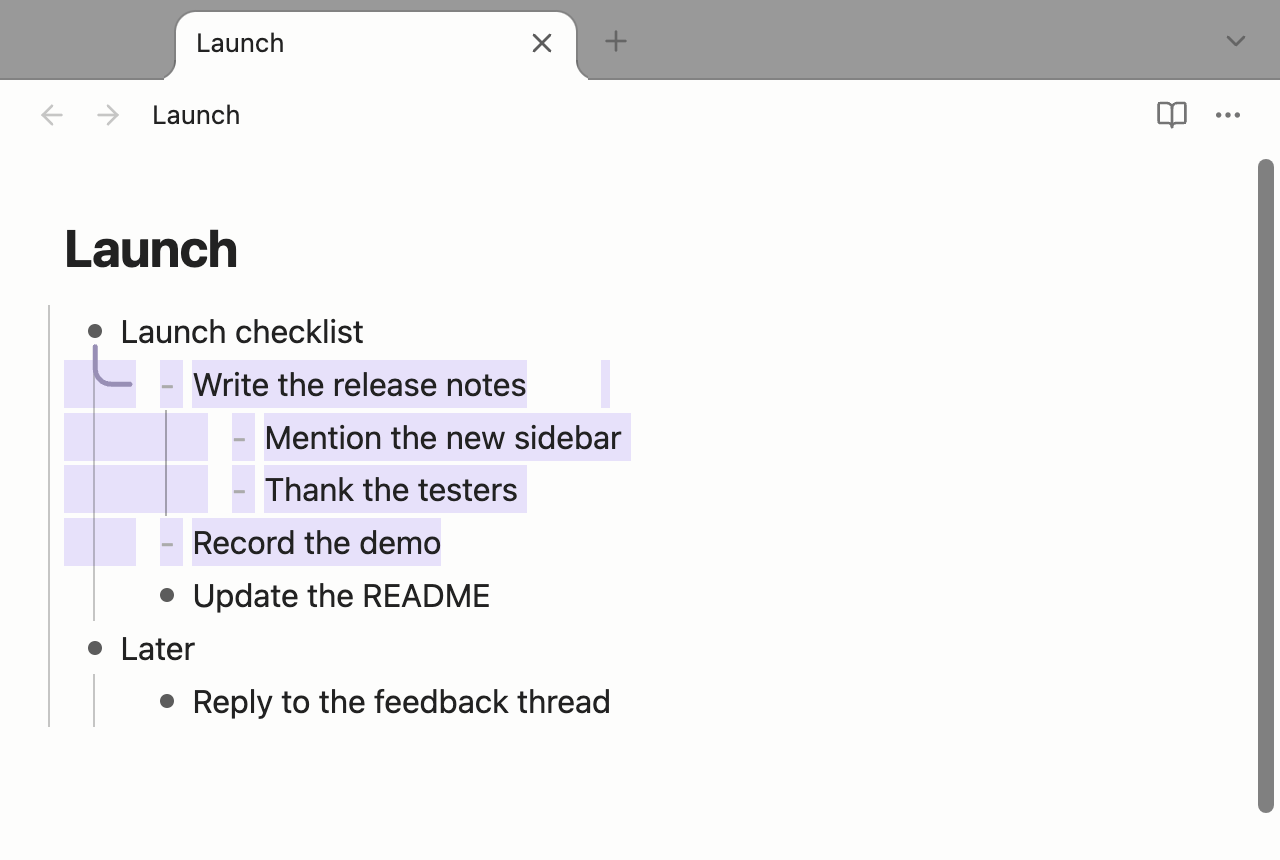
- Esc selects the whole block. With the cursor in a list, press Esc to select the item together with all of its children. While selected:
- ↑ / ↓ move between blocks, ⇧↑ / ⇧↓ extend the selection;
- the block stays selected after Tab / ⇧Tab or ⌥↑↓;
- ⌫ deletes the block and selects the next one;
- a letter sets the task keyword on the first line of each selected block:
tTODO,dDOING,xDONE,yYES,nNO,mMAYBE,cCANCELLED,wWAITING. Press the same letter again to remove the keyword. Children are left alone. Keywords are plain text in the note, so this works with or without a task plugin; TODOseq's custom keywords are recognised when it is installed; - other typing does not replace the block; Enter returns to editing; Esc again cancels.
- Wrap the selection in pairs. Select text and type
(["「《and so on (any input method): the text is wrapped instead of replaced. Press[twice for a wikilink. Press Enter afterwards to jump past the closing symbol. - ⌘K inserts a horizontal rule below the current block.
- Convert block types (⌘\ cycles): bullet list → numbered list → paragraph. Numbered lists support
1. 2. 3., paper-style4.1 4.2and lettersa. b. c.. - Shift-click a link to open it in the sidebar, in the editor or in reading view. The link's right-click menu also gets "Open in split view" and "Open in sidebar" (the first replaces Obsidian's own "Open to the right", which only appears when the note exists). If the linked note doesn't exist yet, it is created when opened.
- A sidebar like Logseq's. Notes opened in the right sidebar stack from top to bottom, each below the last, also after restarting Obsidian. Right-click a sidebar note's tab, or open its ⋯ menu, for the same menu as Logseq's sidebar: close, close the other notes or all of them; collapse, collapse the others or all of them; expand, expand all; open in the main area. A collapsed note keeps only its tab; click the tab to expand it again. Which notes are collapsed is remembered after restarting Obsidian. Roam Backlinks carries the same sidebar code: with both plugins installed only one copy runs, and notes opened from either one stack in the same column.
Inspired by Emacs (and Bike)
- ⌘⌥↑ Go to ancestor. Jump to the parent list item with the cursor at the end of its text, ready to keep typing. Press repeatedly to climb; ⌘⌥⇧↑ goes straight to the top level.
- ⌘Enter Create at the same level. Wherever the cursor is among a group of siblings, add a new empty sibling at the end of the group (after the last sibling's children). Numbering continues (
3.→4.,4.2→4.3,b.→c.), and a new item in a checkbox list gets[ ]. Outside a list, ⌘Enter is left alone. - ⌘⌥↓ Group rows. Indent the selected blocks one level and insert an empty parent above them.
Commands can be rebound under Settings → Hotkeys (search "Emacs Logseq Inspired Outline"). ⌘Enter, Esc and the arrow keys are editor keys and are fixed.
Install
Download main.js and manifest.json from Releases into <vault>/.obsidian/plugins/emacs-logseq-inspired-outline/ and enable it under Settings → Community plugins. Or install with BRAT: MatsuriMW/emacs-logseq-inspired-outline.
Feedback and updates
To follow new features, send feedback or keep up with progress, follow me on Twitter: @Matsurimywaifu.
License
MIT