
README file from
GithubStar history
Why
The Eisenhower matrix, also known as the urgent-important matrix or priority matrix, splits work by two questions: is it urgent? and is it important? The answers tell you what to do with each task.
| Urgent | Not urgent | |
|---|---|---|
| Important | Do now (red) | Schedule (blue) |
| Not important | Delegate (amber) | Eliminate (green) |
The colors follow the same logic. Urgency sets the temperature: warm colors for what cannot wait, cool colors for what can. Importance sets the strength. Red, "act now", sits diagonally opposite green, "let it go".
Features
- A matrix is a note. Each matrix is a regular Markdown file in your vault, so it works with search, links, backlinks, sync and version control.
- Answer two questions, get the right quadrant. The Add button asks Urgent? and Important? and drops the sticky note in the right place.
- Drag and drop between quadrants and to reorder inside a quadrant.
- Tags as chips. Write
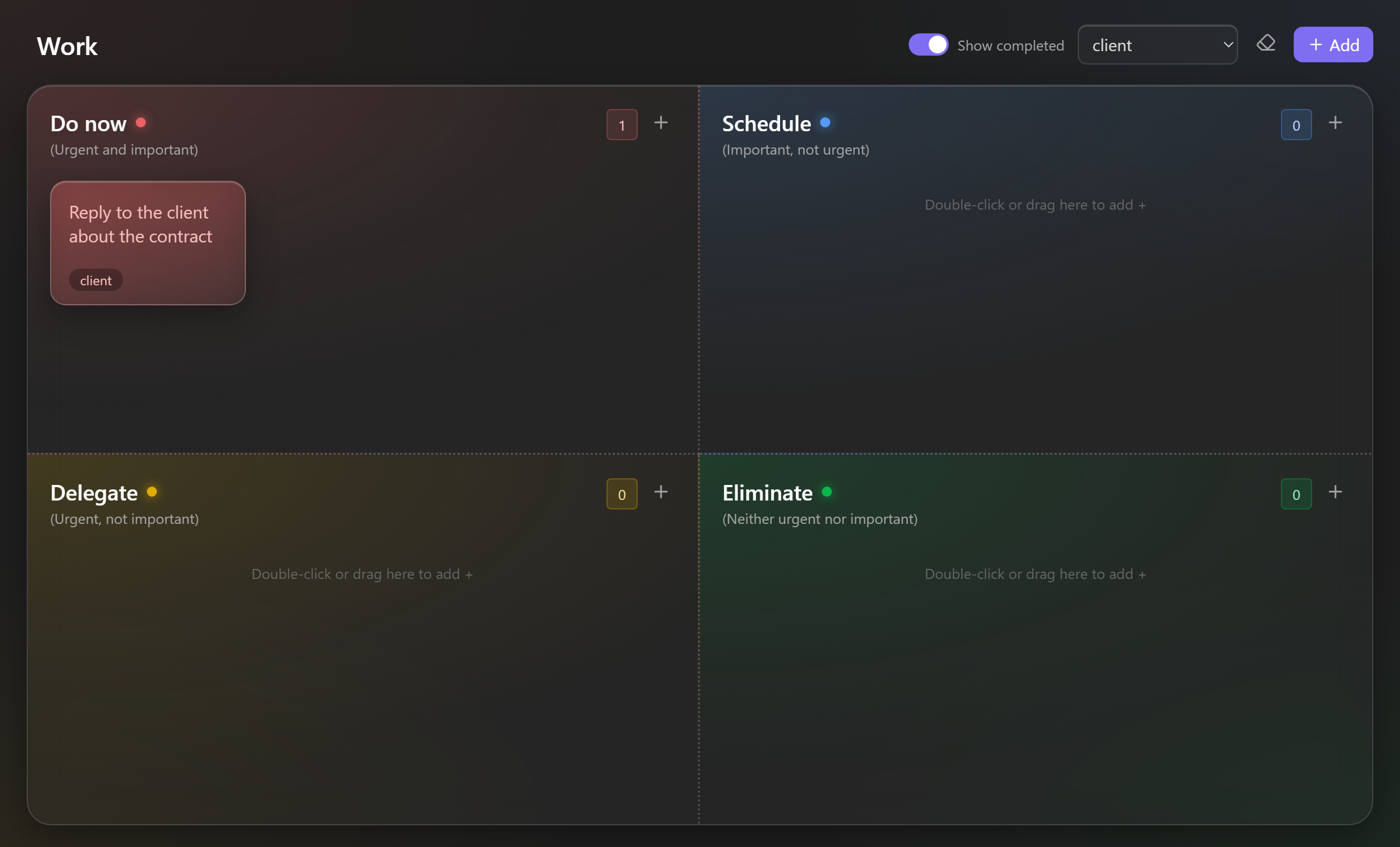
#clientor@teamin a sticky note and it becomes a chip. Click a chip, or use Filter by tag, to focus on one context. - Markdown inside sticky notes, including
[[internal links]]and web links. - Complete, hide and clear. Tick a sticky note when it is done, hide completed ones, or clear them in one step.
- Rename anything in place. The note name is the matrix title, and you can double-click a quadrant title to rename it.
- Light and dark themes, following your Obsidian theme.
- Mobile friendly. Every sticky note has a menu to edit, complete, move or delete it, so you do not need drag and drop on a phone.
- English and Portuguese interface, following your Obsidian language.
Add a sticky note by answering two questions
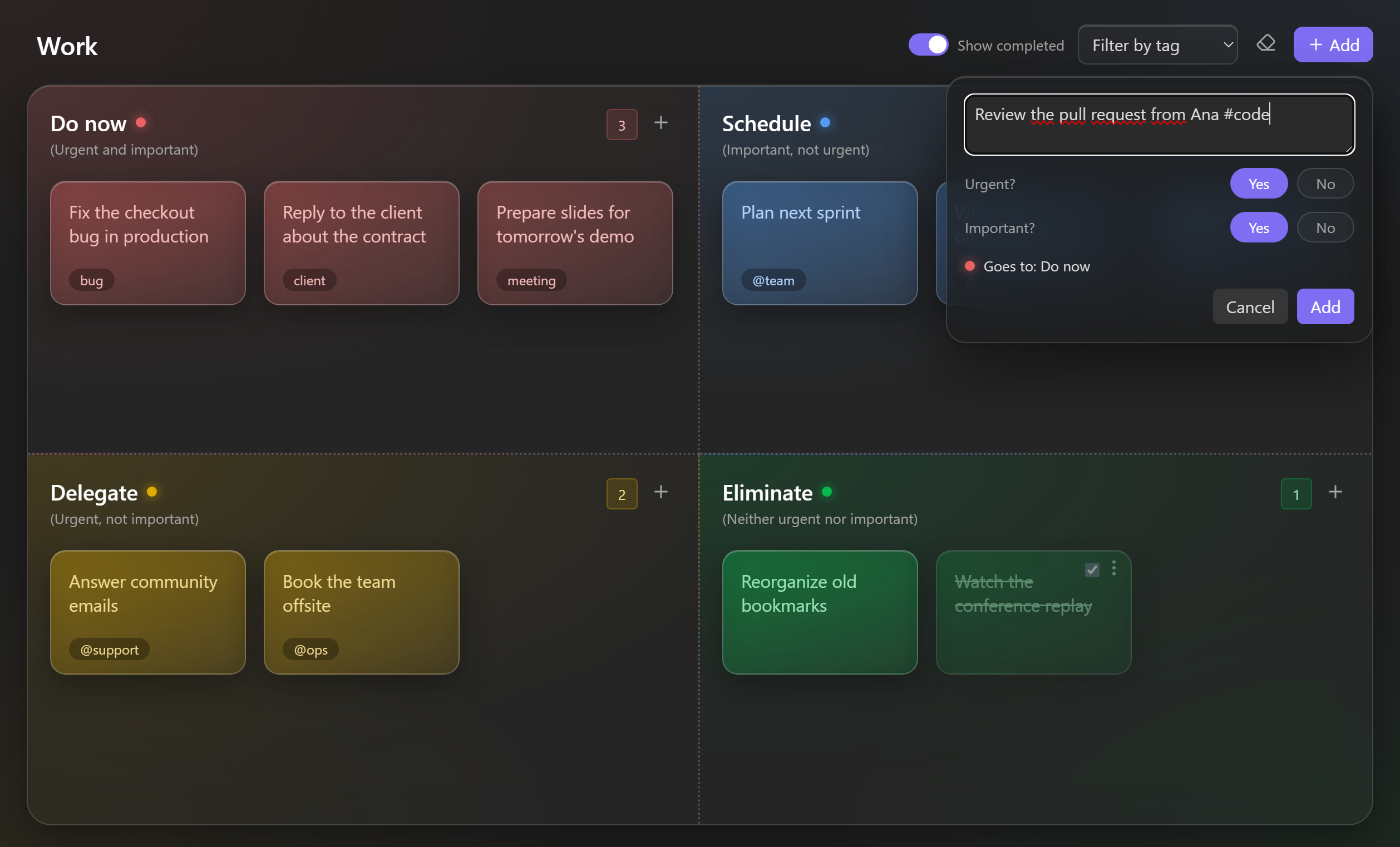
Filter by tag
Getting started
- Install the plugin and enable it in Settings → Community plugins.
- Click the grid icon in the ribbon, run Create new matrix from the command palette, or right-click a folder and choose New Eisenhower matrix.
- Give the matrix a title at the top of the board.
- Click Add, type the task, answer Urgent? and Important?, and press Enter.
Shortcuts
| Where | Action |
|---|---|
| Quadrant | + or double-click an empty area to add a sticky note there |
| Sticky note | Click to edit. Enter saves, Shift+Enter adds a new line, Esc cancels |
| Sticky note | Right-click or ⋮ to edit, complete, move or delete |
| Quadrant title | Double-click to rename |
| Command palette | Add sticky note, Add sticky note to: Do now and the other quadrants, Toggle between matrix and Markdown |
All commands can be bound to hotkeys in Settings → Hotkeys.
File format
A matrix is plain Markdown with the eisenhower-plugin property. Each quadrant is a level 2 heading, in this order: do, schedule, delegate, eliminate. Each sticky note is a task item.
---
eisenhower-plugin: board
---

## Do now

- [ ] Fix the checkout bug in production #bug
- [x] Call the bank

## Schedule

- [ ] Study for the AWS exam #study
    Lines indented with four spaces continue the sticky note.

## Delegate

- [ ] Book the team offsite @ops

## Eliminate
You can switch to the raw Markdown at any time with the document icon at the top of the matrix. Other properties in the frontmatter are kept. Text outside the task items is not kept when the matrix saves.
Settings
| Setting | Description |
|---|---|
| Folder for new matrices | Where new matrices are created. Leave it empty to use the folder of the active note. |
| Show completed | Keep completed sticky notes visible at the end of each quadrant. |
Installation
From the Obsidian Community directory
Open the Eisenhower Post-its page in the Obsidian Community directory and select Add to Obsidian, or search for Eisenhower Post-its in Settings → Community plugins → Browse.
Manually
- Download
main.js,manifest.jsonandstyles.cssfrom the latest release. - Copy them to
<vault>/.obsidian/plugins/eisenhower-postits/. - Reload Obsidian and enable Eisenhower Post-its.
Em português
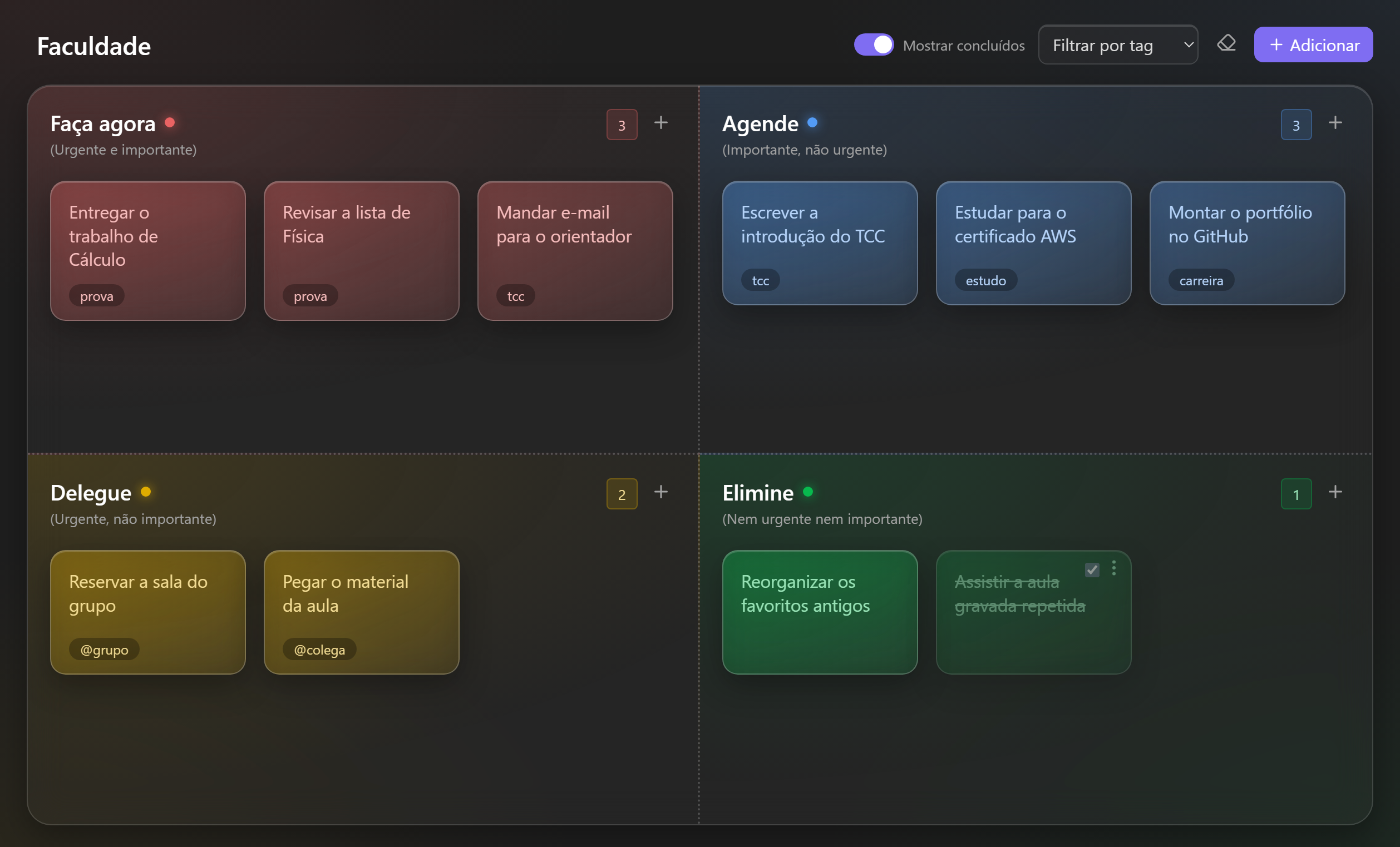
Plugin para o Obsidian que transforma uma nota numa matriz de Eisenhower com post-its de vidro. Crie uma matriz para cada área da sua vida: trabalho, faculdade, empreendimento. O botão Adicionar pergunta Urgente? e Importante? e já coloca o post-it no quadrante certo. A interface fica em português quando o Obsidian está em português. Instale pela página oficial no diretório da comunidade do Obsidian.
Development
npm install
npm run dev
npm run build
npm run lint
npm run dev rebuilds main.js on every change. Point it at a test vault by cloning the repository into <vault>/.obsidian/plugins/eisenhower-postits/.
Support
Bug reports and ideas are welcome in Issues. If the plugin helps you, a star on the repository helps other people find it, and you can buy me a coffee to keep the project going.
License
MIT © Pedro Henrique Medeiros dos Reis