
README file from
GithubDomain First File Allocator
Type a folder's name into a note's domain property, and the note files itself there.
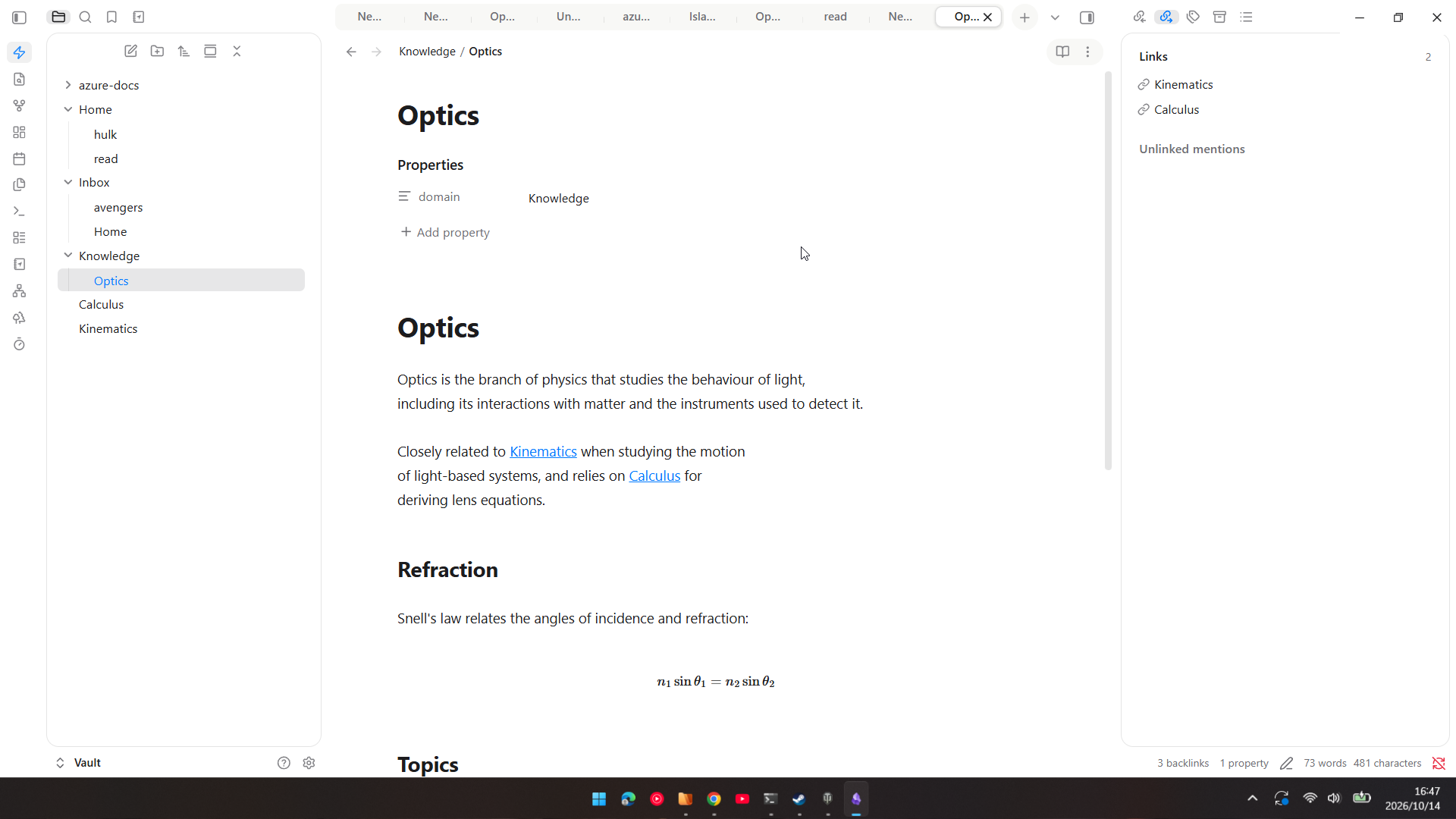
Keeping notes tidy usually means dragging them into folders. This plugin lets you do it from the note itself: put the folder's path in a property, and a moment later the note moves. It also works the other way round, writing a note's folder into its property, so the two always agree.
A note's domain is simply the full path of a folder, such as Areas/Finance. There is no separate list of names to keep in sync, and every subfolder is its own domain.
What it does
- Files notes for you. Change a note's domain and, a couple of seconds later, it moves to that folder. Links to it keep working.
- Catches the strays. A note with no domain goes to an
Inboxfolder, once you move on to another note. - Works backwards too. One command writes a note's current folder into its domain.
- Follows your folders. Rename a domain folder and the plugin offers to update the notes that name it.
- Lets you undo. Every move can be reversed.
Quick start
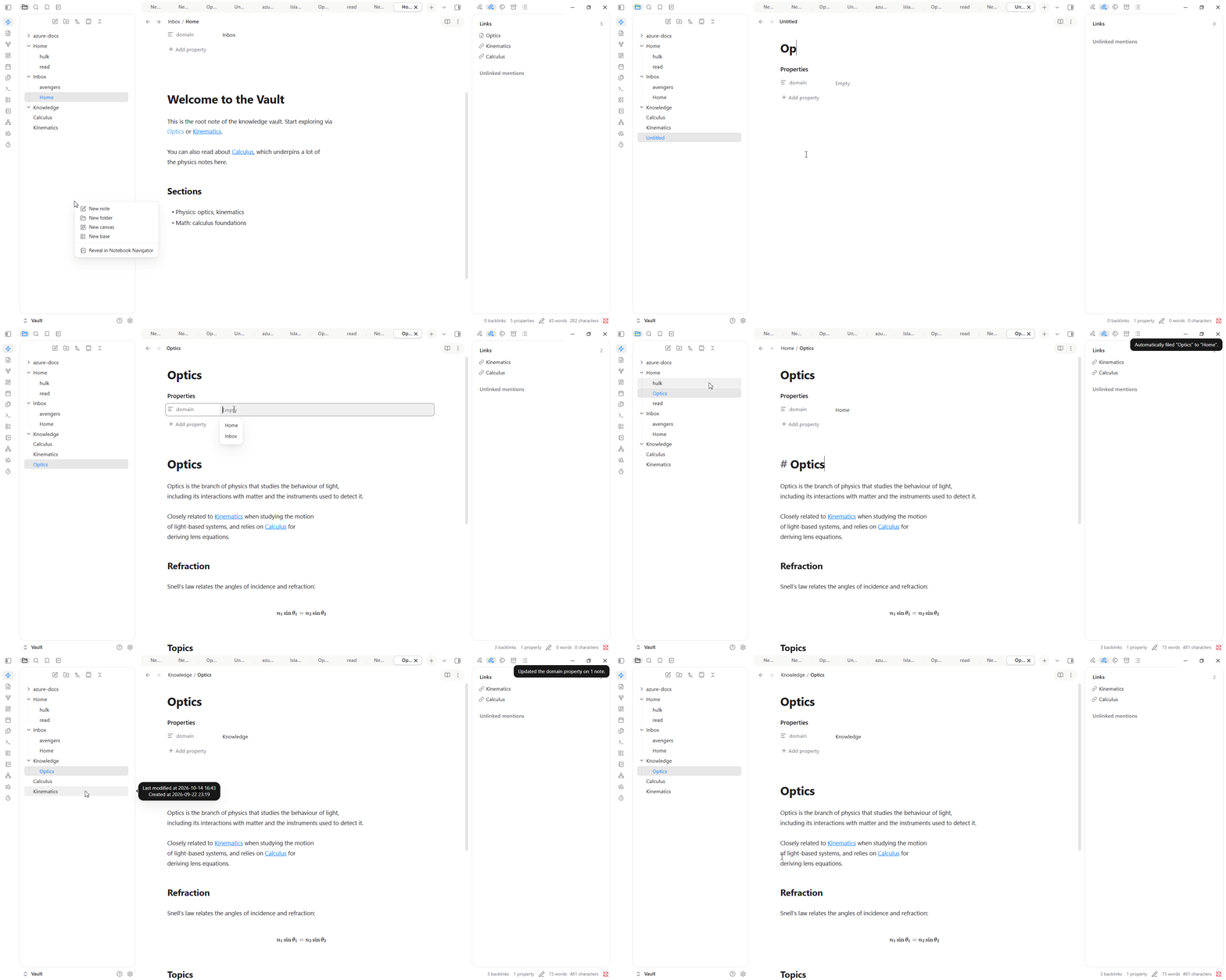
- Install the plugin (see below) and open Settings → Domain First File Allocator → Domains.
- Choose Choose folder and pick a folder, for example
Knowledge. - In any note, set the
domainproperty to that folder's path. A moment later the note is in the folder.
That's all. Notes are only filed into folders you have chosen as domains, plus the Inbox for notes that have no domain, and the plugin never moves a note you are still typing in.
Commands
Open the command palette and search for "domain":
- File note by domain moves the open note to the folder named in its domain.
- Set domain from folder writes the open note's folder into its domain.
- Undo last allocation reverses the latest move or change.
No hotkeys are set, so nothing clashes with yours. You can add your own in Settings → Hotkeys.
Turning automatic filing off
Automatic filing is on by default. Select the lightning-bolt icon in the left ribbon to switch it off and on. Right-click it (or use the Automatic filing page in settings) to pause it for 15 minutes or an hour.
Install
From Obsidian: open Settings → Community plugins → Browse, search for "Domain First File Allocator", then install and enable it.
By hand: download main.js, manifest.json and styles.css from the latest release, put them in <your vault>/.obsidian/plugins/domain-first-file-allocator/, then enable the plugin in Settings → Community plugins.
It needs Obsidian 1.13.1 or later, and works on desktop and mobile. Older versions of Obsidian install version 1.0.1, which needs Obsidian 1.6.6 or later.
Settings at a glance
Every setting is in Settings → Domain First File Allocator, and Obsidian's settings search finds them too. The ones people change most:
| Setting | Default | What it does |
|---|---|---|
| File notes automatically | On | Moves a note when you change its domain. |
| Fallback folder | Inbox |
Where notes with no domain go. Created for you if it does not exist. |
| Excluded folders | Templates |
Notes in these folders are never touched. |
| Add the domain property to new notes | On | Gives every new note an empty domain, ready to fill in. |
| Popup behaviour | Custom | Choose how often the plugin asks first: Cautious, Balanced or Hands-off. |
Every setting is explained in the settings reference.
Safe by design
- Moves use Obsidian's own file manager, so links are updated.
- It never deletes a note. The one exception is Replace, which asks twice and sends the old note to your trash.
- Anything that changes many notes shows a preview first, and can be undone as one action.
- A note with
skip-allocator: truein its properties is always left alone.
Requirements and disclosures
- No network access. The plugin makes no web requests, has no telemetry or analytics, and shows no ads. Nothing leaves your vault.
- What it changes. It moves notes between folders, edits the domain property in a note's frontmatter, and creates folders when needed, including the fallback folder (
Inboxby default) at startup if it does not exist. By default it also adds an empty domain property to each new note. - Automatic filing is on by default. It only acts on domains you have registered, and every move can be undone.
- It reads your vault's file list. To count notes per domain, find the notes affected by a folder rename and find notes with an empty domain, the plugin lists the files in your vault and reads each note's domain property from Obsidian's metadata cache. This is read-only and happens on your device.
- One hidden file. The plugin keeps a copy of its settings in
.domain/folder.json, so they can be backed up and shared. Because a hidden folder is not part of Obsidian's note index, this one file is read and written through the vault adapter. You can rename the folder in settings. See the data file.
Common questions
Nothing moved. Why? The domain probably isn't registered yet. Add the folder under Domains in settings, or check the troubleshooting guide.
A note moved while I was typing. It shouldn't: a note with no domain waits until you leave it. If a typed domain moves too soon, turn on Never move the open note on the Automatic filing page.
Can I stop it touching my templates? Yes, and Templates is already excluded. Add other folders under Excluded folders on the General page.
Does it work on my phone? It's built for mobile, but so far it has only been checked on the desktop app. Reports from real devices are welcome.
Learn more
- How it works: automatic filing step by step, new notes, folder changes, mobile.
- Settings reference
- The data file
- Troubleshooting
- For developers: DEVELOPING.md covers building, the code layout and releasing, and TESTING.md is the manual test checklist.
Found a bug or have an idea? Please open an issue.
Licence
MIT. See LICENSE.