
README file from
GithubDirty Tree Warning
A large, hard-to-miss warning when you quit Obsidian with uncommitted Git changes in your vault.
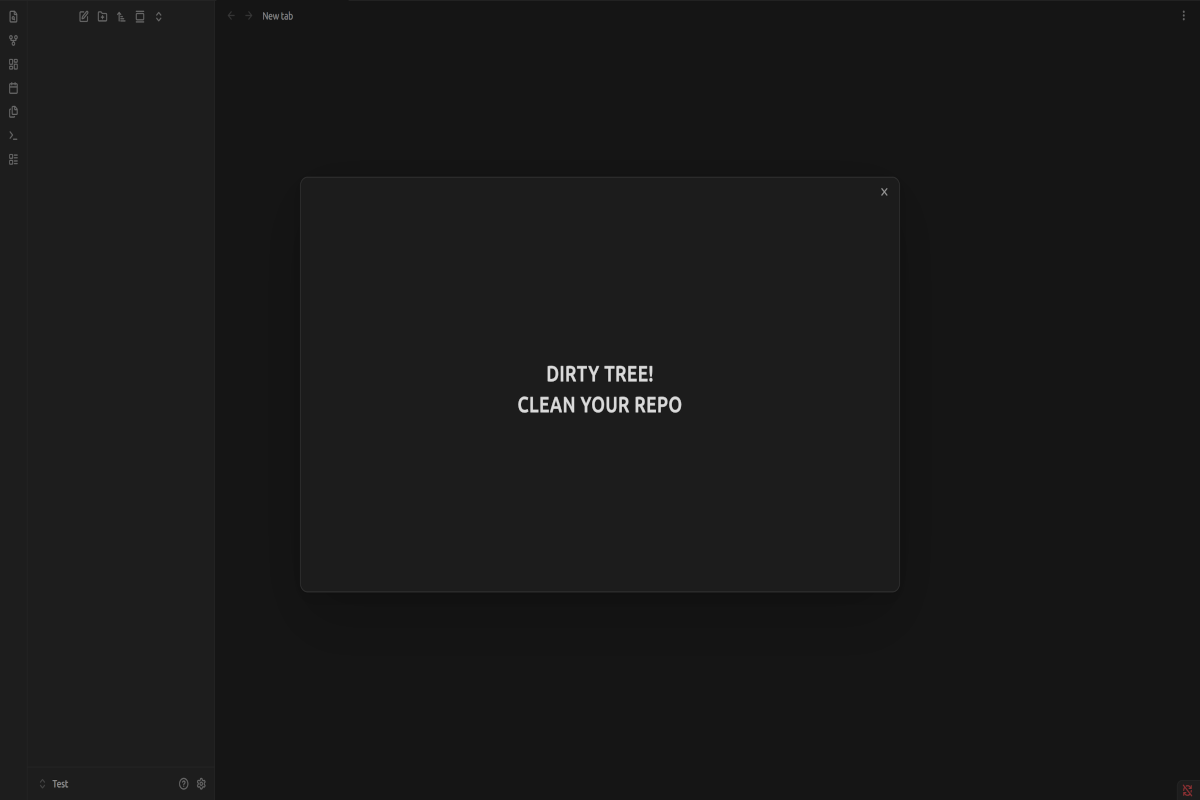
What it does
If your vault is a Git repository, this plugin checks the Git working tree when you close Obsidian.
- Uncommitted changes: a large message appears, reading DIRTY TREE! CLEAN YOUR REPO. Obsidian then finishes closing on its own a few seconds later.
- Clean working tree, or a vault that isn't in a Git repository: Obsidian closes normally. Nothing is shown.
The warning follows your active Obsidian theme.
It doesn't stop Obsidian from closing. It's a reminder, not a lock. If you see it, open the vault in a terminal and commit (or otherwise clean up) your changes.
Commands
Open the command palette (Ctrl+P / Cmd+P) and search for Dirty Tree Warning:
| Command | What it does |
|---|---|
| Preview warning | Shows the warning without closing Obsidian, so you can see how it looks. Press Esc to dismiss it. |
| Check working tree now | Shows a short notice saying whether the working tree is clean or has uncommitted changes. |
No hotkeys are set. You can assign your own in Settings → Hotkeys.
Requirements
- Obsidian on desktop (Windows, macOS or Linux). Mobile isn't supported.
- Git installed and available as
giton your system path. - A vault that is inside a Git repository.
Files ignored by your .gitignore don't count as changes. If you don't want Obsidian's own settings folder to trigger the warning, add .obsidian/ to your .gitignore.
Disclosures
- Runs a local program: the plugin runs the
gitexecutable (git status --porcelain) in your vault folder when you close Obsidian, and when you use Check working tree now. - Reads files outside the vault: Git may read repository data (the
.gitfolder) that lives outside the vault, for example when the vault is a subfolder of a larger repository. - No network access: nothing is sent anywhere. The plugin makes no network requests.
- Changes nothing: the plugin never commits, stages or modifies files.
- Desktop only.
Installation
In Obsidian: Settings → Community plugins → Browse, search for Dirty Tree Warning, then select Install and Enable.
Support and maintenance
This plugin is provided as is. It works for its author, and it's shared in the hope that it's useful to others.
- No support is offered, and there's no way to contact the author about it.
- No updates or fixes are planned.
- Issues and contributions aren't accepted.
If it doesn't work for you, or you'd like it to behave differently, you're welcome to modify it under the terms of the license below.
License
Copyright (C) 2026 Top Tier Content
This program is free software: you can redistribute it and/or modify it under the terms of the GNU General Public License as published by the Free Software Foundation, either version 3 of the License, or (at your option) any later version (GPL-3.0-or-later). See LICENSE.
If you distribute a modified version, keep the copyright notice above and credit Top Tier Content as the original author, as the license requires.
This program is distributed in the hope that it will be useful, but WITHOUT ANY WARRANTY; without even the implied warranty of MERCHANTABILITY or FITNESS FOR A PARTICULAR PURPOSE.