
README file from
GithubCult Canvas
English · Русский
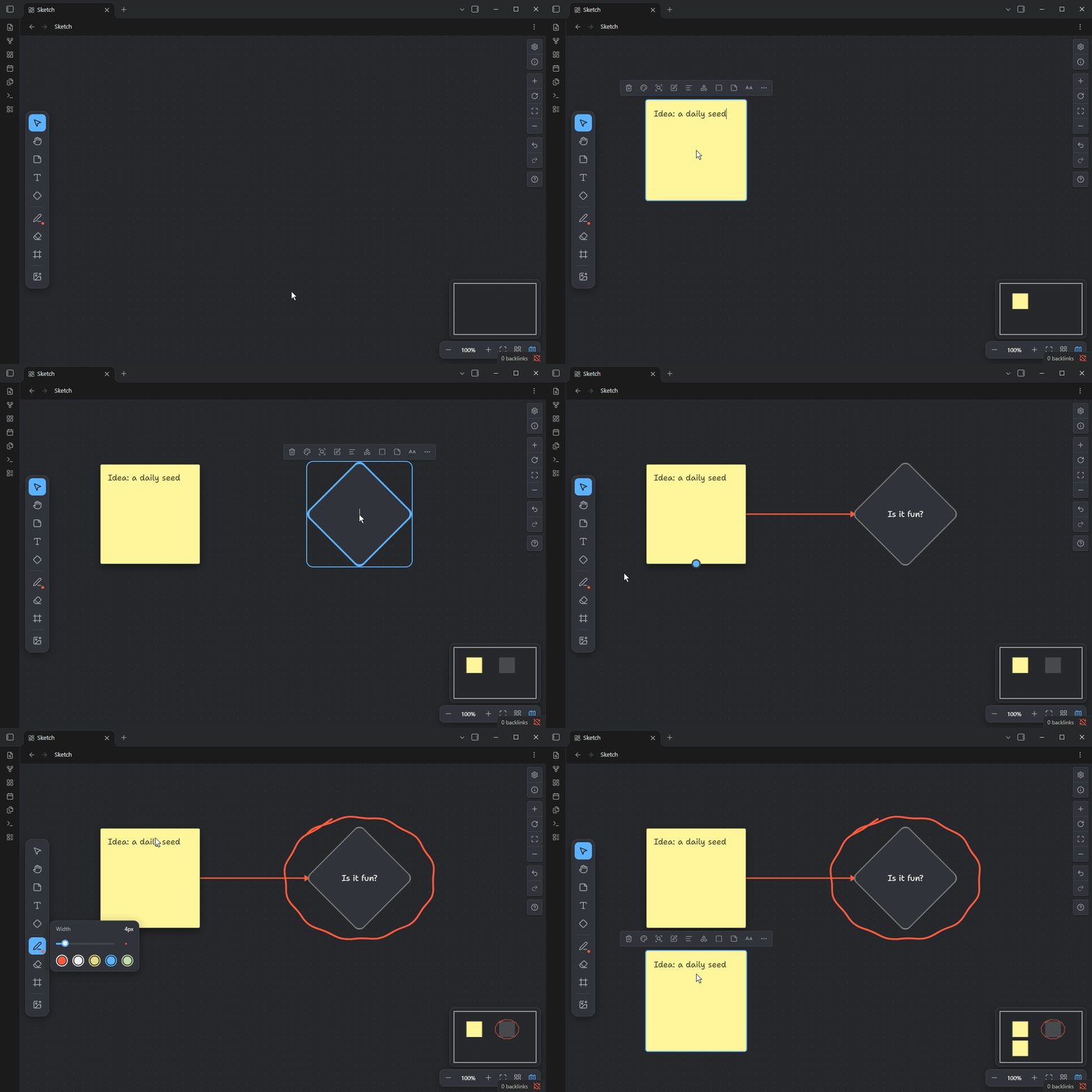
Turn Obsidian canvases into a whiteboard. Sticky notes, shapes, a freehand marker, frames, layers and a minimap on top of the core Canvas. Your boards stay plain .canvas files with working [[links]].
Install · Shortcuts · Full guide · Feedback · Releases
What you get
- A toolbar with one-key tools: Select
V, HandH, Sticky noteS, TextT, ShapeR, MarkerP, EraserE, FrameF, Image or noteI. - Click to place, type right away: sticky notes, borderless text and seven shapes (rectangle, oval, diamond, circle, parallelogram, document, database).
- Bend points on arrows, as in Miro: drag the handle in the middle of a selected arrow to route it around cards.
- A freehand marker in five colors plus your own, 1 to 30 px wide, to circle, underline and point. The eraser removes whole lines.
- Frames with titles split the board into parts.
- Copies and layers: Alt+drag leaves the original and moves a copy, Ctrl+D duplicates,
]and[bring to front and send to back. - A right-click menu with copy, layers, duplicate and delete, shortcuts shown.
- Your last style becomes the default: make one arrow square and the next ones come out square.
- The selection box catches arrows too, even when both ends are outside it.
- A minimap, zoom buttons and a snap-to-grid switch.
- A handwritten font (Shantell Sans, Latin and Cyrillic) built in, nothing to install.
- English and Russian interface.
Install
Install Advanced Canvas first. Cult Canvas is built on it. Without it the toolbar still shows, but bend points on arrows, shapes, sticky notes, marker lines and text sizes do not work. While it is missing or turned off, a hint on the board offers to install or enable it.
- In Settings → Community plugins → Browse, install and enable Advanced Canvas.
- Search for Cult Canvas, install and enable it.
- Open any
.canvasfile: the toolbar is on the left.
To install by hand, download main.js, manifest.json and styles.css from the latest release into <your vault>/.obsidian/plugins/cult-canvas/ and enable the plugin. Desktop only (Windows, macOS, Linux).
Shortcuts
| Key | Action |
|---|---|
V H S T R P E F I |
tools, in the order of the toolbar |
| Esc | back to Select |
| Space + drag | pan with any tool |
| Alt + drag | move a copy, leave the original |
| Ctrl+D | duplicate |
] / [ |
bring to front / send to back |
| Ctrl+] / Ctrl+[ | one layer forward / backward |
| Shift + selection box | add to the selection or take out of it |
| Ctrl+Z / Ctrl+Shift+Z | undo / redo, marker lines included |
On macOS use Cmd instead of Ctrl. Tool keys work while you are not typing in a card.
For scripts and AI agents
A board is a JSON Canvas file. Cult Canvas adds only a few fields: a sticky note is a text node with "styleAttributes": {"gbKind": "sticky"}, a marker line is a text node with empty text and a gbStroke field. Obsidian picks up changes on disk while the board is open, so a script or an agent can draw on it. The whole format is in the guide.
Feedback
Found a bug? Report it. An idea or a question? Write in Discussions, where you can also upvote other people's ideas. English and Russian are both fine.
Privacy
No network requests, accounts or telemetry. The plugin reads a file outside the vault only when you pick an image from your computer to insert, and copies that image into the vault. The font ships inside the plugin.
License
MIT © 2026 Saneety. Includes perfect-freehand (MIT) and Shantell Sans (SIL Open Font License 1.1, OFL.txt).