
README file from
GithubCSS Snippet Designer
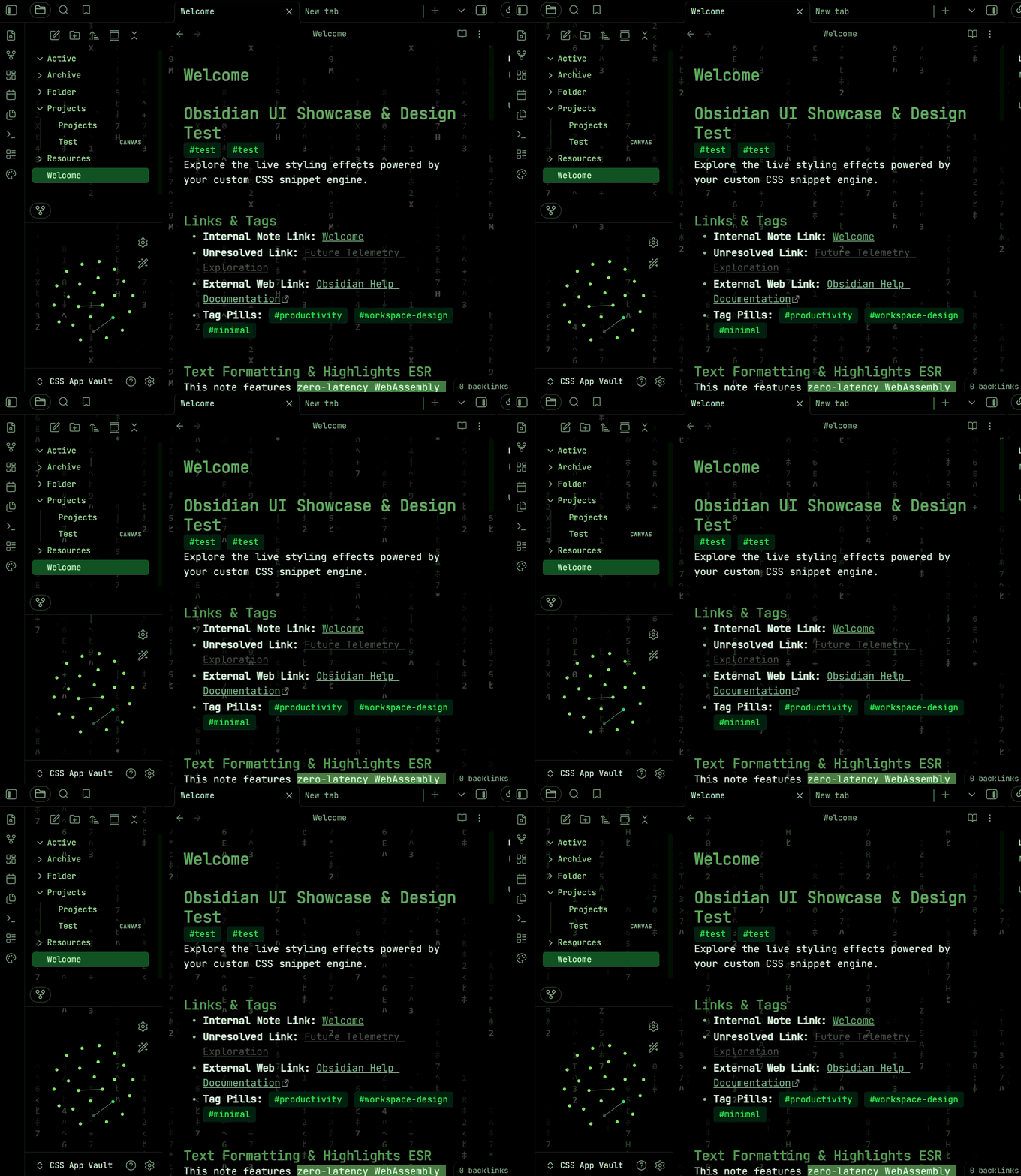
A visual styling studio for Obsidian. Tune typography, colors, shadows, backgrounds and UI elements with live controls, then save the result as a standard CSS snippet.
Desktop only — requires Obsidian 1.7.2 or newer.


Features
- Live preview across both Reading View and Live Preview
- Generates plain CSS in real time, ready to copy and share
- Curated presets and procedural background patterns
- Shadows, glows and animations, with reduced-motion support
- Fenced output that preserves your own CSS between saves
- Built-in structural CSS validation before anything is written
The designer
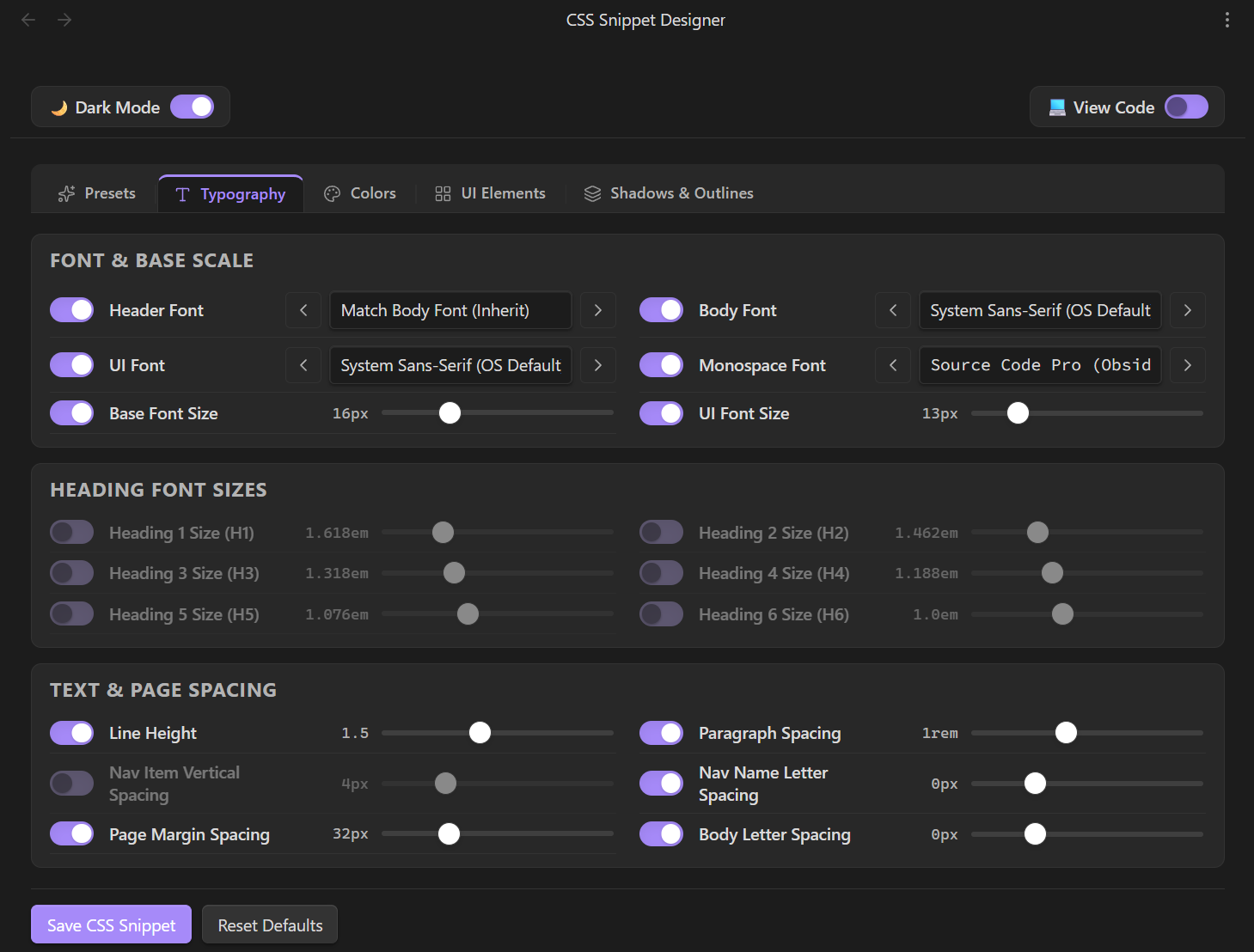
Switch between Presets, Typography, Colors, UI Elements, and Shadows & Outlines; every control updates the live preview and the generated snippet in real time.
Live CSS generation
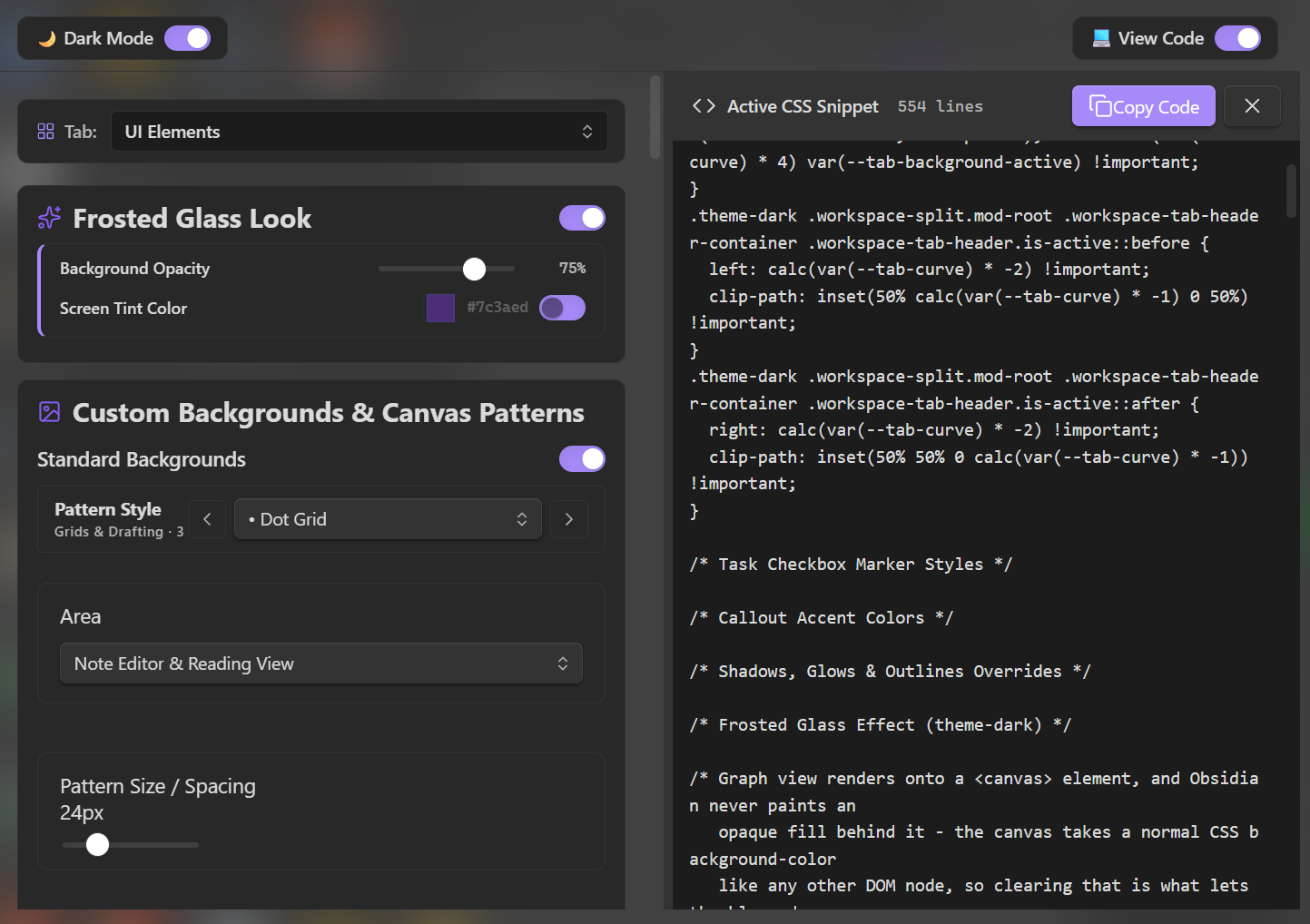
Every control change updates the Obsidian UI instantly and writes the matching plain CSS in real time. The live snippet appears in a code pane with a Copy Code button, so you can copy and share your CSS just like any other snippet.
Installation
Copy main.js, manifest.json, and styles.css into .obsidian/plugins/css-snippet-designer/ inside your vault, then reload Obsidian and enable CSS Snippet Designer under Settings → Community plugins.
Development
npm install
npm run dev
npm run check
npm run build
dev runs esbuild in watch mode, check runs typecheck, lint, tests, and a smoke load, and build produces the production bundle.
Pure TypeScript with no runtime dependencies. All CSS is produced by pure generator functions and validated before it reaches disk. The suite covers 288 tests running on Node's built-in test runner.
AI disclosure
This plugin was developed with the assistance of AI coding tools. All code is reviewed, tested, and maintained by Jeffrey Berry. AI can make mistakes — if you find one, please Open an issue. This is my first app, and I'm still learning — thank you for your patience and feedback.
Privacy
This plugin runs entirely offline: it makes no network requests and collects no telemetry. It writes to the system clipboard only when you click Copy Code.
License
MIT. Bundled fonts and their licenses are listed in THIRD-PARTY-NOTICES.md.