
README file from
GithubCore Habits
Core Habits is a native, privacy-first habit tracker for Obsidian. Built around the principles of atomic habit building and identity transformation, it connects visual weekly tracking directly to your Daily Notes and local Markdown files—without databases, subscriptions, or cloud telemetry.
✨ Key Features
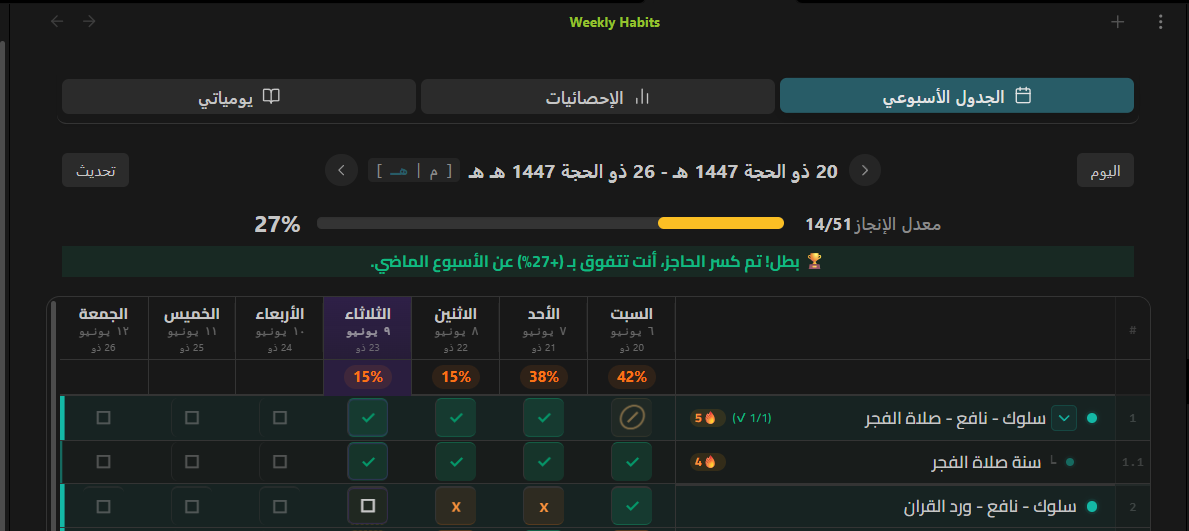
📅 Visual Weekly Grid
- Interactive Checklists: Seamlessly toggle habit completions for any day of the week.
- Hierarchy & Habit Grouping: Organize related habits under parent groups with collapsible rows.
- Flexible Scheduling: Customize individual habits for all-days, specific weekdays, or custom intervals.
- Responsive Layout: Adapts dynamically from spacious desktop views down to a compact single-pane layout for narrow sidebars and mobile screens.
- Dual Calendars: Seamless support for both Gregorian and Hijri calendars with intuitive date navigation.
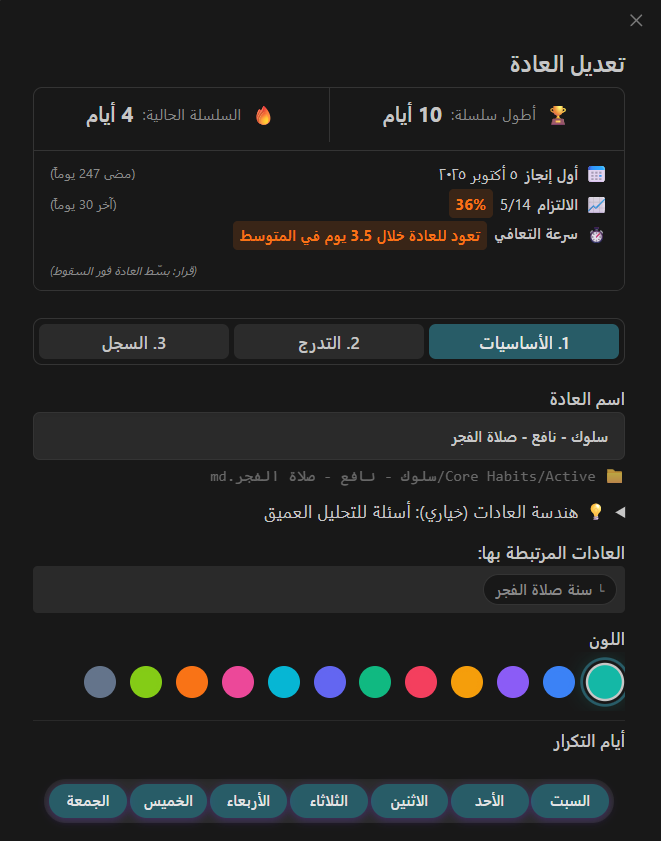
🎯 Identity-Driven Habits & Progression
- Identity Formulation: Ground every habit in the person you want to become ("I am a consistent reader").
- Growth Milestones: Track progress across multi-tier milestone levels that evolve as your streak solidifies.
- Habit Pulse: Detailed 28-day completion heatmap, bounce-back pace (recovery speed), and active streak metrics.
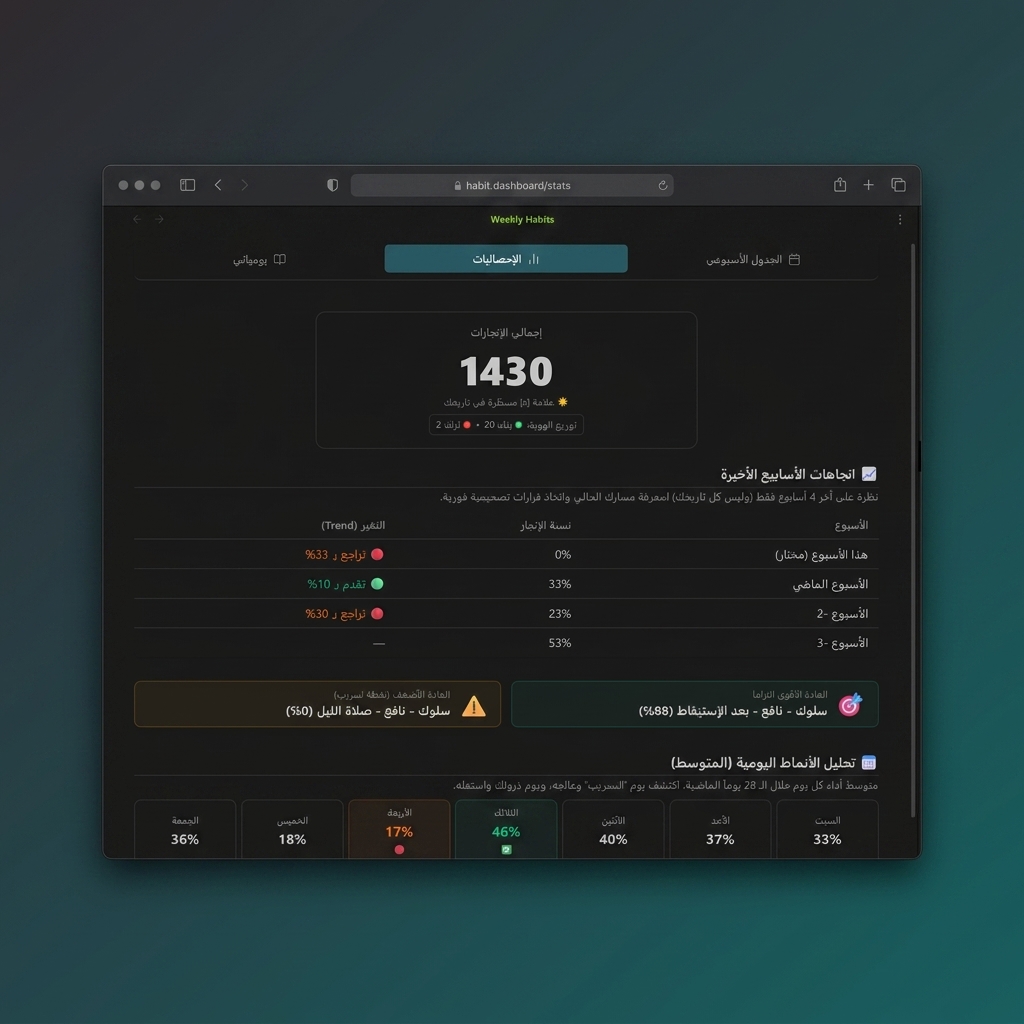
📈 Deep Insights & Performance Analytics
- Reliable Streak Calculation: Dynamic current and longest streak tracking with configurable missing-note grace policies.
- Consistency Scoring: Understand your actual retention score over 4-week rolling periods.
- Trend Detection: Instant visual indicators showing whether your consistency is improving, stabilizing, or declining.
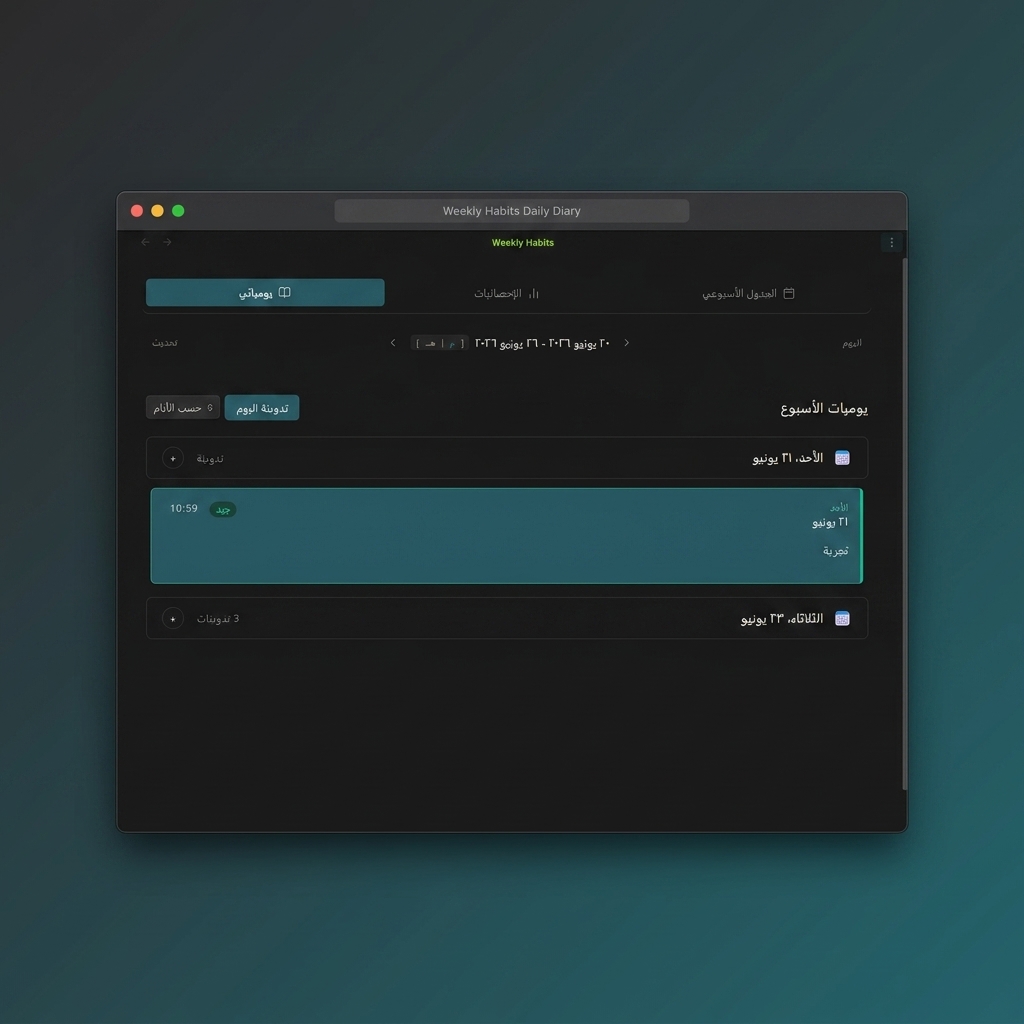
🎙️ Reflections & Voice Journaling
- Integrated Daily Diary: Review all habit logs, reflections, and thoughts alongside your completions.
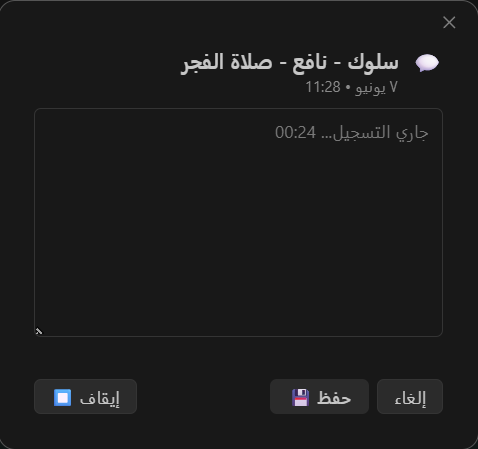
- Voice Memos: Record quick voice reflections using native Web Audio with zero external dependencies.
- Categorized Insights: Tag reflections as Good, Bad, Lesson, or Idea to spot behavioral patterns over time.
| Reflections & Audio Player | Voice Recording Popup |
|---|---|
 |
 |
🌍 First-Class Bilingual Support
- Built-in, high-polish localization for both Arabic (RTL) and English (LTR).
- Layouts, typography, tab bars, icons, and keyboard navigation automatically mirror to match your interface direction.
🔒 100% Local & Private Architecture
Core Habits believes that your habits and reflections are deeply personal.
- Vault-Native Data: Your habit definitions live as clean Markdown notes with standard YAML frontmatter in your chosen habits folder.
- Daily Notes Integration: Completions and journal logs are written directly to your Daily Notes via Obsidian's safe
vault.processAPI. - Zero Telemetry: No tracking, no external server calls, no third-party cloud.
- Safe Migrations: Automatic pre-migration backups created in
.backups/whenever schema upgrades occur.
🚀 Installation
From Obsidian Community Plugins (Recommended)
- Open Obsidian Settings > Community plugins.
- Make sure Restricted mode is turned off.
- Click Browse and search for Core Habits.
- Click Install, then Enable.
Manual Installation
- Download
main.js,manifest.json, andstyles.cssfrom the latest GitHub Release. - Create a folder named
core-habitsinside your vault's plugin directory:<vault>/.obsidian/plugins/core-habits/. - Copy the downloaded files into that folder.
- Reload Obsidian and enable Core Habits under Community plugins.
Via BRAT
If you use the Obsidian42 - BRAT plugin:
- In Obsidian, open Settings > BRAT > Add Beta plugin.
- Enter the repository URL:
https://github.com/Ahmed-Farhat99/core-habits. - Click Add Plugin and enable Core Habits once installed.
🛠️ Quick Start
- Open the Grid: Click the calendar icon in your ribbon or run Core Habits: Open Weekly View from the Command Palette (
Ctrl+P/Cmd+P). - Create a Habit: Click + Add Habit, choose a name, pick your theme color, set an identity anchor, and select which days to schedule.
- Track Daily: Click any cell on the grid to mark an activity completed. Check your Daily Note to see the native markdown checklist item updated in real-time.
- Reflect: Click the diary tab or a habit's comment icon to attach voice or written notes to today's accomplishments.
🧑💻 Development
Requirements: Node.js 20+ and npm.
# Clone the repository
git clone https://github.com/Ahmed-Farhat99/core-habits.git
cd core-habits

# Install dependencies
npm ci

# Run test suite
npm run test:run

# Verify UI CSS architecture rules
npm run ui:check

# Run linter & typecheck
npm run lint
npm run typecheck

# Build production bundle
npm run build

# Run pre-release validation
npm run release:check
📄 License
This project is licensed under the MIT License.