
README file from
GithubCopy path button
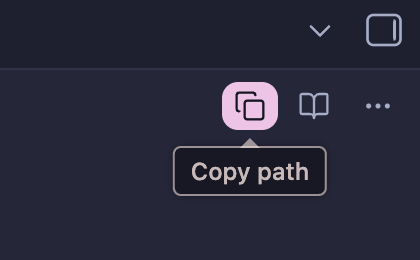
Adds a copy button to the note tab header that copies the current file's absolute path in one click. Also registers a command, so you can bind a hotkey to it.
Usage
Click the copy icon in the tab header of any note, or run Copy path of current file from the command palette (Settings → Hotkeys to bind a key).
Settings
A single Copy template field controls what lands on the clipboard. Tokens:
| Token | Expands to |
|---|---|
{{path}} |
Absolute path, e.g. /Users/you/Vault/notes/idea.md |
{{relative}} |
Path relative to vault root, e.g. notes/idea.md |
{{wikilink}} |
[[idea]] |
Everything else in the template is copied literally, so <{{path}}> gives </Users/you/Vault/notes/idea.md> and `{{path}}` wraps the path in backticks. The default is {{path}}.
Installation
Desktop only. Absolute paths do not exist on mobile.
Manual install: copy main.js and manifest.json into <vault>/.obsidian/plugins/copy-path-button/, then enable the plugin in Settings → Community plugins.
License
MIT