
README file from
GithubCopy Notes to Vault
An Obsidian plugin that lets you copy notes from your current vault to another vault, including all referenced attachments (images, PDFs, videos, and other embedded files).
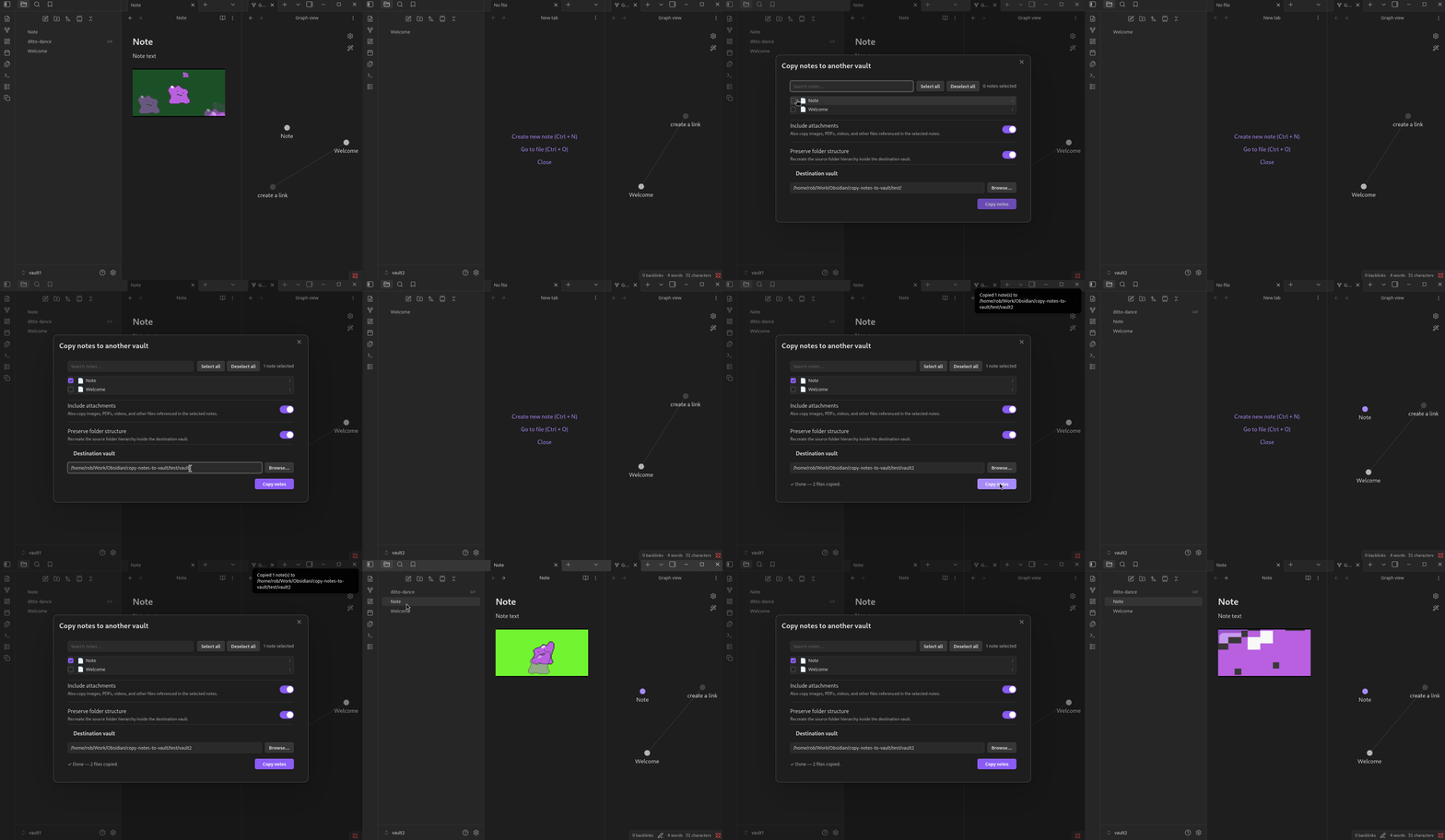
Features
- Browse and select notes via a searchable, folder-tree GUI
- Automatically resolves and copies attachments referenced in selected notes (
![[...]]embeds and[[...]]links) - Preserves the source folder hierarchy in the destination vault (optional)
- Native folder picker for choosing the destination vault
- Persists your last-used destination and preferences across sessions
Requirements
- Obsidian desktop (Windows, macOS, Linux) — the plugin uses the local filesystem and is not compatible with Obsidian Mobile
Installation
Manual
- Build the plugin (see Development) or download
main.js,manifest.json, andstyles.cssfrom the latest release. - Copy those three files into your vault's plugin folder:
<vault>/.obsidian/plugins/copy-notes-to-vault/ - In Obsidian, go to Settings → Community Plugins, disable Safe Mode if prompted, and enable Copy Notes to Vault.
Usage
Before using the plugin you should backup your vaults!
- Click the Copy ribbon icon, or open the command palette and run Copy notes to another vault.
- In the dialog:
- Use the search bar or expand folders to find and check the notes you want to copy.
- Toggle Include attachments to also copy referenced files.
- Toggle Preserve folder structure to recreate the source directory layout in the destination.
- Enter the destination vault path or click Browse… to pick it with a folder dialog.
- Click Copy notes.
Settings
Defaults for each option can be configured under Settings → Copy Notes to Vault:
| Setting | Description |
|---|---|
| Default destination vault | Pre-fills the destination path in the copy dialog |
| Include attachments by default | Whether to copy referenced attachments by default |
| Preserve folder structure by default | Whether to recreate folder hierarchy by default |
Development
git clone https://github.com/rgomezjnr/copy-notes-to-vault
cd copy-notes-to-vault
npm install

# Watch mode (development)
npm run dev

# Production build
npm run build
Copy main.js, manifest.json, and styles.css into your test vault's plugin folder to load the plugin.
Support
If you find an issue or have any feedback please submit an issue on GitHub.
You can also DM me via Twitter/X: @rgomezjnr.
If you would like to show your support donations are greatly appreciated via:
- GitHub Sponsors
- PayPal
- Venmo
- Strike
- Bitcoin: bc1qh46qmztl77d9dl8f6ezswvqdqxcaurrqegca2p
Author
Source code
https://github.com/rgomezjnr/copy-notes-to-vault
License
MIT © 2026 Robert Gomez, Jr.