
README file from
GithubConcordance
Generate safe Markdown indexes from folders, tags, properties, and filename patterns.
Concordance writes a list of [[wikilinks]] into a clearly-marked block in any
note you designate as an index. Content outside the block is never touched, so
your indexes can mix prose, headings, callouts, and the auto-generated list in
one file.
Features
- Four ways to scope an index in a single plugin:
prefix: files whose name starts with a configurable template (default{PREFIX} -plus a space)folder: files inside a folder (optionally recursive)tag: files carrying a tag (inline or frontmatter)property: files whose frontmatter property equals a given value
- Safe, contained edits. Only the content between
%% concordance:start %%and%% concordance:end %%is rewritten. Headings, notes, and other prose outside the block are left alone. - Diff-before-write modals for single and bulk updates so you can see what will be added or removed before saving.
- Read-only check command to preview pending changes across the vault without modifying anything.
- Configurable link style and sort per index block (
namevs full path, bynamevspath). - Exclusions for folders and filename substrings, applied to every mode.
Screenshots
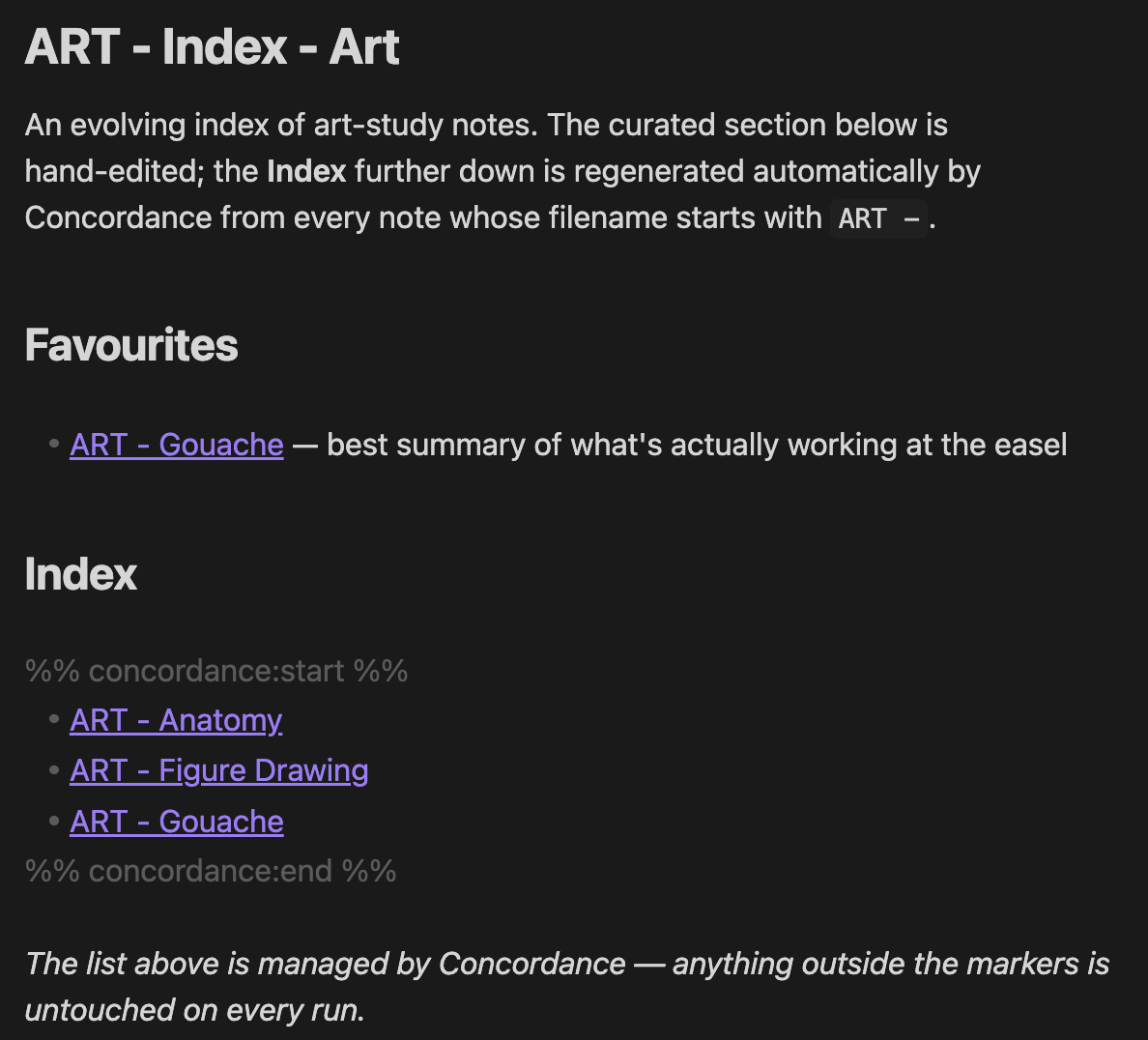
A Concordance-managed index file. The list inside the %% concordance %%
markers is regenerated each run. Everything outside is yours.
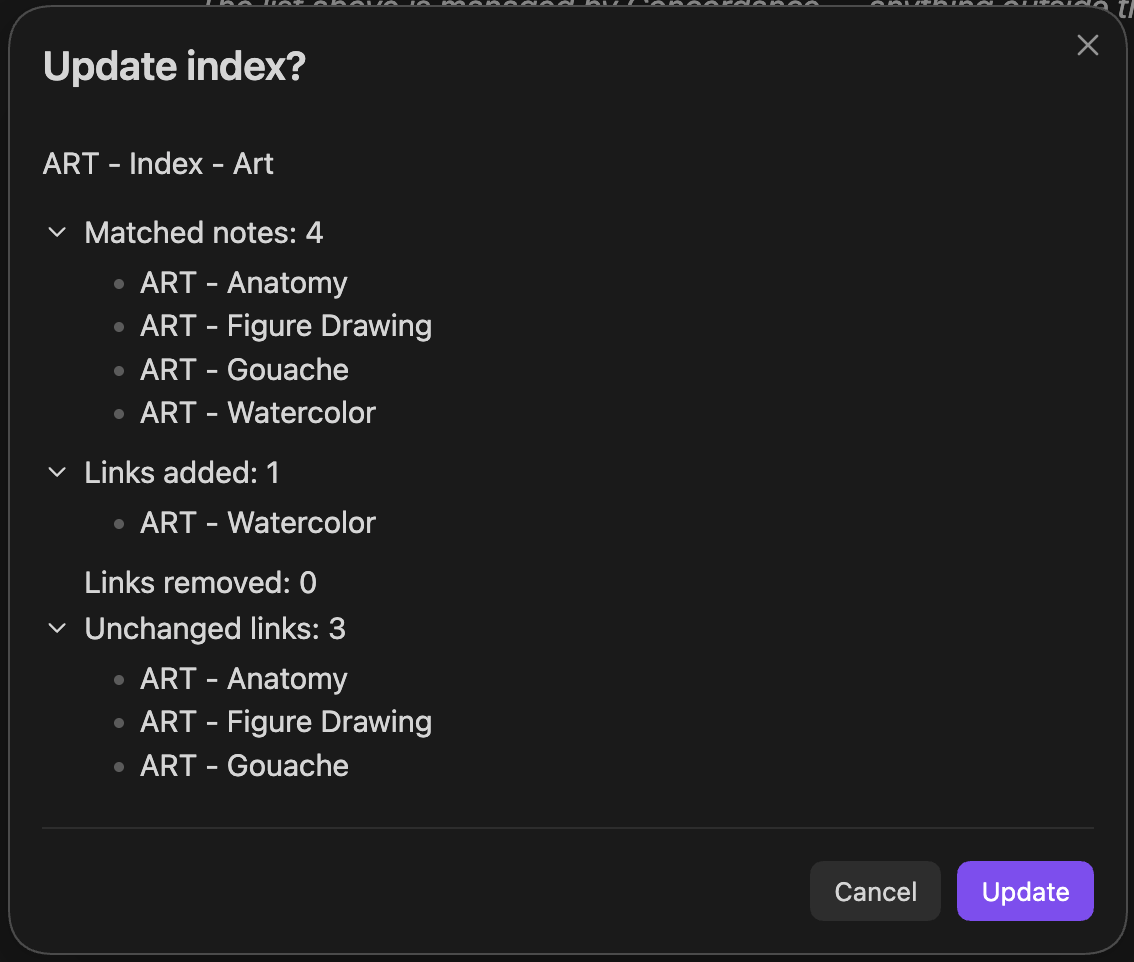
The update modal shows exactly what will change (links added, removed, and unchanged) before any file is written to disk.
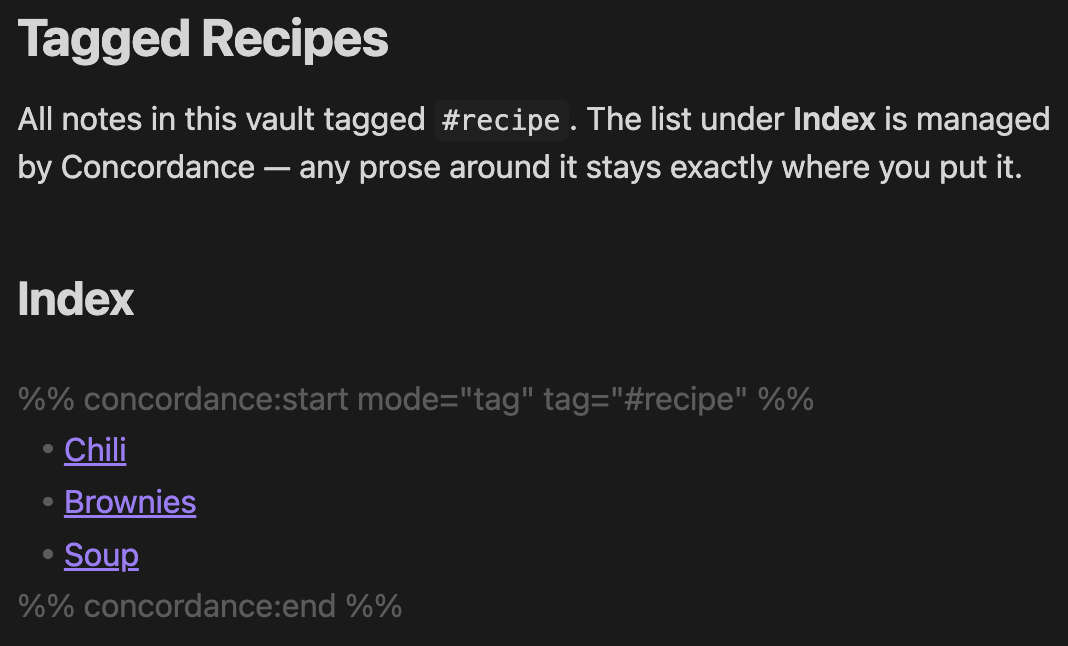
Marker attributes drive non-prefix modes. Tag, folder, and frontmatter property indexes are all configured the same way, by editing the options in the start marker.
Installation
From the Community Plugins browser
- In Obsidian, open Settings → Community plugins.
- Disable Restricted mode if necessary.
- Select Browse, search for Concordance, and install.
- Enable the plugin.
Manual install
- Download
main.js,manifest.json, andstyles.cssfrom the latest release. - Copy them into
<vault>/.obsidian/plugins/concordance/. - Reload Obsidian and enable Concordance in Settings → Community plugins.
Quick start
There are two ways to turn a note into an index.
A. Filename-based prefix index
Create a note whose name matches the configured index template
(default {PREFIX} - Index - {DISPLAY_NAME}), e.g. ART - Index - Art. Open it
and run Concordance: Update current index. Concordance asks once whether to
insert the managed block, then fills it with links to every other note whose
name starts with the ART - prefix.
B. Marker-driven index (any filename)
Add a managed block to any note. The attributes inside the start marker tell Concordance how to populate it:
## Recipes

%% concordance:start mode="folder" folder="Recipes" includeSubfolders="true" %%
%% concordance:end %%
Run Concordance: Update current index on the note. The body between the markers is replaced with the generated list.
Commands
| Command | What it does |
|---|---|
| Update current index | Compute and apply the update for the active note. |
| Update all indexes | Bulk-update every detected index after a confirmation step. |
| Check indexes for updates | Read-only diff of every index. Nothing is written. |
Block attribute reference
Attributes are written inside the start marker as key="value" pairs.
| Attribute | Modes | Values | Default |
|---|---|---|---|
mode |
all | prefix, folder, tag, property |
prefix |
folder |
folder |
vault-relative path (empty = whole vault) | index folder |
includeSubfolders |
folder |
true, false |
false |
tag |
tag |
#tag or tag (leading # added) |
none |
property |
property |
frontmatter key | none |
value |
property |
frontmatter value to match | none |
linkStyle |
all | auto, name, path |
auto |
sort |
all | name, path |
path |
linkStyle="auto" picks the basename for in-folder matches and the full path
for subfolder matches so wikilinks resolve unambiguously.
Examples
%% concordance:start mode="tag" tag="#recipe" sort="name" %%
%% concordance:end %%
%% concordance:start mode="property" property="type" value="recipe" %%
%% concordance:end %%
%% concordance:start mode="folder" folder="Projects/Active" includeSubfolders="true" linkStyle="path" %%
%% concordance:end %%
Settings
- Index note filename template: pattern used to discover prefix-mode index
notes. Must include
{PREFIX}and{DISPLAY_NAME}. - Child note filename prefix template: what prefix-mode child notes start
with. Must include
{PREFIX}. - Start / end markers: the literal strings that delimit the managed block. The defaults use Obsidian's comment syntax so the markers do not render in preview mode.
- Missing-block heading: heading inserted just above a newly added block.
- Missing-block behaviour:
Askshows a confirmation modal before adding a marker pair to an index that has none.Neversilently skips such files. - Excluded folders: paths to skip in every mode.
- Excluded note name terms: substrings to skip in every mode.
Safety model
Writes
- Concordance only writes between
%% concordance:start %%and%% concordance:end %%. Everything else in a file is preserved. - If the markers are missing or duplicated, no write happens and you receive a notice describing the problem.
- All updates go through a confirmation modal that lists what will be added and removed before any file is touched.
Reads and data access
- The plugin enumerates Markdown file paths in your vault via Obsidian's
vault.getMarkdownFiles()to find candidate notes for an index. - For
tagandpropertymodes, it reads cached metadata (tags and frontmatter) via Obsidian'sMetadataCache, with no extra file I/O. - The only file contents the plugin actually loads are the index files themselves, so it can locate the managed marker block.
- The plugin makes no network requests and writes nothing outside the configured index files. Nothing is collected, transmitted, or stored outside your vault.
Contributing
Build instructions, project layout, and release workflow live in CONTRIBUTING.md. Changelog is in CHANGELOG.md.
Disclosure
Developed with assistance from AI. All changes are reviewed and tested by the maintainer.
License
MIT. See LICENSE.