
README file from
GithubObsidian Citation Extended
This plugin for Obsidian integrates your academic reference manager with the Obsidian editing experience.
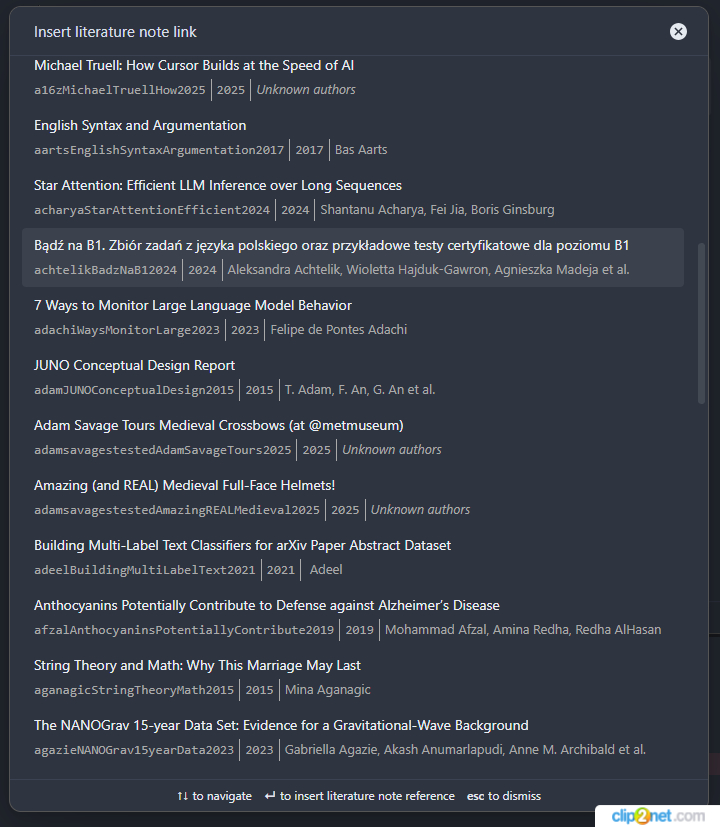
The plugin supports reading bibliographies in BibTeX / BibLaTeX .bib format, CSL-JSON format, Hayagriva YAML, and directly from the Readwise API.
Quick Start
- Install from Obsidian's Community Plugins browser
- Export your bibliography from Zotero + Better BibTeX, Mendeley, or Paperpile
- Add the database in plugin settings
- Use
Ctrl+Shift+Oto search and open literature notes
For detailed setup instructions, see Getting Started.
Features
- Open literature note — create or open a note for any reference
- Insert literature note link — insert a wiki-link or markdown link
- Insert literature note content — insert rendered template content at cursor
- Insert markdown citation — insert Pandoc-style citations with presets (textcite, parencite)
- Readwise integration — import highlights and documents from Readwise as citable entries
- Refresh citation database — manually reload all sources
See Features for details.
Templates
Customize your notes using Handlebars templates with 25+ variables, 18+ helpers, and built-in citation style presets.
- Template Variables — all available variables
- Template Helpers — comparison, string, date, author helpers
- Template Examples — recipes for YAML frontmatter, Zettelkasten, conditional content
Multiple Databases
Load citations from multiple .bib, .json, or .yml files and the Readwise API. Duplicate citekeys are preserved with database prefixes.
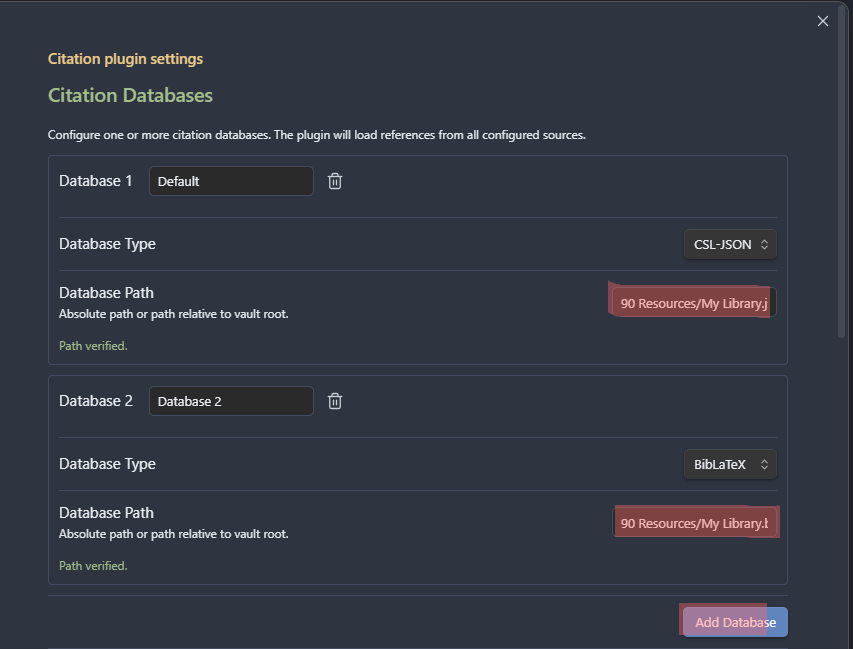
See Data Sources and Configuration for details.
Documentation
Full documentation is in the docs/ directory.
Network Use
This plugin accesses the network only when you configure it to, and it never sends telemetry or analytics.
- Readwise API (
readwise.io) — contacted only if you add a Readwise data source and supply your own API token, in order to fetch your highlights (v2) and documents (v3) as citable entries. If you set a sync interval, the plugin re-fetches from this endpoint on that schedule; otherwise it fetches on demand. Your token is stored locally in plugin settings and sent only to Readwise for authentication. - Documentation links (
github.com) — the settings screen links to the plugin's documentation. These open in your browser when you click them; the plugin makes no automatic requests to GitHub.
All bibliography parsing happens locally. Nothing leaves your vault unless you explicitly enable the Readwise integration above.
Development
npm run dev      # Watch mode
npm run build    # Production build
npm run lint     # ESLint
npm test         # Jest test suite
See Development Guide for architecture and contribution info.
License
MIT License.
Support
If you find this plugin useful, consider buying me a coffee.