
README file from
GithubCheckbox Status for Obsidian
Shows checked and total checkbox counts (for the active markdown file) in the status bar and/or a separate view. Has settings for which checkbox states mean checked/unchecked.
Adds commands that cycle the lines in your current selection through a set of checkbox/list states, e.g. bullet ⇒ unchecked ⇒ checked ⇒ canceled. Custom checkbox states supported by your Obsidian theme work fine too.
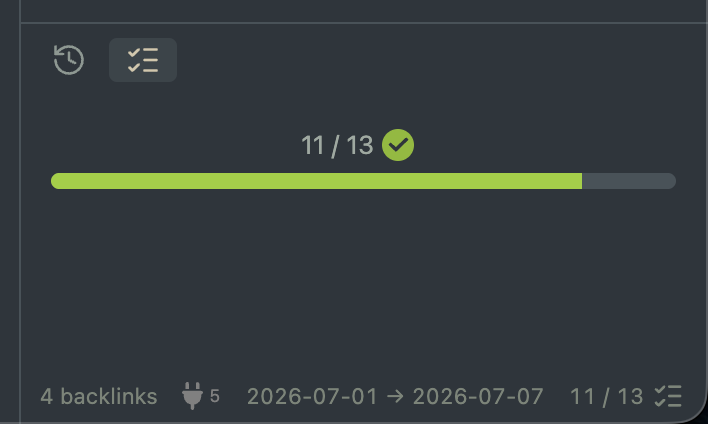
Table of Contents
Commands
Toggle checkbox status view
Toggles the separate view on/off. It appears in the right sidebar when you set it to visible.
Cycle checkbox state n
One command for each defined cycle. Cycles the lines in the current selection/multi-selection through the defined states.
The command's name includes the full cycle sequence, e.g. the default cycle's command is shown as Cycle checkbox state 1: • [ ] [x] [-] in the command palette and when assigning hotkeys.
Settings
Show in status bar
Shows the status bar item when enabled.
Show progress bar in view
Shows a progress bar filled to checked / total when enabled.
Count any non-empty checkbox as checked
If enabled, counts [ ] as unchecked and anything else as checked.
If disabled, uses the Unchecked states and Checked states settings.
Unchecked states
A string of checkbox states that should be counted as unchecked. Defaults to ' ', i.e. only counts [ ].
Checked states
A string of checkbox states that should be counted as checked. Defaults to 'xX', i.e. only counts [x] and [X].
Apply shared state (single selection)
When cycling with a single selection spanning multiple lines, apply the same state to all lines or advance each line's state separately. In the case of shared state then the first line determines what state to apply.
Example
- Line 1.
- [-] Line 2.
Assume you have both lines selected. If the cycle command you're running uses the default cycle bullet ⇒ unchecked ⇒ checked ⇒ canceled then the result with shared state enabled would be:
- Line 1.
- Line 2.
because both lines got the next state from line 1's [ ]. Shared state disabled on the other hand would give the result:
- Line 1.
- Line 2.
where each line advanced separately. Cycles always wrap around when advancing past the last element, which happened with line 2 here. It went from canceled to bullet.
Apply shared state (multi-cursor)
Same as the single selection setting but for the case where you have multiple cursors showing.
Cycles
One or more checkbox cycles can be defined. Each cycle is a string where every character represents one state in the cycle: a letter x maps to the checkbox state [x] and the special '[' character maps to a simple bullet (no checkbox). Spaces are significant — a space character ' ' represents the unchecked state [ ].
The default cycle '[ x-' reads as: '[' = bullet, ' ' = [ ], 'x' = [x], '-' = [-]. So the cycle is bullet ⇒ unchecked ⇒ checked ⇒ canceled.
Cycles can be added, edited, and deleted from the settings. Each cycle gets its own Cycle checkbox state command. Note that the command IDs are index based so if you delete cycle 2 then the hotkey you had for cycle 2 will now trigger your old cycle 3, and so on.
Usage
Install the plugin from Obsidian's community plugins browser and enable it. Only the status bar item is shown by default, but the separate view can be added with the Toggle checkbox status view command.
Cycling checkbox states
- Select one or more lines (or place your cursor on a single line).
- Run a
Cycle checkbox statecommand (or press your assigned hotkey). - Each selected line advances to the next state in the cycle (e.g. bullet ⇒
[ ]⇒[x]⇒[-]), or the first state if the current state wasn't in the cycle (this includes lines that aren't list items). See theApply shared statesettings for options when cycling multiple lines.
You can assign keyboard shortcuts to any of the commands via Obsidian's Settings → Hotkeys.
License
Licensed under the MIT License.