
README file from
GithubCheckbox Progress for Obsidian
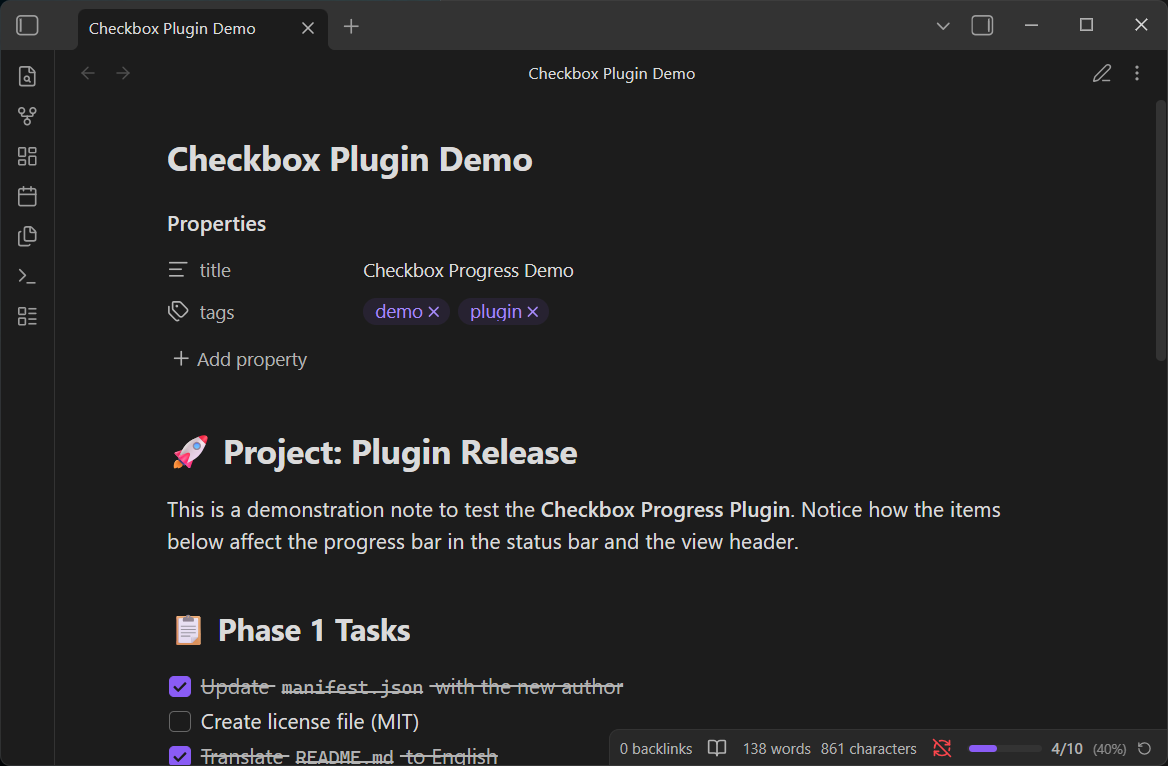
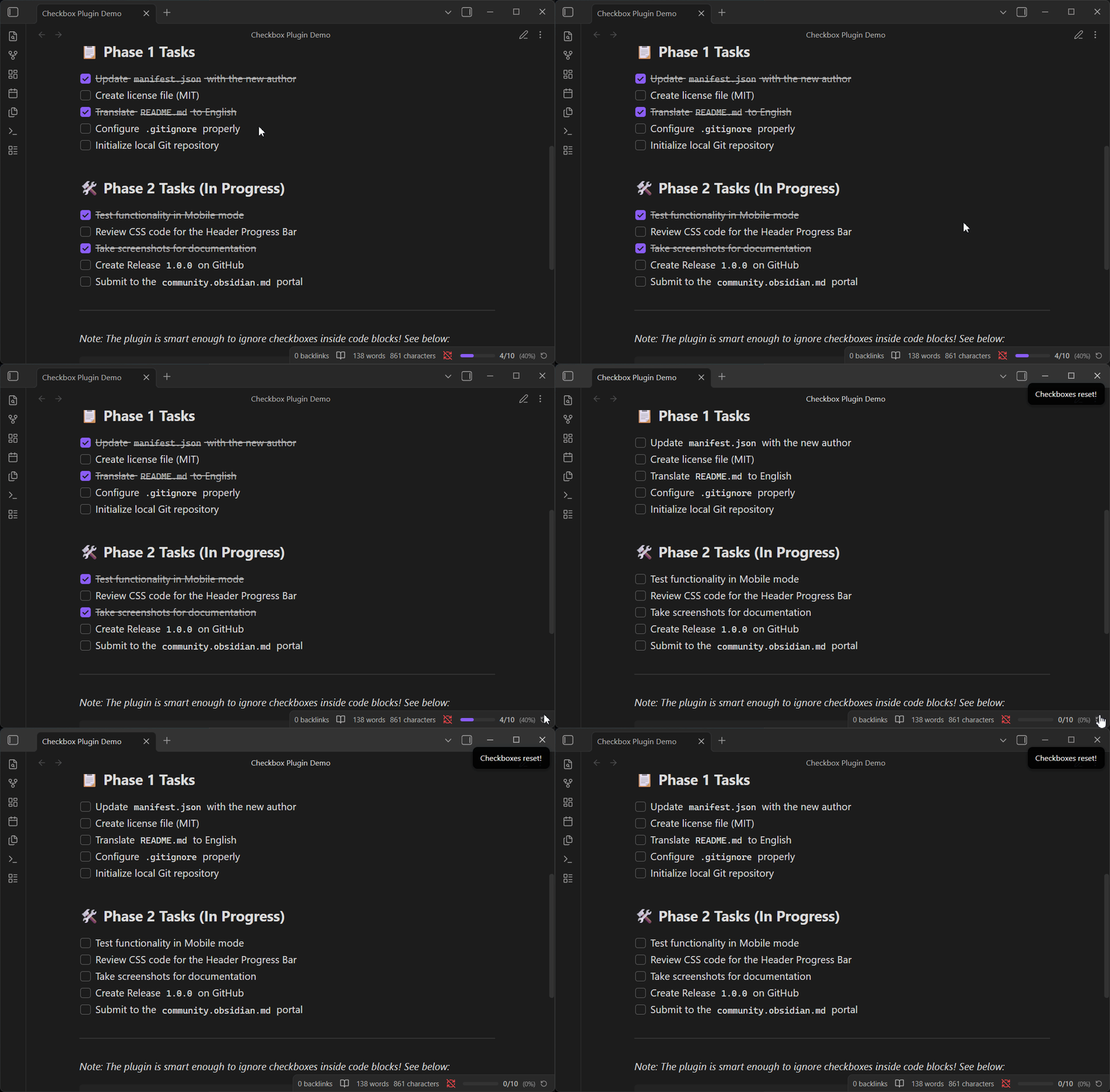
An Obsidian plugin that displays a real-time checkbox completion counter in your status bar (next to words and characters). It also adds a progress bar with a reset button to the view header on both desktop and mobile!
Features
- Real-time Counting: Counts all checkboxes (
- [ ],- [x],- [-],- [/]) in the active note. - Status Bar Integration: Displays
☑ 3/10 (30%)directly in the Obsidian status bar. - Smart Ignoring: Automatically ignores checkboxes inside code blocks (like
dataviewjs) and frontmatter YAML. - Auto-hide: The counter hides itself gracefully in notes without any checkboxes.
- Reset Button: Quickly clear all completed checkboxes in a note with a single click.
Manual Installation
While the plugin is not yet available in the Community Plugins directory, you can install it manually:
- Download the latest release from the GitHub Releases page.
- Extract the contents (
main.js,manifest.json,styles.css) into your Obsidian vault's plugin directory:.obsidian/plugins/checkbox-progress/. - In Obsidian, go to Settings > Community plugins and click Reload plugins.
- Enable "Checkbox Progress" in the plugins list.
Development
To build the plugin from source:
npm install
npm run build
How it works
The plugin listens to several Obsidian events to provide a seamless experience:
- File open events
- File modification (debounced 300ms for performance)
- Tab/pane switching
Upon each event, it quickly scans the active note's content, counts total vs. completed checkboxes, and updates the UI elements accordingly.
License
This project is licensed under the MIT License - see the LICENSE file for details.