
README file from
GithubCheckbox Context Menu
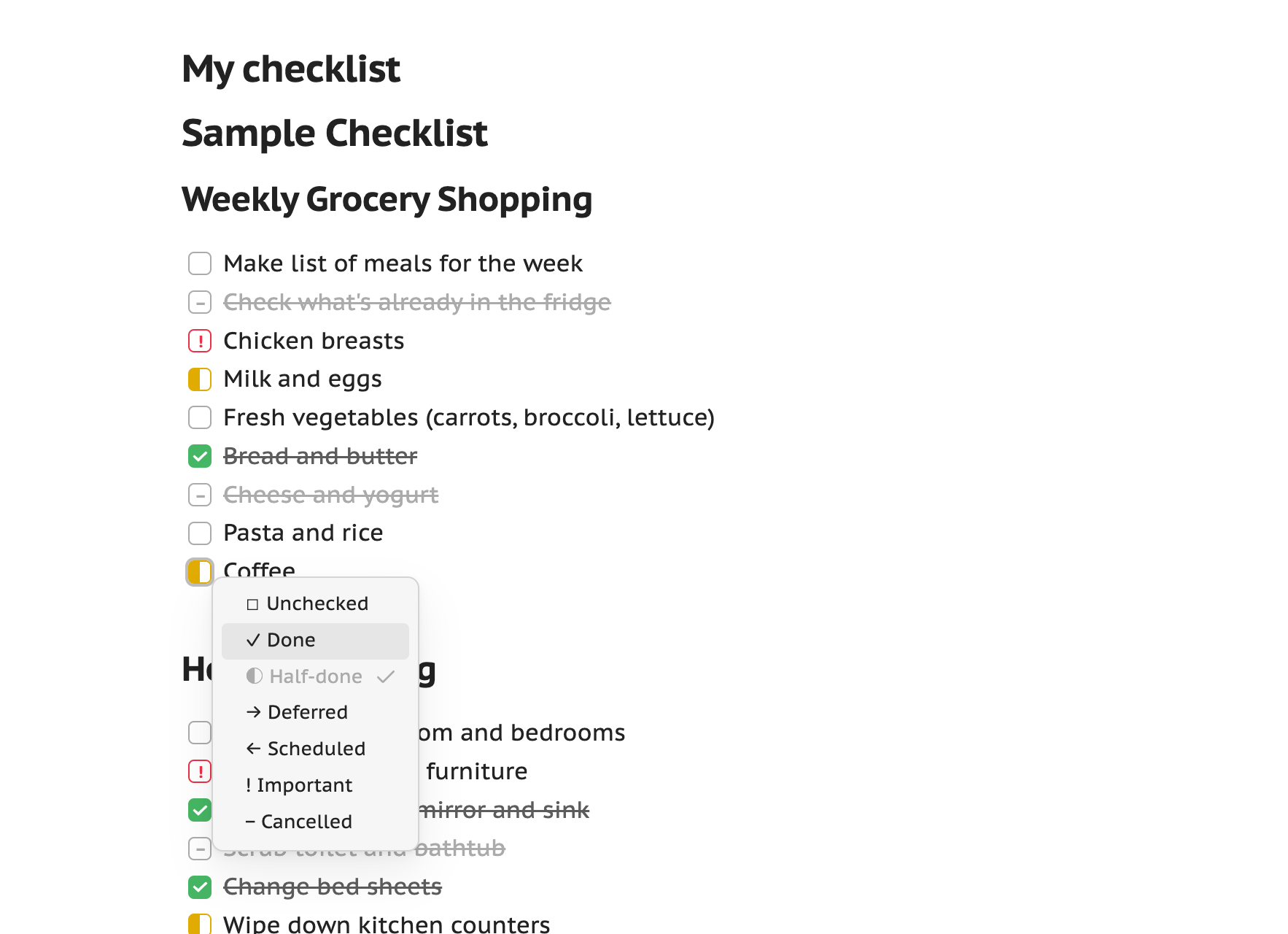
Obsidian plugin that adds a right-click context menu to any task checkbox for switching between states — unchecked, done, half-done, deferred, scheduled, important, cancelled, and any custom states you define.
Works in both editing / Live Preview (via the editor menu) and Reading
mode (via right-click on desktop, or long-press on mobile/touch). A Cycle checkbox state command steps through the enabled states — bind your own hotkey in Obsidian's
hotkey settings.
Status styling
The plugin ships CSS that gives each built-in state a distinct colour and glyph
in the note, so switching states is actually visible instead of every state
showing the same box. Colours use Obsidian's theme variables, so they adapt to
your theme and light/dark mode. See docs/status-styles.md.
Settings
- Toggle which built-in states appear, and override each one's label/icon.
- Add custom states (single character + label + icon).
- Menu appearance: show icons, highlight the current state, sort alphabetically.
Development
npm install
npm run dev
Then copy the plugin folder to your vault's .obsidian/plugins/ directory and
enable it in Settings → Community plugins. See AGENTS.md for the docs map.