
README file from
GithubChat Bubble Renderer
Instantly transform Markdown chat logs into WeChat-style bubble dialogs inside Obsidian.


Features
Automatic Rendering
Switch to reading view on any file tagged with #聊天记录 — bubbles appear automatically. No manual trigger needed. Press Esc to dismiss. A Ctrl+P command ("Render as Chat Bubbles") is also available for manual control.
Message Types
| Type | Description |
|---|---|
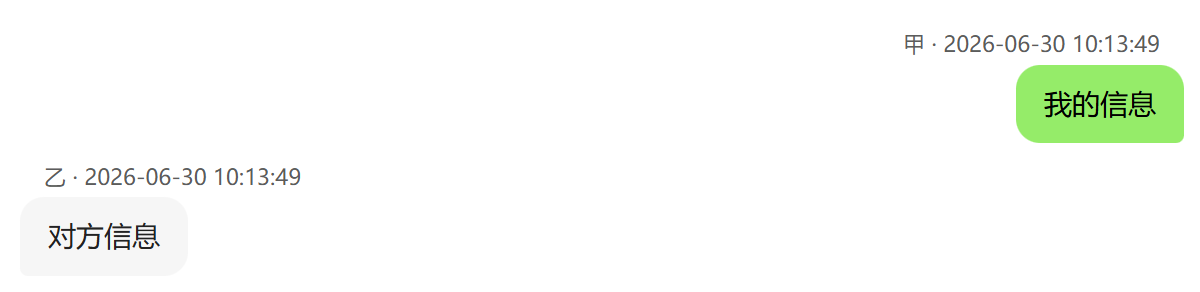
| Text | Standard messages in WeChat-style bubbles: others on the left (gray #f2f3f5), yourself on the right (green #95ec69). Bubbles auto-size to content width. |
| Quote Reply | >[Sender] quoted content — renders a gray reference bar above the reply bubble. Supports quoted images (thumbnail), videos (first-frame preview), audio (inline toggle), PDFs (red badge), and location/card/link previews. |
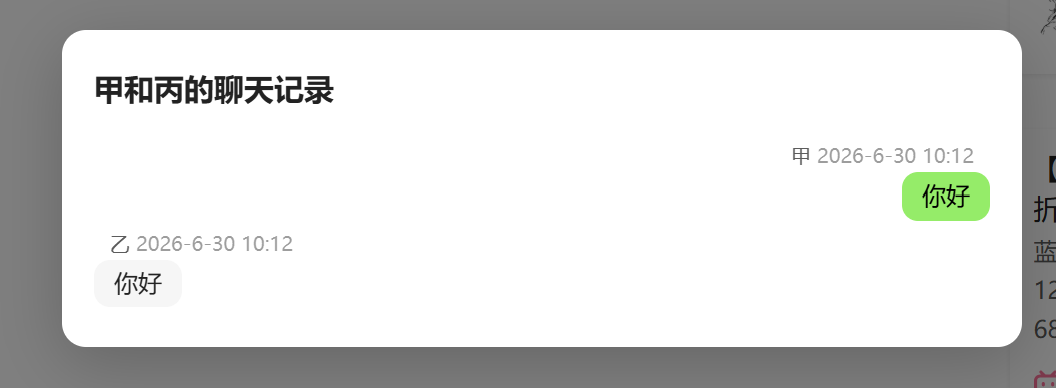
| Merge-Forward | [合并转发|title] — a compact card showing title + 4-line preview + "Chat Records" footer. Click to open a navigable overlay with sender/timestamp bubbles, inline media, and support for unlimited nesting (click nested cards to dive deeper, click background to pop back). |
| System Messages | Nudge, recall, group creation/rename, friend verification — rendered as centered gray tips without bubbles. |
Rich Cards
| Card | Format | Behavior |
|---|---|---|
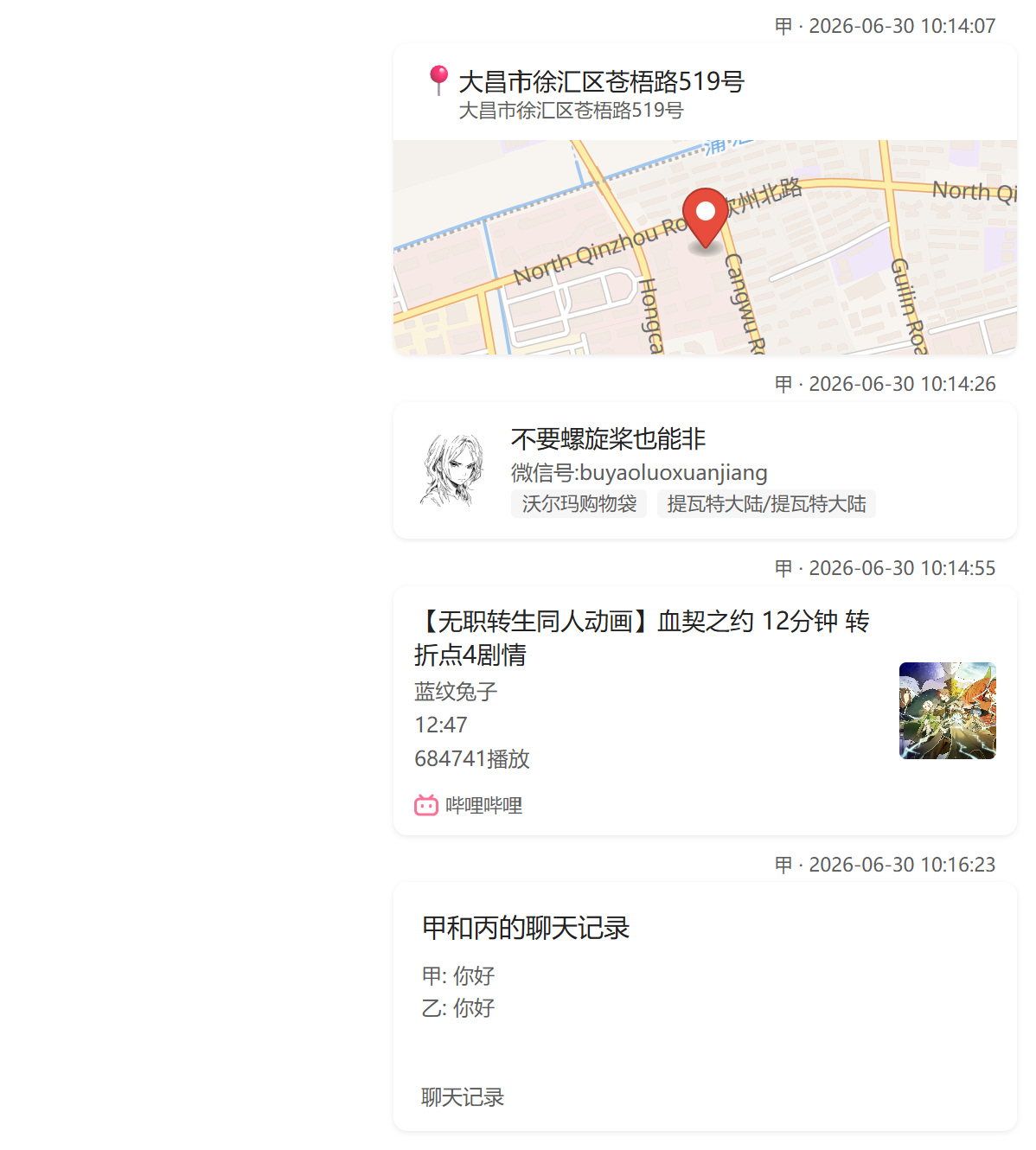
| Location | [位置|address|city|lng,lat] |
MapLibre vector map preview with red pin marker. Click to open in OpenStreetMap. |
| Contact | [名片|nickname|wechat_id|sex|region] |
Avatar (from ![[image]] on next line) + nickname + tags. Personal 名片 shown as 👤, official accounts as 📢. |
| Link | [链接|title|cover_url|description](url) |
Rich preview card with platform badge (Bilibili, NetEase Music, Xiaohongshu, WeChat, QQ, LOFTER, Tencent Meeting — auto-detected by domain) + cover thumbnail on the right. Simple cards fall back to a 🔗 icon. Supports [小程序|...] variant. |
| File | ![[file.pdf]] |
Card with filename + extension badge (colored red). PDFs open an iframe preview on click. Supports PDF/DOC/DOCX/XLS/XLSX/PPT/PPTX/TXT/ZIP/RAR/7Z. |
Media Support
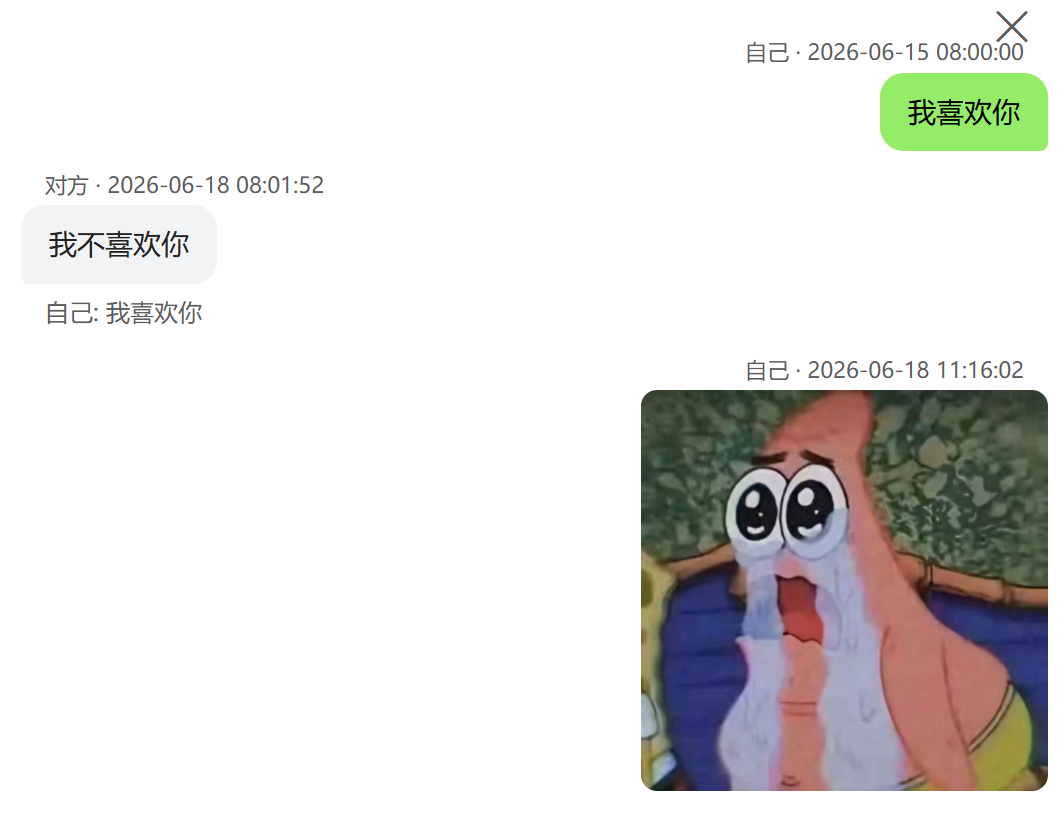
- Images — Inline rendering with
loading="lazy". Click to preview full-size in a dark overlay modal. - Videos — Static preview card (200×280 + first-frame thumbnail + ▶ overlay). Click to play full-screen.
- Audio — WeChat-style voice bubble (🔊 icon + dynamic duration). Click to play/pause inline.
- All media resolved via Obsidian's vault resource paths — audio files are base64-encoded for playback.
Performance
- Virtual scrolling — Only ~150 DOM nodes visible at any time, even with tens of thousands of messages.
- Lazy media resolution — Media file URIs are resolved on-demand as messages scroll into view.
- Chunked base64 encoding — Large audio files encoded in 4096-byte chunks, ~40× faster.
- Event-driven auto-render — No polling; renders on tab switch and layout change via workspace events.
- Shared name map — Vault file lookups cached once and kept in sync via create/delete/rename events.
Theme & UX
- Follows Obsidian's light/dark theme automatically via CSS custom properties.
- All interactive elements use event delegation (no inline
onclick) — clean, secure, maintainable. - Overlay modals close on background click or
Esckey. safeHrefAttrprotocol filtering on all user-generated links (http/https/mailto/obsidianonly).
Chat Log Format
Basic Message
---
tags:
  - 聊天记录
---

[Sender Name] 2026-06-30 10:13:49
Message content here.
[Reciver Name] 2026-06-30 10:13:49
Message content here.
Quote Reply
[甲] 2026-06-30 10:12:21
> [甲] Quoted message text
My reply content.

Quotes also support media and card references:
> [甲] ![[image.jpg]]         — thumbnail preview
> [甲] [位置|Shanghai|上海|121.47,31.23]  — map thumbnail
> [甲] [名片|张三|wxid_xxx|男|北京]        — contact card preview
> [甲] [链接|Title|cover.jpg](https://...)  — link card preview
Rich Cards
[甲] 2026-06-30 10:14:07
[位置|详细地址|市|经度,纬度]

[甲] 2026-06-30 10:14:26
[名片|Name|微信号:wxid|Gender|Location]
![[avatar.jpg]]

[甲] 2026-06-30 10:14:55
[链接|标题|https://example.com/cover.jpg|其它信息](https://example.com/article)

[甲] 2026-06-30 10:16:23
[合并转发|甲 和 丙的聊天记录]
  甲 2026-6-30 10:12
  你好
  丙 2026-6-30 10:12
  你好
Media Embeds
[甲] 2026-06-30 10:13:49
![[photo.jpg]]

[甲] 2026-06-30 10:14:00
![[voice.amr]]

[甲] 2026-06-30 10:14:30
![[video.mp4]]

[甲] 2026-06-30 10:15:00
![[document.pdf]]
Installation
Community Plugin Store
Search "Chat Bubble Renderer" in Obsidian → Settings → Community plugins → Browse → Install.
Manual
git clone https://github.com/bruce2431/obsidian-chat-bubble-renderer.git
cd obsidian-chat-bubble-renderer
npm install
npm run build
Then copy main.js, styles.css, and manifest.json into your vault's .obsidian/plugins/chat-bubble-renderer/ directory.
Settings
| Setting | Description | Default |
|---|---|---|
| Self Identifiers | Comma-separated names that identify yourself (your messages render on the right, in green). Supports Chinese commas. | 我, me |
Requirements
- Obsidian ≥ 1.5.0
- Desktop or mobile (plugin is not desktop-only)
License
MIT