
README file from
GithubColumns
A kanban-style card view for Obsidian. Group notes by tags or any frontmatter property into columns, with tag filtering, property chips, card covers, and split‑pane preview.
Demo
1. Overview
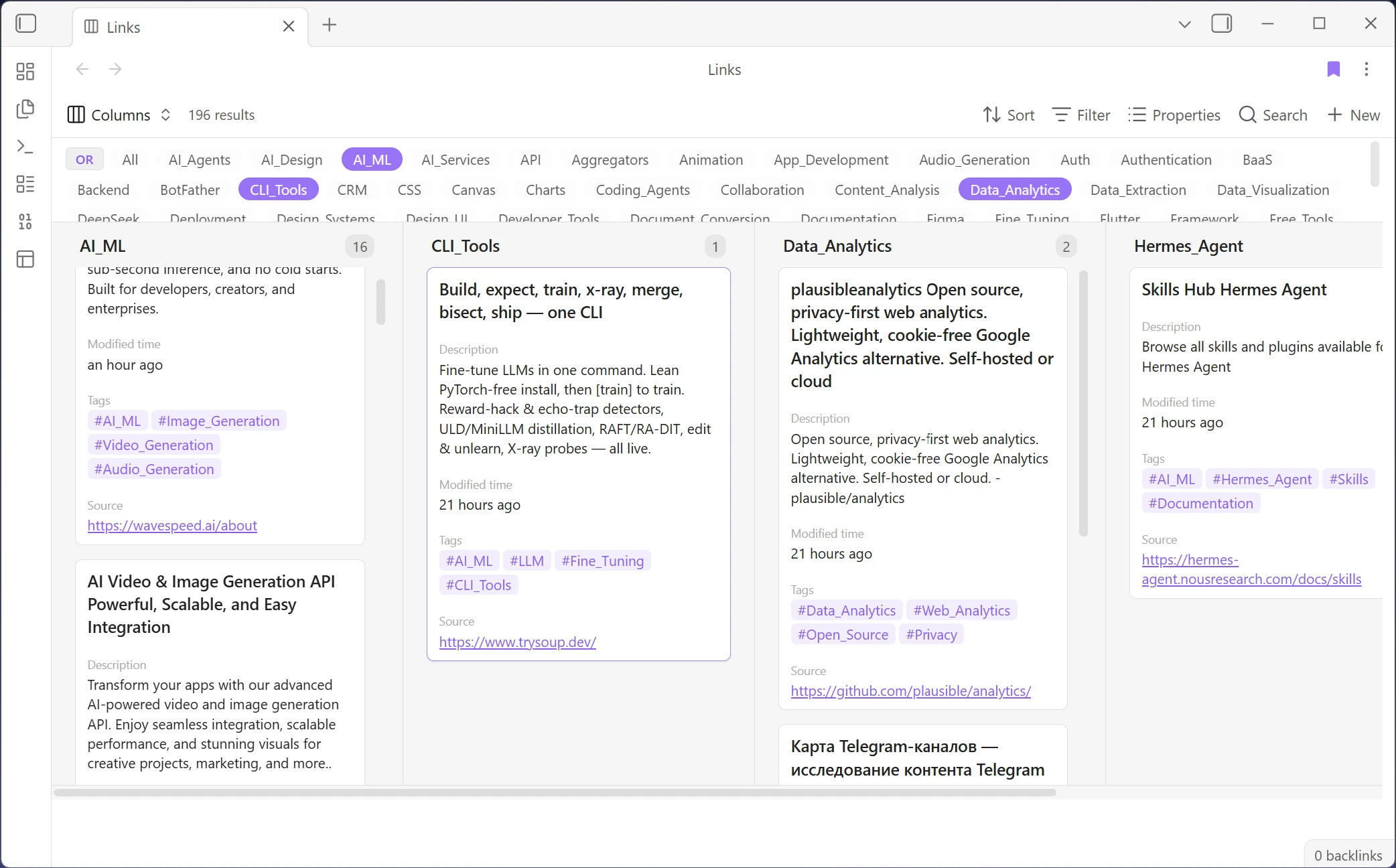
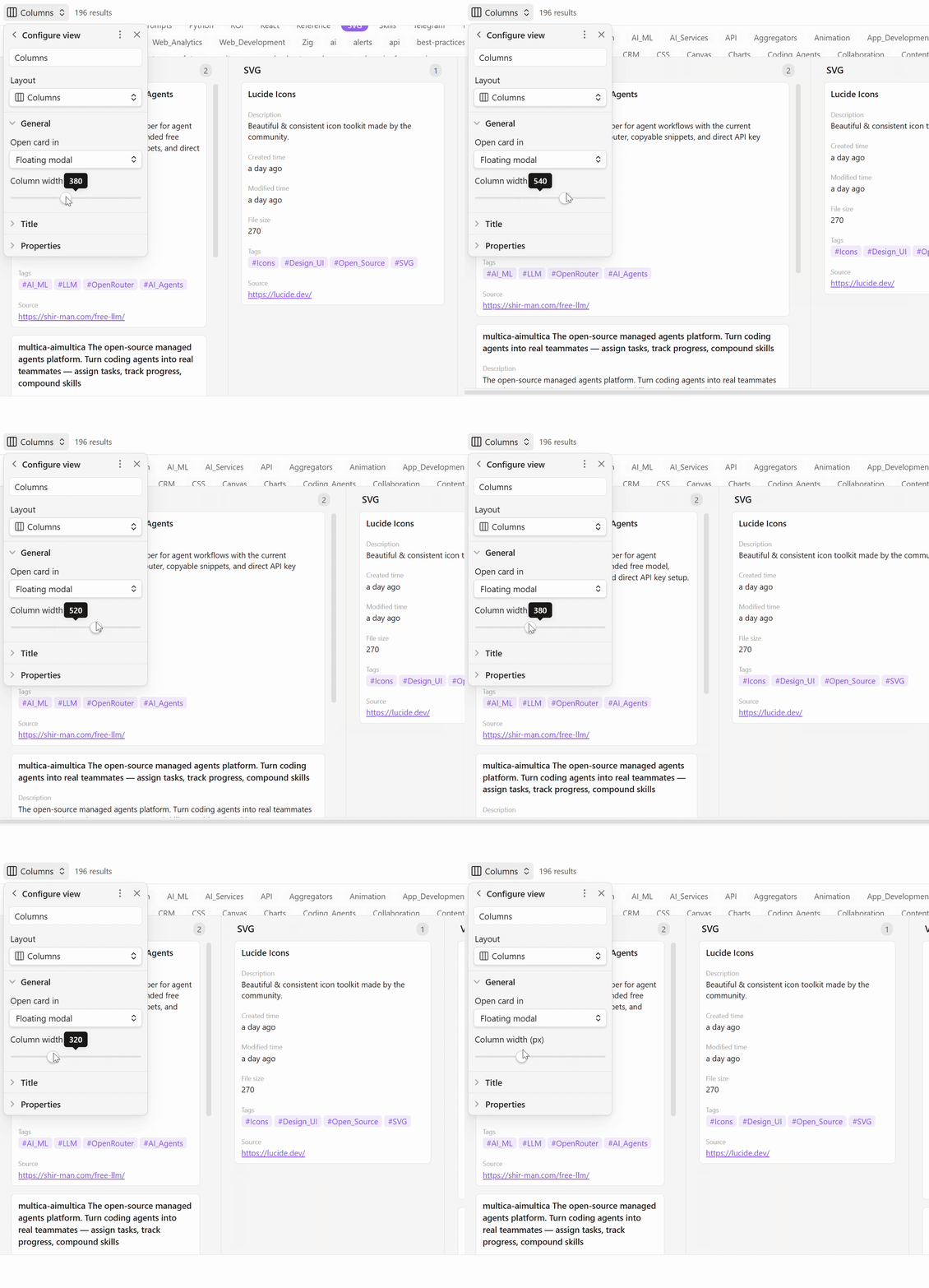
2. Creating and configuring a view
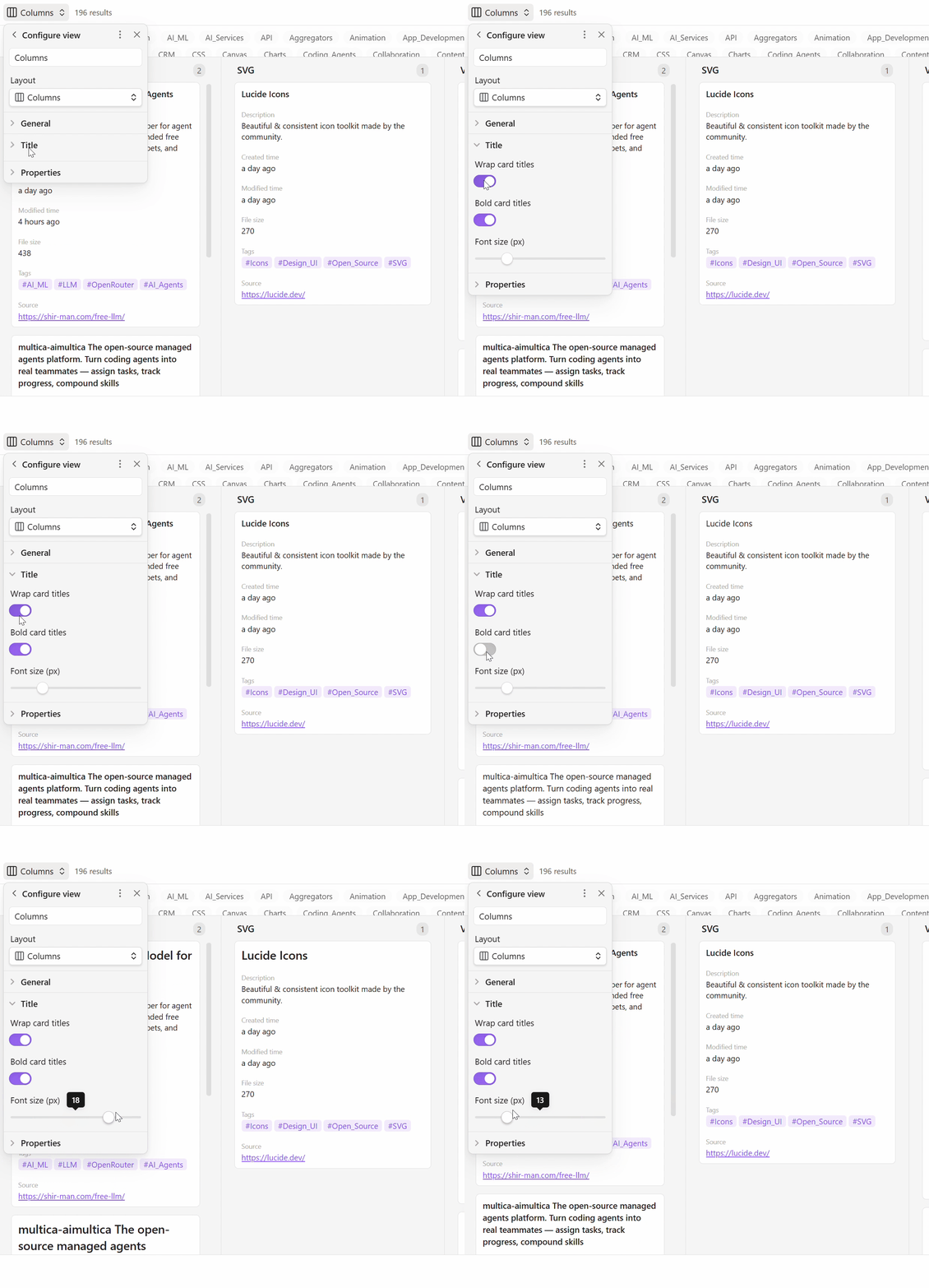
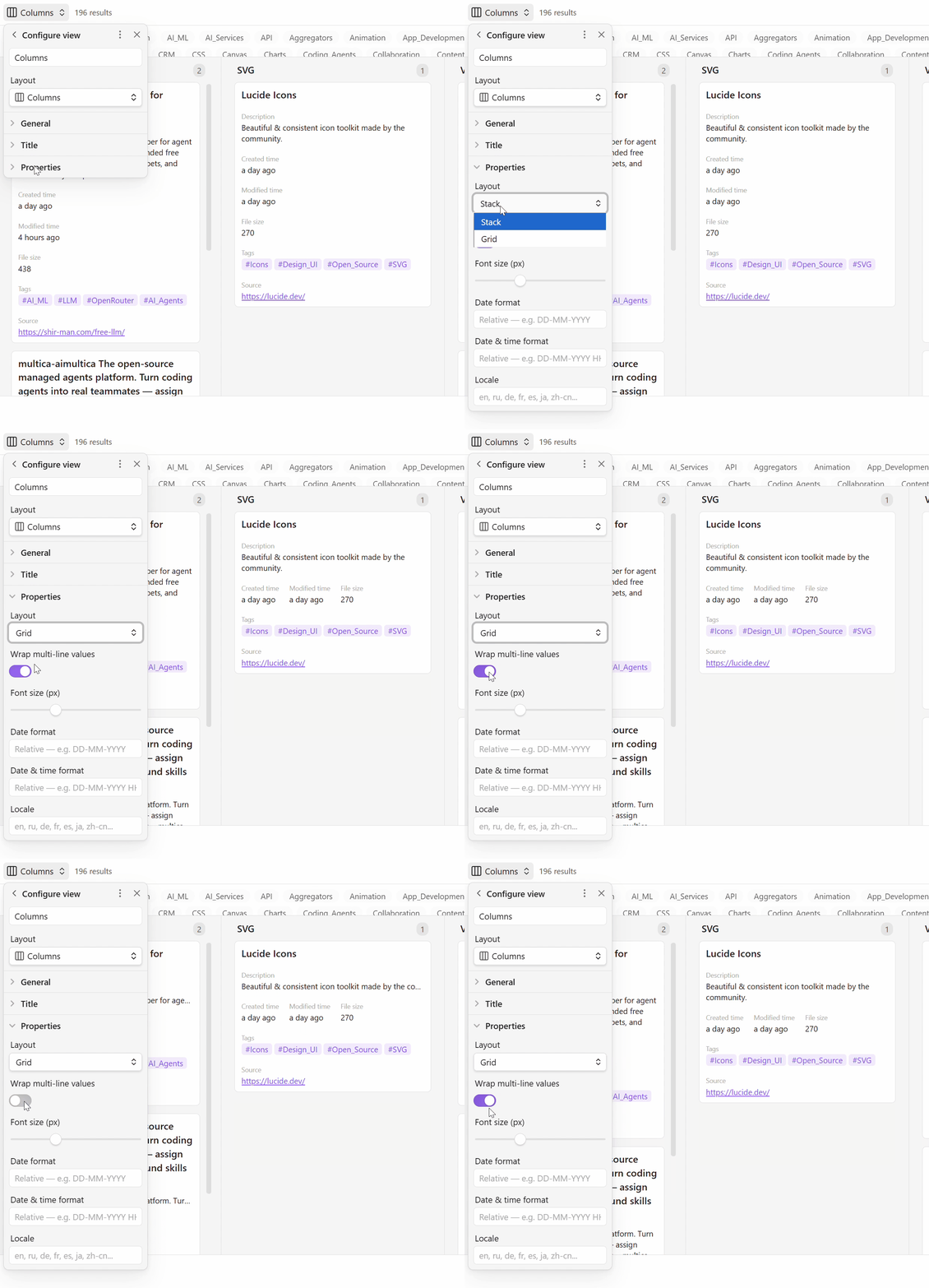
3. Tag filtering & column navigation
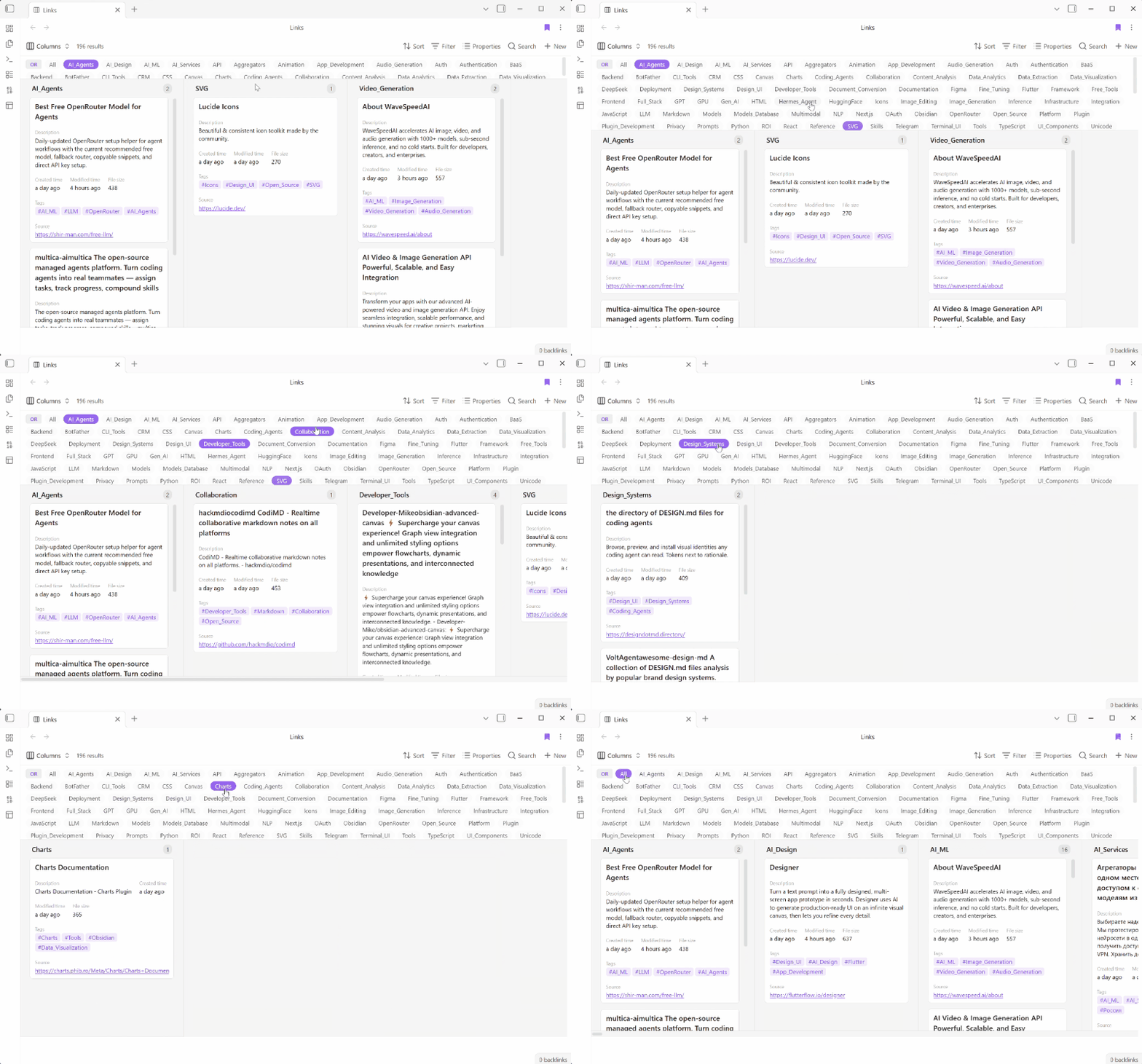
Features
- Column grouping — group by
tags,status,categoryor any frontmatter property - Card covers — display cover images from note embeds or frontmatter property; full control over aspect ratio, style, fit, and position
- Multi-column groups — display multiple cards per column in a grid layout (1–6 columns, configurable)
- Masonry layout — alternative card arrangement where cards fill gaps vertically (CSS columns-based, toggle in settings)
- Zebra striping — alternate column backgrounds for easier visual scanning (toggle in settings)
- Split‑pane preview — open cards in a right or bottom split pane; LMB reuses the pane, Ctrl+LMB opens a new tab
- Tag filtering — click tags to AND/OR filter across columns; Ctrl+Click toggles a single tag
- Property chips — view note properties as styled chips (text, tags, links, booleans, dates)
- Date formatting — Moment.js format and locale support
- Grid/Stack layout — compact inline properties or structured vertical layout
- Native integration — uses Obsidian BasesView framework (Sort, Filter, Properties, Search toolbar)
Usage
- Create a new
.basefile (or open an existing database) - Click the view switcher and select Columns
- Click Group by in the toolbar → choose a property (e.g.
tags,status) → notes are grouped into columns - Filter by clicking tag pills below the toolbar:
- Left-click on a tag → show only notes with that tag (clears other filters)
- Left-click another tag → show notes matching ANY selected tag (OR mode)
- Ctrl+Click or Right-click on a tag → toggle that tag without clearing others
- Click the OR/AND button → switch between OR and AND mode for multiple tags
- Click All → clear all filters
- Open a card — mode depends on the gear‑menu setting:
- Active pane — opens in the current leaf
- Floating modal — preview in a pop‑up (default)
- New tab — opens in a new tab
- Split right / Split down — opens in a split pane:
- Left-click → replaces the file in the existing split pane
- Ctrl+Click → opens a new tab inside the split pane
- Open the gear menu (⚙) to configure appearance: title style, property chips, date format, layout
Settings (gear menu)
General
- Open card in (active pane / floating modal / new tab / split right / split down)
- Card width (px)
- Columns per group (1–6)
- Zebra striping (toggle)
- Masonry layout (toggle)
Title
- Wrap card titles
- Bold card titles
- Font size (px)
Properties
- Layout (Stack / Grid)
- Wrap multi-line values
- Font size (px)
- Date format
- Date & time format
- Locale
Cover
- Source (None / First image in note / Cover property)
- Style (Borderless / Bordered)
- Aspect ratio (Auto / 1:1 / 3:2 / 4:3 / 16:9)
- Orientation (Landscape / Portrait)
- Image fit (Cover / Contain)
- Position in card (Above title / Below title / After all)
Installation
- Download from Obsidian community plugins (pending)
- Or manual: copy
main.js,manifest.json,styles.csstocard-columns/in your vault's.obsidian/plugins/
Support
If you find this plugin useful, consider supporting its development:
https://donation.streamiverse.io/mamadaevv
License
MIT