
README file from
GithubBrainOS Graph
Record thought paths in plain Markdown and explore them as an editable graph. Each thought is a normal Markdown file, so your notes stay readable without the plugin.
See it in Obsidian
Actual captures of BrainOS Graph 0.2.6 running in Obsidian 1.14.4 on macOS, using a separate demo vault and the default light theme.
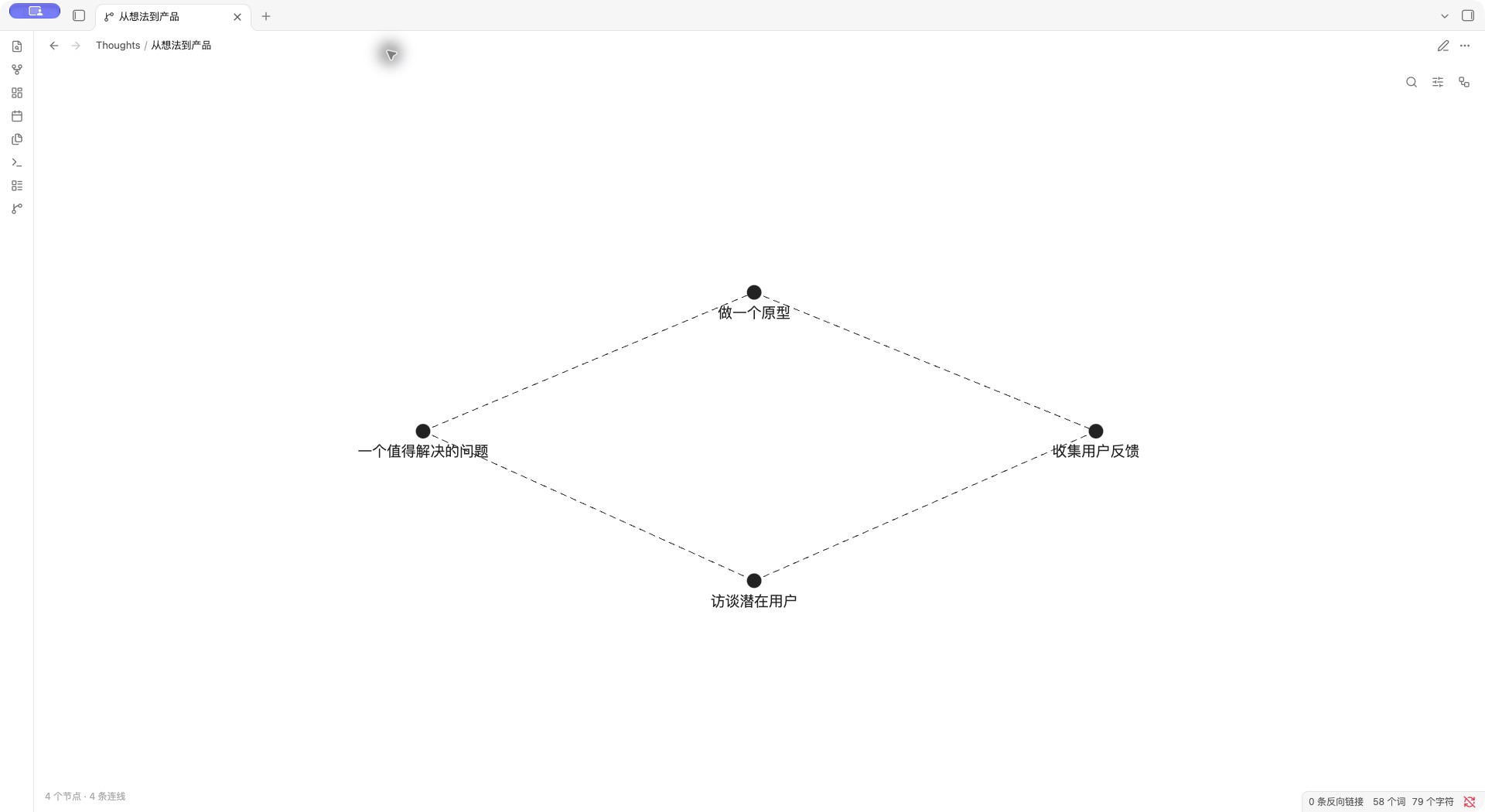
Edit titles and reuse nodes
Select a node and press Space to edit its title in place. Press Tab to extend the path, then type to find and reuse an existing node. The recording finishes with the same four nodes, without creating a duplicate feedback node.
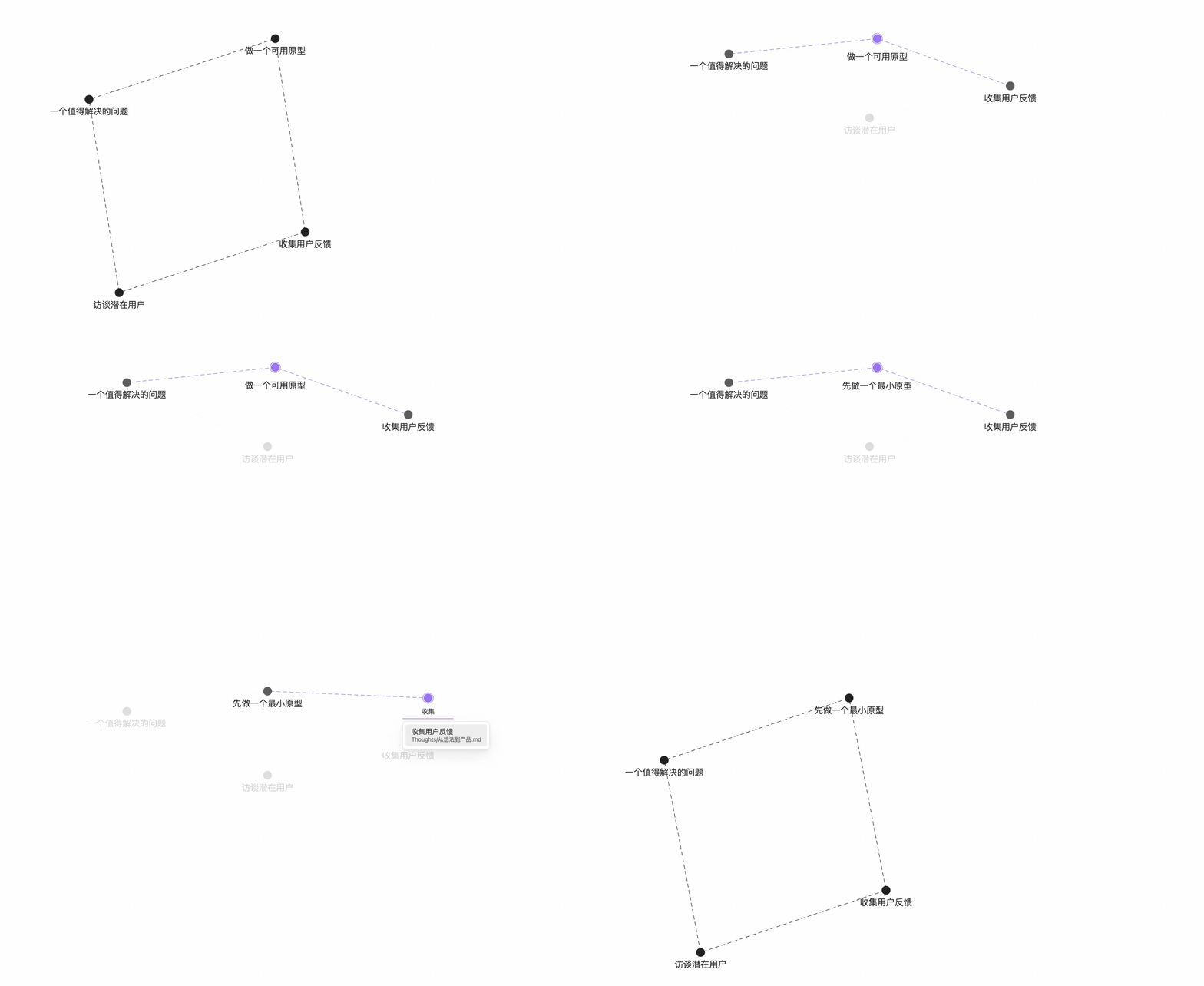
The GIF comes from a continuous recording of the demo window at approximately 30 fps, cropped and played at its original speed.
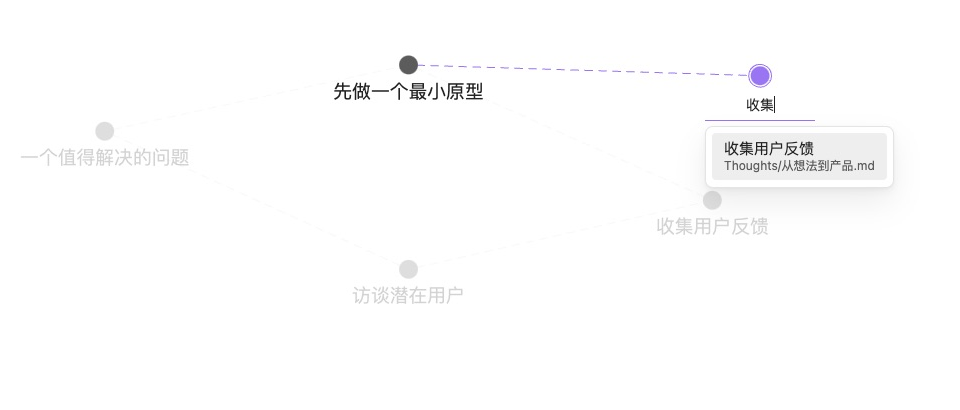
Live node suggestions
Suggestions contain nodes from the configured thought folder; the source file helps distinguish matching titles.
Installation
Requires Obsidian 1.7.2 or later. See the community listing. If the plugin has not appeared in your app's directory yet, install it manually:
- Download
main.js,manifest.json, andstyles.cssfrom the latest release. - Create
.obsidian/plugins/brainos-graph/inside your vault and place the three files there. - Reload Obsidian and enable BrainOS Graph in Settings → Community plugins.
When updating manually, keep your existing data.json.
Usage
Set a thought folder in the plugin settings to limit the shared graph and node suggestions to Markdown files in that folder and its subfolders. An empty setting includes the whole vault.
Run 新建思考 (New thought) from the command palette or the new-tab page. The default thought view uses Git-style lanes with aligned text and expandable bodies. Use New idea or Tab to create nodes inline. Switch to Global graph for the free canvas, or Raw for the native Markdown source editor. Each thought belongs to one Markdown file, while the canvas shows all thoughts in the configured folder. Hover over a file in the file explorer to preview its path.
| Action | Shortcut or gesture |
|---|---|
| Edit the selected node title | Space or double-click the node |
| Extend a path | Tab |
| Start a branch | Enter |
| Insert a node between the selected node and its parent | Command/Ctrl+Enter |
| Move a node | Drag the node |
| Select several nodes | Drag empty canvas space |
| Delete selected nodes | Backspace/Delete |
| Disconnect an edge | Hover to highlight, then click |
| Zoom the canvas | Mouse wheel or trackpad pinch, anchored at the cursor |
| Pan the canvas | Right-button drag; Mac two-finger trackpad scrolling (enabled by default) |
| Undo / redo | Command/Ctrl+Z / Command/Ctrl+Shift+Z |
Type a node title to see matching nodes from the thought folder. Choose an existing node to reuse it or reference one from another file. Edit body text in the Markdown view. Flowing dashed edges indicate direction. Selecting a node temporarily expands the active thought into a reading layout; click empty space or press Escape to return to the free layout.
In the lane view, Tab extends the focused node, Enter starts a sibling branch from its predecessor, and Space edits the title in place. Up/down select the previous/next visible row, just like a Git log. Branch lines describe relationships only; there is no left/right navigation. Moving selection does not enter title editing. While typing, Enter saves, Tab saves and continues, and Escape cancels. IME composition does not submit a node. Raw round trips preserve the selected occurrence and scroll position. The canvas gestures in the table above remain available in Global graph.
An empty thought accepts Tab or Enter to start its first node. Saving and cancelling return focus to the thought, so you can create, extend and rename without reaching for the mouse. Space edits the title and body directly on the current graph, including referenced nodes. Enter in the title saves; Down enters the body, where Enter inserts a line and Command/Ctrl+Enter saves. Escape cancels. Editing adds no operation toolbar or Confirm/Cancel buttons. Sibling creation follows the selected record's actual arrival even when the graph merges several parents.
Markdown format
- First idea
  Optional body text belongs to this visit.
  → Second idea
  → Another branch

- Second idea
  → Conclusion

- Another branch
  → Conclusion

- Conclusion
Top-level list items are node visits. Only explicit, two-space-indented arrows create edges; adjacent items never connect automatically. - to: Target is also accepted. Repeated titles reuse a node within the same file while retaining each visit's body. Code fences, comments and deeply nested arrows remain prose.
Use → [[Other thought.md|Node title]] for a cross-file connection. The alias identifies the source node; content is not copied. Unresolved targets remain visible. Stored coordinates are auxiliary layout data, not the source of graph structure.
Existing adjacency/--- files must be converted once before switching versions. Startup and refresh never run conversion. First inspect the explicitly selected files, then write with a backup directory:
node scripts/convert-thought-paths.mjs /absolute/path/Thought.md
node scripts/convert-thought-paths.mjs --write --backup-dir /absolute/path/backup /absolute/path/Thought.md
The converter verifies visit bodies and connections, preserves YAML and code, and rejects a file that already contains arrow relations.
Privacy
All note processing and layout calculations stay local. The plugin requires no account, network service, or telemetry. It enumerates vault file paths to find thoughts and reads the configured Markdown files through the Obsidian API. Graph edits modify those files; keep normal vault backups. The optional vault-links graph uses Obsidian's metadata cache.
Development
Use Node.js 22 and the committed lockfile:
npm ci
npm run lint
npm test
npm run build
The build outputs main.js in the repository root. Tagged releases are built and tested by GitHub Actions, checked against the committed bundle, and published with artifact attestations.
Some native interface integration uses internal Obsidian APIs and may be affected by Obsidian updates. Automated tests cover storage, parsing, and simulated interactions; they do not cover every device, theme, or Obsidian version. The shared canvas and file explorer integration have been tested on macOS with Obsidian 1.14.4. AI generation and process replay are not implemented; the AI provider interface sends no content.
See the contribution guide, changelog, and graph implementation notes.
License
BrainOS code is licensed under Apache License 2.0. Contributors retain their copyright and license their contributions under the same terms. Commercial use is allowed subject to the license conditions.
The generated bundle contains esbuild runtime helpers under the MIT license. Their copyright and license, together with the project's Apache license, are embedded in main.js. See third-party notices. Native Obsidian components are provided by the host application and are not bundled with this plugin.